Prerequisites, installation in custom/, configuration, first test and update. Start on a copy of your database.
Updated 9 October 2026 · Dolibarr 18 → 24 · PHP 7.4 – 8.3 · version 1.5.0
1. Prerequisites
Dolibarr 18 to 24 with PHP 7.4 to 8.3 and MySQL or MariaDB. The Banks and cash module must be enabled. Enable Salaries, Taxes and Expense reports if you want those documents proposed. Export a statement from your online bank (CSV or OFX at least). Work on a copy of your database first.
2. Install the module
Download the archive from Dolistore and unzip it into the custom/ directory of Dolibarr (custom/dolibankmatch). In Home → Setup → Modules/Applications, activate DoliBank Match. No Composer package or external library is required.
3. Configure and grant permissions
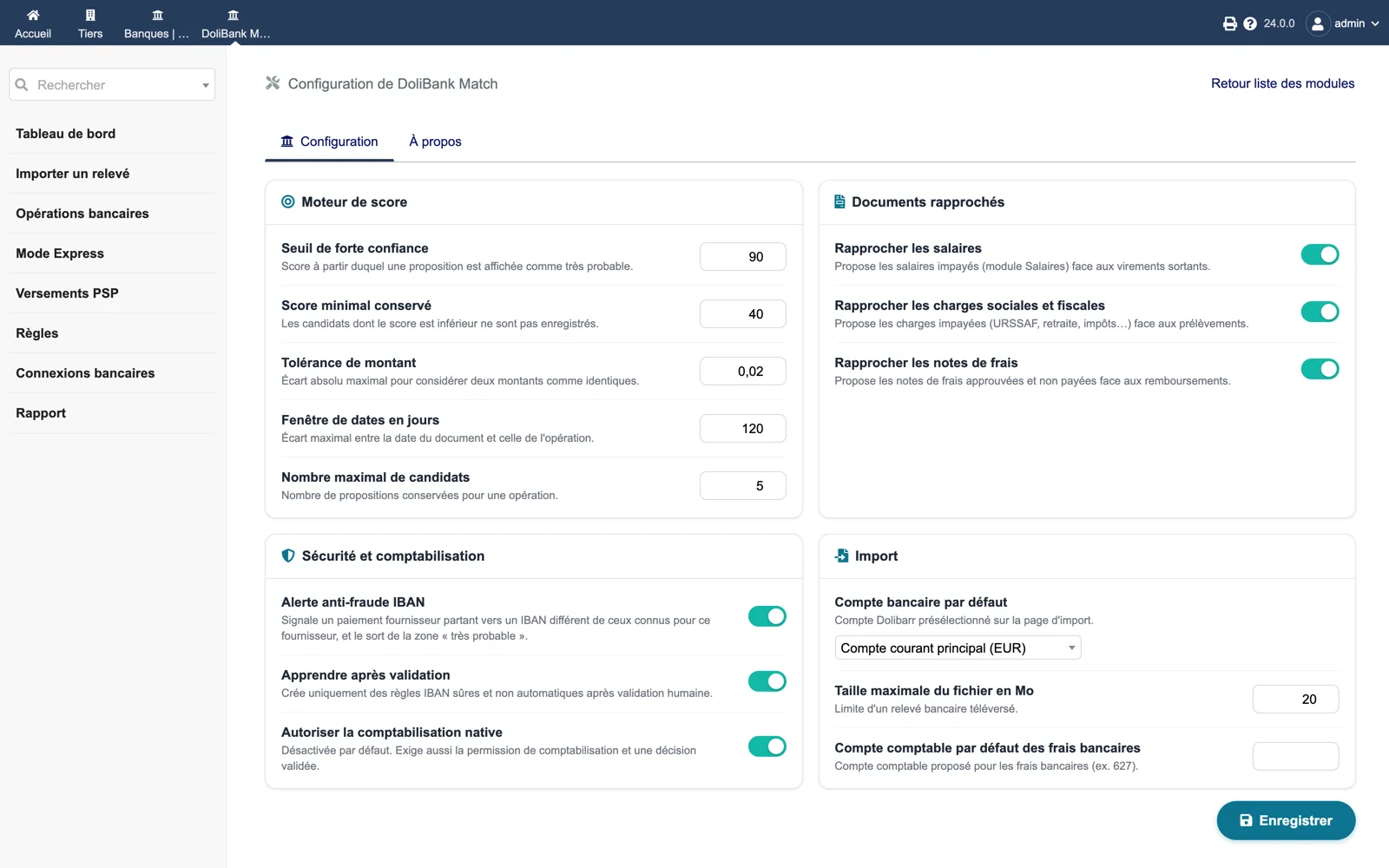
Open the module setup: choose the default bank account, keep the default thresholds (strong confidence 90, minimum score 40) and tick the document families you want. Leave “Allow native posting” off for now. In Users & Groups, grant “Import statements” and “Analyse and validate reconciliations” to the right users; the separate “Post validated decisions” permission goes to accountants only.
4. Import a first statement
DoliBank Match → Import a statement: pick the bank account, upload the file and click “Preview the statement”. Check the valid and rejected lines, then “Confirm import”. Importing the same file again must be refused as a duplicate.
5. Analyse and validate
In Bank operations, click “Analyse up to 100 operations”. Each line now shows its best candidate with its evidence. Open one with “Reconcile”, tick the document, check the allocated amount and “Prepare a decision”, then validate it. Or switch to Express mode and use the arrow keys.
6. Enable posting and check
Once decisions look right on your test copy, enable “Allow native posting” in the setup. Validate one proposal in Express mode: the invoice must show the new payment and the bank line must be linked. Run the diagnostic in the About tab: every line should be green.
7. Update
Replace the custom/dolibankmatch directory with the new version, then disable and re-enable the module so Dolibarr registers new tables, menus, the scheduled job and permissions. Disabling the module does not drop its tables.