Prerequisites, installation in custom/, configuration, first test and update. Start on a copy of your database.
Updated 9 October 2026 · Dolibarr 18 → 24 · PHP 7.4 – 8.3 · version 1.0.0
1. Prerequisites
Dolibarr 18 to 24 with PHP 7.4 to 8.3, MySQL/MariaDB or PostgreSQL. The Invoices module with validated customer invoices; Supplier invoices for the deductible side and the add-backs. The Accounting module populated gives an exact profit; without it the module falls back on flows. Salaries and Fixed assets modules are read when present.
2. Install the module
Download the archive from Dolistore and unzip it into the custom/ directory of Dolibarr (custom/dolitax). In Home → Setup → Modules/Applications, activate DoliTax. Two tables are created and kept if you later disable the module. Grant the “read” permission to users who consult the dashboards and “admin” to those who configure.
3. Apply a country preset
Open the module setup, Options tab: choose the preset (France, Switzerland, Morocco or Other) and click “Apply preset”. It replaces the options and the tax scale of the chosen fiscal year and adds the proposed ceilings. Check the VAT regime (mixed by default for France), the legal rates list and, if needed, the deduction pro rata.
4. Adapt brackets and ceilings
Brackets tab: one scale per fiscal year, brackets must be contiguous and the last one unlimited; use “Duplicate fiscal year” for the next year. Ceilings tab: adapt the proposed accounts to your chart of accounts, choose annual or unit rule and the ceiling amount; a zero annual ceiling makes an account fully non-deductible.
5. Check the VAT grid
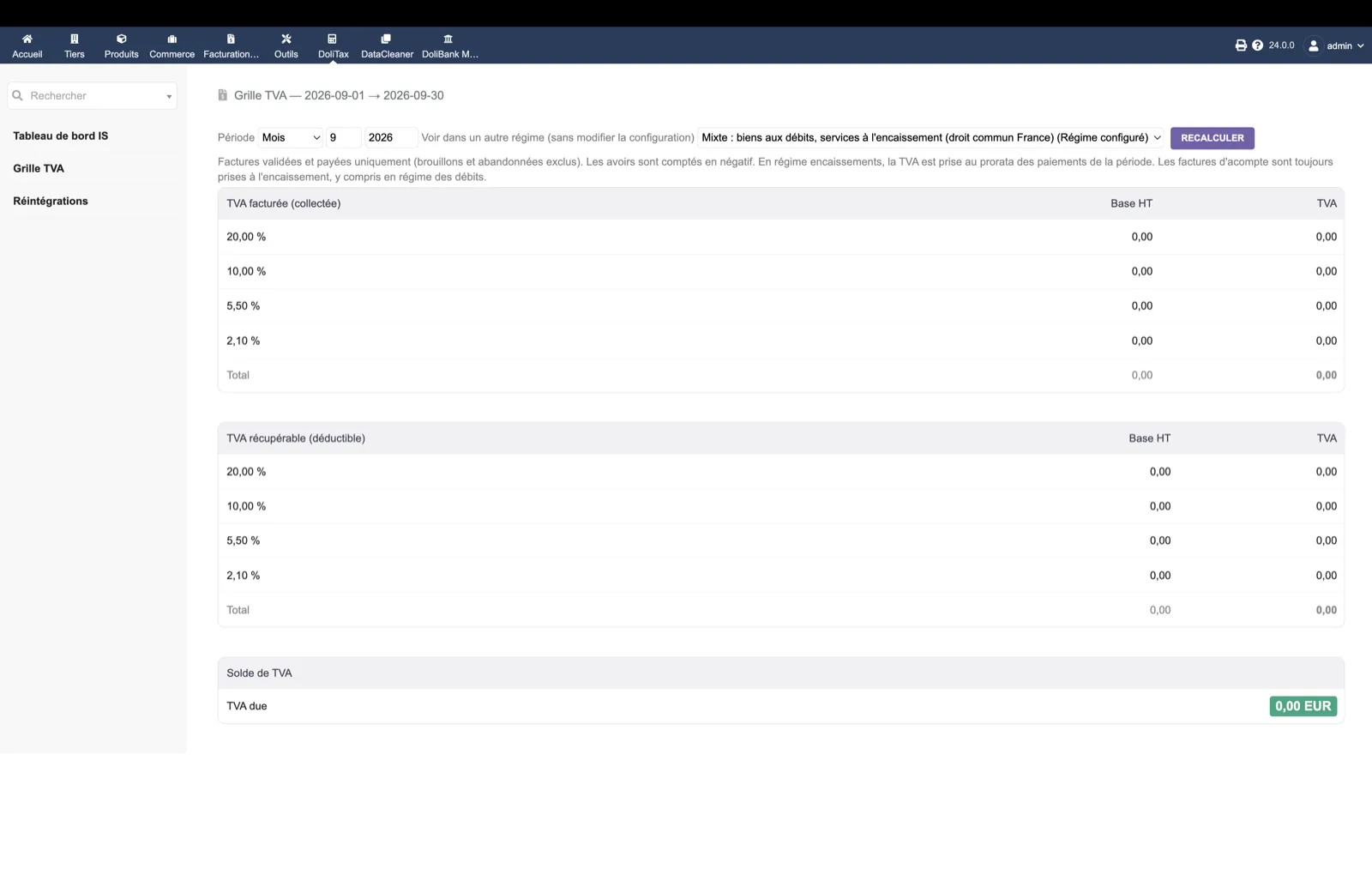
DoliTax → VAT grid: pick a closed month and compare the collected VAT per rate with the native Dolibarr VAT report for the same period. Switch the regime drop-down to see the difference between accrual and cash. Any amount in “Other rates: to be checked” must be explained (foreign rate, obsolete rate or input error).
6. Read add-backs and the tax cockpit
DoliTax → Add-backs: the screen names the source used; if it says supplier invoice lines while you expected the ledger, your Accounting module has no entries for that year. DoliTax → Corporate tax dashboard: check the bridge from accounting to taxable profit and the computation by bracket with your accountant before using the provision.
7. Update
Replace the custom/dolitax directory with the new version, then disable and re-enable the module. Your brackets and ceilings are kept in the module tables.