Prerequisites, installation in custom/, configuration, first test and update. Start on a copy of your database.
Updated 9 October 2026 · Dolibarr 20 → 24 · PHP 7.4 – 8.3 · version 1.0.1
1. Prerequisites
Dolibarr 20 to 24, PHP 7.4 to 8.3 with cURL, the Invoices and Third parties modules active and the scheduled jobs module recommended. In Home → Setup → Company, fill in the SIREN: without it the dashboard reports that no transmission is possible. Work on a copy of your database first.
2. Install the module
Download the archive from Dolistore and unzip it into custom/ (custom/ereportingfrance). In Home → Setup → Modules/Applications, activate E-Reporting France. Give users the permissions they need: read, prepare (exclude, reclassify, enter takings), transmit and setup.
3. Choose regime and connector
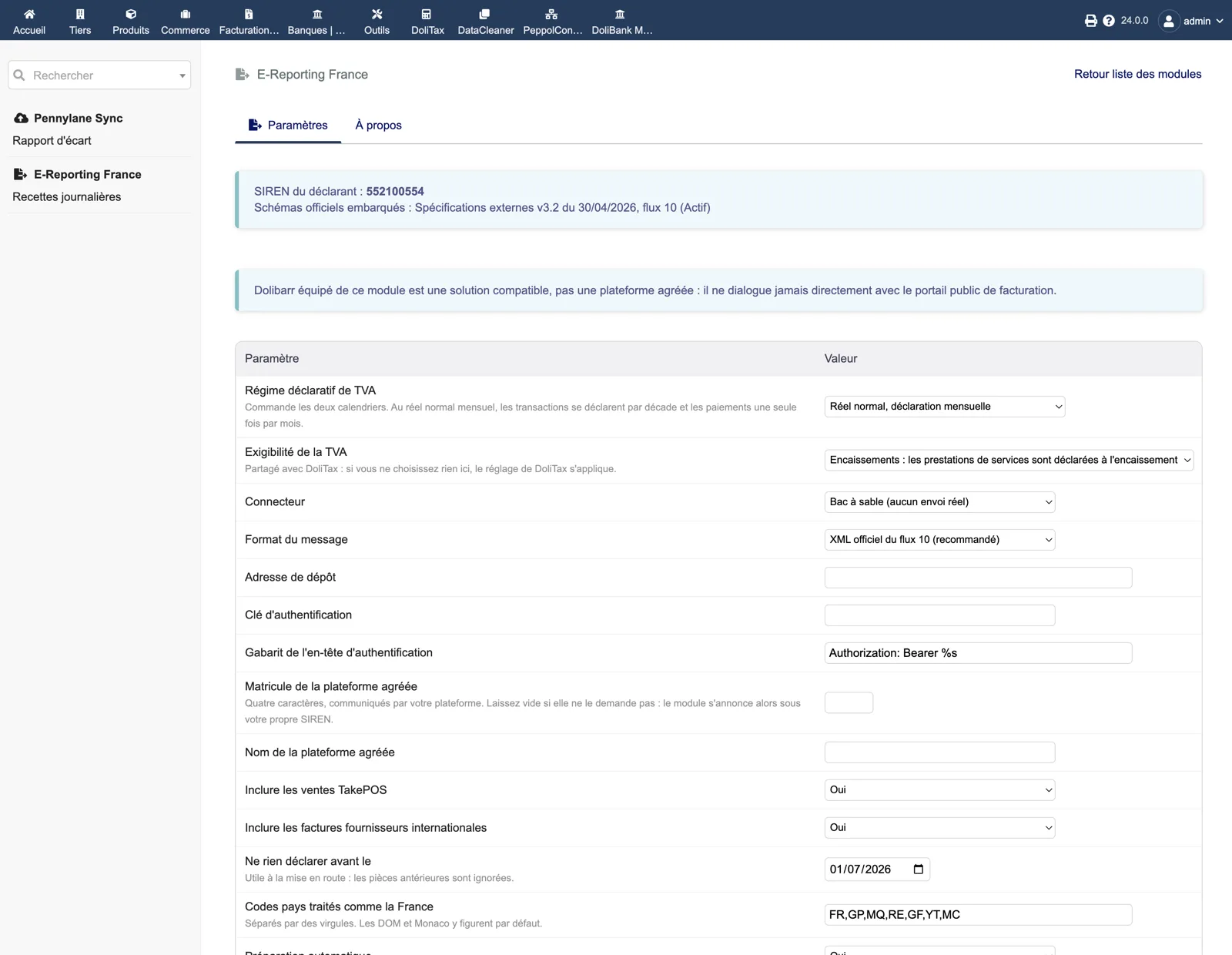
In the module setup, select your VAT filing regime and, if DoliTax does not already set it, the VAT chargeability. Keep the Sandbox connector for now and the official flow 10 XML format. Set “Do not declare anything before” to your go-live date so that older documents are ignored. Save and click “Test the connector”.
4. Compute and read the periods
Open E-Reporting France in the menu and click “Recompute periods”. Transaction and payment periods appear with their deadlines. Open a period: the Lines tab shows each operation with its category and the applied rule; exclude a line with a reason or set an override on the third-party record if a classification is wrong.
5. Prepare and fix anomalies
Click “Prepare” on a period. The Anomalies tab separates blocking anomalies from warnings; the Send button stays disabled while a blocking one remains. Fix the data in Dolibarr (counterparty country, amounts, invoice link), then prepare again. The Message tab must say the message conforms to the official schema.
6. Send to the sandbox, then to your platform
Click “Send” on a prepared period: the sandbox answers accepted and the Journal tab records the attempt. Then switch the connector to Manual upload, Generic REST (HTTPS endpoint, key, header template, platform code) or the PA Transmission connectors, and send a first real period. Poll the status with “Refresh status”.
7. Automate and update
Enable the three scheduled jobs (preparation, automatic sending, reminders) in Dolibarr’s scheduled jobs and enter the reminder e-mail addresses. To update, replace custom/ereportingfrance with the new version, then disable and re-enable the module; periods and journal are kept.