EUDR Due Diligence — TRACES Odoo installation guide
Prerequisites, setup and acceptance checks. Start on a test database.
Updated 30 September 2026 · Odoo 16–20
1. Prerequisites
Use Odoo 16–20 on Odoo.sh or a self-hosted server. Standard Odoo Online cannot install this Python add-on. Back up your database and filestore and prepare a staging copy. Check the dependencies listed in the module archive for your exact version.
2. Install the module
Download the matching version of EUDR Due Diligence — TRACES from Odoo Apps. On a self-hosted staging server, place eudr_traces in the configured addons path, install its declared dependencies, restart Odoo and update the Apps list. On Odoo.sh, add it to a staging branch. Install the module before applying the product-specific steps below.
3. Prepare TRACES access
Create the operator account and enable Web Services Access. Use acceptance credentials first; confirm current access requirements in the official EUDR Information System documentation.
4. Configure products and plots
In Inventory settings, select the EUDR environment and test the connection. Mark relevant products, enter commodity and HS code, then import supplier or own-production plot GeoJSON.
5. Test a complete declaration
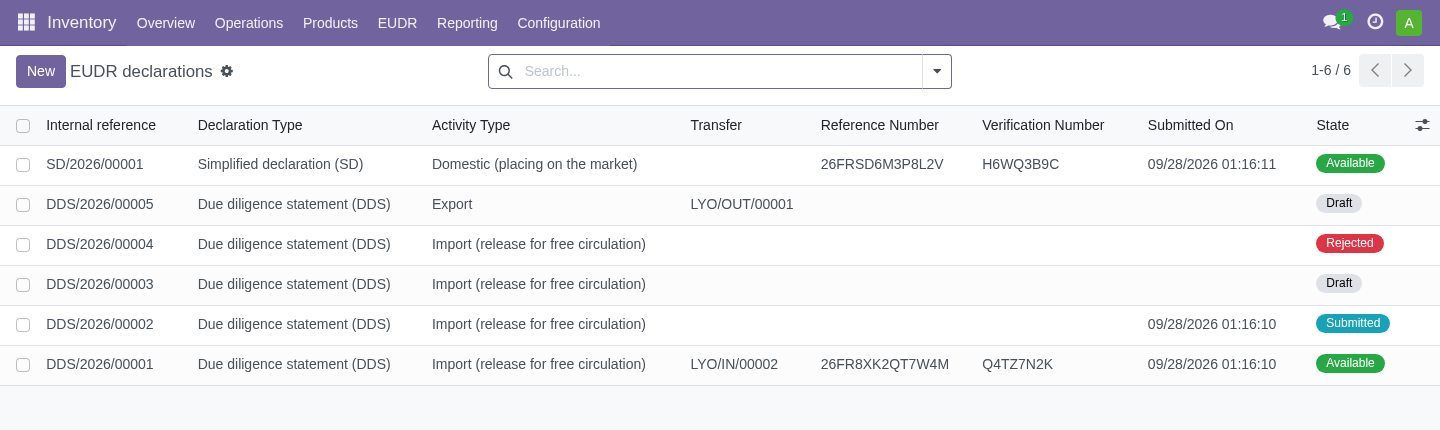
From a test receipt or delivery, create a declaration, correct pre-check findings and submit to acceptance. Check returned status and numbers, supplier-reference verification and links to lots before using production credentials.