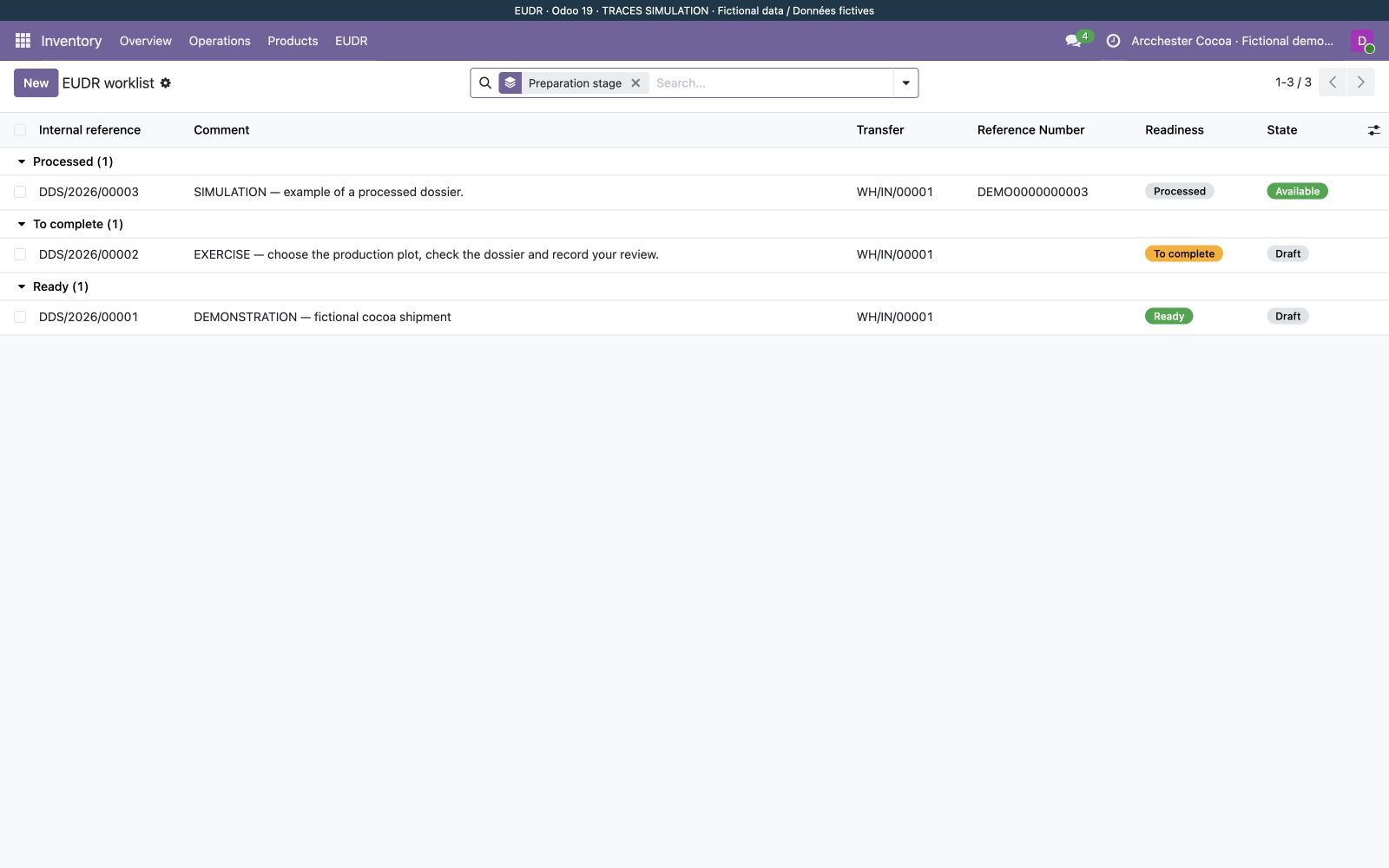
Start with the worklist
A fictional cocoa shipment is ready for review; another dossier still needs its production plot. See the next action immediately.
 EUDR Due Diligence — TRACES
Explore the module through annotated Odoo screenshots with demonstration data. This is a guided presentation, not a live demo.
A fictional cocoa shipment is ready for review; another dossier still needs its production plot. See the next action immediately.
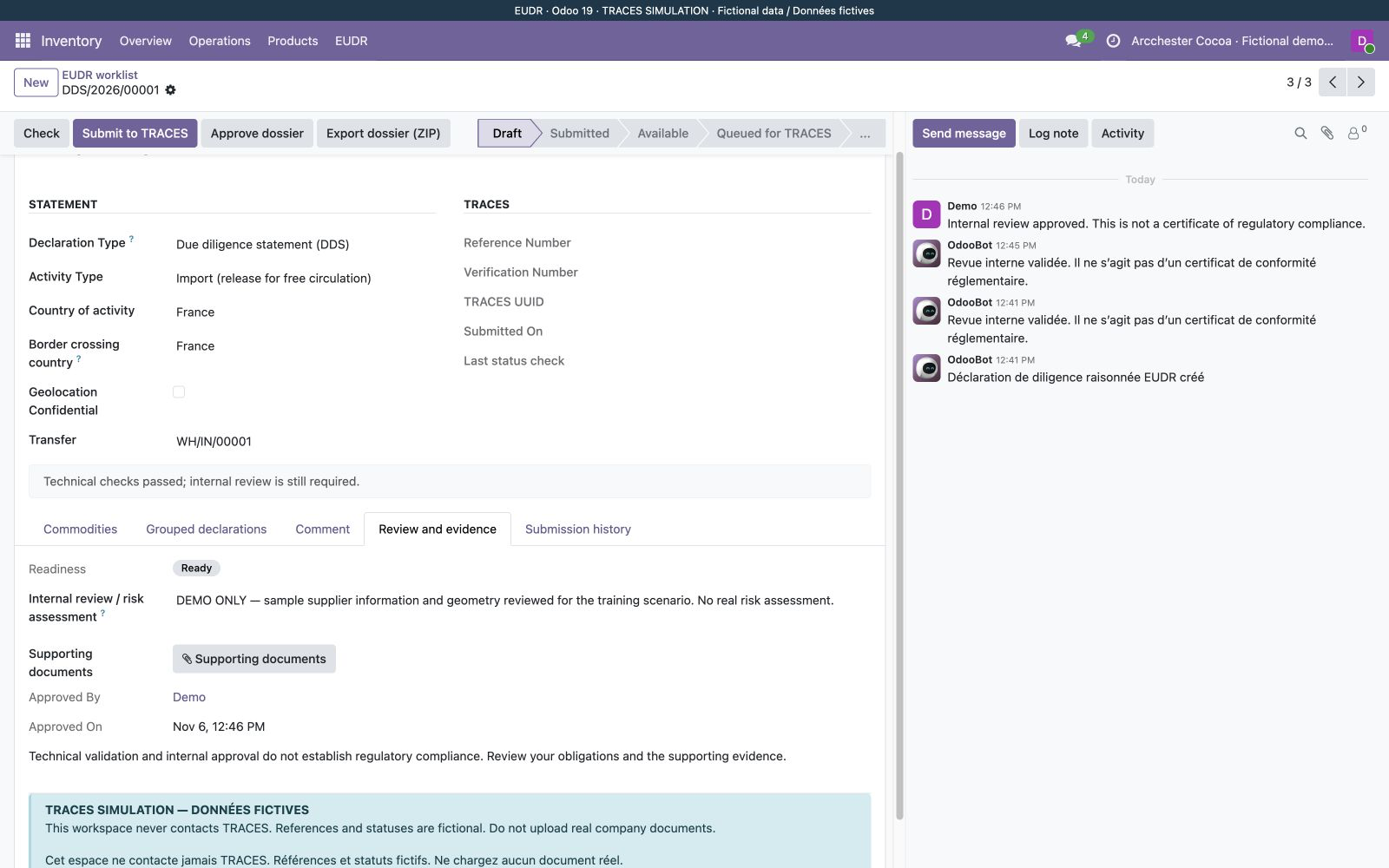
Inspect the commodity, quantity and plots, record the assessment and approve the content. Demo submissions stay inside this workspace.
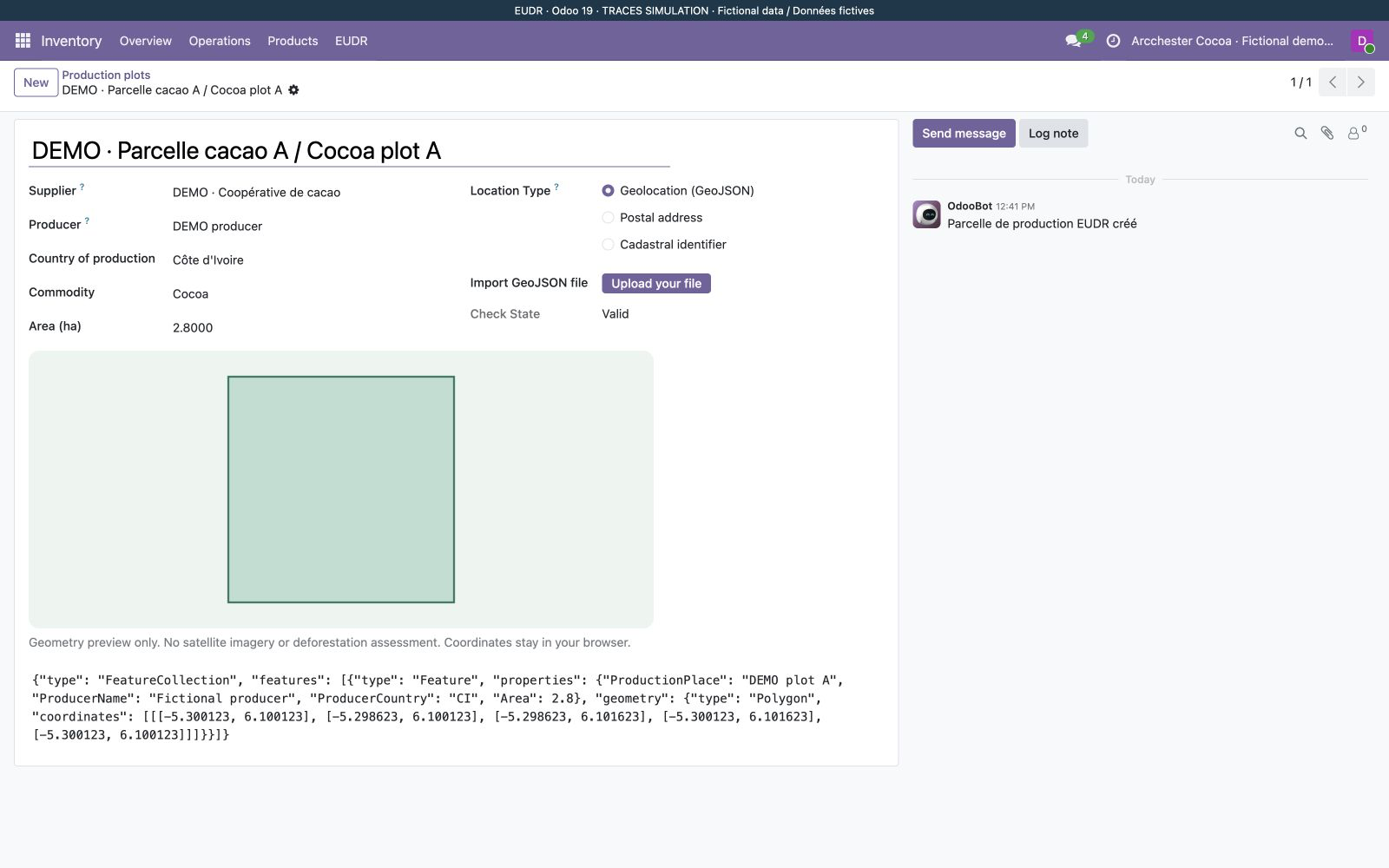
View the geometry and validation messages. The preview uses no satellite service and does not assess deforestation.
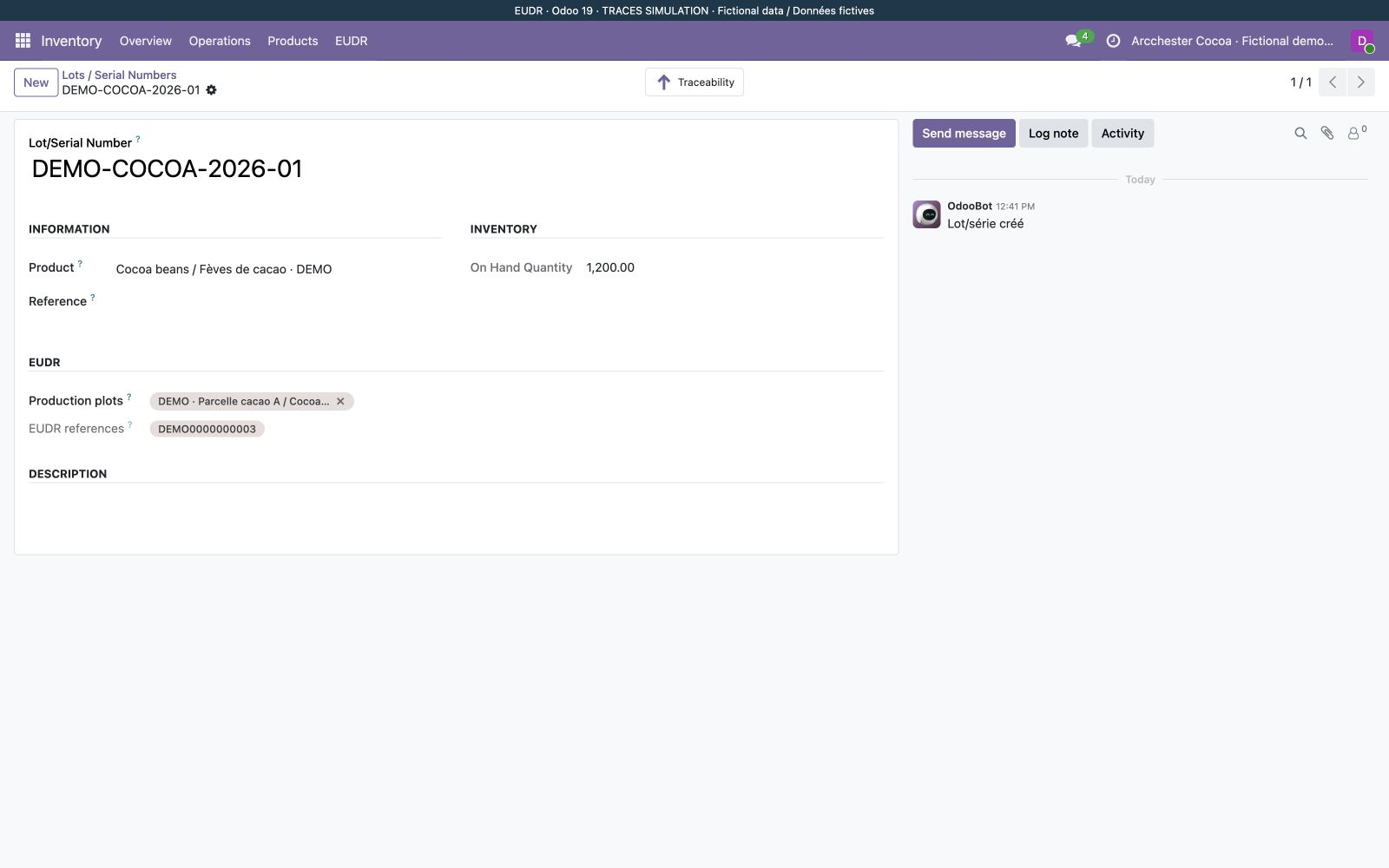
After a simulated submission, find the fictional reference on the cocoa lot. Export the dossier to inspect the recorded submission.