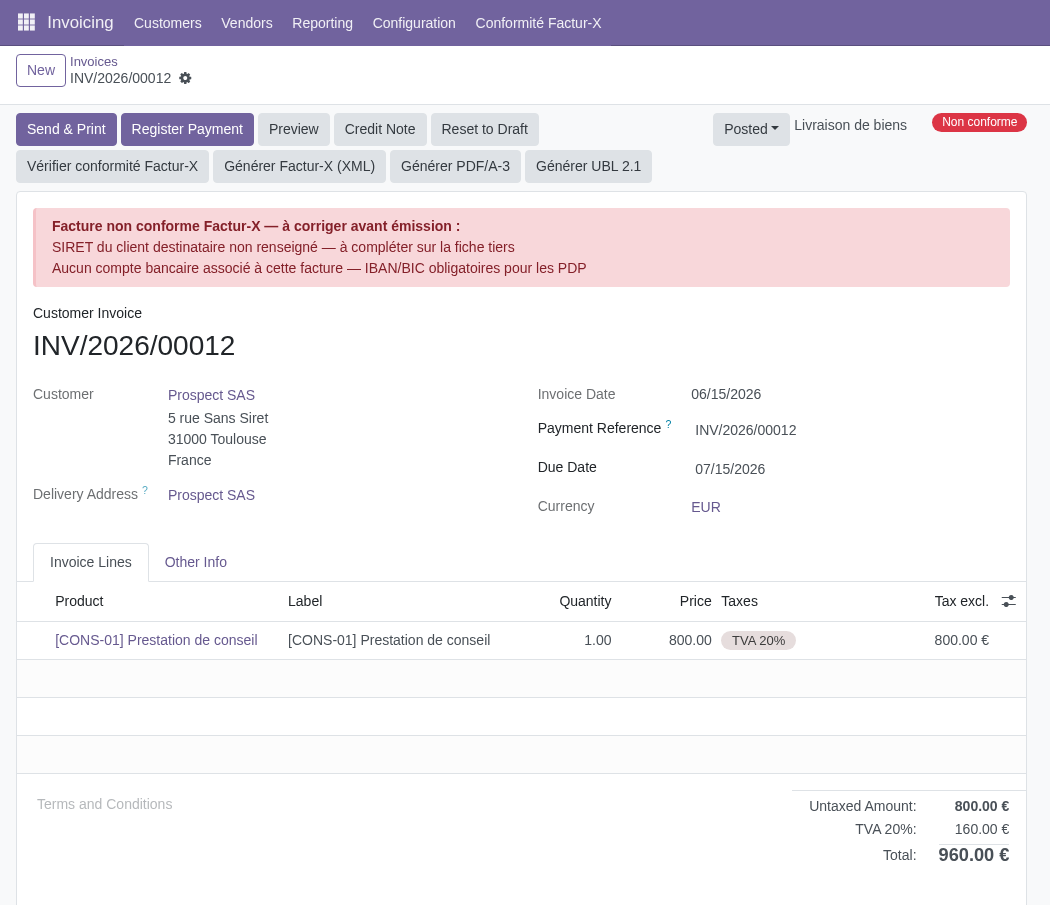
Prerequisites, setup and acceptance checks. Start on a test database.
Updated 30 September 2026 · Odoo 16–19
1. Prerequisites
Use Odoo 16–19 on Odoo.sh or a self-hosted server. Standard Odoo Online cannot install this Python add-on. Back up your database and filestore and prepare a staging copy. Check the dependencies listed in the module archive for your exact version.
2. Install the module
Download the matching version of Factur-X France from Odoo Apps. On a self-hosted staging server, place facturx_france in the configured addons path, install its declared dependencies, restart Odoo and update the Apps list. On Odoo.sh, add it to a staging branch. Install the module before applying the product-specific steps below.
3. Prepare French invoice data
Install the Accounting, Accounting EDI and French localization dependencies. Review company and partner identifiers, addresses and tax data.
4. Choose an export profile
Select the supported profile needed by your receiving platform. Check invoice lines, tax mappings and the Odoo PDF reporting environment.
5. Validate a representative invoice
Run checks, correct each issue and export a sample. Test invoices and credit notes relevant to your business with the receiving platform before production. A local passed check alone does not establish acceptance.