Factur-X & UBL Vendor Bill Import Odoo installation guide
Prerequisites, setup and acceptance checks. Start on a test database.
Updated 30 September 2026 · Odoo 16–19
1. Prerequisites
Use Odoo 16–19 on Odoo.sh or a self-hosted server. Standard Odoo Online cannot install this Python add-on. Back up your database and filestore and prepare a staging copy. Check the dependencies listed in the module archive for your exact version.
2. Install the module
Download the matching version of Factur-X & UBL Vendor Bill Import from Odoo Apps. On a self-hosted staging server, place facturx_france_connect in the configured addons path, install its declared dependencies, restart Odoo and update the Apps list. On Odoo.sh, add it to a staging branch. Install the module before applying the product-specific steps below.
3. Prepare a structured sample
Use a supported UBL or CII file, or a Factur-X PDF with embedded XML. Prepare supplier identifiers and accounting defaults.
4. Import and inspect
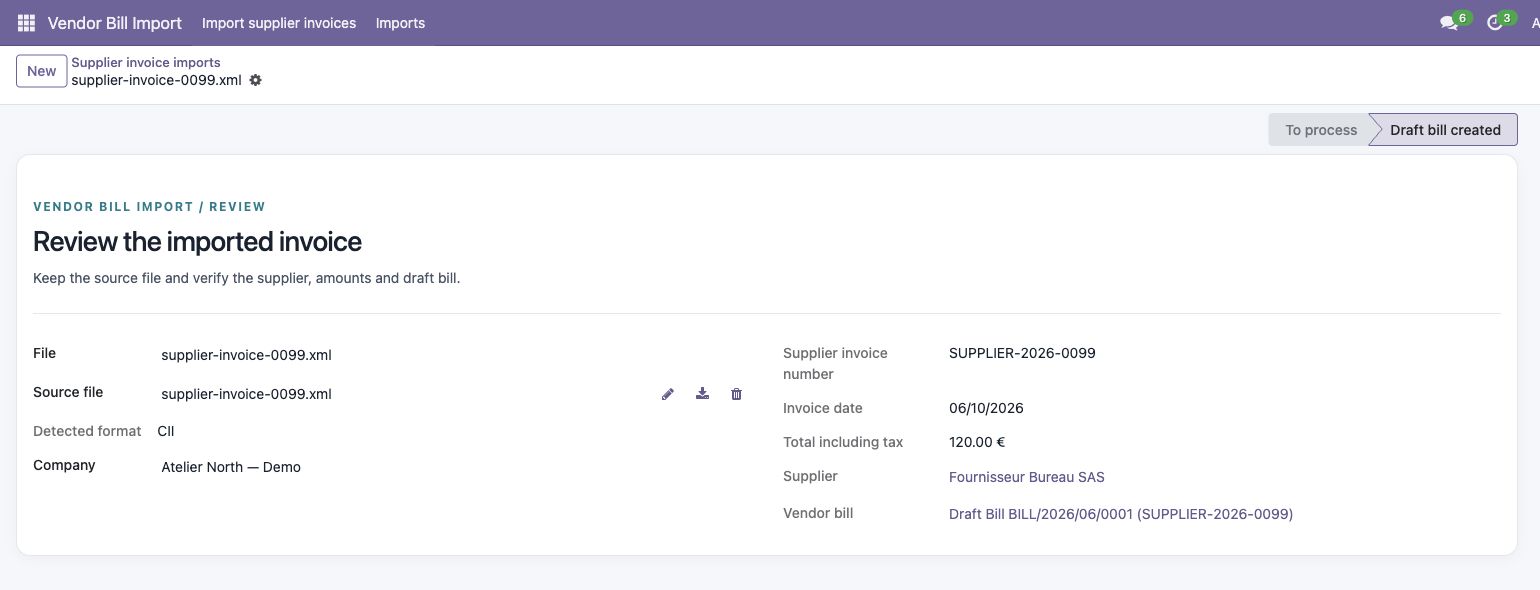
Open the import assistant, upload one file and review the detected supplier, amounts and draft. Test a ZIP only after a single-file import is correct.
5. Verify before posting
Compare source totals, currency, taxes and accounts with the draft. Re-import the same file to verify duplicate detection. Review modified copies manually; do not post before checking the accounting data.