Prerequisites, installation in custom/, configuration, first test and update. Start on a copy of your database.
Updated 9 October 2026 · Dolibarr 18 → 24 · PHP 7.4 – 8.3 · version 2.0.0
1. Prerequisites
Dolibarr 18 to 24, PHP 7.4 to 8.3 with the dom, libxml, mbstring, gd and zlib extensions, and the Invoices module enabled. No Java, Composer or external service. In Home → Setup → Company, fill in the SIRET, the intra-community VAT number and the full address. Work on a copy of your database first.
2. Install the module
Download the archive from Dolistore and unzip it into the custom/ directory of Dolibarr. The file custom/facturxfrance/core/modules/modFacturXFrance.class.php must exist; if you see custom/facturxfrance/facturxfrance/, the archive was unzipped one level too deep. In Home → Setup → Modules/Applications, activate Factur-X France.
3. Run the onboarding assistant
Open the module setup and click “Onboarding assistant”. Step 1 checks the company identifiers and address, step 2 the VAT and unit mappings. Every correction opens in a new tab; come back and refresh to recompute the steps. The assistant never validates an invoice, never creates a file and never sends anything.
4. Configure profile and mappings
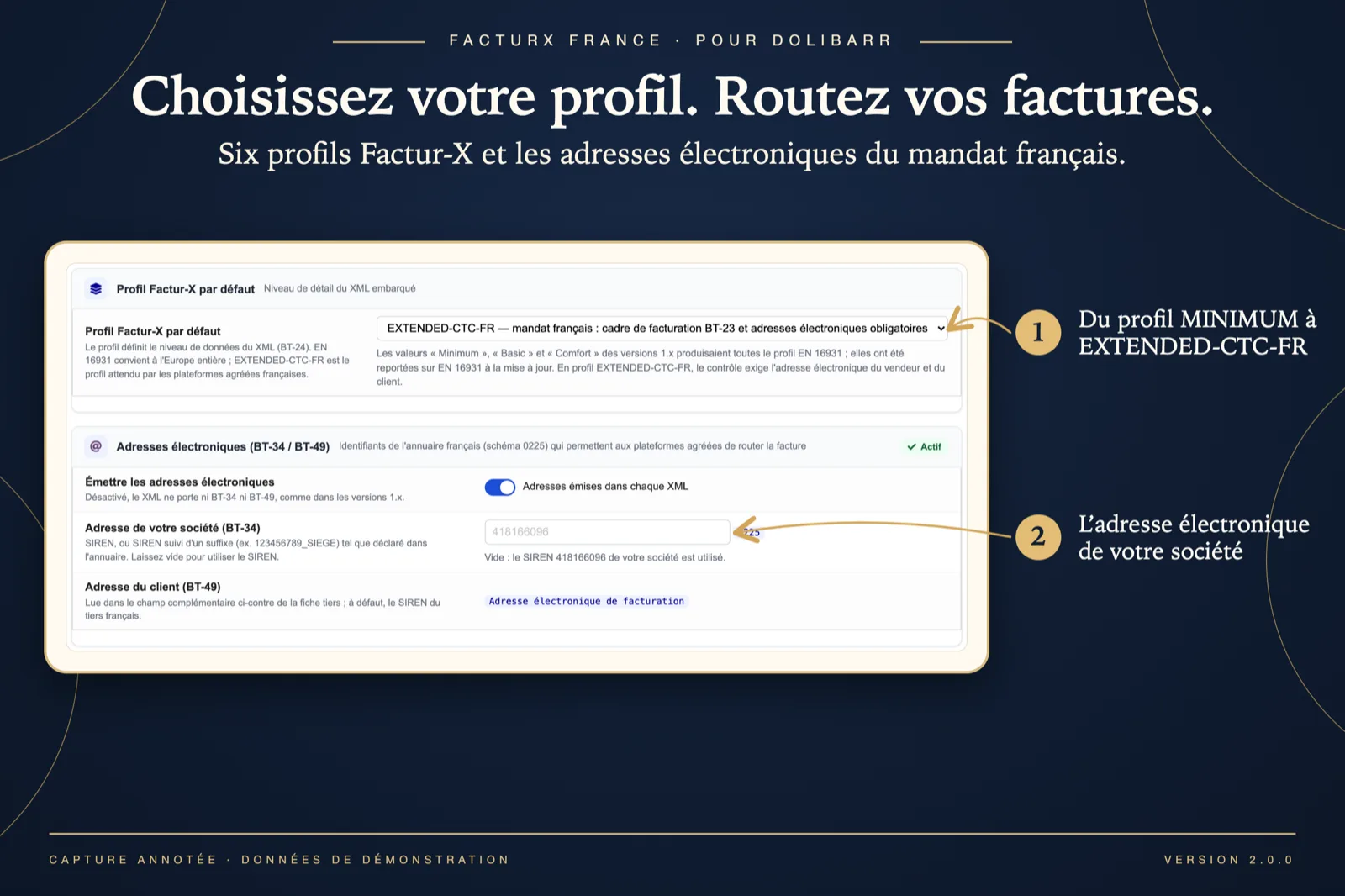
Choose the default profile (EN 16931 for Europe, EXTENDED-CTC-FR for the French mandate). Map each VAT rate of your country to its EN 16931 category (S, Z, E, AE, K, G, O) and each unit to its UN/CEFACT code. Keep electronic addresses on; review the legal notes before enabling them; leave the SEPA QR code off unless you want it on the PDF.
5. Check a first invoice
In step 3 of the assistant, or on any invoice card, click “Check Factur-X compliance”. The panel must show the four green steps and “Conforming”. If an issue appears, follow the fix link, save, then check again. Link a bank account with IBAN and BIC to the invoice if the message asks for it.
6. Validate and verify the file
Validate a test invoice. The panel must now show the factur-x.xml file and “XML embedded” under PDF/A-3. Download the XML and open the PDF: the file is the one to send to your approved platform, by hand or with PA Transmission. If nothing is generated, read the About tab diagnostic and documents/facturxfrance/error.log.
7. Review the period
Open the compliance dashboard from the setup page: pick a period, read the score and the common issues, fix them once and use “Re-check the affected invoices”. Export the conforming XML files as a ZIP when needed.
8. Update
Replace the custom/facturxfrance directory with the new version, then disable and re-enable the module: this creates the third-party extra field and the new options. Profile, VAT and unit mappings are kept. If the module will not activate, empty documents/admin/temp/ and reload the modules page.