Prerequisites, setup and acceptance checks. Start on a test database.
Updated 30 September 2026 · Odoo 16–19
1. Prerequisites
Use Odoo 16–19 on Odoo.sh or a self-hosted server. Standard Odoo Online cannot install this Python add-on. Back up your database and filestore and prepare a staging copy. Check the dependencies listed in the module archive for your exact version.
2. Install the module
Download the matching version of QuickBooks CSV Export from Odoo Apps. On a self-hosted staging server, place qbo_csv_export in the configured addons path, install its declared dependencies, restart Odoo and update the Apps list. On Odoo.sh, add it to a staging branch. Install the module before applying the product-specific steps below.
3. Open the export assistant
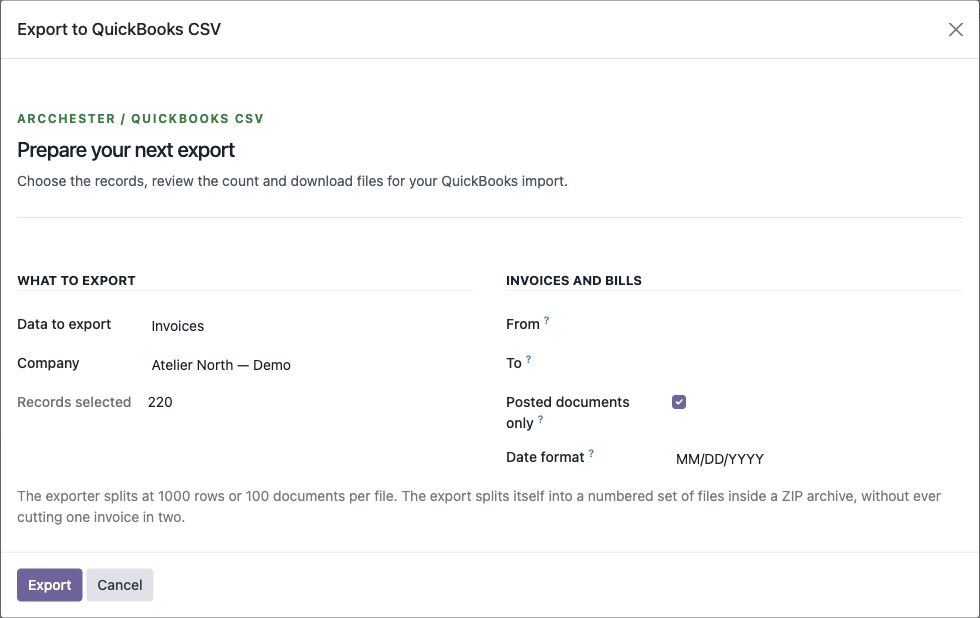
Open QuickBooks Export under Accounting. Select customers, vendors, products, invoices or bills.
4. Prepare a sample
Choose the date format and invoice period. Review the record count and export a small sample. Large exports use configured 1,000-row / 100-document limits without splitting invoice lines.
5. Check the destination import
Review UTF-8 data, decimal amounts and columns. Confirm the import options in your QuickBooks country and plan. Compare source and imported records before processing a full batch.