Discover the module screen by screen, with annotated Dolibarr screenshots and demonstration data. This is a guided presentation, not a live demo.
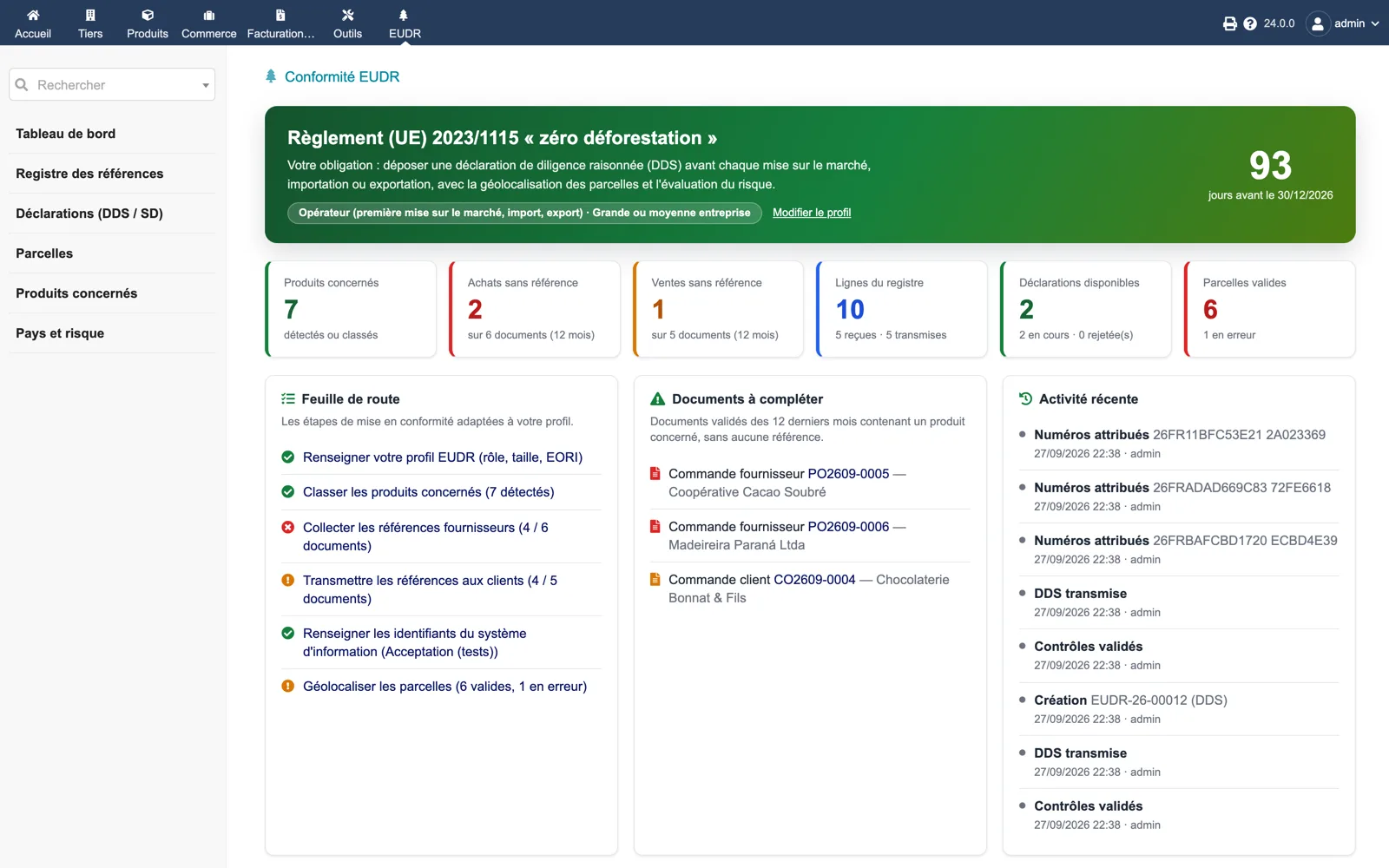
The EUDR dashboard
The banner recalls the obligation for the chosen profile and counts down to the application date retained for your company size. Counters: relevant products, purchases and sales without reference, register lines, available declarations, valid plots. A roadmap, the documents to complete and the recent activity follow.
Dolibarr · Demonstration data · Open the image to enlarge.
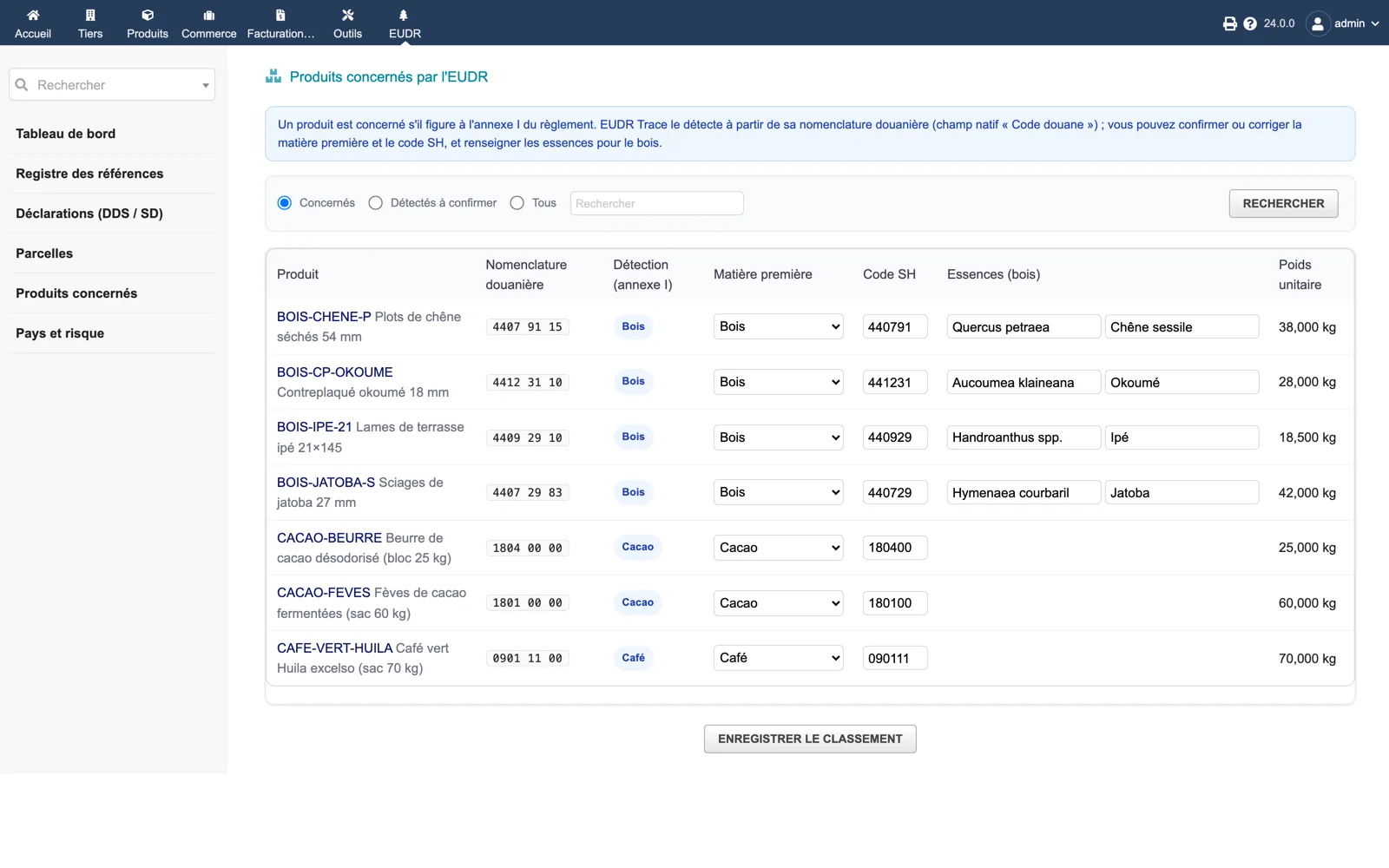
Relevant products
Products detected from their customs code, with the commodity, HS code, species for wood and unit weight to confirm or correct in one go. Filters: relevant, detected to confirm, all.
Dolibarr · Demonstration data · Open the image to enlarge.
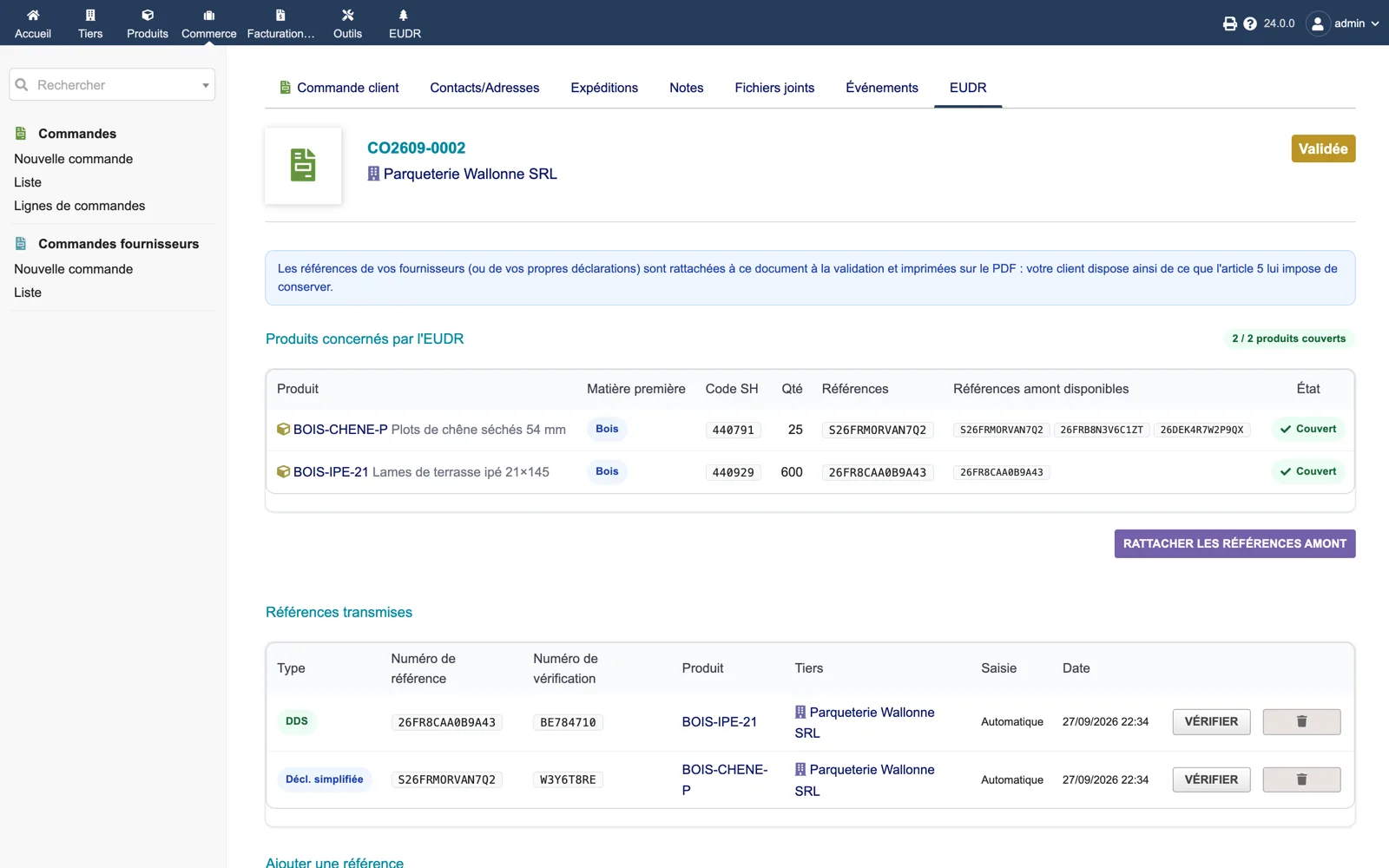
The EUDR tab of a sales order
For each relevant product, the HS code, quantity, the references attached and the upstream references available. Below, the transmitted references with type (DDS or simplified), reference and verification numbers, a Verify button and the deletion control. A button attaches upstream references manually.
Dolibarr · Demonstration data · Open the image to enlarge.
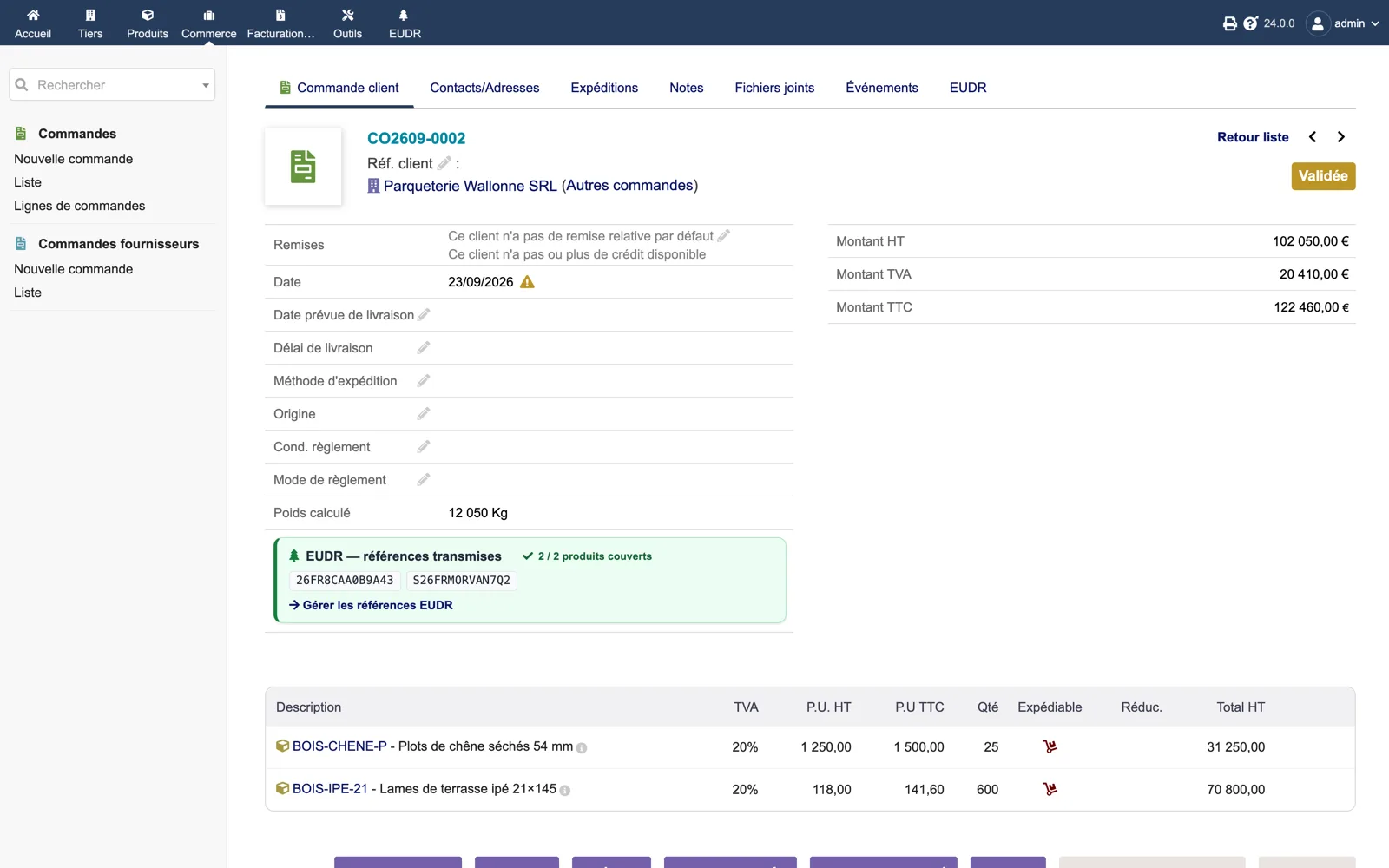
The panel on the order card
On the order itself, a green box “EUDR, references passed on” shows 2 / 2 products covered and the reference numbers, with a link to the EUDR tab. These are the numbers printed on the PDF.
Dolibarr · Demonstration data · Open the image to enlarge.
The reference register
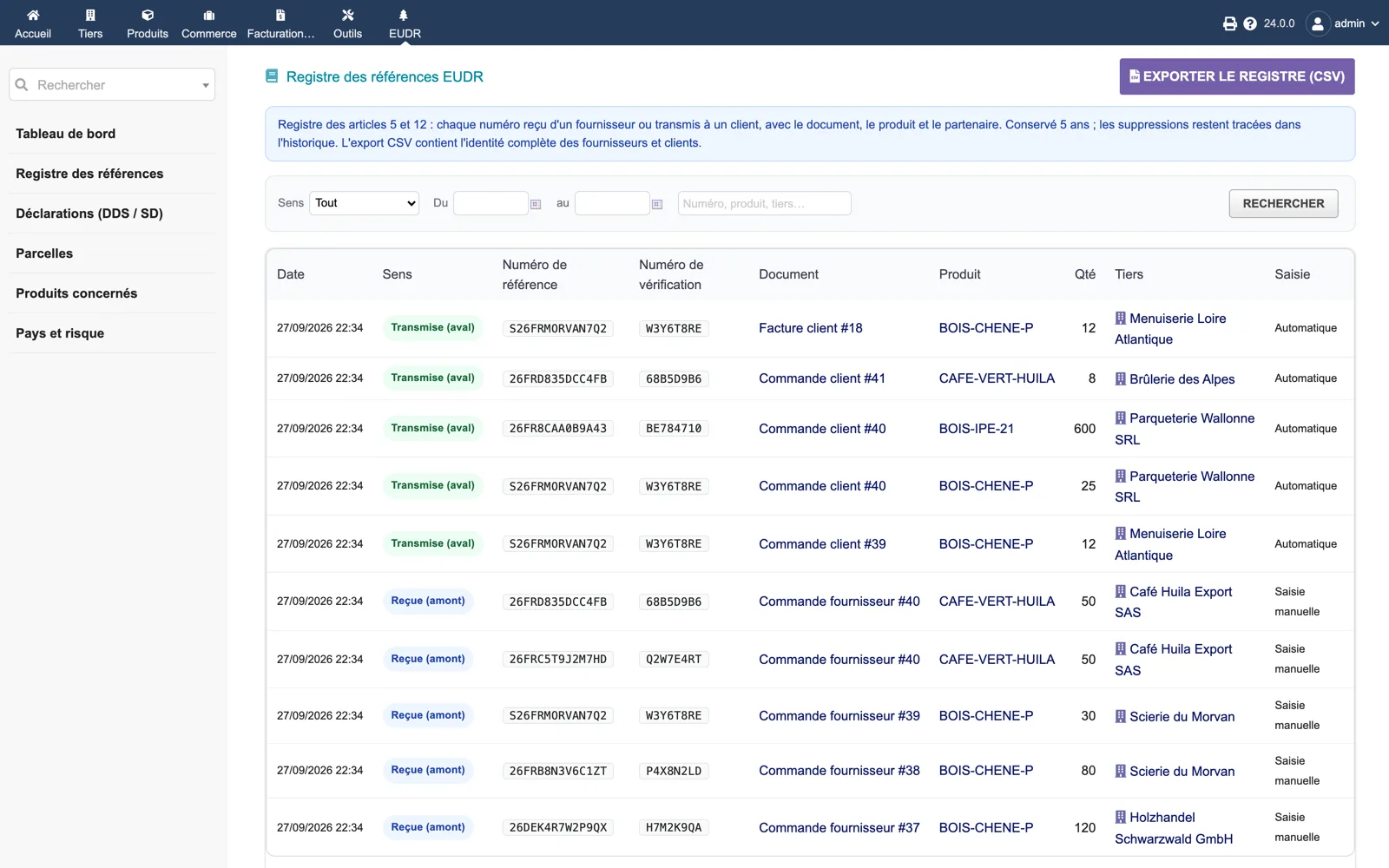
Every number received (upstream) or passed on (downstream) with date, document, product, quantity, third party and entry mode (manual or automatic). Filters by direction, dates and text; CSV export with the full identity of partners.
Dolibarr · Demonstration data · Open the image to enlarge.
A compliant plot
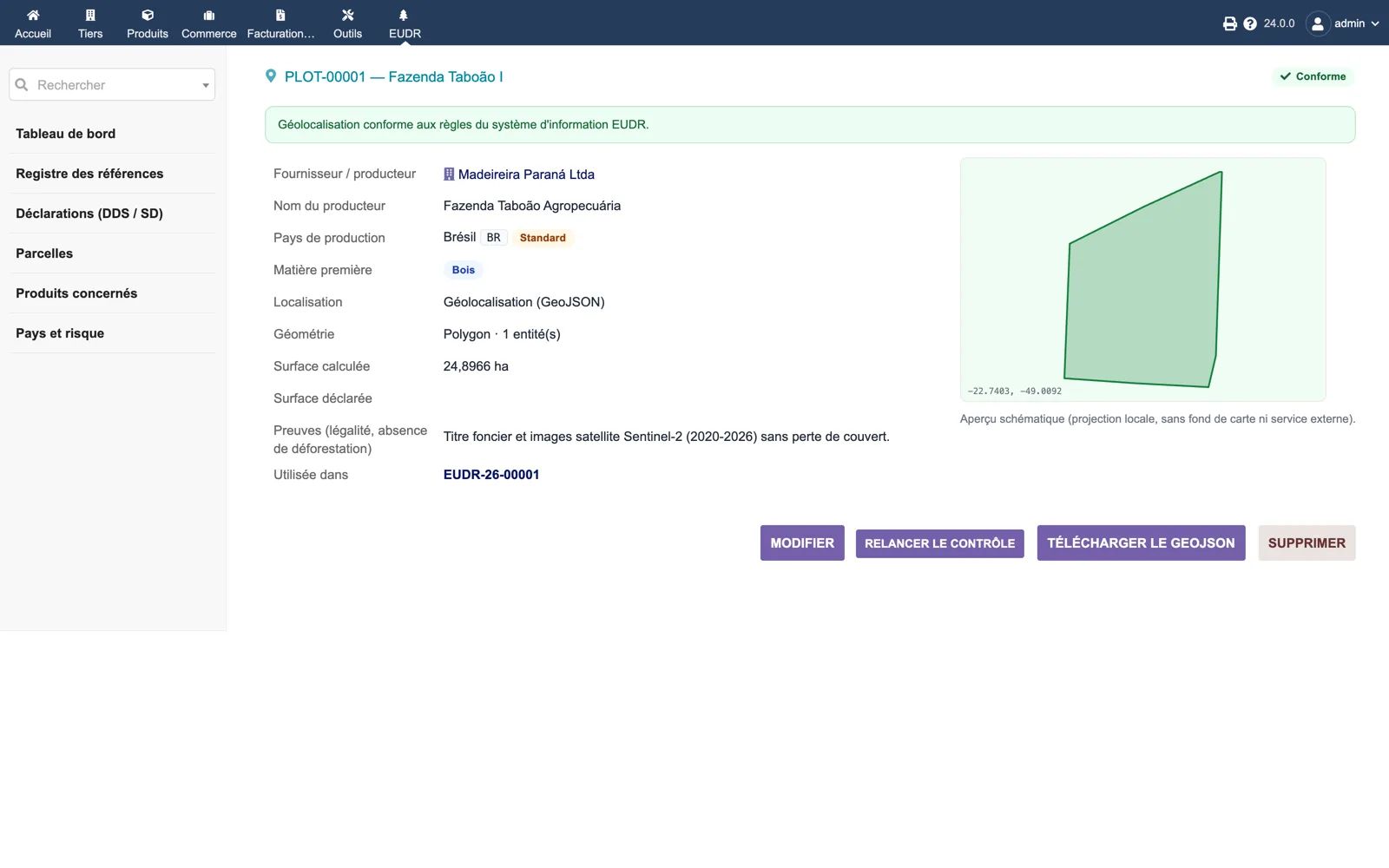
Plot card: supplier, producer name, production country with its risk level, commodity, GeoJSON geometry, computed area (24.9 ha), evidence, declarations using it, and the schematic preview drawn locally. Buttons re-run the check or download the GeoJSON.
Dolibarr · Demonstration data · Open the image to enlarge.
A DDS with its numbers
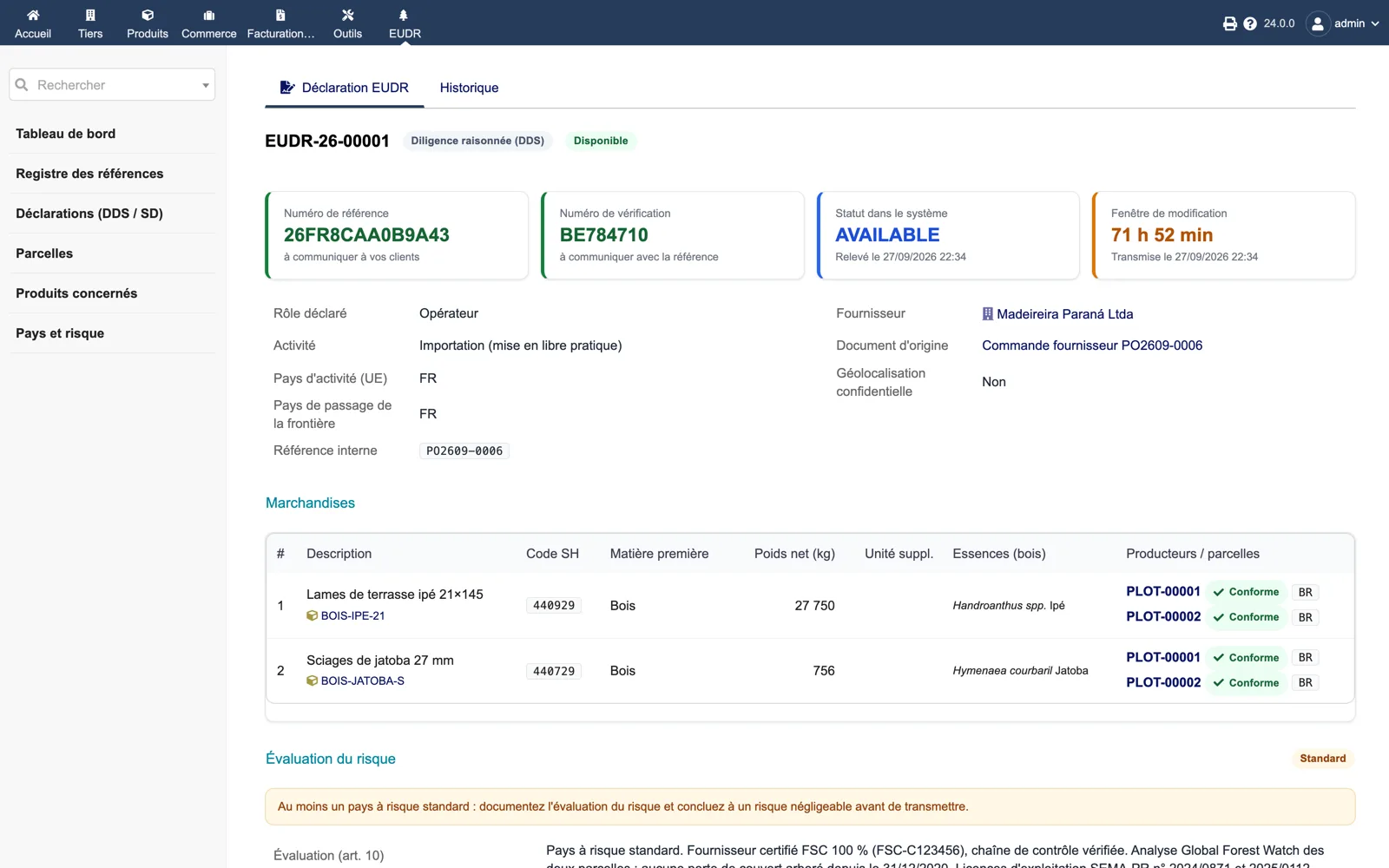
Once retrieved, the declaration card shows the reference number to give to customers, the verification number, the AVAILABLE status in the system and the remaining amendment window. Role, activity, countries, supplier, origin document, commodities with plots and the risk assessment follow.
Dolibarr · Demonstration data · Open the image to enlarge.
Blocking points before submission
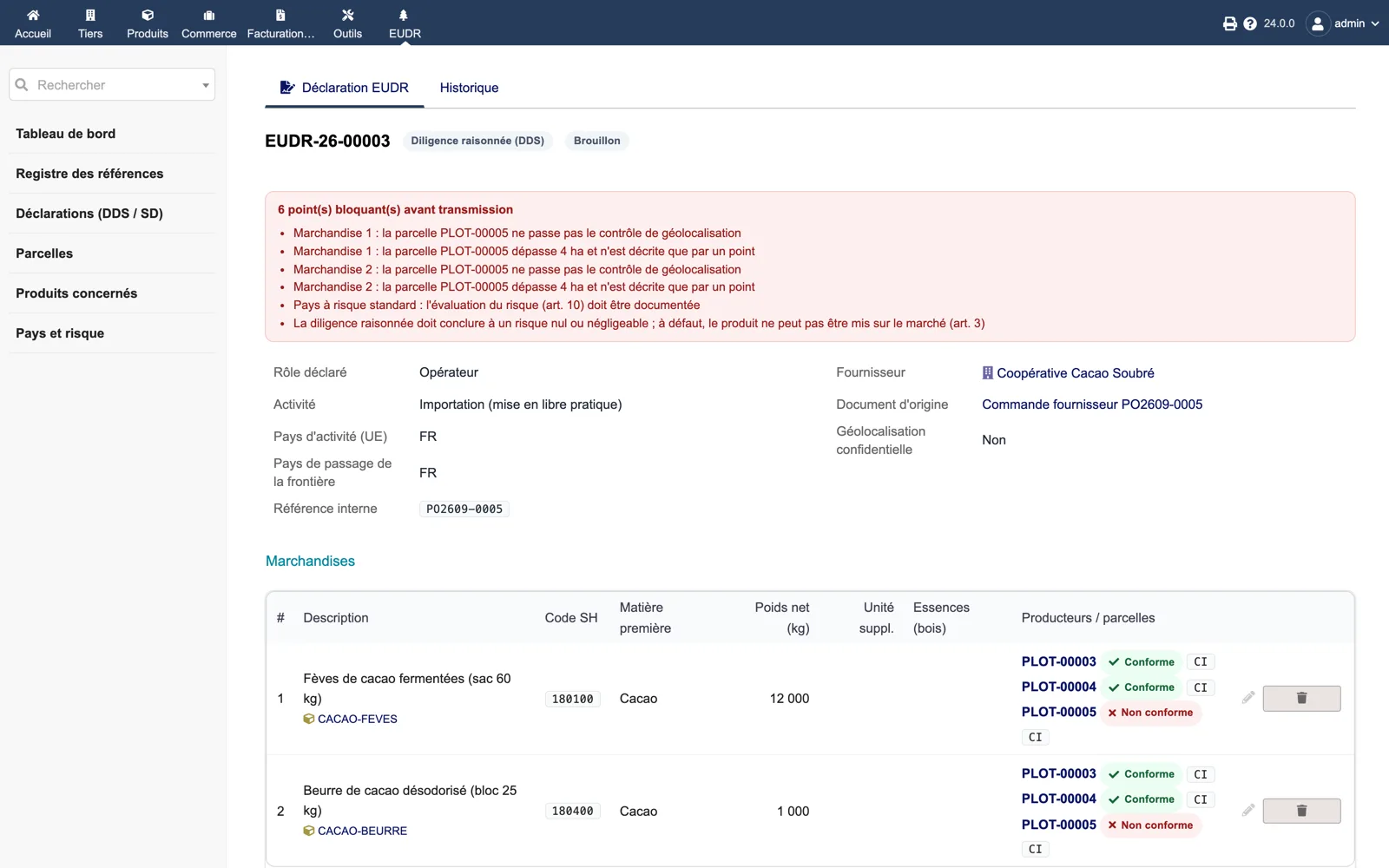
On a draft DDS, the red box lists what prevents submission: a plot failing the geolocation check, a plot over 4 ha described by a point, an undocumented risk assessment for a standard-risk country. The Submit action stays unavailable until the list is empty.
Dolibarr · Demonstration data · Open the image to enlarge.
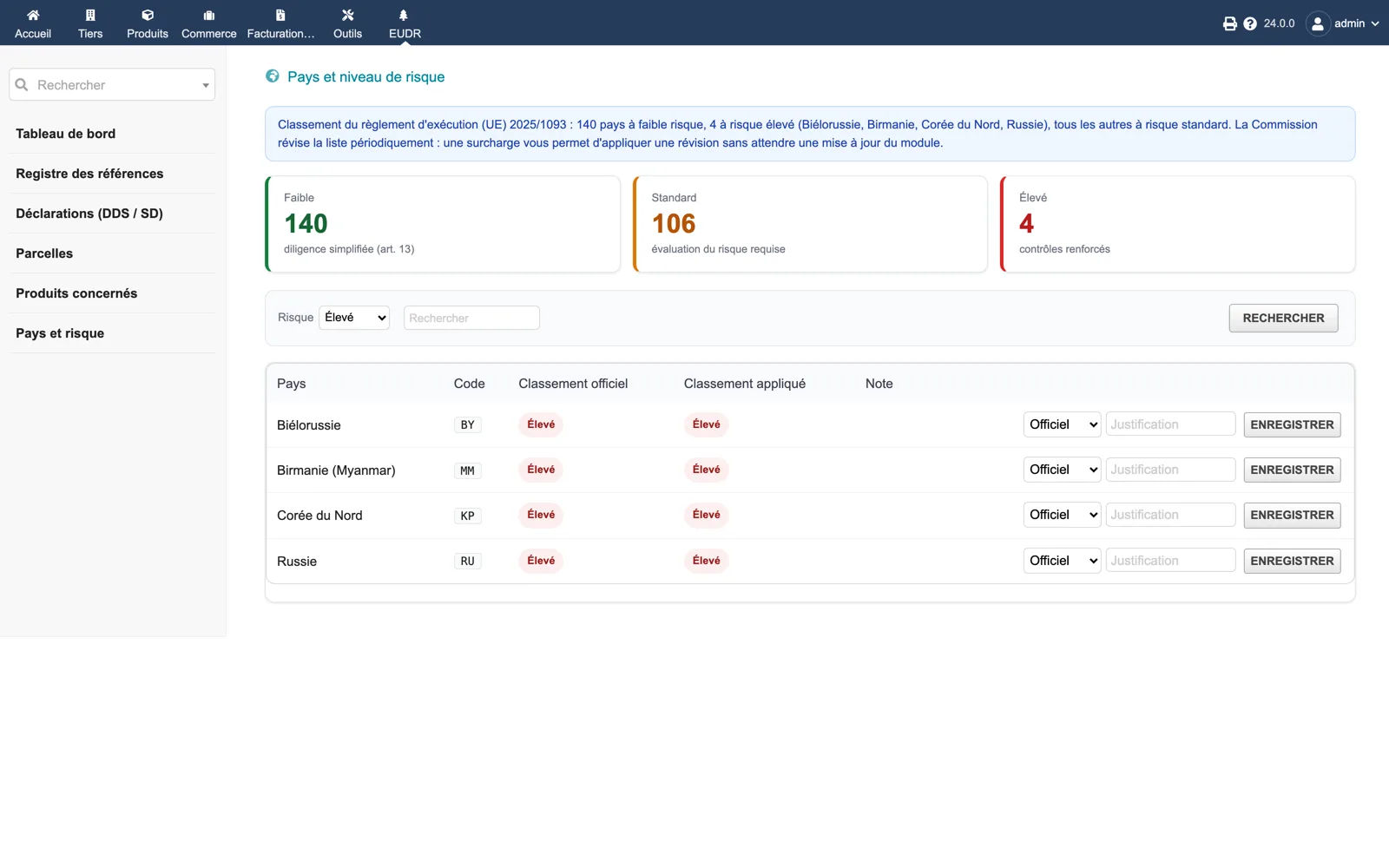
Countries and risk level
The embedded benchmarking of Implementing Regulation (EU) 2025/1093: 140 low-risk, 106 standard and 4 high-risk countries. Each line can be overridden with a justification when the Commission revises the list.
Dolibarr · Demonstration data · Open the image to enlarge.
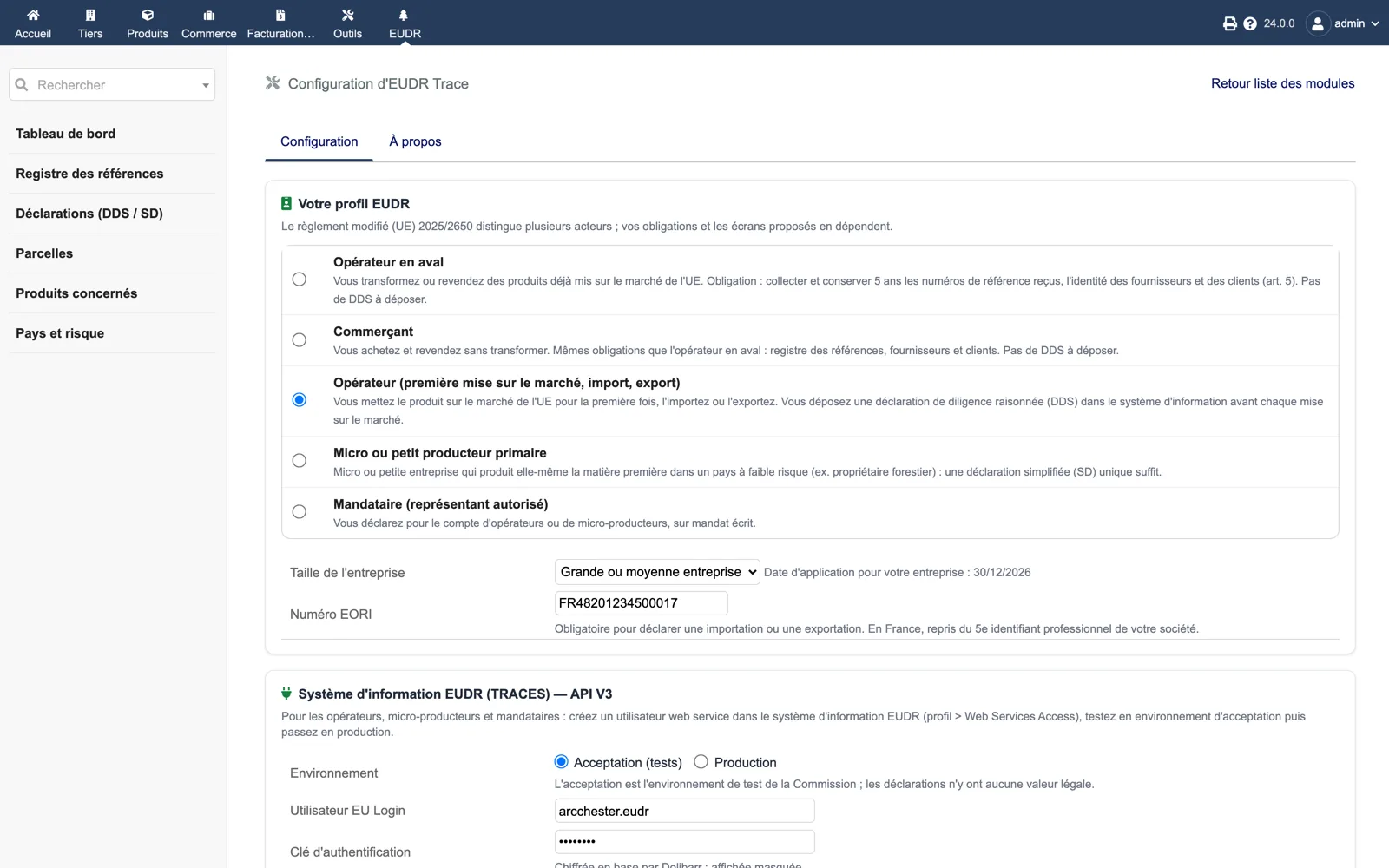
Setup
Your EUDR profile (downstream operator, trader, operator, micro producer, representative), company size and EORI number, then the TRACES V3 section: acceptance or production environment, EU Login user, authentication key encrypted in the database and WebServiceClientId.
Dolibarr · Demonstration data · Open the image to enlarge.