

Use the stock you already have
Allocate free, unreserved quantities across your warehouses without manually splitting sales order lines.
Allocate each order from the warehouses that hold the available stock. Preview the split, follow your priorities and create the deliveries automatically when you confirm.
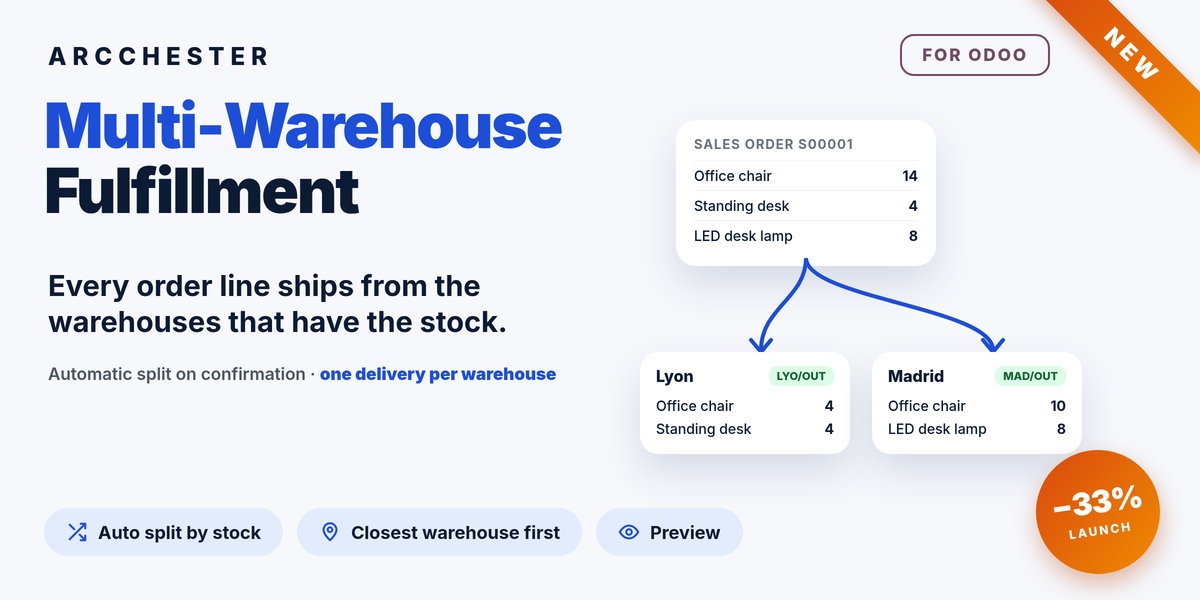
Allocate free, unreserved quantities across your warehouses without manually splitting sales order lines.
Prefer fewer shipments or follow a strict warehouse priority. Define a different priority for a destination country or region.
Preview the proposed warehouses on the quotation. After confirmation, inspect each allocation and its resulting delivery.
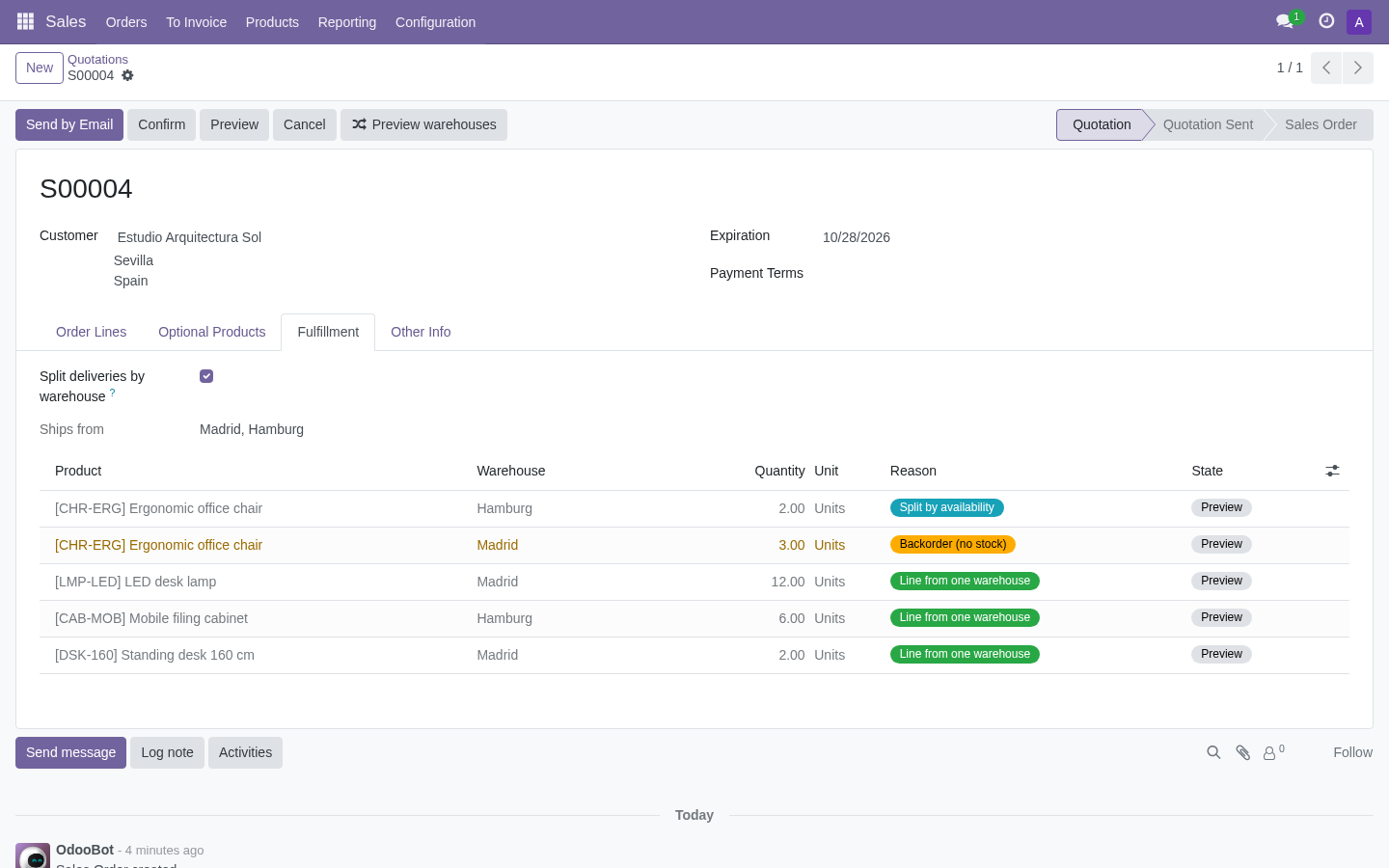
For this Spanish customer, the destination rule prefers Madrid. Preview shows the proposed allocation without reserving stock.
Explore the illustrated workflow →| Workflow | Direction / trigger | Result |
|---|---|---|
| Available stock | On confirmation | Read free quantities in each eligible warehouse. |
| Allocation | Configured strategy | Fewest shipments or strict priority, with destination rules. |
| Delivery orders | One per warehouse | Order lines and invoicing remain in the normal sales workflow. |
| Missing quantities | Backorder | Wait in the warehouse selected by your shortage policy. |
No. The preview is informational. The actual allocation is calculated again when the order is confirmed, so it may change if available stock changes.
The available quantities are allocated according to your strategy. Missing quantities wait as a normal backorder in the configured warehouse.
It follows the country/region priorities you configure. It does not geocode addresses or calculate shipping rates or distances.
Versions 16–20 on Odoo.sh or a self-hosted server, with Sales and Inventory (sale_stock). The published tests cover Community; validate your edition and any custom stock routes before rollout.
One-time module purchase · Six months of email support. Current price and conditions are on Odoo Apps. Hosting, migration and custom development are separate.