Preview before confirming
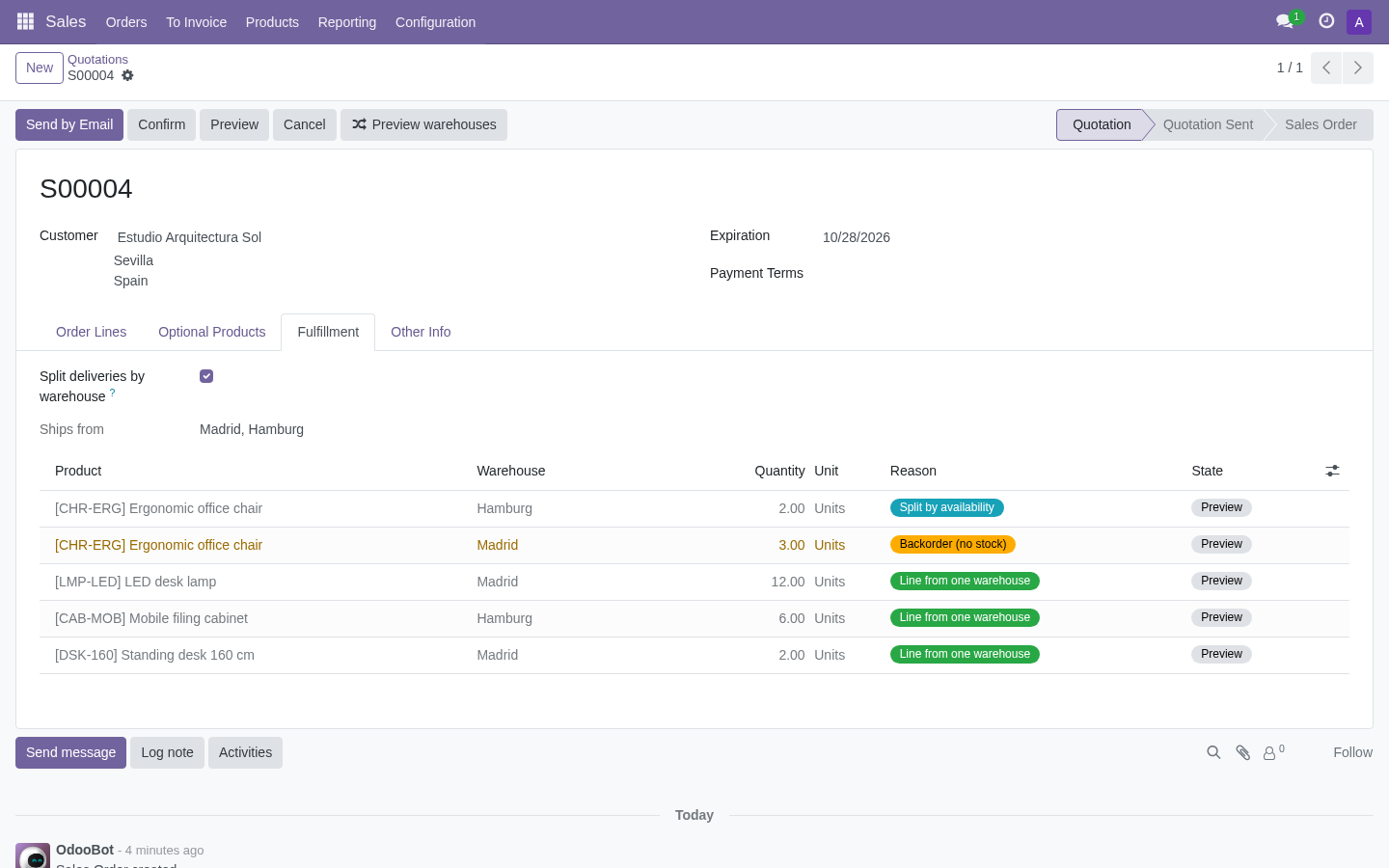
For this Spanish customer, the destination rule prefers Madrid. Preview shows the proposed allocation without reserving stock.
Explore the module through annotated Odoo screenshots with demonstration data. This is a guided presentation, not a live demo.
For this Spanish customer, the destination rule prefers Madrid. Preview shows the proposed allocation without reserving stock.
This sample order splits 14 chairs into 4 from Lyon and 10 from Madrid. The allocation log records each decision.
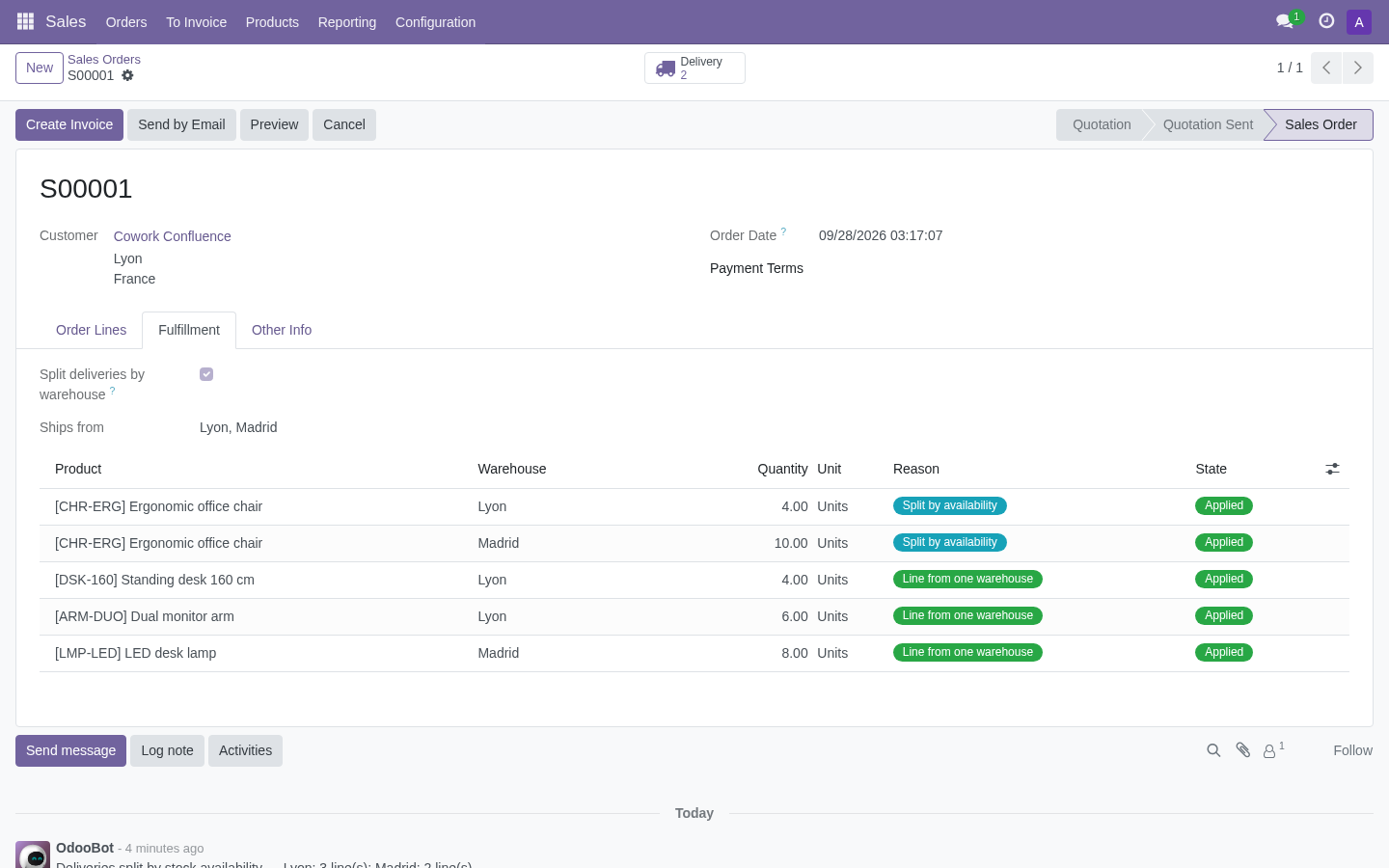
Confirmation creates separate deliveries for the assigned warehouses. The sales order keeps its original lines.

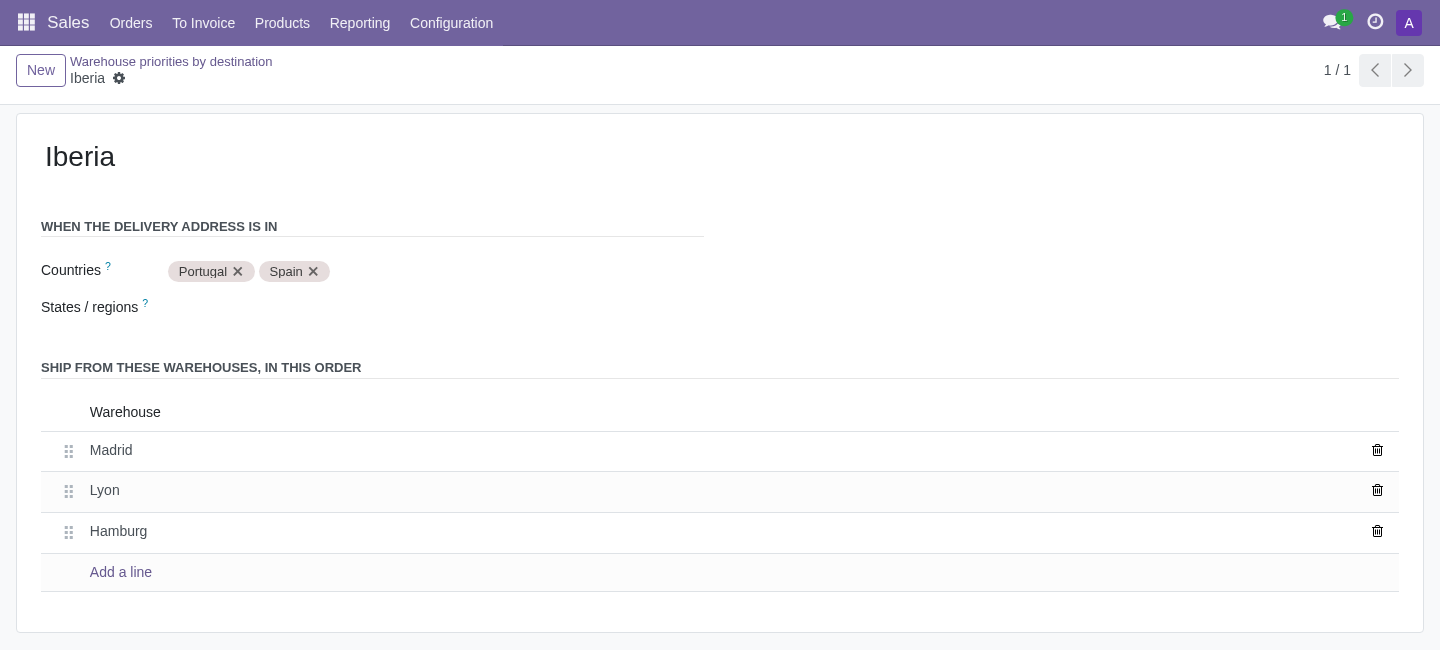
For Spain and Portugal, put Madrid first. These are explicit priority rules, not an automatic geographic distance calculation.