Discover the module screen by screen, with annotated Dolibarr screenshots and demonstration data. This is a guided presentation, not a live demo.
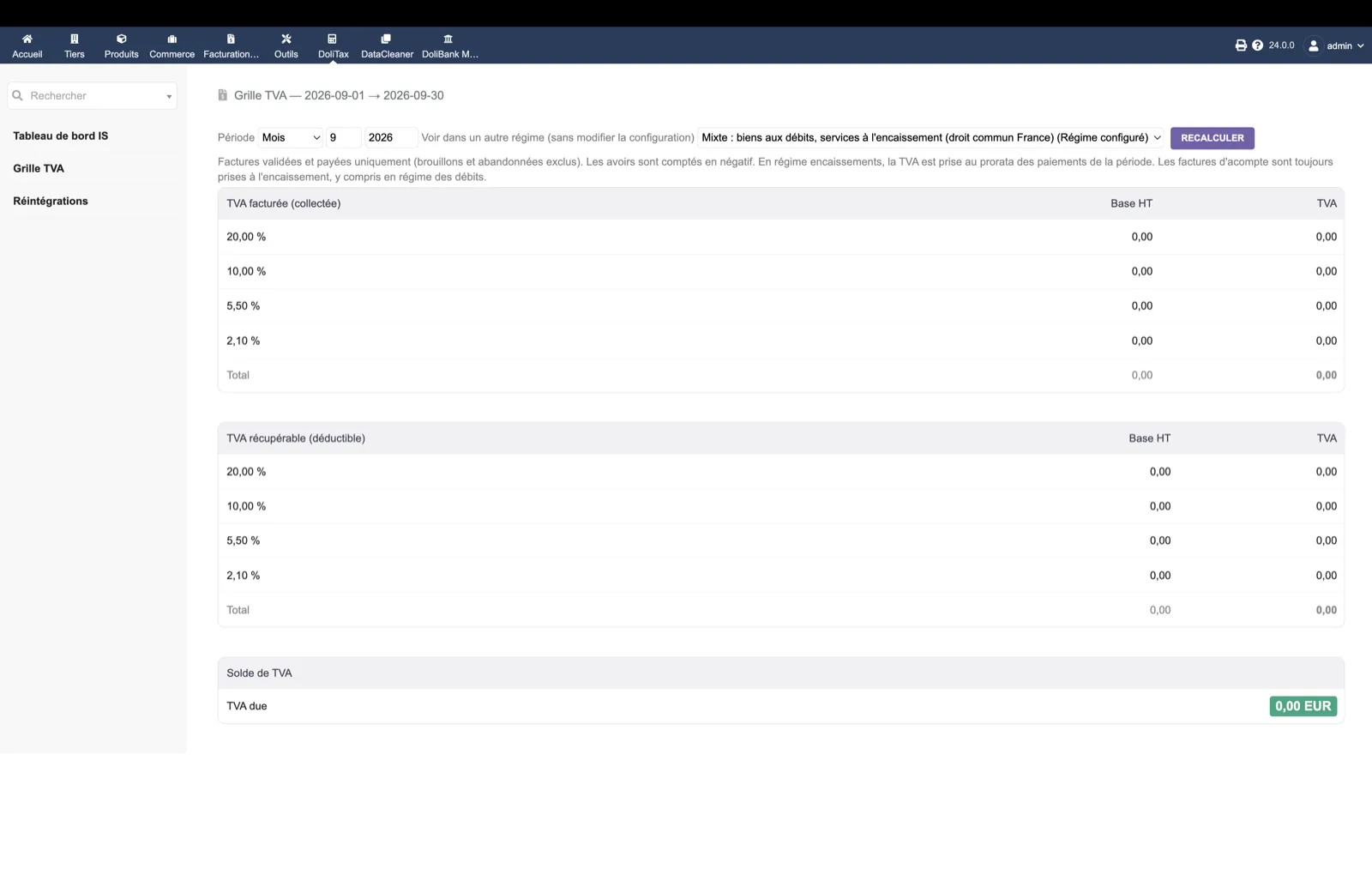
The VAT grid
Period selector (month, quarter, year), a drop-down to view the grid in another regime without changing the configuration (here “Mixed: goods on accrual, services on cash”), and a reminder of the scope: validated and paid invoices only, credit notes negative, down payments on a cash basis. Two tables, VAT invoiced (collected) and VAT recoverable (deductible), list the net base and VAT for each legal rate (20, 10, 5.5, 2.1 %) with totals, then the VAT balance due.
Dolibarr · Demonstration data · Open the image to enlarge.
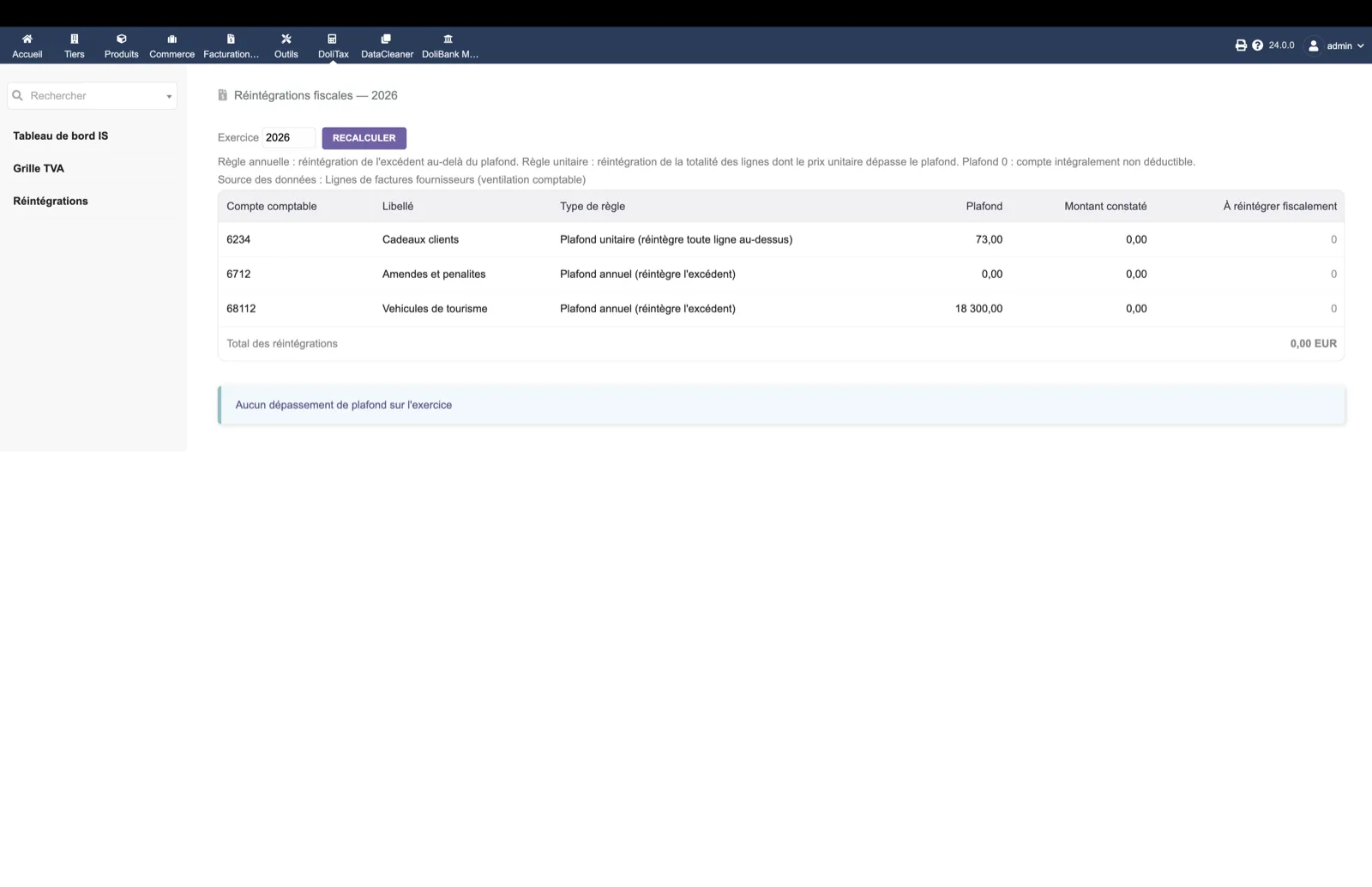
Tax add-backs
For the chosen fiscal year, the help text recalls the three rules (annual, unit, zero ceiling) and the data source used, here supplier invoice lines. The table lists each ceiling: account (6234 customer gifts, 6712 fines and penalties, 68112 passenger vehicles), rule type, ceiling, amount observed and amount to add back, with the total and a notice when no ceiling is exceeded.
Dolibarr · Demonstration data · Open the image to enlarge.
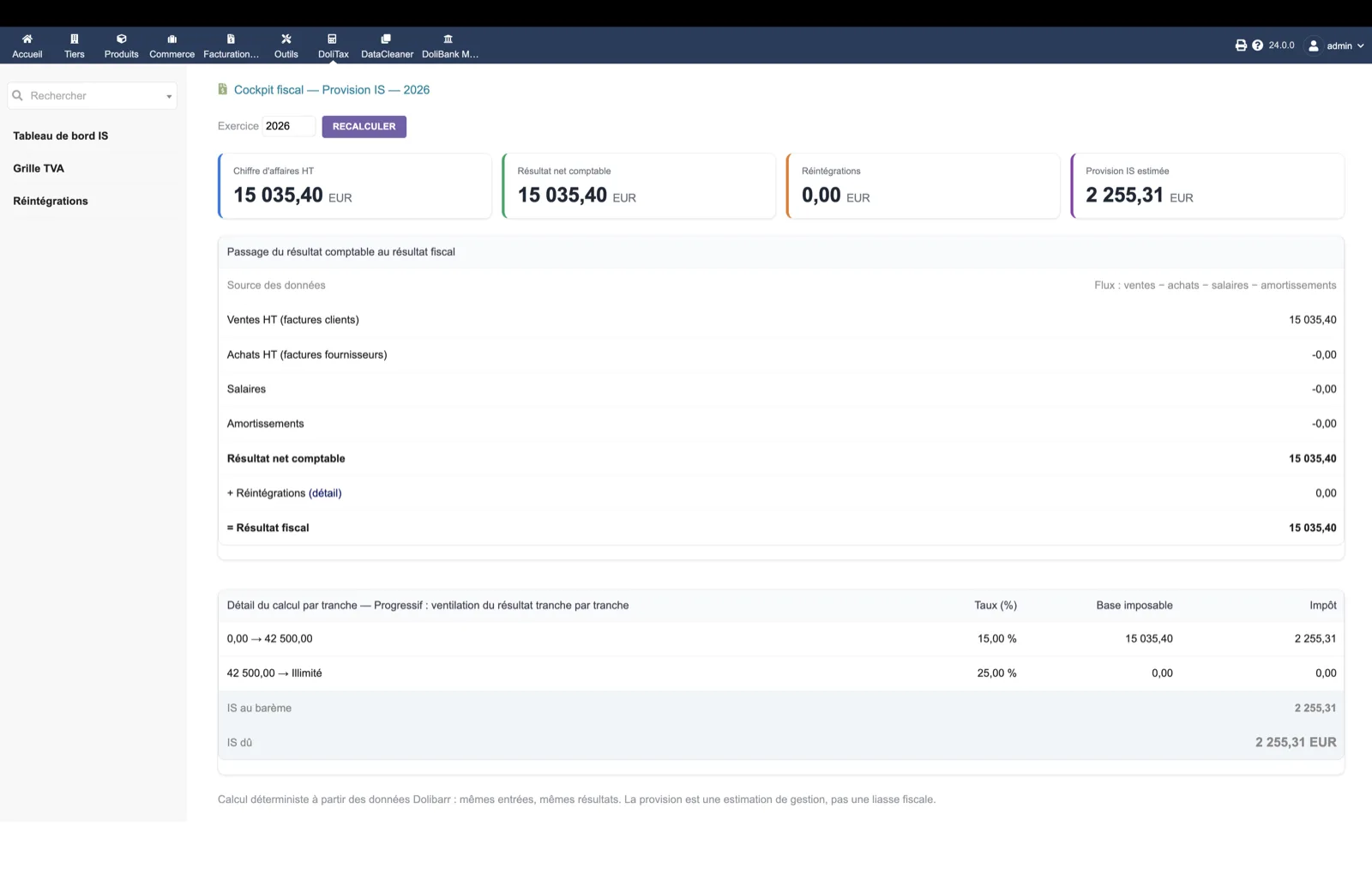
The corporate tax cockpit
Four tiles: turnover excluding tax, net accounting profit, add-backs and estimated tax provision. The bridge from accounting profit to taxable profit shows the data source (flows: sales − purchases − salaries − depreciation), each component and the add-backs with a link to the detail. Then the computation by bracket: 15 % up to 42,500, 25 % beyond, tax at scale and tax due. A footer recalls that the provision is a management estimate, not a tax return.
Dolibarr · Demonstration data · Open the image to enlarge.