

No more manual exports
Validated customer invoices, credit notes and deposits, plus supplier invoices with their PDF, are sent automatically. Customers and suppliers are created in Pennylane on first export, then updated.
Validating a customer or supplier invoice queues it. A scheduled task sends the invoice, its lines, VAT and PDF to Pennylane through the API. Dolibarr shows what was sent, what is pending and what failed, with the exact error to fix and replay.
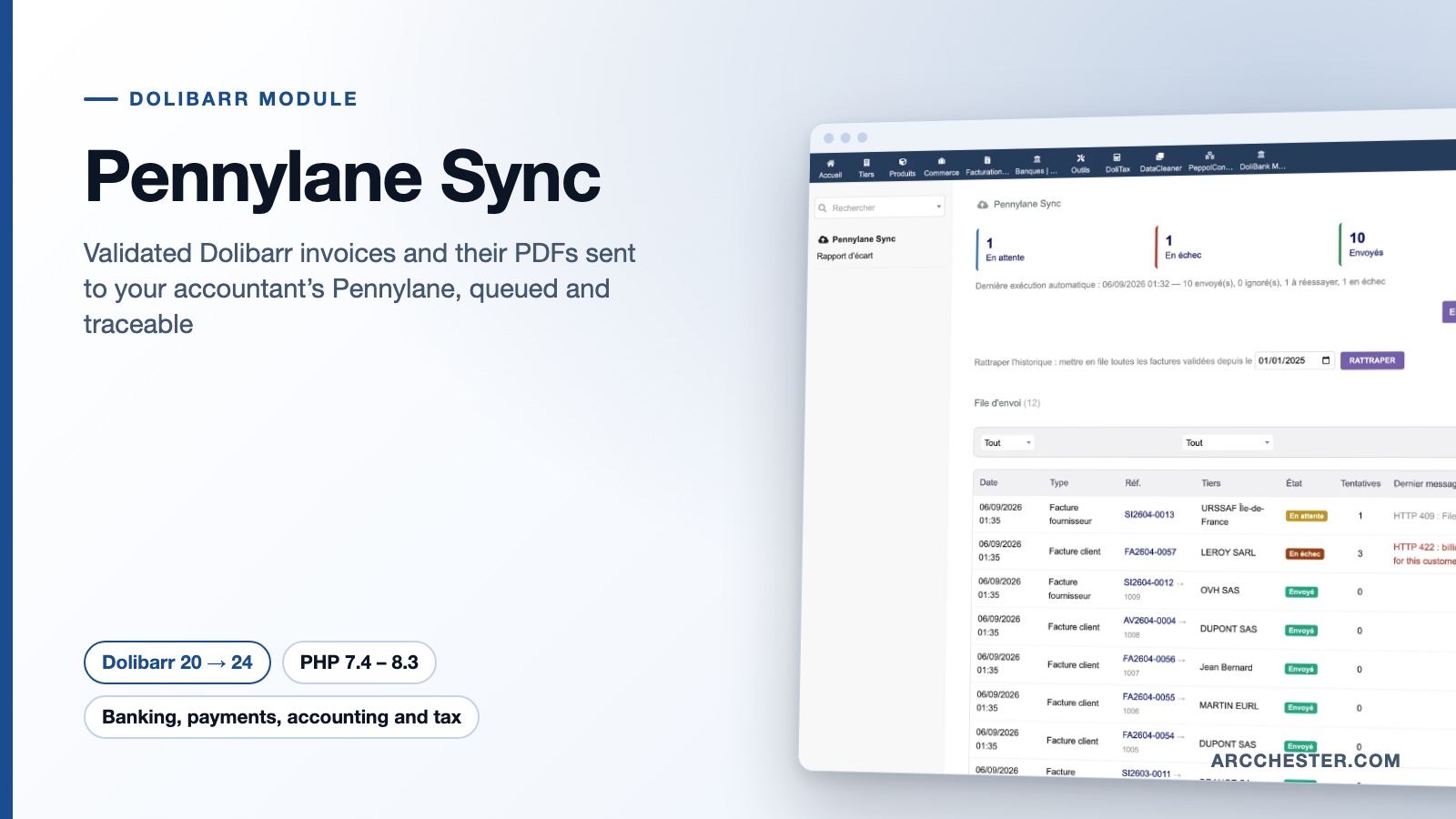
Validated customer invoices, credit notes and deposits, plus supplier invoices with their PDF, are sent automatically. Customers and suppliers are created in Pennylane on first export, then updated.
The trigger only queues a job; the API call happens in the background through the scheduled task. Temporary failures are retried with increasing delays, API quota is respected, and a rejected invoice stays visible with its message until you fix and replay it.
Dolibarr ledger account numbers are looked up in the Pennylane chart of accounts and cached. VAT rates are converted to Pennylane codes, with configurable codes for exempt, export and intra-EU lines.
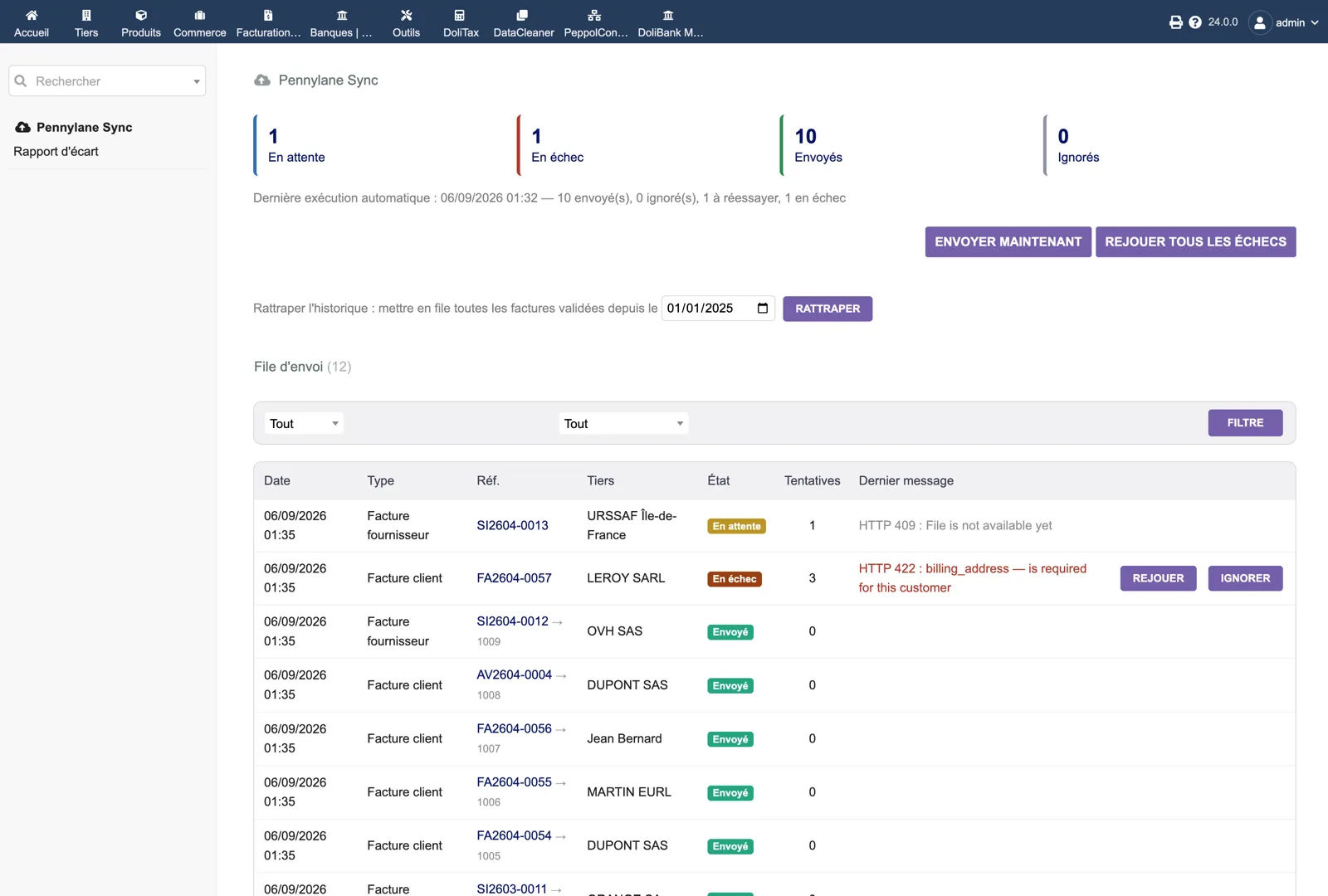
Four counters (pending, failed, sent, ignored), the last automatic run with its totals, the “Send now” and “Replay all failures” buttons, and the catch-up tool with a start date. Below, each job: date, type, Dolibarr reference with the Pennylane identifier once sent, third party, status, attempts and the last API message, for example an HTTP 422 explaining that the customer’s billing address is missing, with Replay and Ignore buttons.
Browse all screens →| Workflow | Trigger | Result in Dolibarr |
|---|---|---|
| Customer invoice | Validation in Dolibarr (BILL_VALIDATE) | Job queued; the PDF is uploaded first, then the invoice is imported with its lines, VAT and matching reference. |
| Supplier invoice | Validation (BILL_SUPPLIER_VALIDATE) | Sent with its main attached document; the PDF is required for an import. |
| Third party | First export, then changes to the record | Customer or supplier created in Pennylane, details updated afterwards. |
| Queue processing | Scheduled task every five minutes, or “Send now” | Up to the configured batch size per run; retries on temporary errors, pause on API quota. |
| Catch-up | Button on the queue page with a start date | All invoices validated since that date are queued, without duplicates. |
| Gap report | Menu “Gap report”, month by month | Dolibarr validated invoices and totals compared with the invoices present in Pennylane. |
No. The module sends no payment entry and reads no paid status. Each invoice carries its number as a matching reference so that Pennylane can match the bank transaction itself; the result depends on the transactions and references available in Pennylane.
The job stays in the queue and is retried with increasing delays, from one minute up to twelve hours. A 409 “file not available yet” is treated as a wait, not an error. Definitive refusals (4xx) stop retrying and show the exact message so you can fix the invoice and replay.
Yes. Generate the customer invoice PDF or select the main supplier invoice document before validation. No missing document is ever replaced by a generated placeholder.
On the queue page, enter a start date and click “Catch up”: every invoice validated since then is queued. Do this only after your first invoice has been checked with your accountant. The “Send nothing before” setting also prevents older documents from being sent.
Yes. Credit notes and deposit invoices are sent like other customer invoices; a credit note references its original invoice when that invoice has already been imported.
No. It performs accounting imports into Pennylane. It does not manage the lifecycle of an approved e-invoicing platform; see Factur-X France and PA Transmission for that.
€129 excl. VAT · one-time purchase · version 1.0.3
Dolistore is the official Dolibarr marketplace: purchase, download and invoicing happen there. You receive the module archive, French and English translations, e-mail support at support@arcchester.com and the updates published on Dolistore.