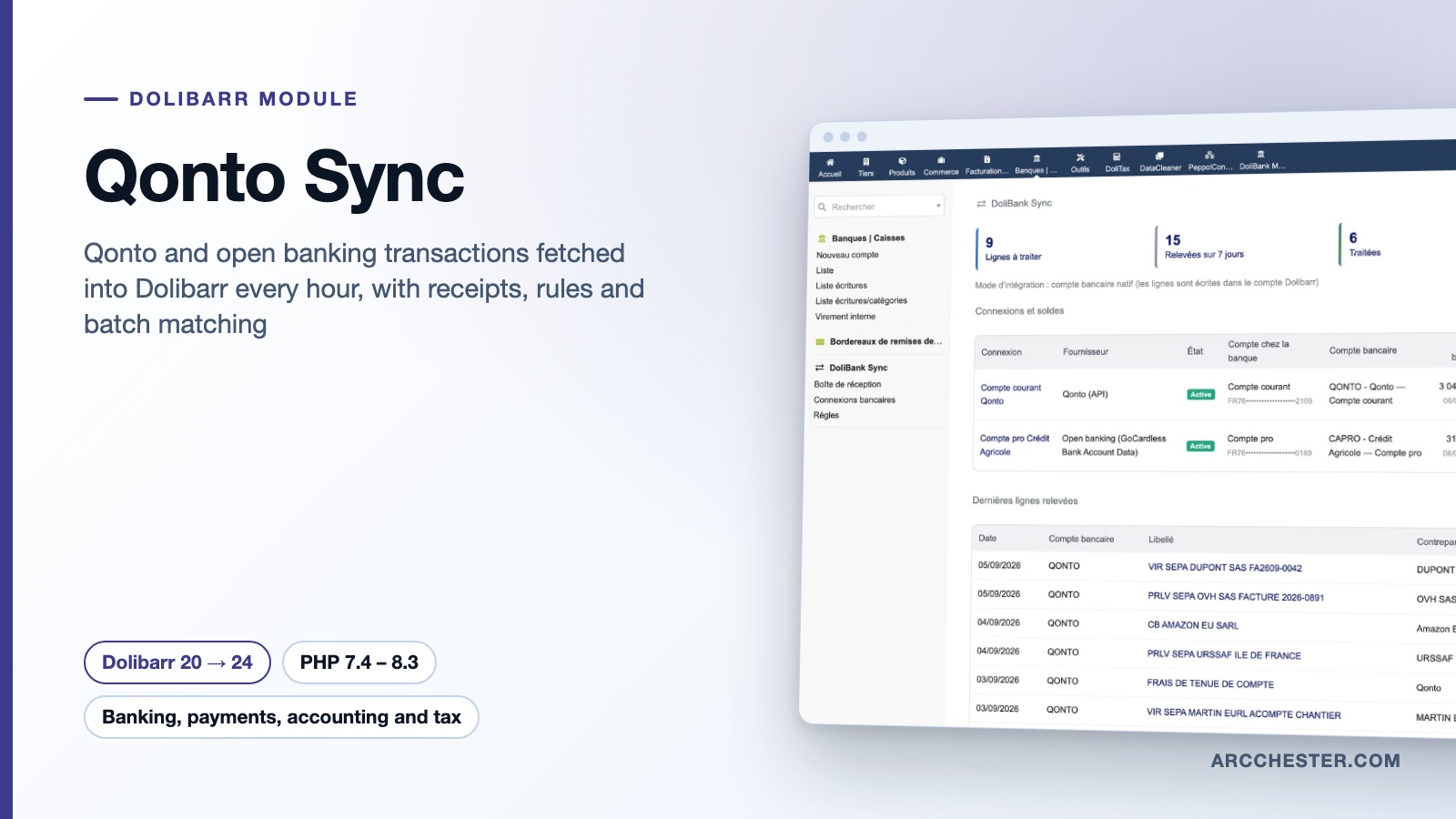
Qonto Sync · FOR DOLIBARR

Connect Qonto to Dolibarr.
Your bank lines arrive on their own.

Enter your Qonto login and API key, or pick your bank through open banking. A scheduled job fetches transactions without duplicates; the inbox lets you match invoices, create paid supplier invoices with their receipt, or ignore a line.

Dolibarr 20 → 24PHP 7.4 – 8.3Version 1.1.0€149 excl. VATOn Dolistore

Qonto Sync — module for Dolibarr
Qonto API and open bankingHourly fetch, no duplicatesReceipts attachedBatch invoice matching
YOUR DAILY WORKFLOW

What changes once the module is active.

01

No more statement exports

Qonto connects with two fields: organisation login and API key. Other banks go through open banking (GoCardless Bank Account Data) with a consent given on the bank’s website. Every transaction carries a fingerprint, so a replay never writes the same line twice.

02

One click from bank line to accounting action

From the inbox, match a customer or supplier invoice (partial payment included), create a validated and paid supplier invoice with the receipt fetched from Qonto, record a miscellaneous payment, link an internal transfer or ignore with a reason.

03

Rules that pre-fill, never post

“Label contains OVH” becomes supplier OVH, account 613500, VAT 20 %. The rule fills the form; you confirm. Batch reconciliation reviews up to 50 selected lines with exact invoice matches and confirms them in one explicit step.

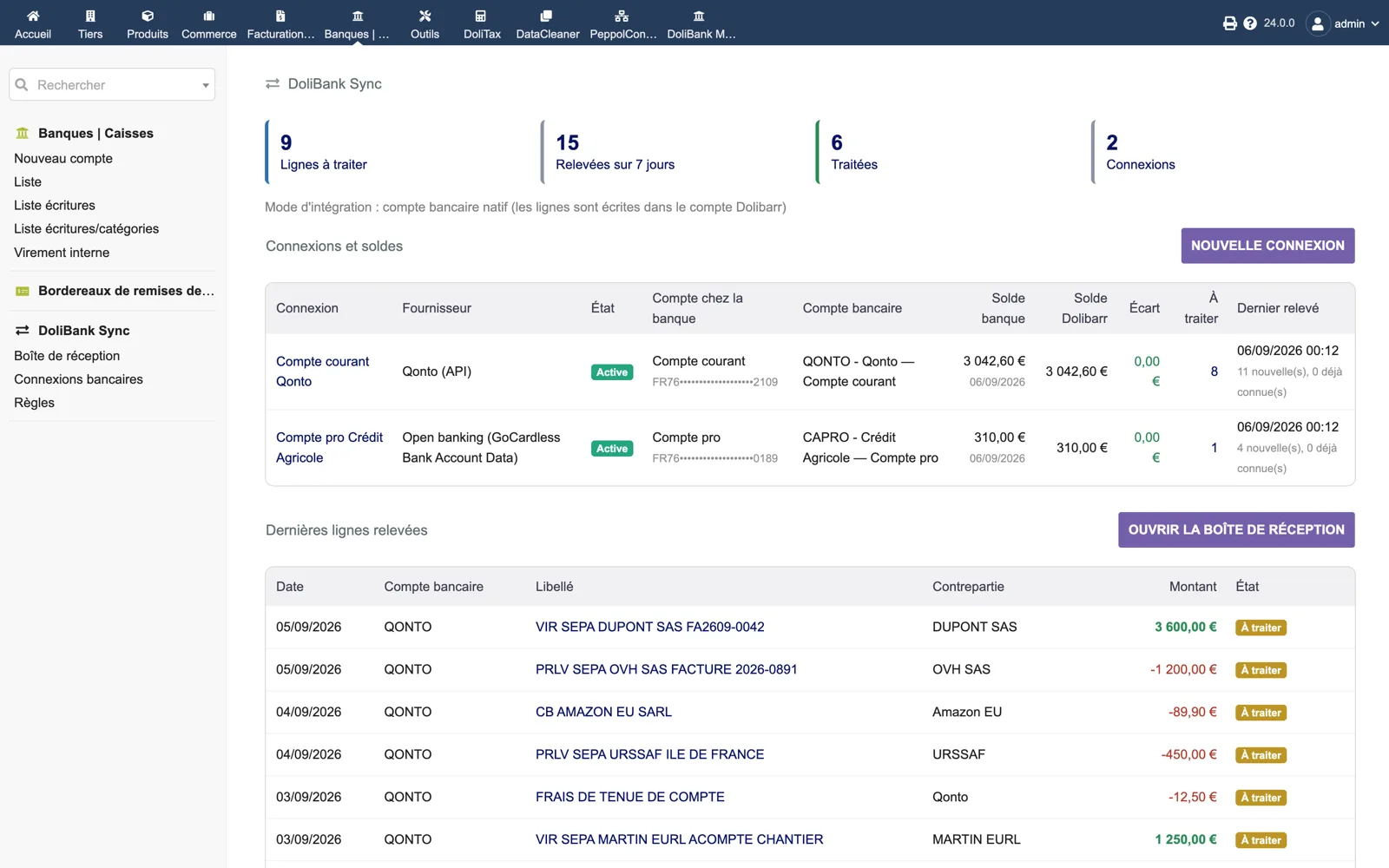
The dashboard — Dolibarr
Actual module interface in Dolibarr · Demonstration data. Click to enlarge.
INSIDE THE MODULE

The dashboard

Counters (lines to process, fetched over 7 days, processed, connections), the integration mode in use, then one row per connection: provider (Qonto API or open banking), status, masked IBAN, mapped Dolibarr account, bank balance versus Dolibarr balance with the gap at 0.00 €, lines to process and last fetch. Below, the latest fetched lines.

Browse all screens →

Know exactly what happens.

WorkflowTriggerResult in Dolibarr
Qonto connectionOrganisation login and API keyAll accounts of the organisation are listed and mapped to Dolibarr bank accounts; receipts attached to transactions are downloaded.
Open banking connectionBank chosen in the list, consent on the bank’s websiteRead-only access to accounts and booked transactions; the module warns by e-mail before the consent expires.
Automatic fetchHourly scheduled job, or “Fetch now”Incremental import with overlap, fingerprint deduplication, lines written to the native bank account or handed to DoliBank Match.
Inbox processingLine opened or batch of up to 50 linesNative payment linked to the existing bank line, paid supplier invoice created, miscellaneous payment, internal transfer or ignore.
RulesLabel, counterparty, amount, direction, accountThe matching action is proposed on the line; a rule can be created pre-filled from a processed transaction.
Balance checkDashboardBank-reported balance next to the Dolibarr balance for each account; the gap should read 0.00.

Before you choose.

What do I need on the Qonto side?

An API key generated in Qonto under Settings → Integrations and partnerships → API key, plus your organisation login (it looks like “my-company-1234”). Keys are encrypted at rest (AES-256) and never displayed again.

My bank is not Qonto. Does it work?

Through open banking: pick your bank in the list returned by GoCardless Bank Account Data, give consent on the bank’s website and come back to Dolibarr. You create your own account with that provider and enter its secrets in the module setup. Check your bank’s coverage before buying.

Will I get duplicate bank lines?

No. Each transaction is fingerprinted; replaying a fetch, re-reading the overlap window or running two synchronisations back to back never writes the same line twice. Matching an invoice links the native payment to the existing bank line instead of creating a second one.

What is the difference with DoliBank Match?

Qonto Sync fetches transactions and offers one-click actions on each line. DoliBank Match imports statement files and scores candidates with explained evidence. When both are installed, Qonto Sync can feed its lines straight into the DoliBank Match engine; the mode is detected automatically and can be forced.

Can the module move money?

No. It only reads accounts, balances, transactions and, with Qonto, attachments. Every accounting action goes through a token-protected form and a dedicated permission.

What does the batch reconciliation do?

Select up to 50 pending lines in native mode. The module keeps the ones with an exact amount and a third-party or reference clue, excludes ambiguous or duplicated proposals, and creates the payments only for the lines you tick and confirm. Results and errors are reported line by line.


NEXT STEP

Get the module on Dolistore.

€149 excl. VAT · one-time purchase · version 1.1.0

Dolistore is the official Dolibarr marketplace: purchase, download and invoicing happen there. You receive the module archive, French and English translations, e-mail support at support@arcchester.com and the updates published on Dolistore.

Price as published on Dolistore on 9 October 2026; the listing shows the current price and conditions. Dolibarr 20 → 24 · PHP 7.4 – 8.3.