Discover the module screen by screen, with annotated Dolibarr screenshots and demonstration data. This is a guided presentation, not a live demo.
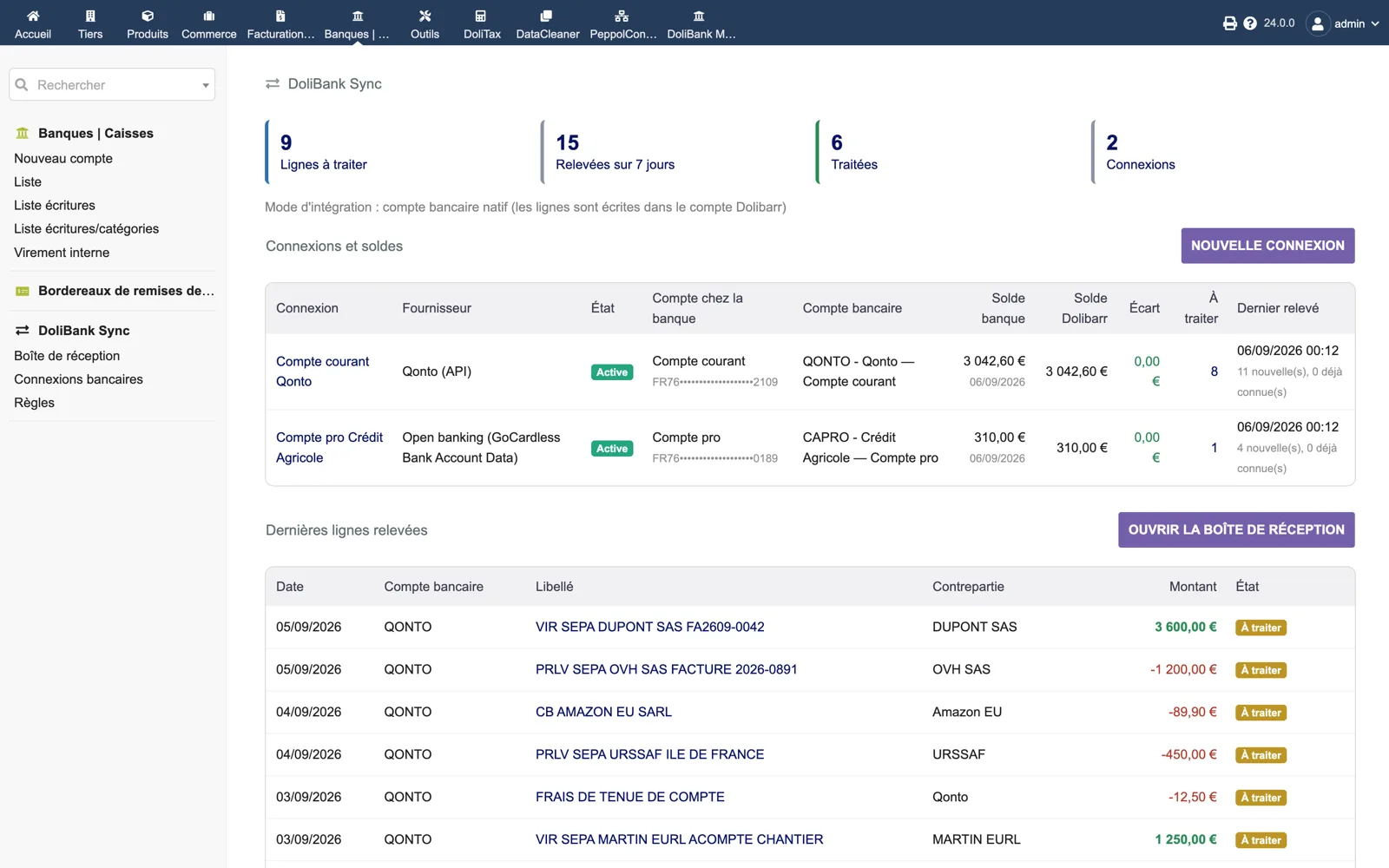
The dashboard
Counters (lines to process, fetched over 7 days, processed, connections), the integration mode in use, then one row per connection: provider (Qonto API or open banking), status, masked IBAN, mapped Dolibarr account, bank balance versus Dolibarr balance with the gap at 0.00 €, lines to process and last fetch. Below, the latest fetched lines.
Dolibarr · Demonstration data · Open the image to enlarge.
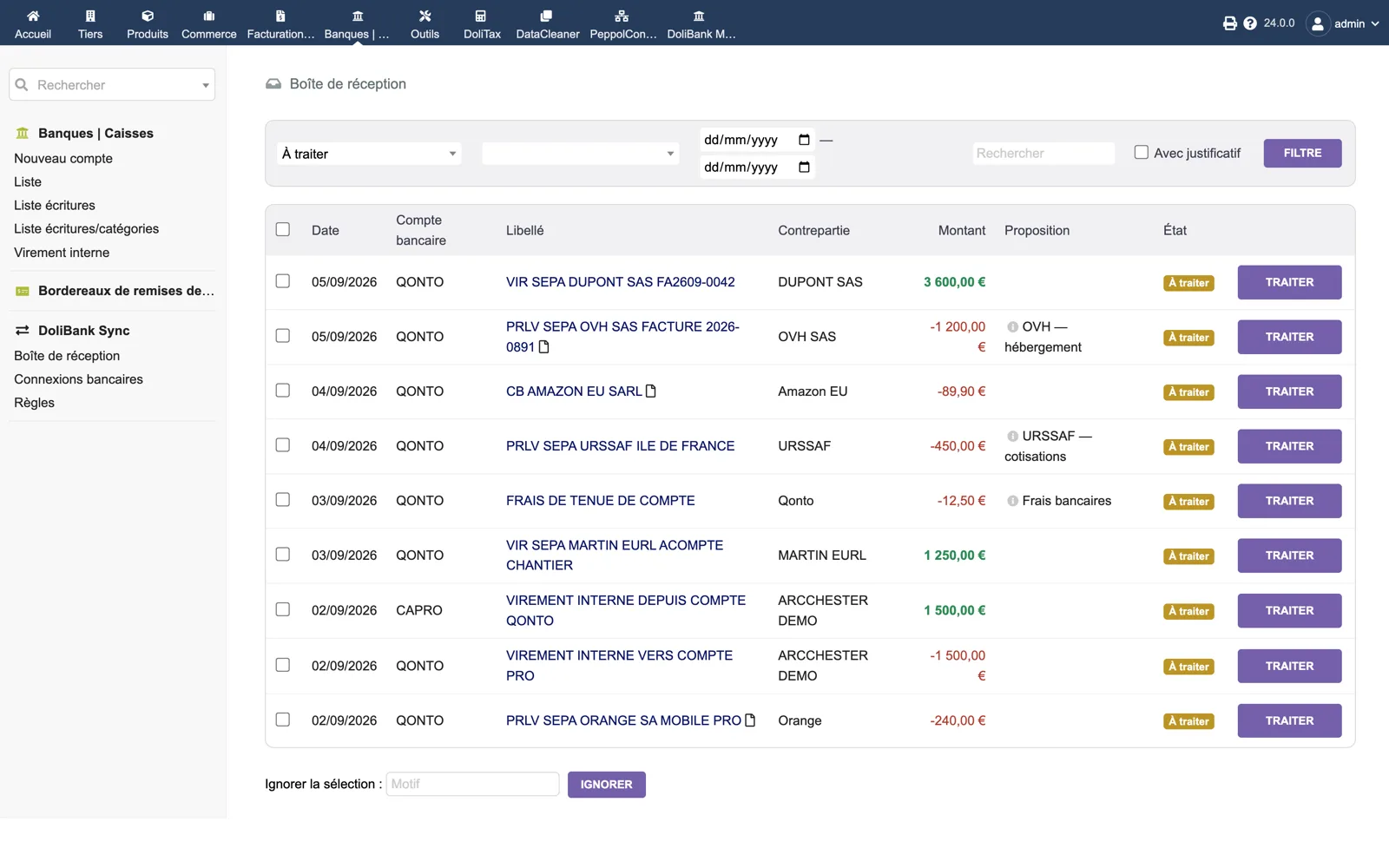
The inbox
Pending lines filtered by status, account, dates, text or “with receipt”. Each row shows the account, label, counterparty, amount, the proposal made by a rule (OVH — hosting, URSSAF — contributions, Bank fees) and a “Process” button. A selection can be ignored with a reason.
Dolibarr · Demonstration data · Open the image to enlarge.
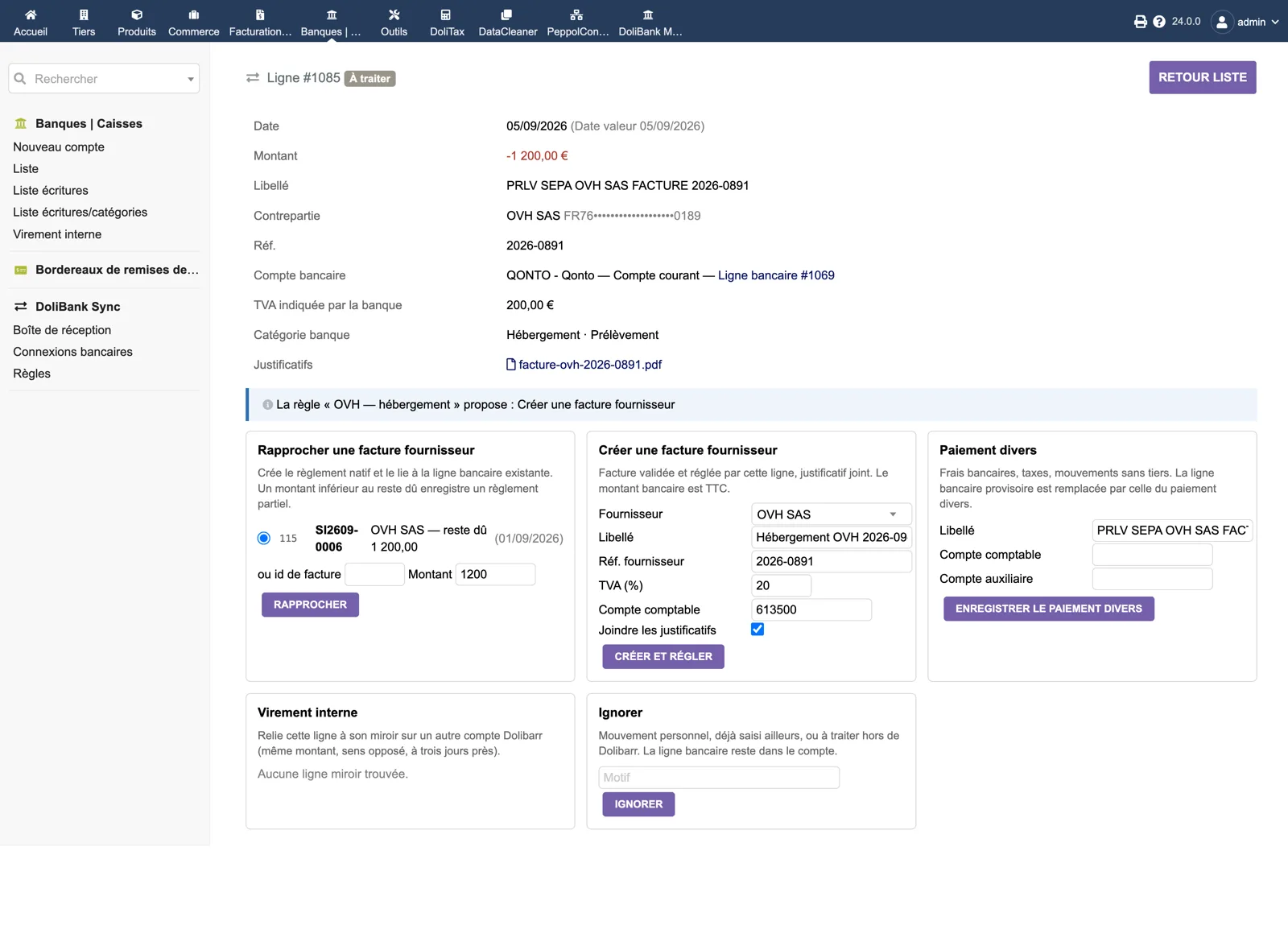
A line and its actions
Line details: date and value date, amount, label, counterparty with masked IBAN, reference, linked bank line, VAT reported by the bank, bank category and the PDF receipt. The banner shows the rule proposal. Five panels: match a supplier invoice (candidate with remaining due and amount), create a supplier invoice pre-filled by the rule (supplier, label, reference, VAT, account, attach receipts), miscellaneous payment, internal transfer, ignore.
Dolibarr · Demonstration data · Open the image to enlarge.
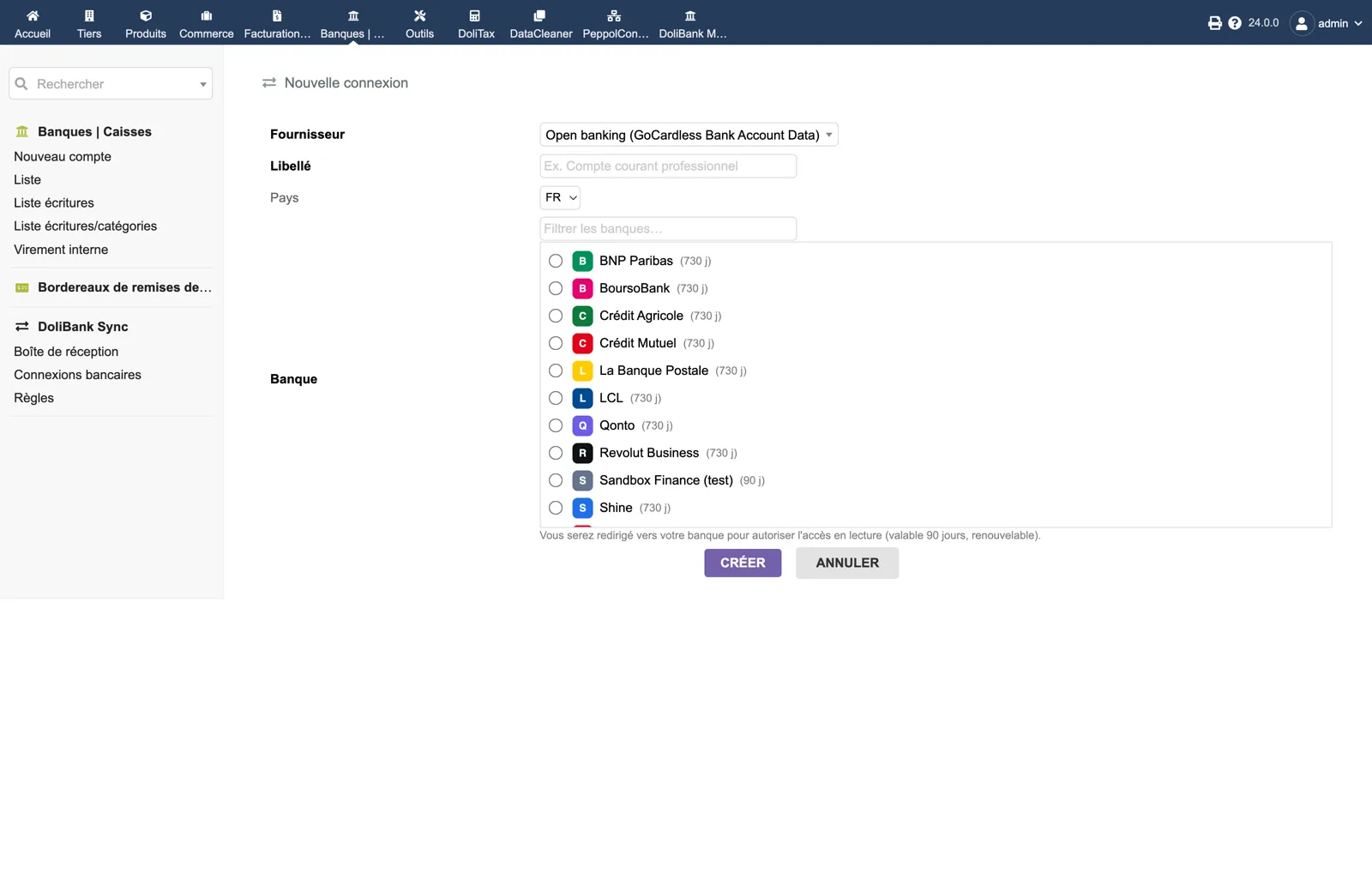
Open banking connection
New connection with provider “Open banking (GoCardless Bank Account Data)”: a label, the country, a filter and the list of banks returned by the provider with the consent duration in days. The note states you will be redirected to your bank to authorise read access, valid 90 days and renewable.
Dolibarr · Demonstration data · Open the image to enlarge.