Discover the module screen by screen, with annotated Dolibarr screenshots and demonstration data. This is a guided presentation, not a live demo.
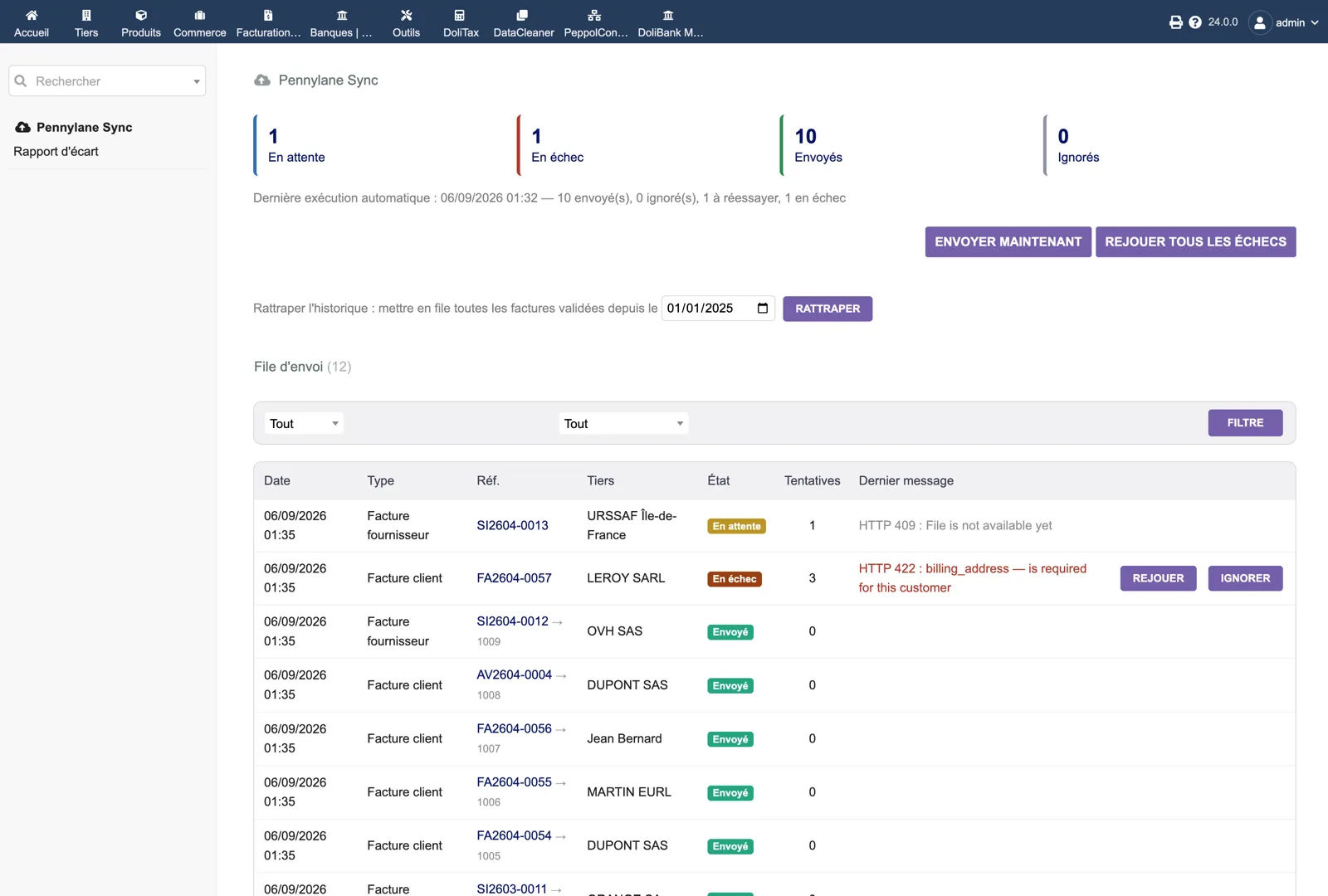
The sending queue
Four counters (pending, failed, sent, ignored), the last automatic run with its totals, the “Send now” and “Replay all failures” buttons, and the catch-up tool with a start date. Below, each job: date, type, Dolibarr reference with the Pennylane identifier once sent, third party, status, attempts and the last API message, for example an HTTP 422 explaining that the customer’s billing address is missing, with Replay and Ignore buttons.
Dolibarr · Demonstration data · Open the image to enlarge.
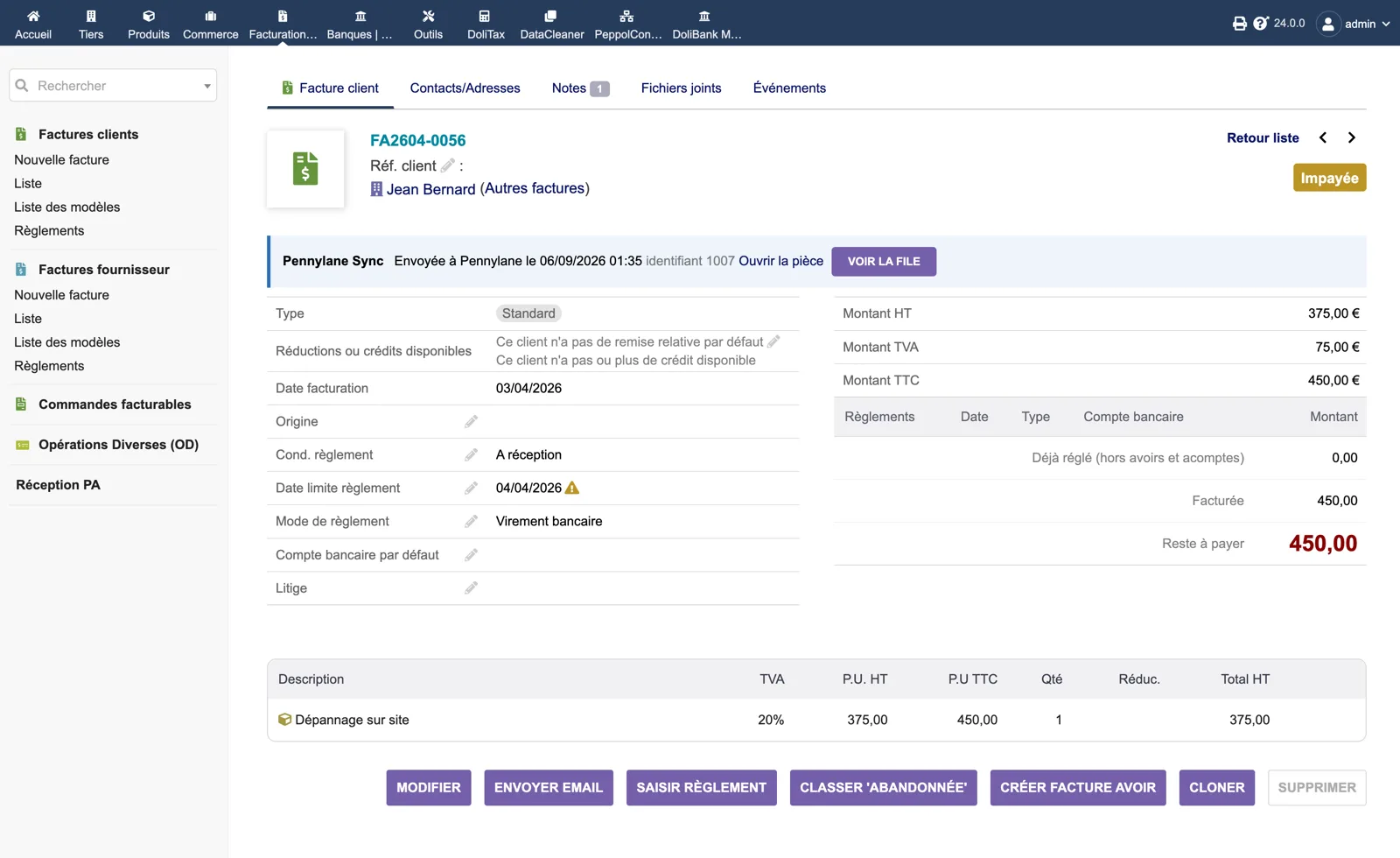
The invoice card
On a customer invoice, a Pennylane Sync banner shows “Sent to Pennylane on” with the date, the remote identifier, a link to open the document in Pennylane and a “View the queue” button. The rest of the Dolibarr invoice is unchanged.
Dolibarr · Demonstration data · Open the image to enlarge.
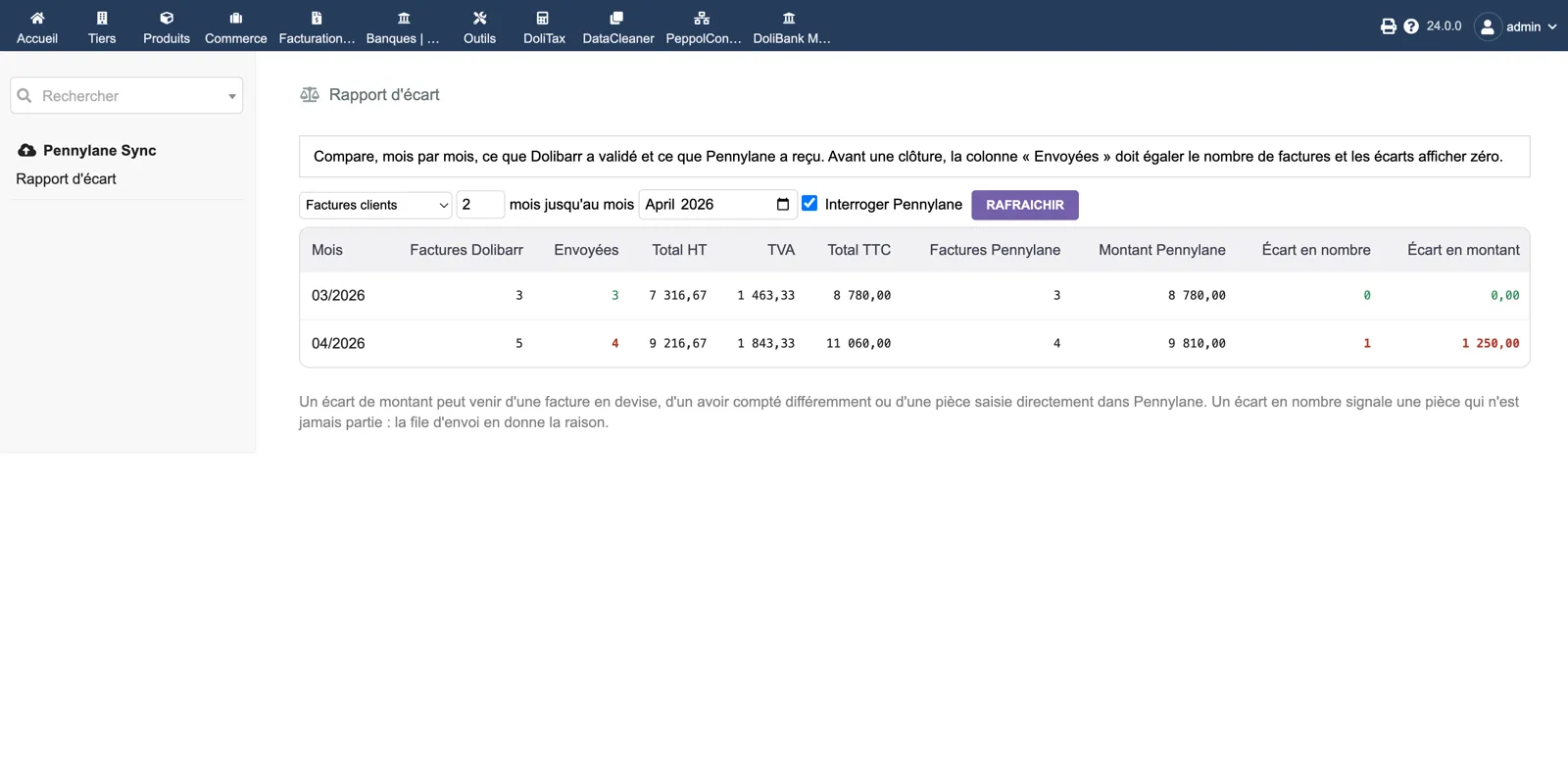
The gap report
Month by month for customer or supplier invoices: Dolibarr invoices, invoices sent, totals excluding tax, VAT and including tax, then the count and amount found in Pennylane with the gap in number and amount. A month in red signals a document that never left; the queue gives the reason.
Dolibarr · Demonstration data · Open the image to enlarge.
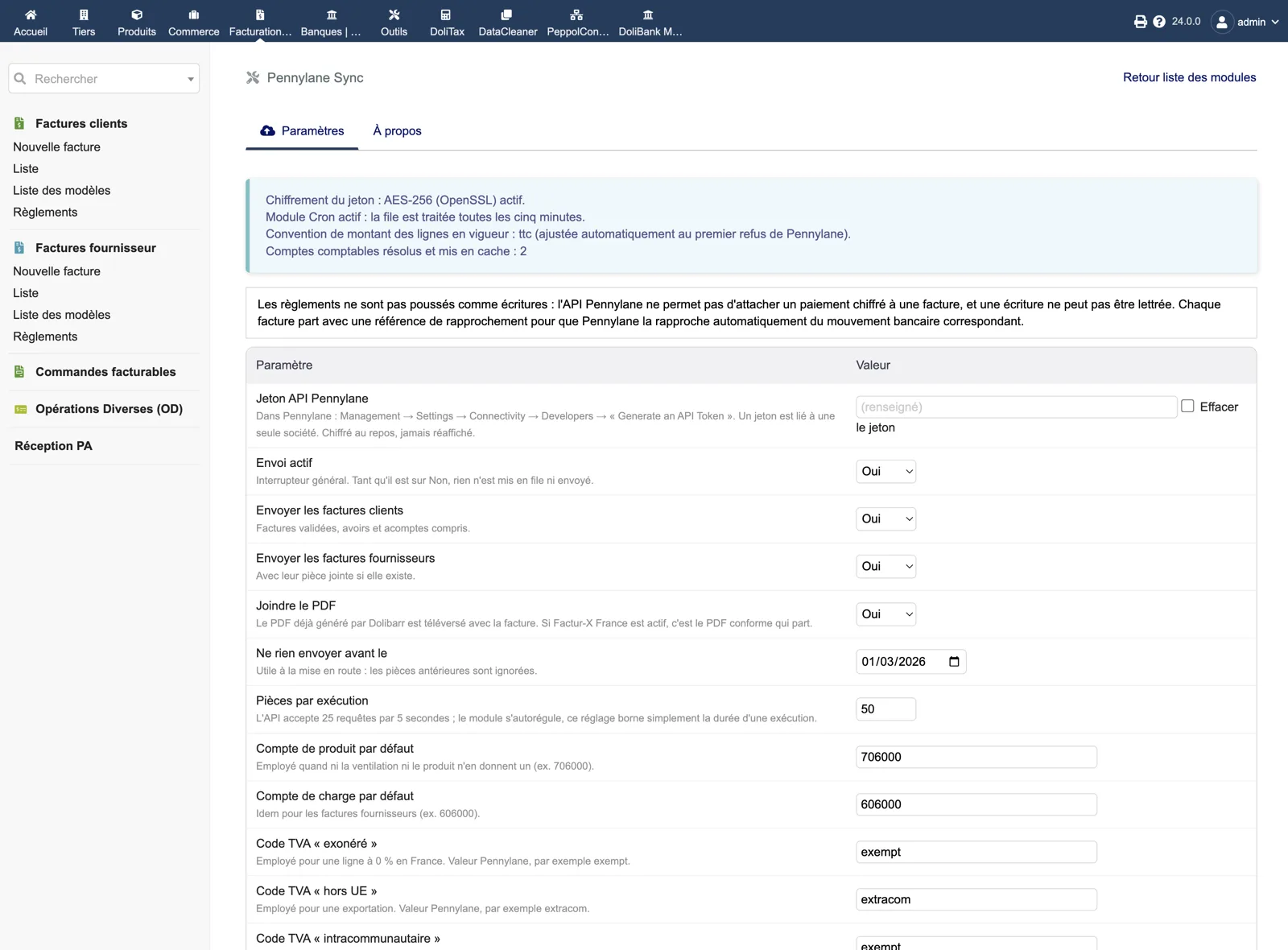
Setup
A status banner (token encryption AES-256, Cron module, line amount convention, cached accounts), the reminder that payments are not pushed, then the parameters: API token (masked after saving), sending enabled, customer and supplier invoices, attach PDF, send nothing before a date, documents per run, default product and expense accounts, VAT codes for exempt, extra-EU and intra-EU lines.
Dolibarr · Demonstration data · Open the image to enlarge.