Discover the module screen by screen, with annotated Dolibarr screenshots and demonstration data. This is a guided presentation, not a live demo.
The list of packages
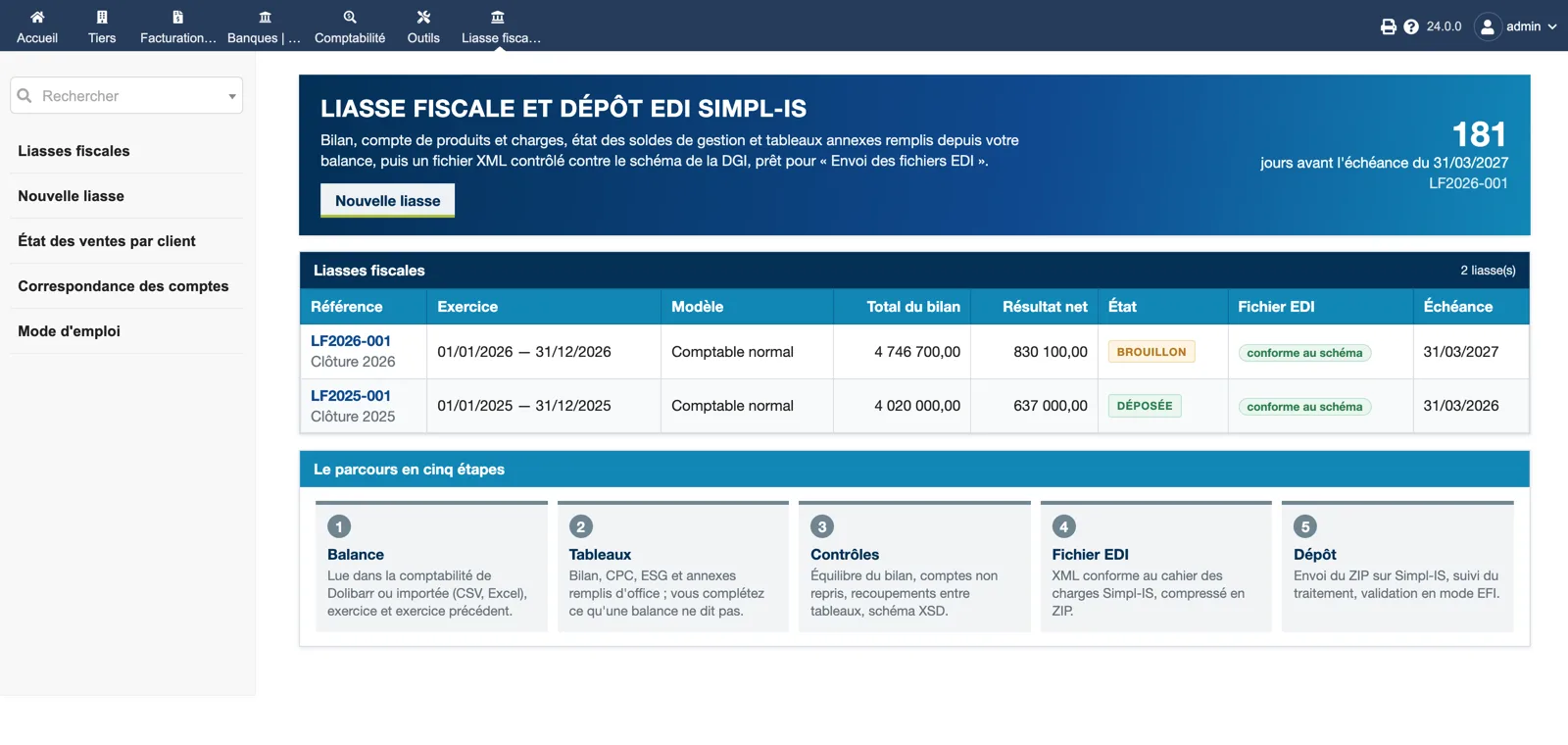
The home page counts down to the filing deadline of the current package and lists each package with its year, model, balance-sheet total, net result, status (draft or filed), schema compliance of the EDI file and deadline. The five-step path is recalled: balance, schedules, checks, EDI file, filing.
Dolibarr · Demonstration data · Open the image to enlarge.
Summary and progress
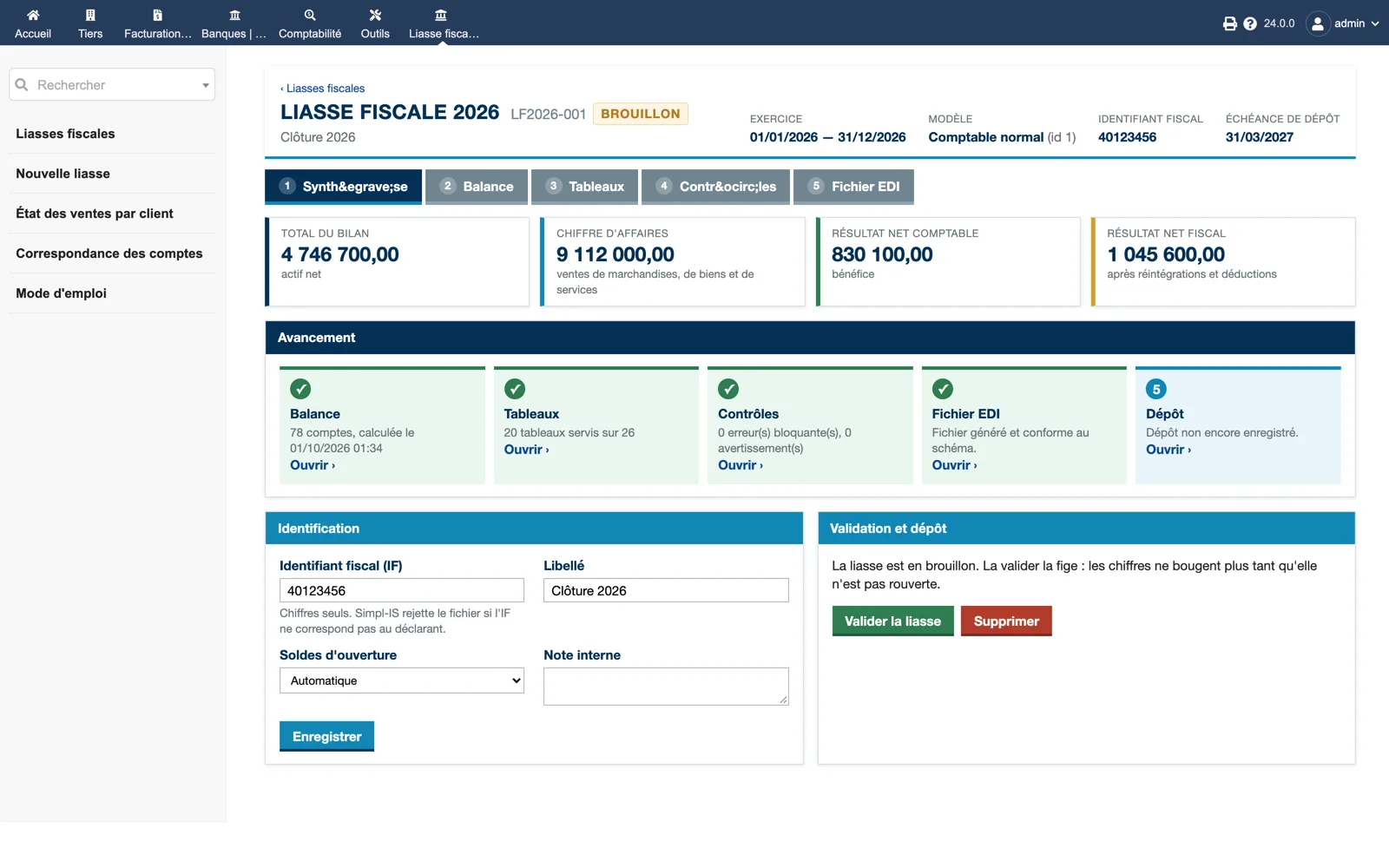
A package card: year, model, tax identifier and filing deadline, then balance-sheet total, turnover, net accounting result and net tax result. The progress strip shows the balance read, 20 schedules filled out of 26, checks passed, EDI file compliant, filing pending. Identification and validation are on the same page.
Dolibarr · Demonstration data · Open the image to enlarge.
Balance and import
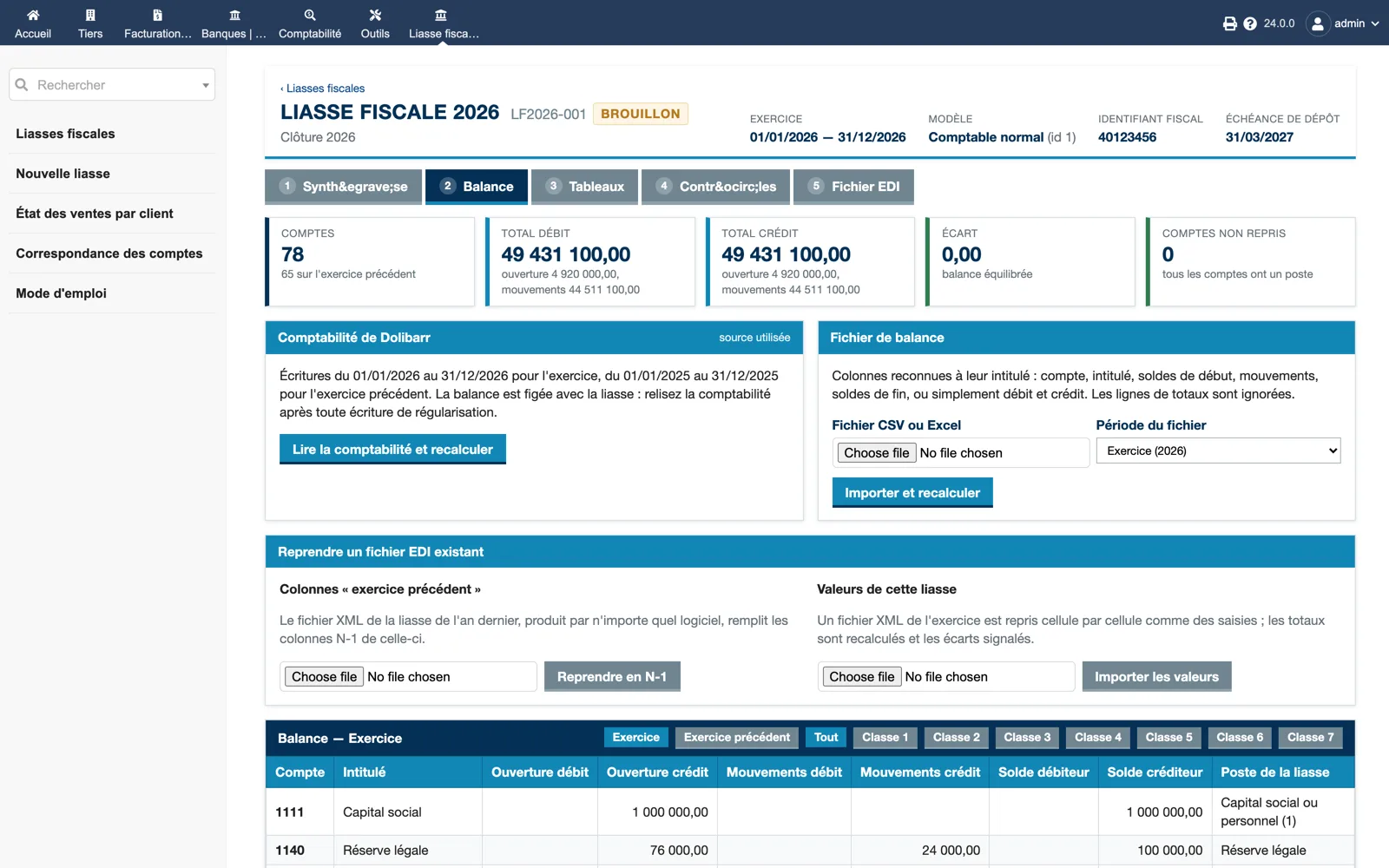
The Balance tab: 78 accounts, total debit equal to total credit, no unmapped account. Either read the Dolibarr accounting for the year and the previous year, or import a CSV or Excel file; a third box takes over last year’s EDI file for the N-1 columns or imports values cell by cell.
Dolibarr · Demonstration data · Open the image to enlarge.
Balance sheet assets
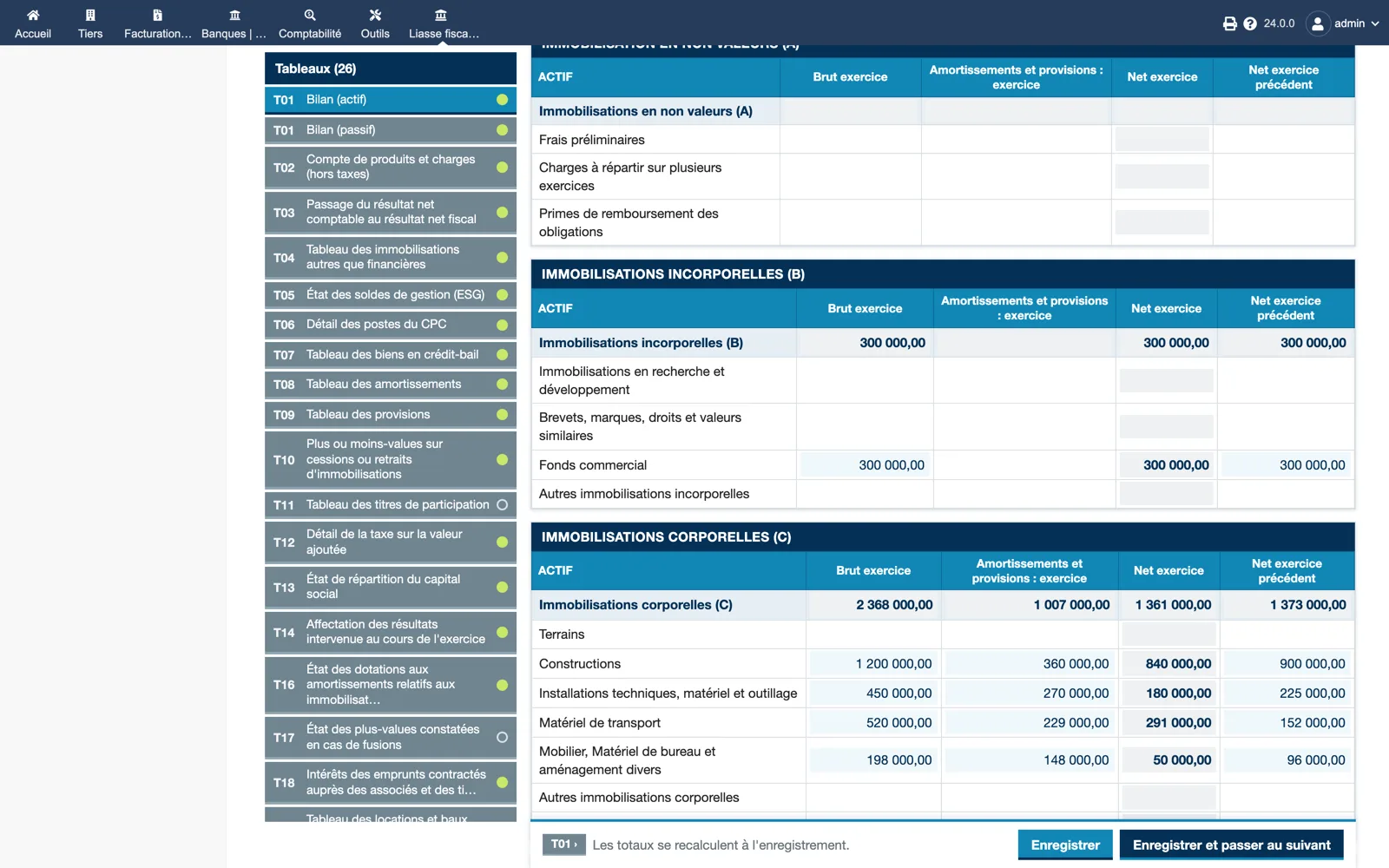
Schedule T01 laid out like the printed form: non-value, intangible and tangible assets with gross, depreciation, net and previous-year net columns. Cells taken from the balance are tinted; totals are recomputed on save, and “Save and go to the next” walks through the 26 schedules.
Dolibarr · Demonstration data · Open the image to enlarge.
Income statement (CPC)
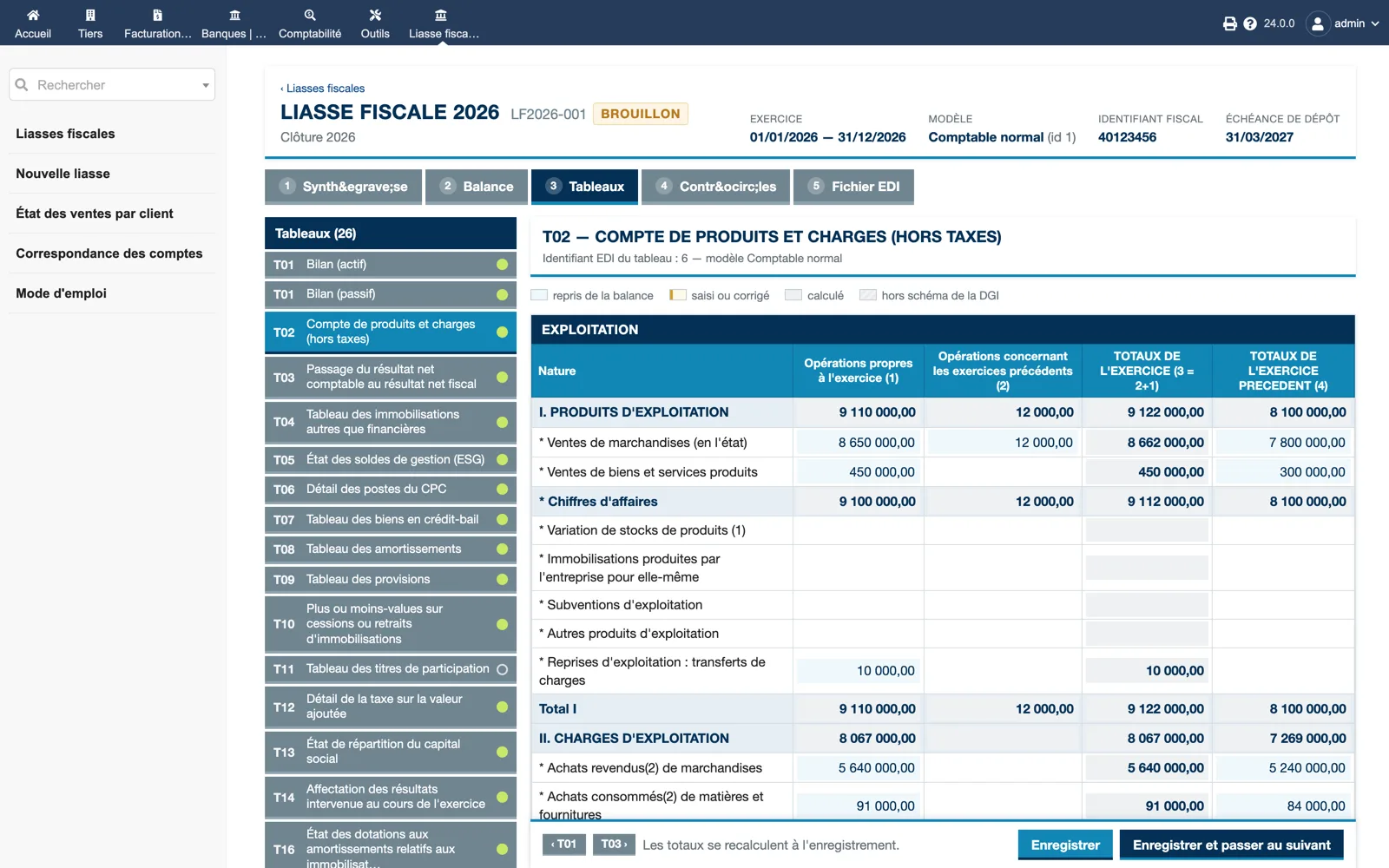
Schedule T02 with its EDI table id. Operating income and expenses in four columns (own operations, previous years, year total, previous year). The legend distinguishes values taken from the balance, entered or corrected, computed, or outside the DGI schema.
Dolibarr · Demonstration data · Open the image to enlarge.
Free rows pasted from a spreadsheet
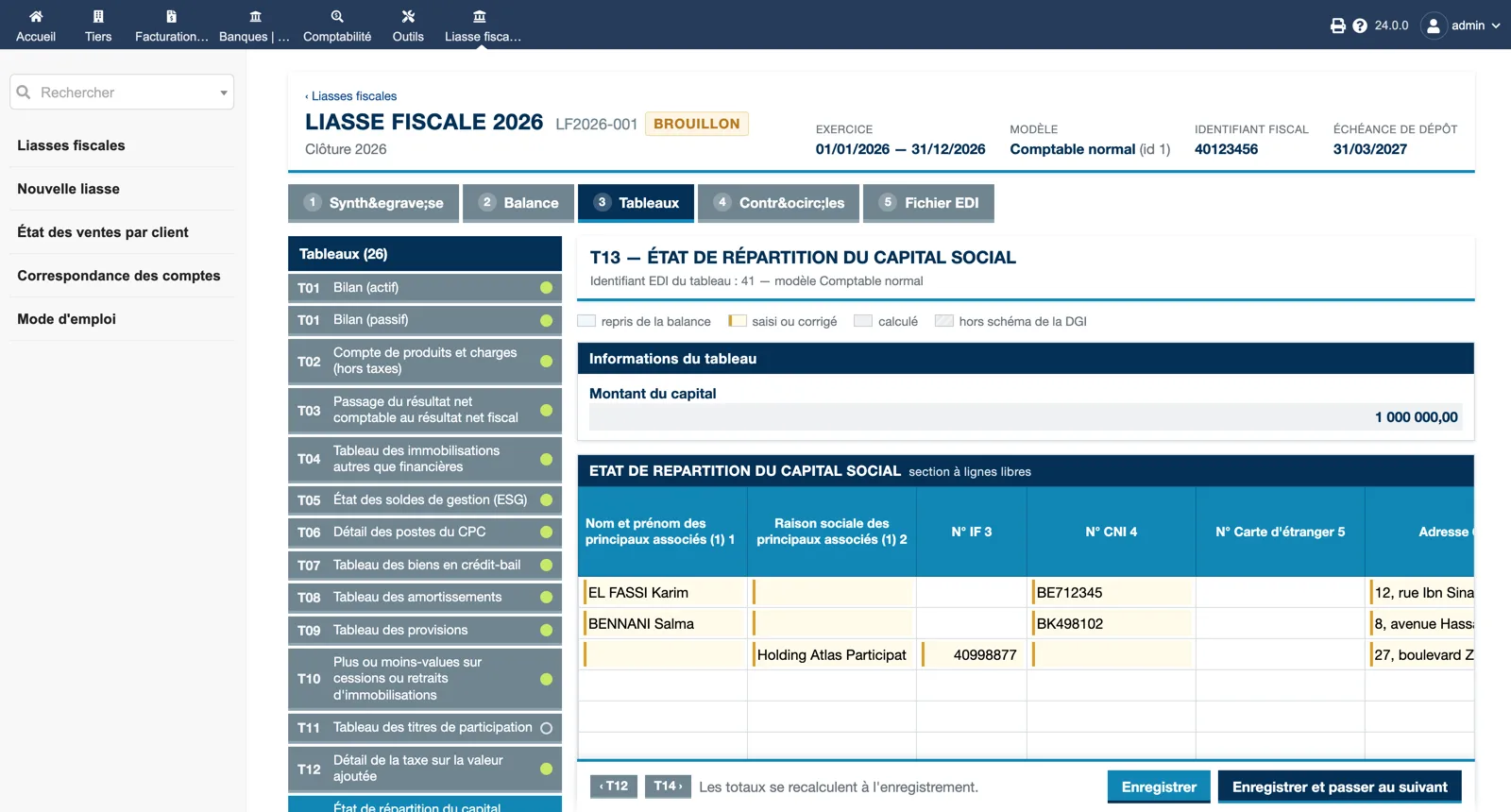
Schedule T13, share capital distribution: the capital amount, then a free-row section for shareholders with name, company name, tax id, national id, foreign card and address. Rows can be typed or pasted from Excel.
Dolibarr · Demonstration data · Open the image to enlarge.
Account mapping
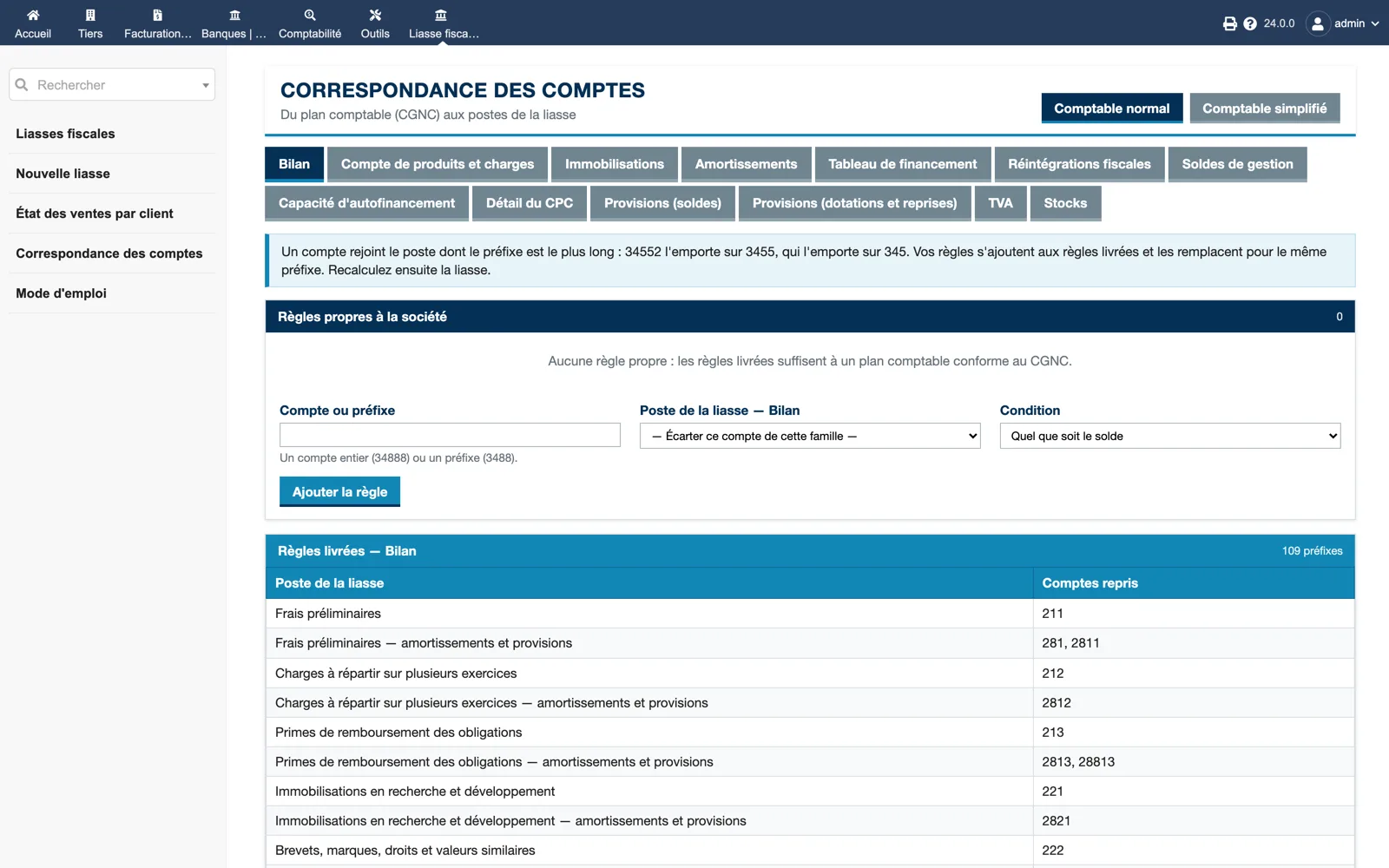
From the CGNC chart to the package items, per model and per family (balance sheet, CPC, fixed assets, depreciation, cash-flow, tax reintegrations, ESG, self-financing capacity, provisions, VAT, inventories). Your own rules are added above the 109 shipped prefixes for the balance sheet.
Dolibarr · Demonstration data · Open the image to enlarge.
Checks before filing
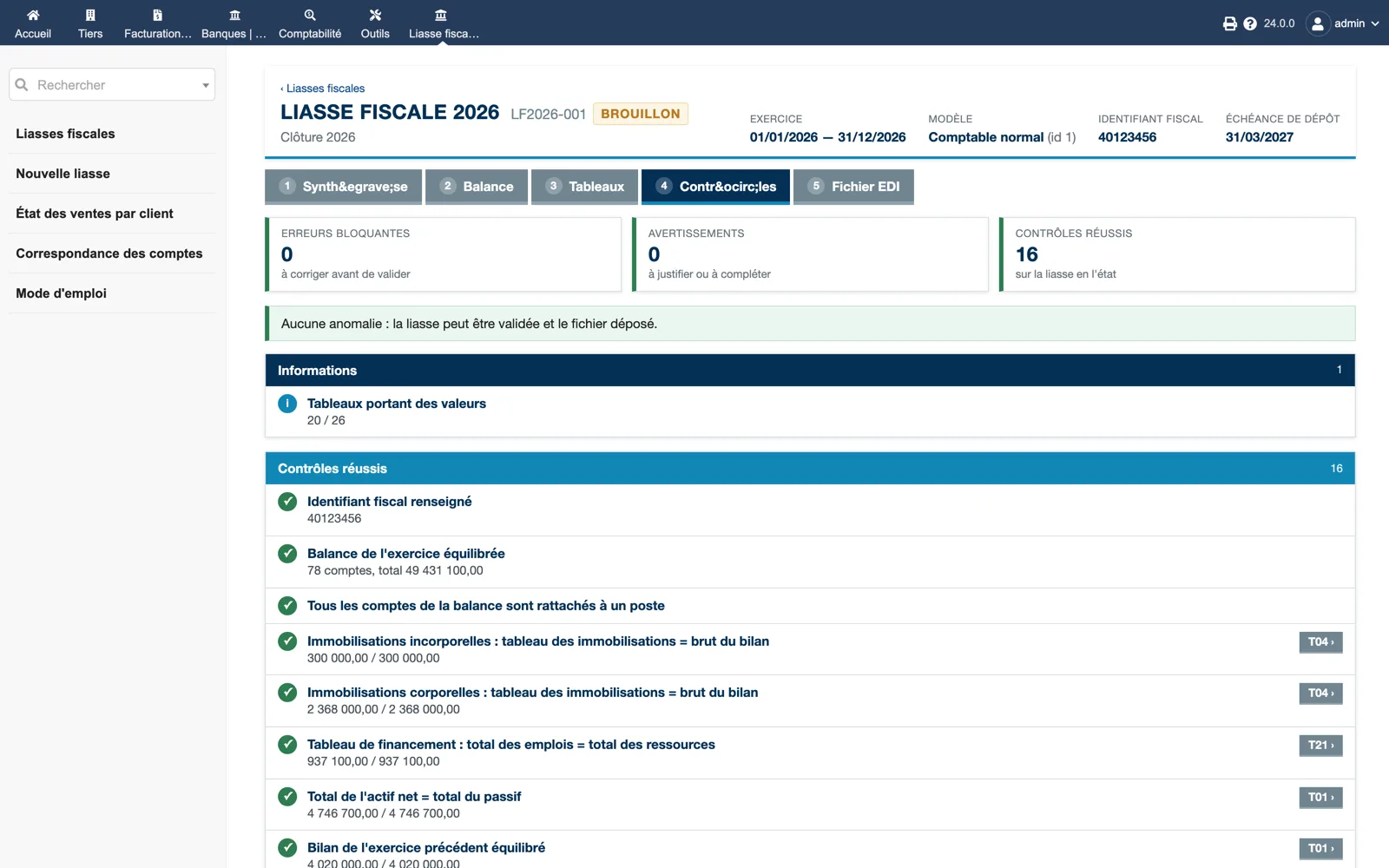
Blocking errors, warnings and passed checks are counted; here 16 passed and the package can be validated. Each check links to its schedule: balanced balance, every account mapped, fixed assets equal to gross balance sheet, cash-flow uses equal to resources, net assets equal to liabilities.
Dolibarr · Demonstration data · Open the image to enlarge.
The EDI file to upload
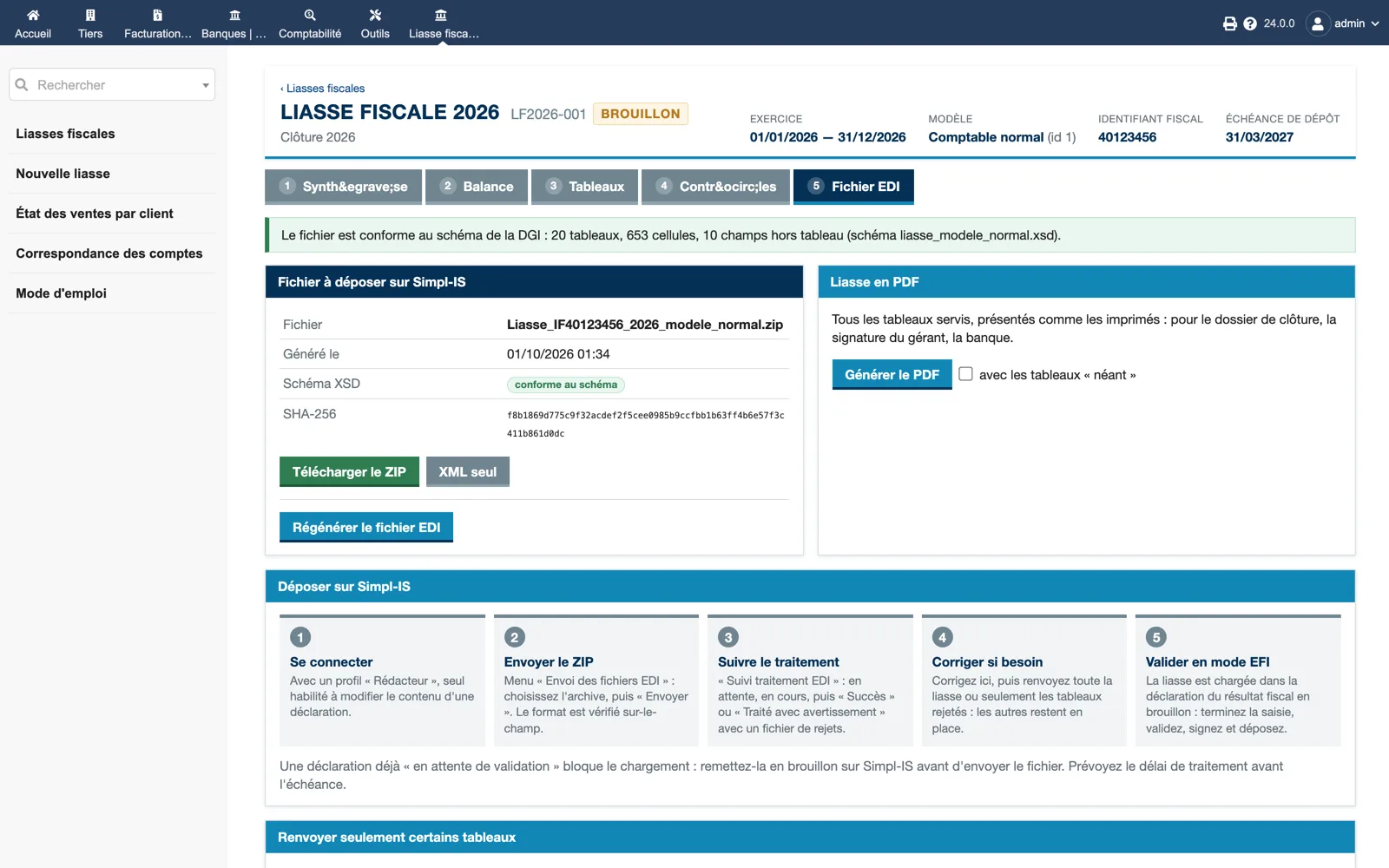
The file is compliant with the DGI schema: 20 schedules, 653 cells. The ZIP named after the tax identifier, year and model, its SHA-256, XML-only download and regeneration; the PDF of the package; and the five steps to file on Simpl-IS, from the “Rédacteur” profile to validation in EFI mode.
Dolibarr · Demonstration data · Open the image to enlarge.
A look at the XML
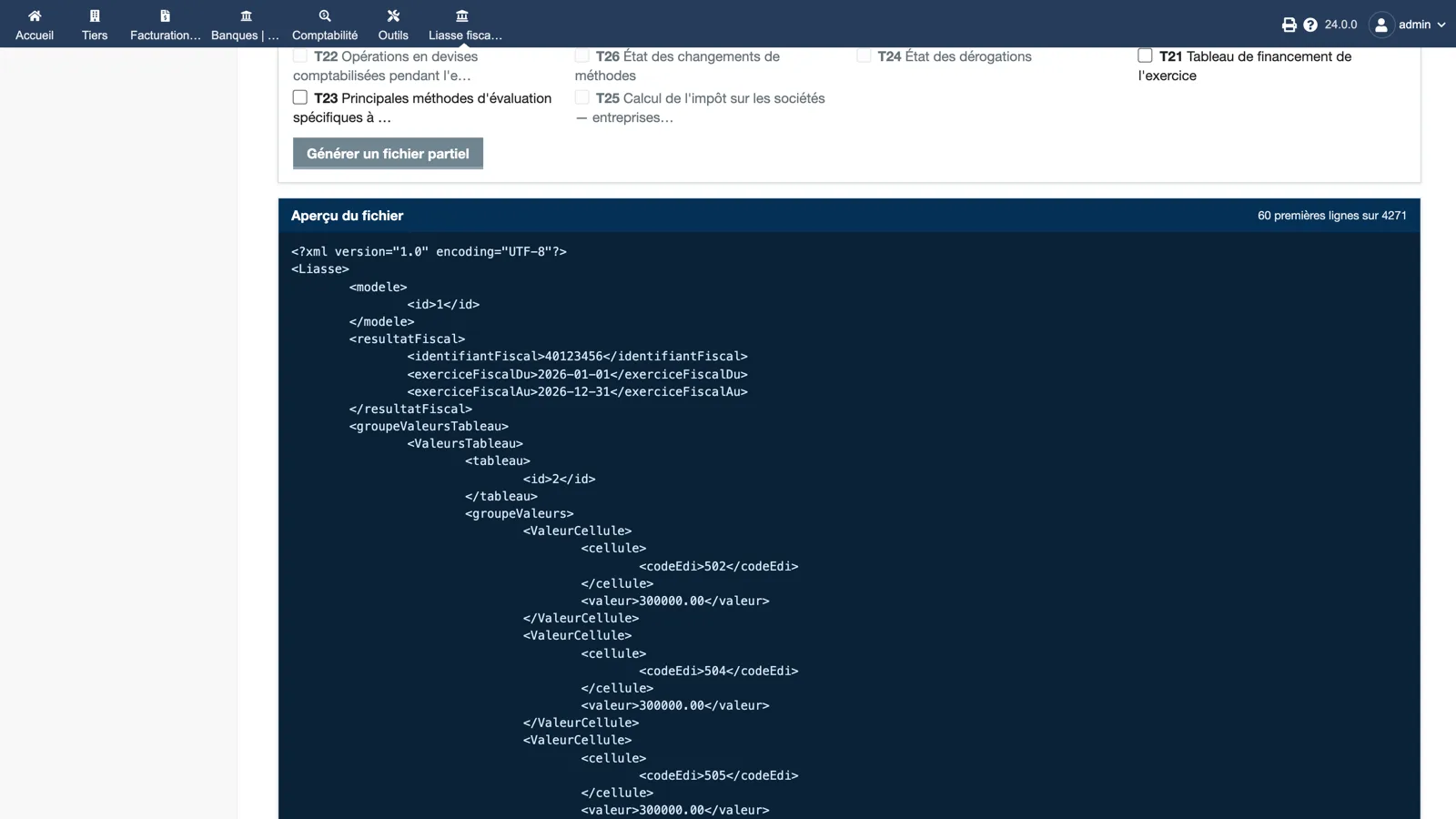
Below the partial-export choice (tick the schedules to resend), the first lines of the file: root Liasse, model id, tax identifier and fiscal year dates, then each schedule with its cell codes and values, as the EDI specification describes them.
Dolibarr · Demonstration data · Open the image to enlarge.
Sales by customer statement
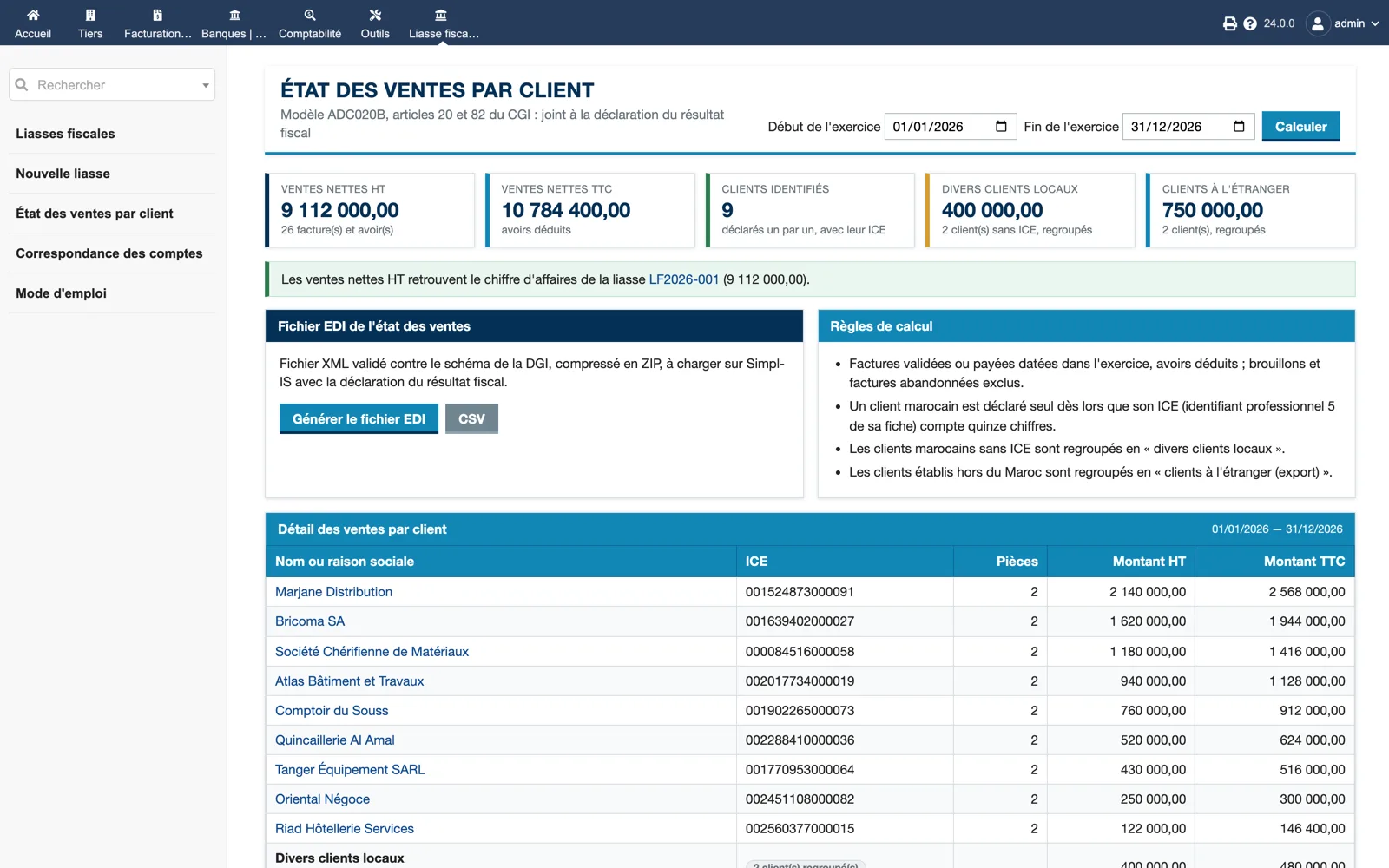
Model ADC020B for the year: net sales excluding and including tax, customers identified with their ICE, miscellaneous local customers and foreign customers grouped. The calculation rules are displayed, the net sales are reconciled with the package turnover, and the EDI file or CSV is generated from here.
Dolibarr · Demonstration data · Open the image to enlarge.