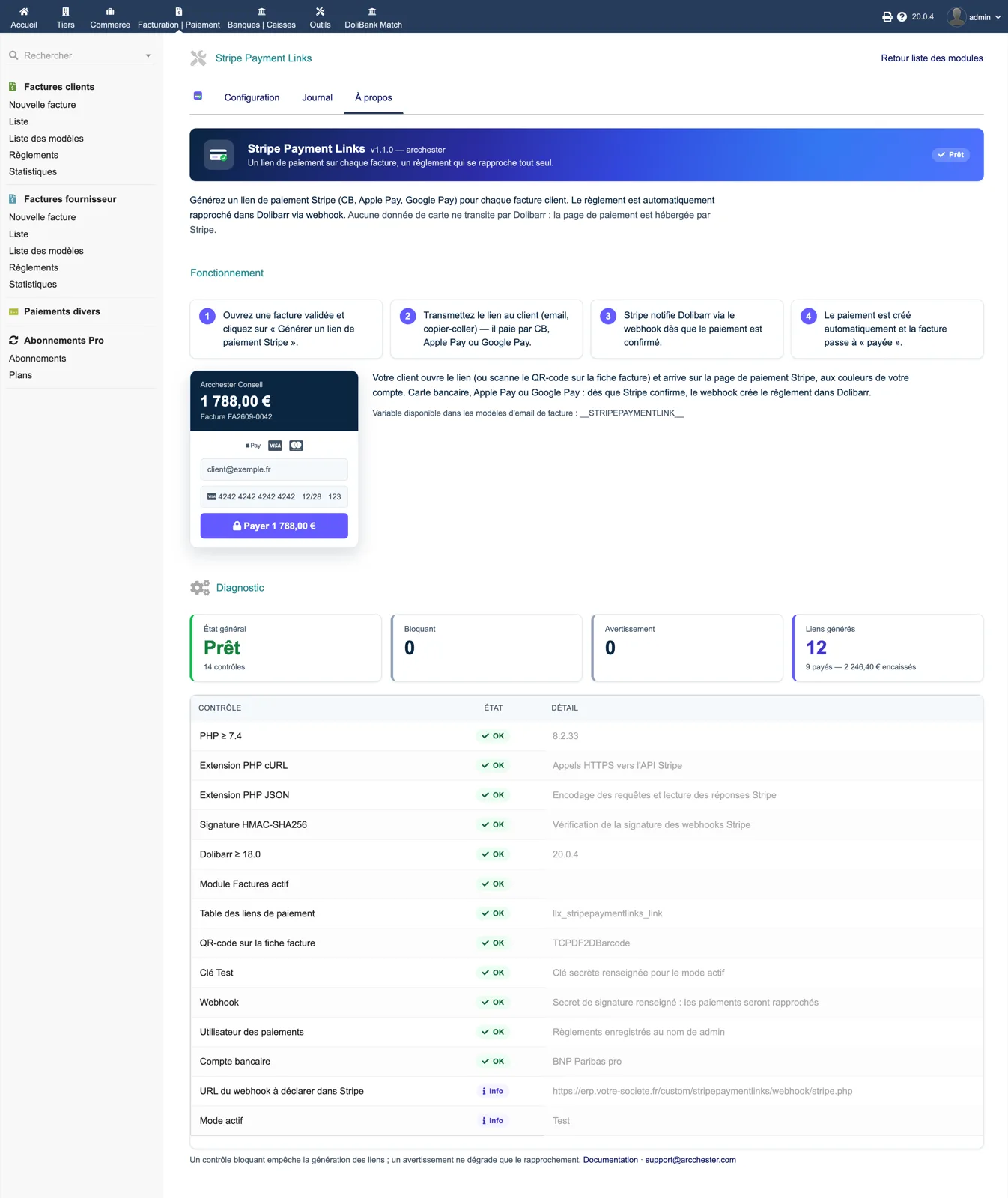
A button on the validated invoice
Once the invoice is validated, the action bar offers “Generate Stripe payment link”. Nothing changes for draft invoices.
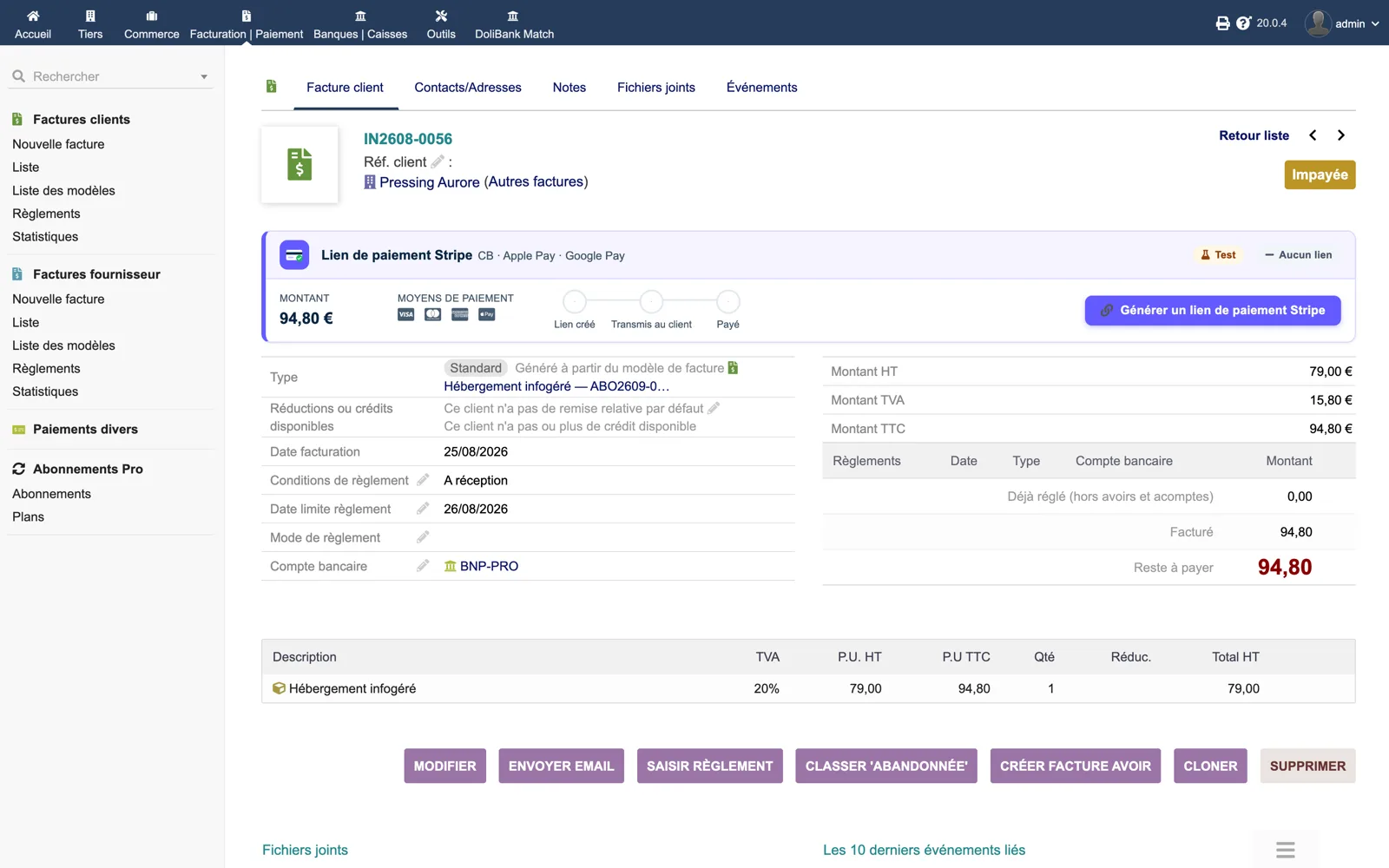
Discover the module screen by screen, with annotated Dolibarr screenshots and demonstration data. This is a guided presentation, not a live demo.
Once the invoice is validated, the action bar offers “Generate Stripe payment link”. Nothing changes for draft invoices.
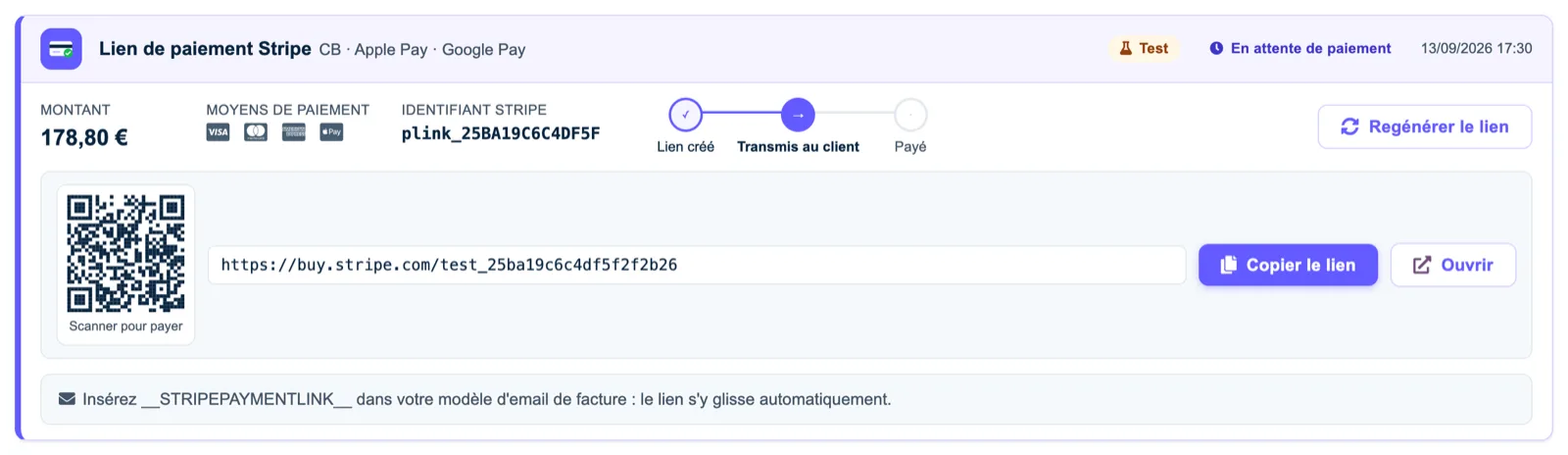
The Stripe panel shows the amount, the payment methods, the link to copy or open and a QR code the customer can scan.
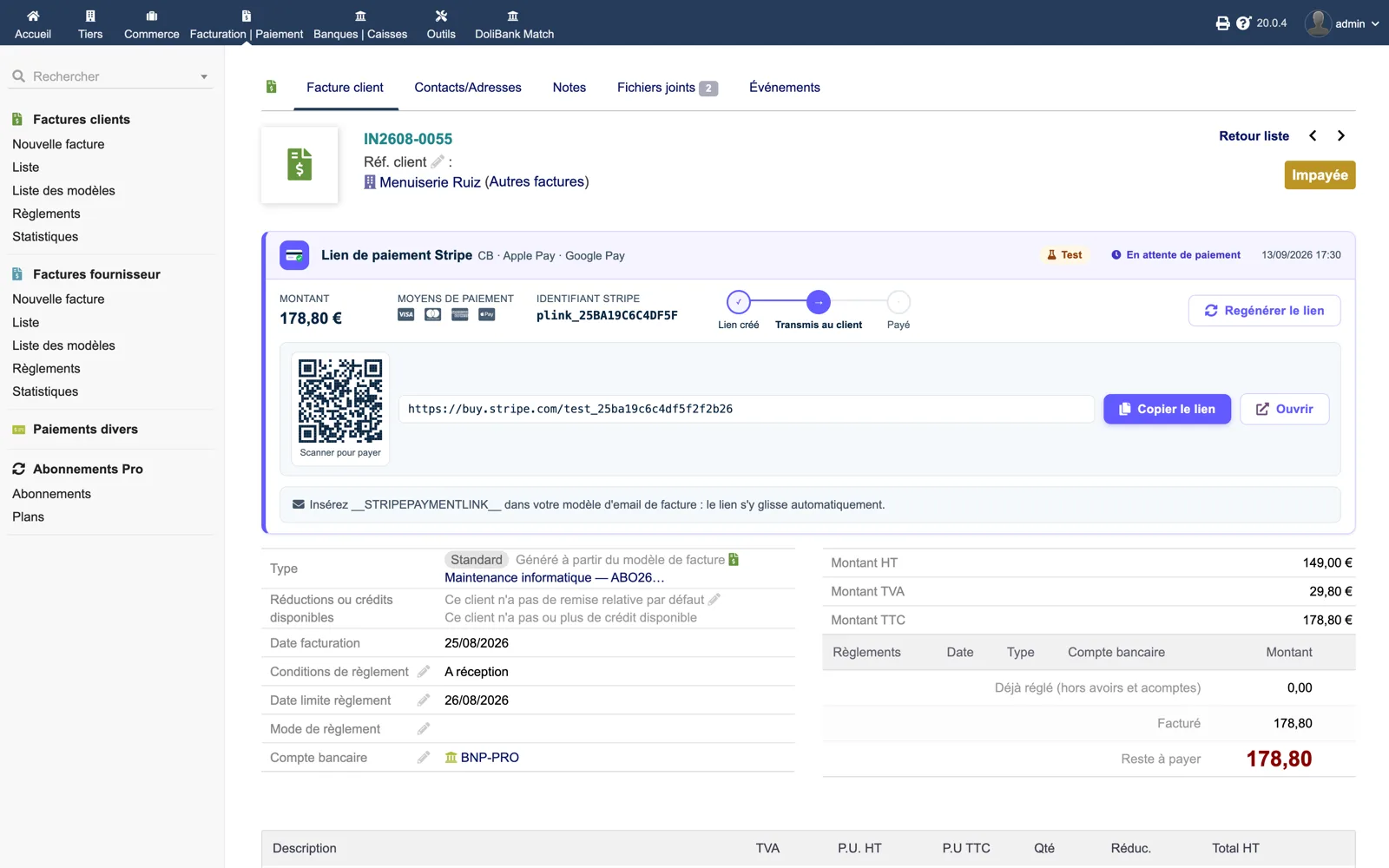
The panel follows the link from created to sent. The Stripe identifier is displayed for support.
After the webhook, the panel shows the payment date and the invoice is set to paid in Dolibarr.

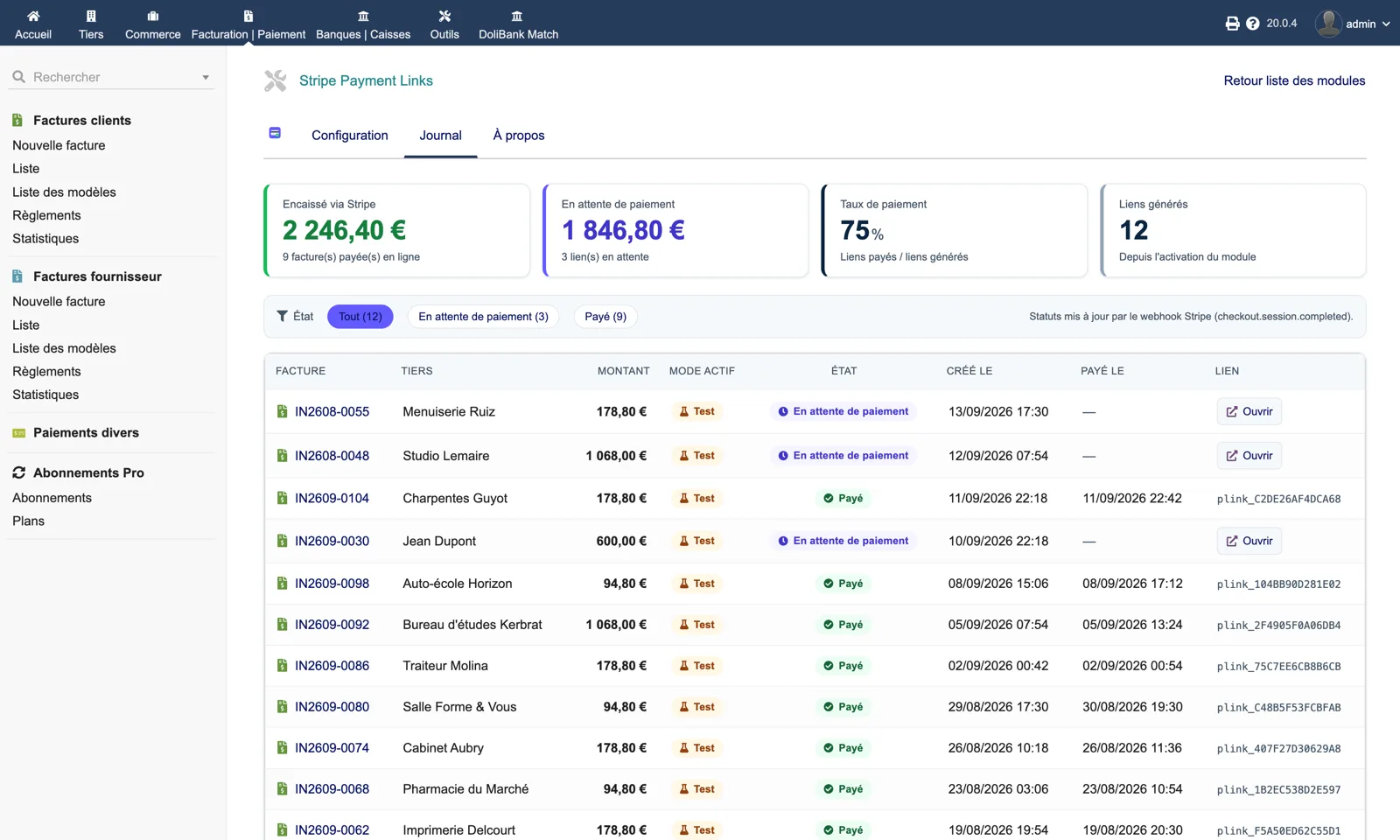
Collected through Stripe, pending amounts and payment rate, with the list of links filtered by status.
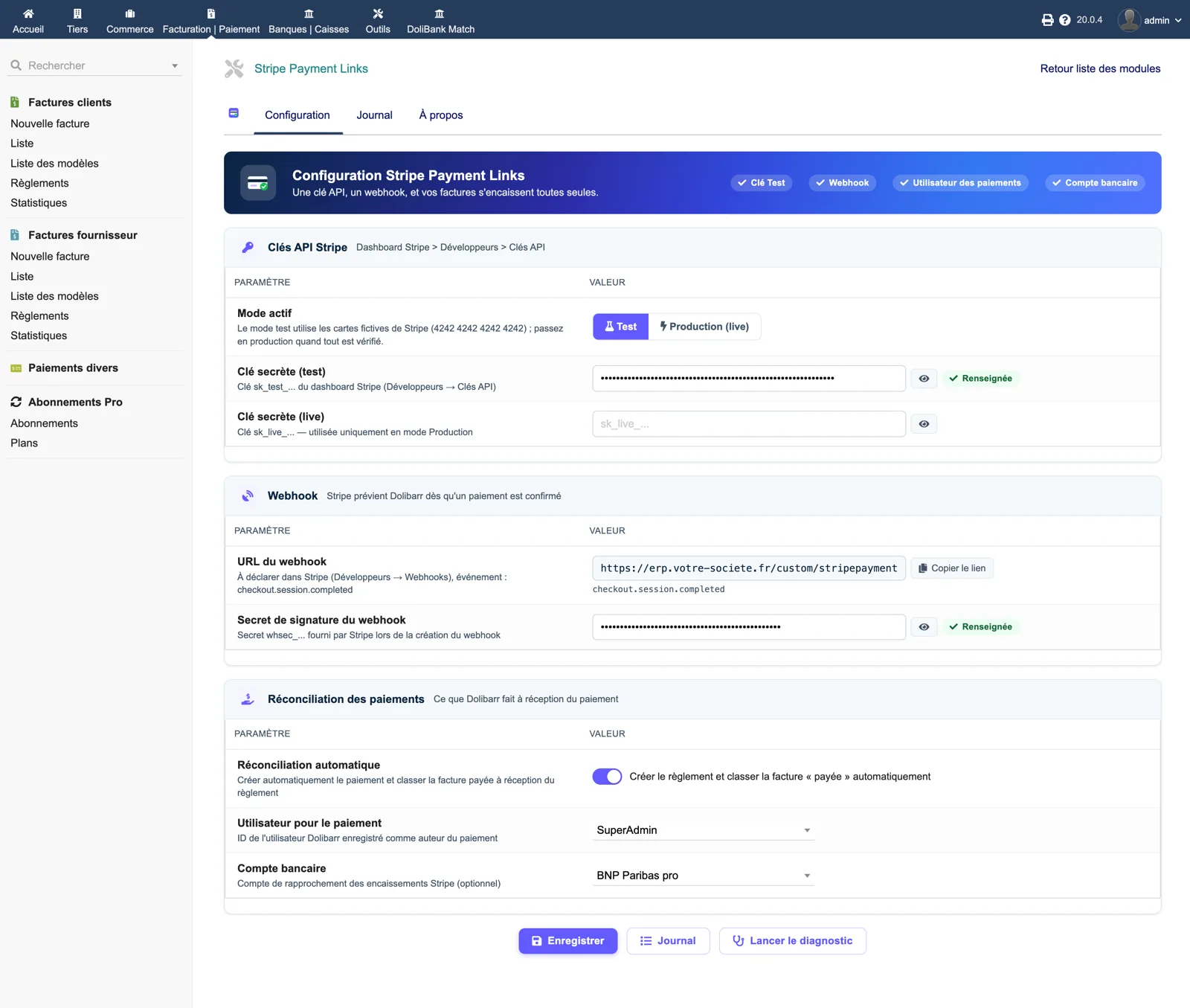
Test or live mode, masked keys, the webhook URL to copy into Stripe and the Dolibarr user used for payment entries.
Twelve checks: cURL, HMAC signature, table, active key, webhook, user and bank account, plus a preview of the payment page.