Discover the module screen by screen, with annotated Dolibarr screenshots and demonstration data. This is a guided presentation, not a live demo.
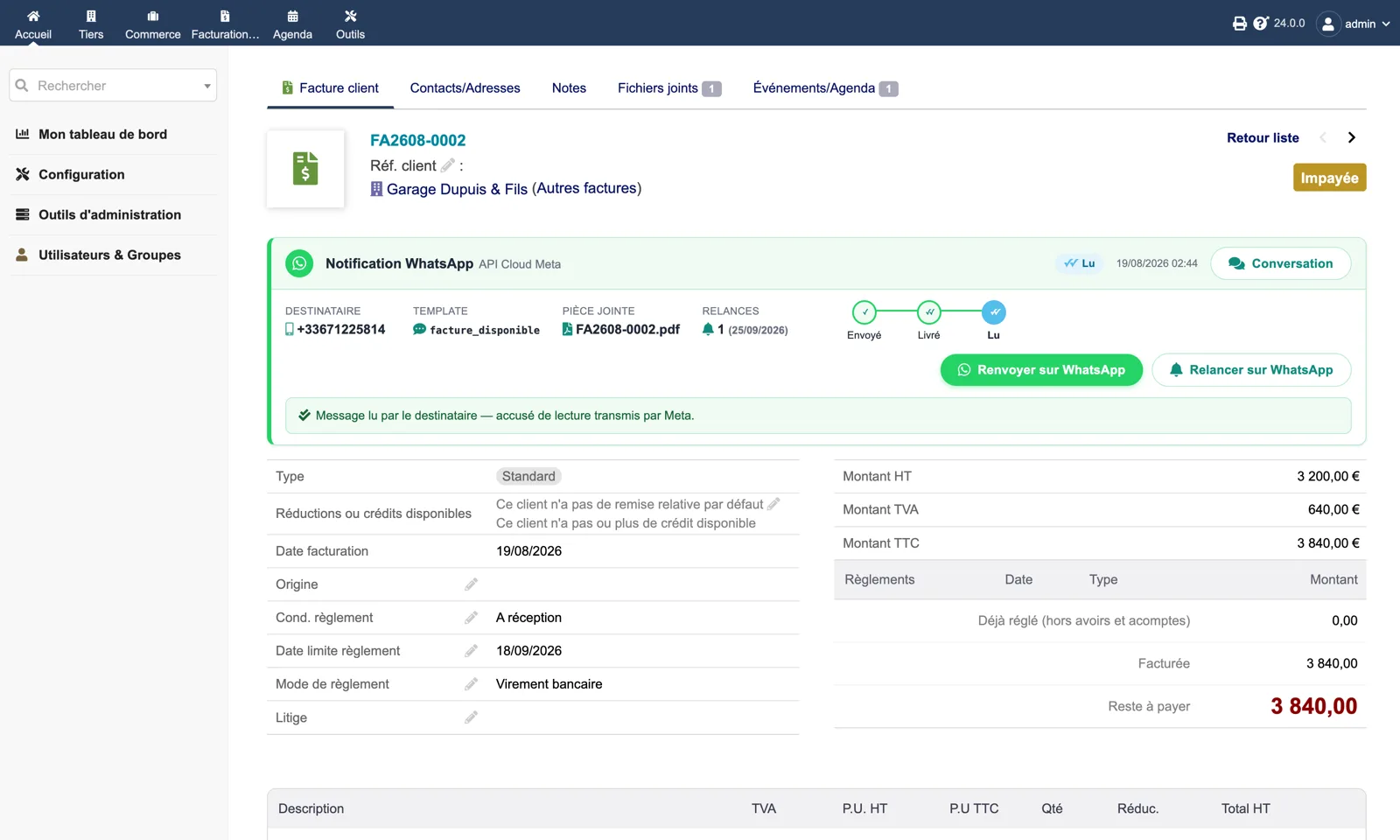
The panel on an unpaid invoice
Recipient, template, attached PDF, number of reminders with their date, and the sent → delivered → read track. Two buttons: “Resend on WhatsApp” and “Remind on WhatsApp”. A “Conversation” link opens the customer’s thread.
Dolibarr · Demonstration data · Open the image to enlarge.
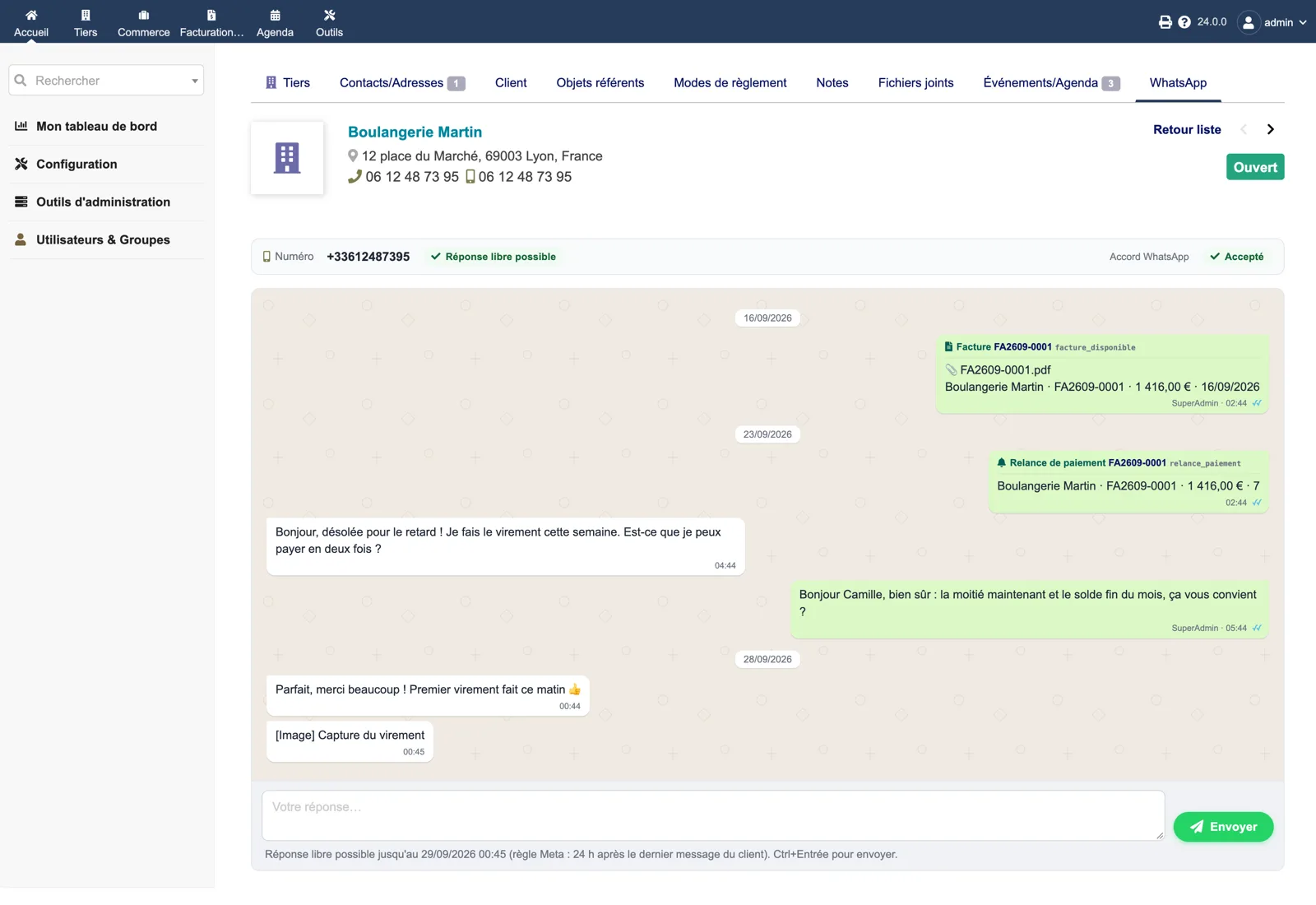
The WhatsApp tab on the third party
The whole thread: the invoice sent with its PDF, the payment reminder, the customer’s replies and yours. The header shows the number, whether a free reply is still possible and the recorded consent.
Dolibarr · Demonstration data · Open the image to enlarge.
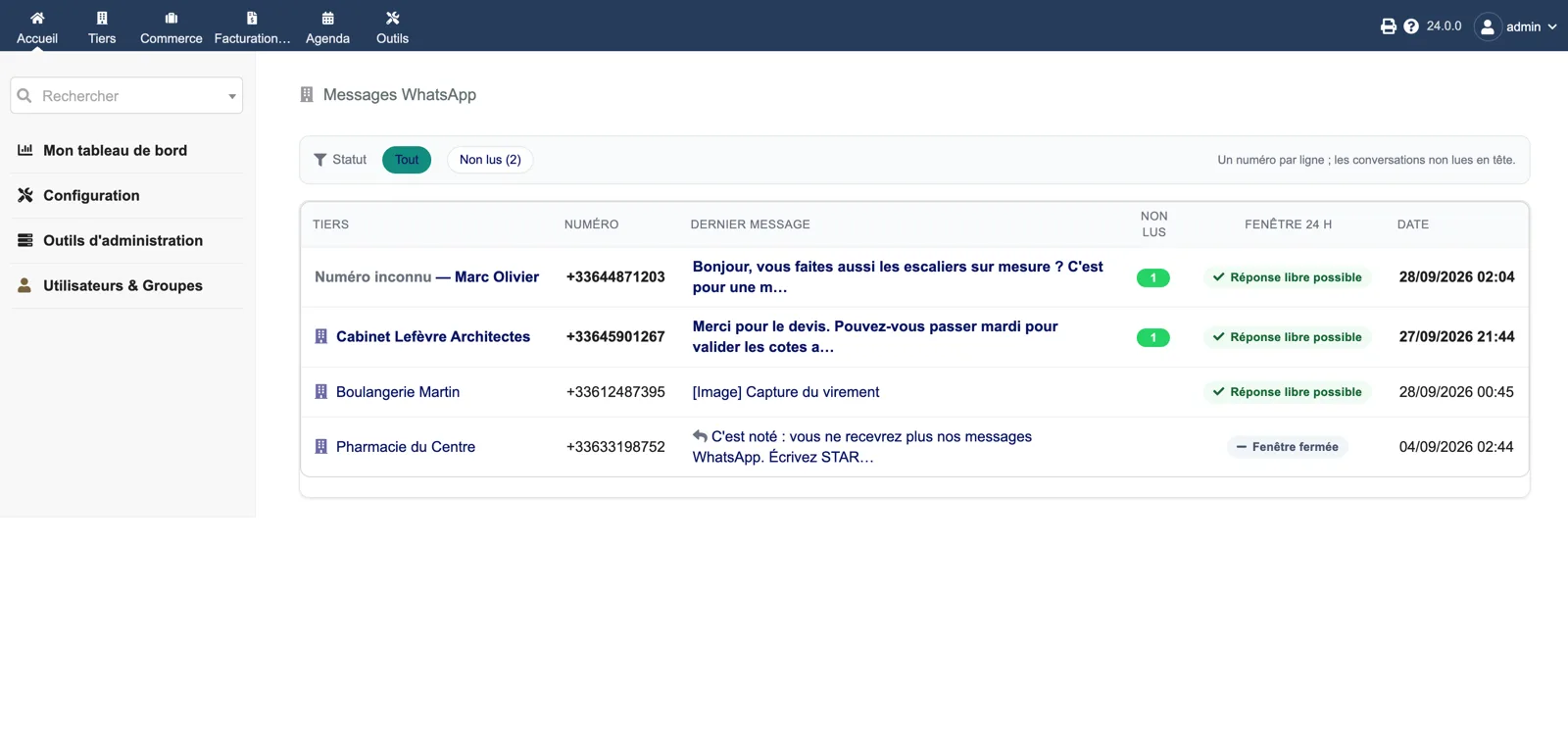
The inbox
One line per phone number, unread conversations first, with the last message, the 24-hour window status and the date. An unknown number can be attached to a third party.
Dolibarr · Demonstration data · Open the image to enlarge.
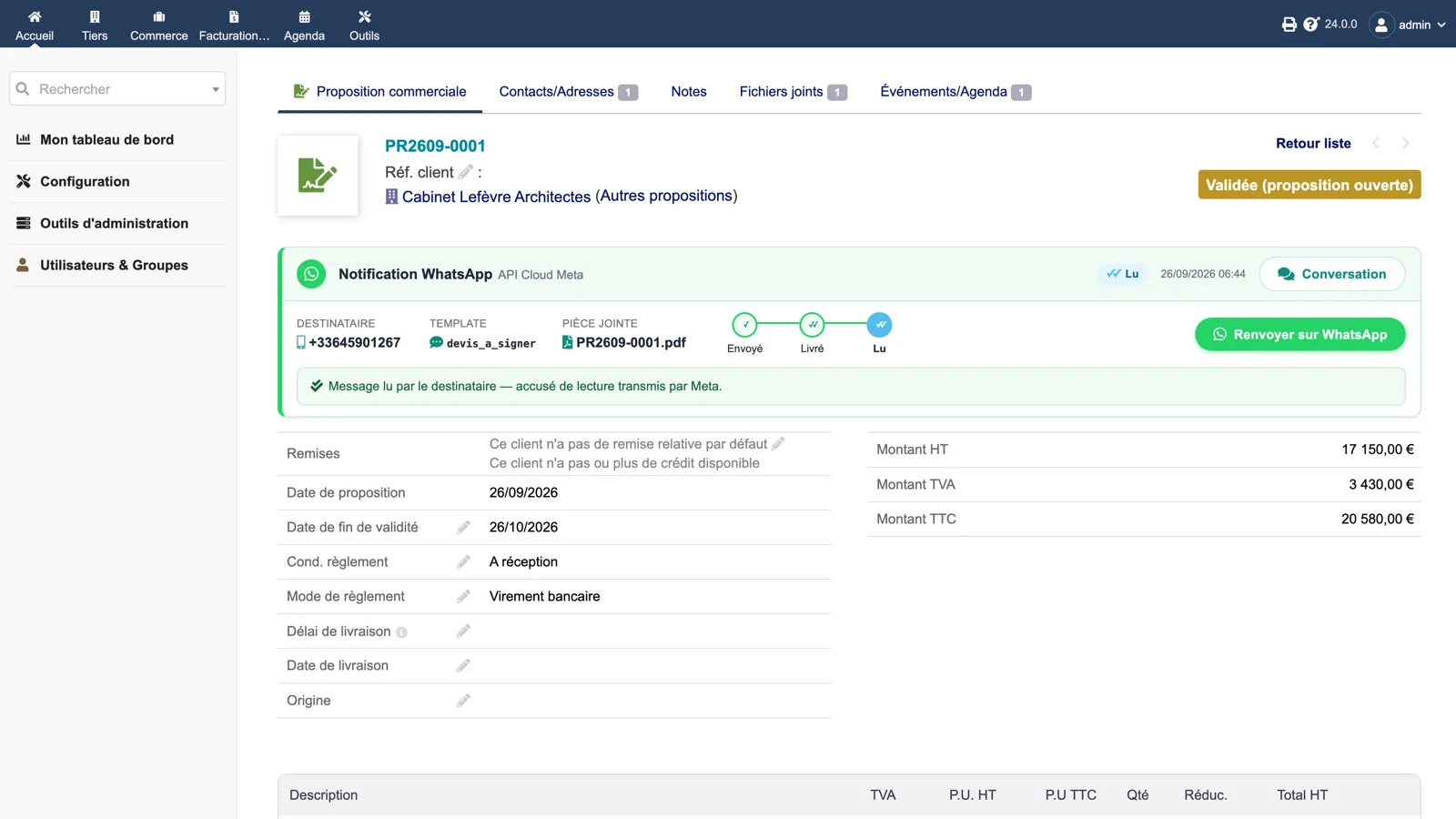
A quote sent and read
The same panel on a commercial proposal: template devis_a_signer, PDF attached, read receipt relayed by Meta and the resend button.
Dolibarr · Demonstration data · Open the image to enlarge.
One template per document
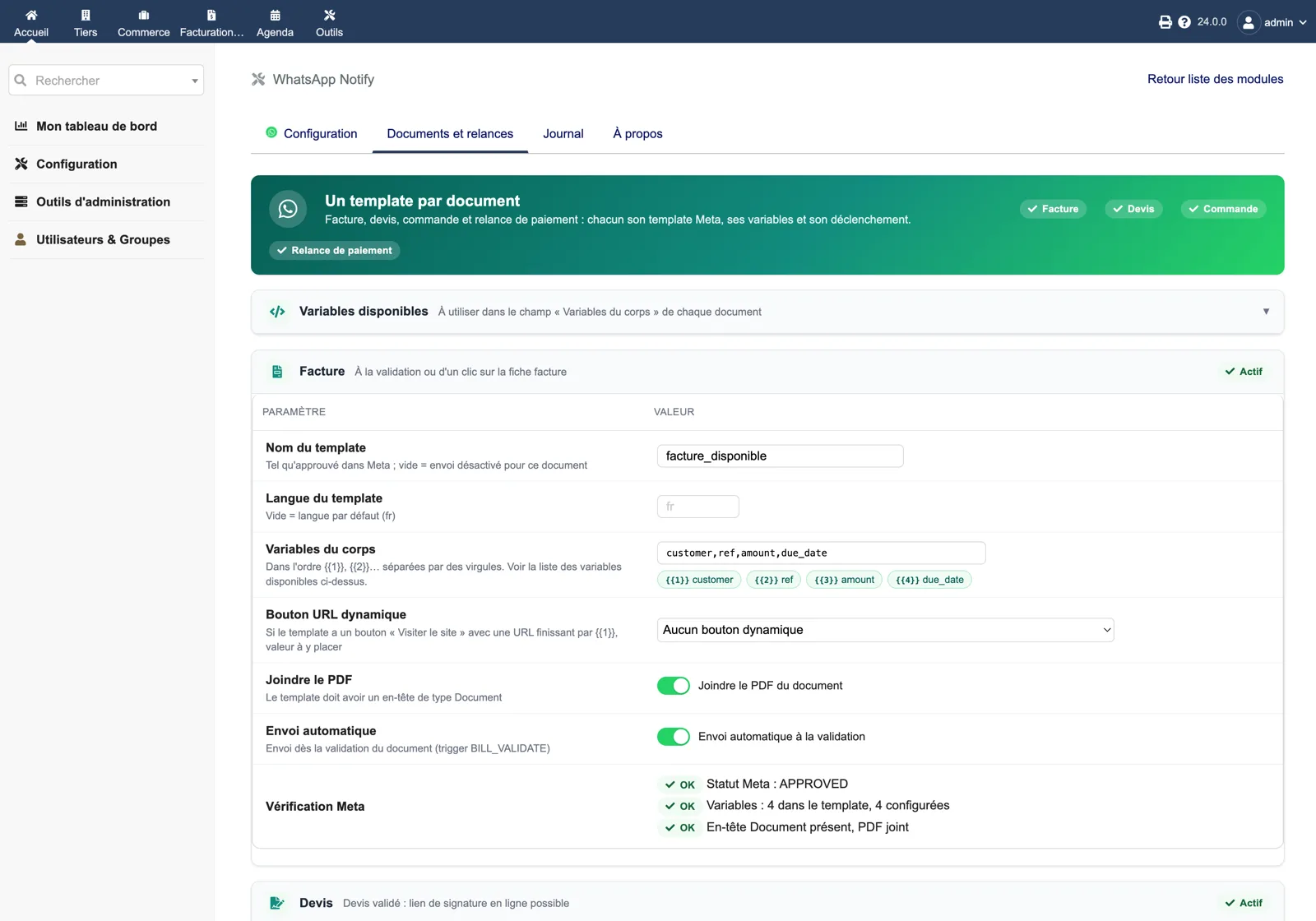
For the invoice: template name as approved in Meta, language, body variables in {{1}}, {{2}} order, dynamic URL button, PDF attachment and automatic sending at validation. The Meta check confirms approval, variable count and Document header.
Dolibarr · Demonstration data · Open the image to enlarge.
Reminder steps
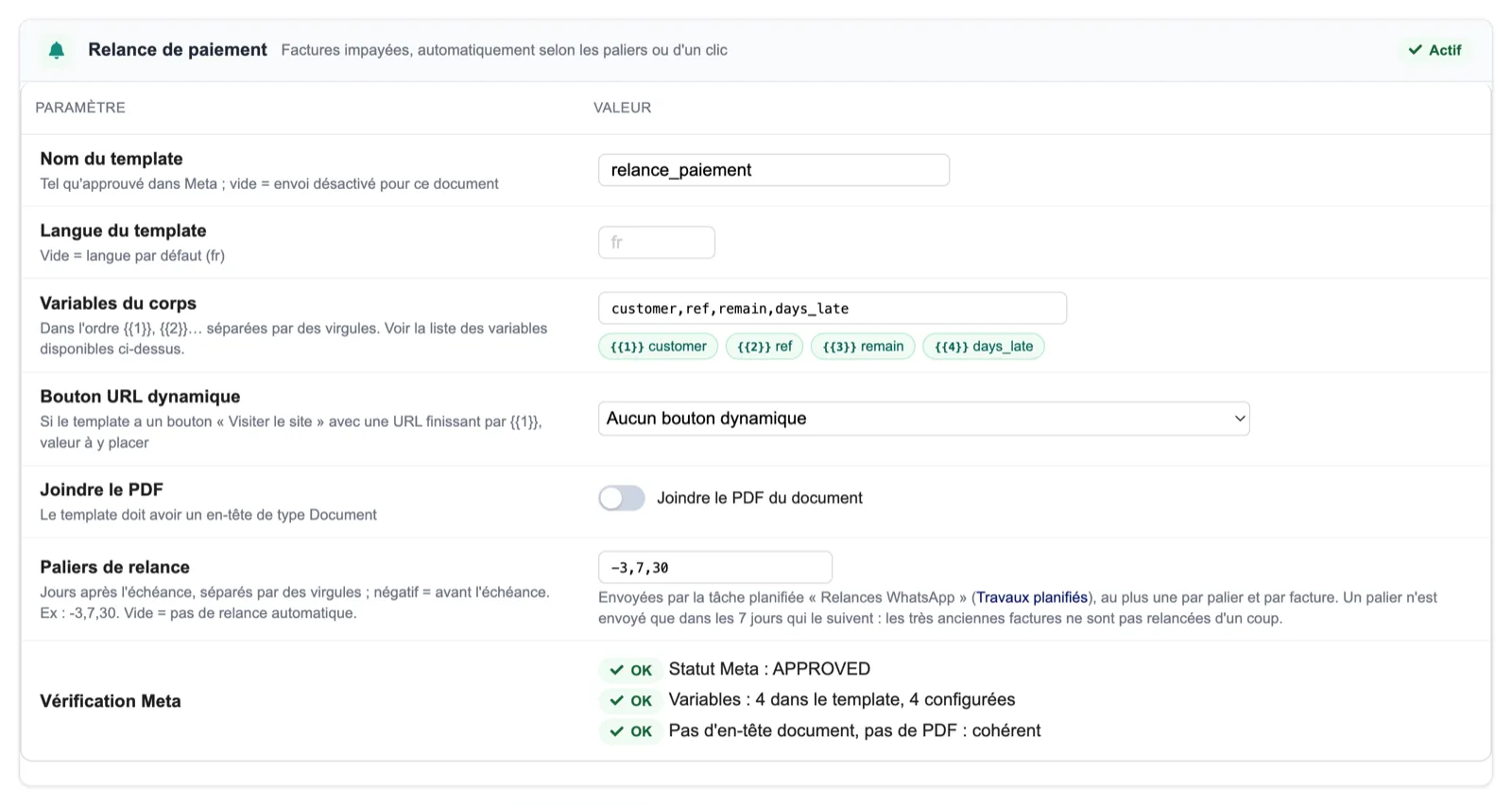
The payment reminder template with its variables (customer, reference, remaining amount, days late) and the steps field, here -3,7,30, sent by the “WhatsApp reminders” scheduled task.
Dolibarr · Demonstration data · Open the image to enlarge.
Bulk sending from the list
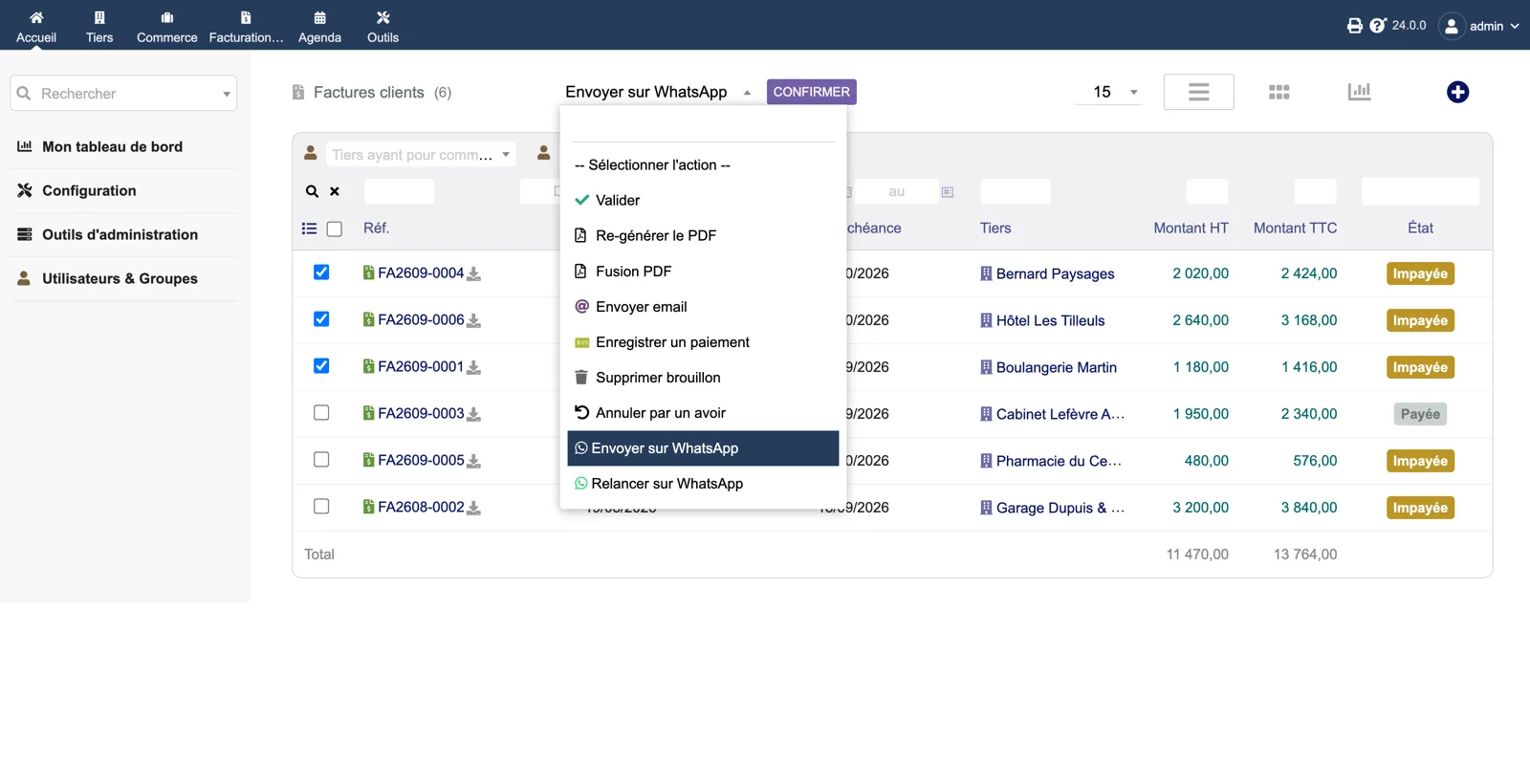
In the customer invoice list, the mass action menu offers “Send on WhatsApp” and “Remind on WhatsApp” for the selected invoices.
Dolibarr · Demonstration data · Open the image to enlarge.
STOP handled
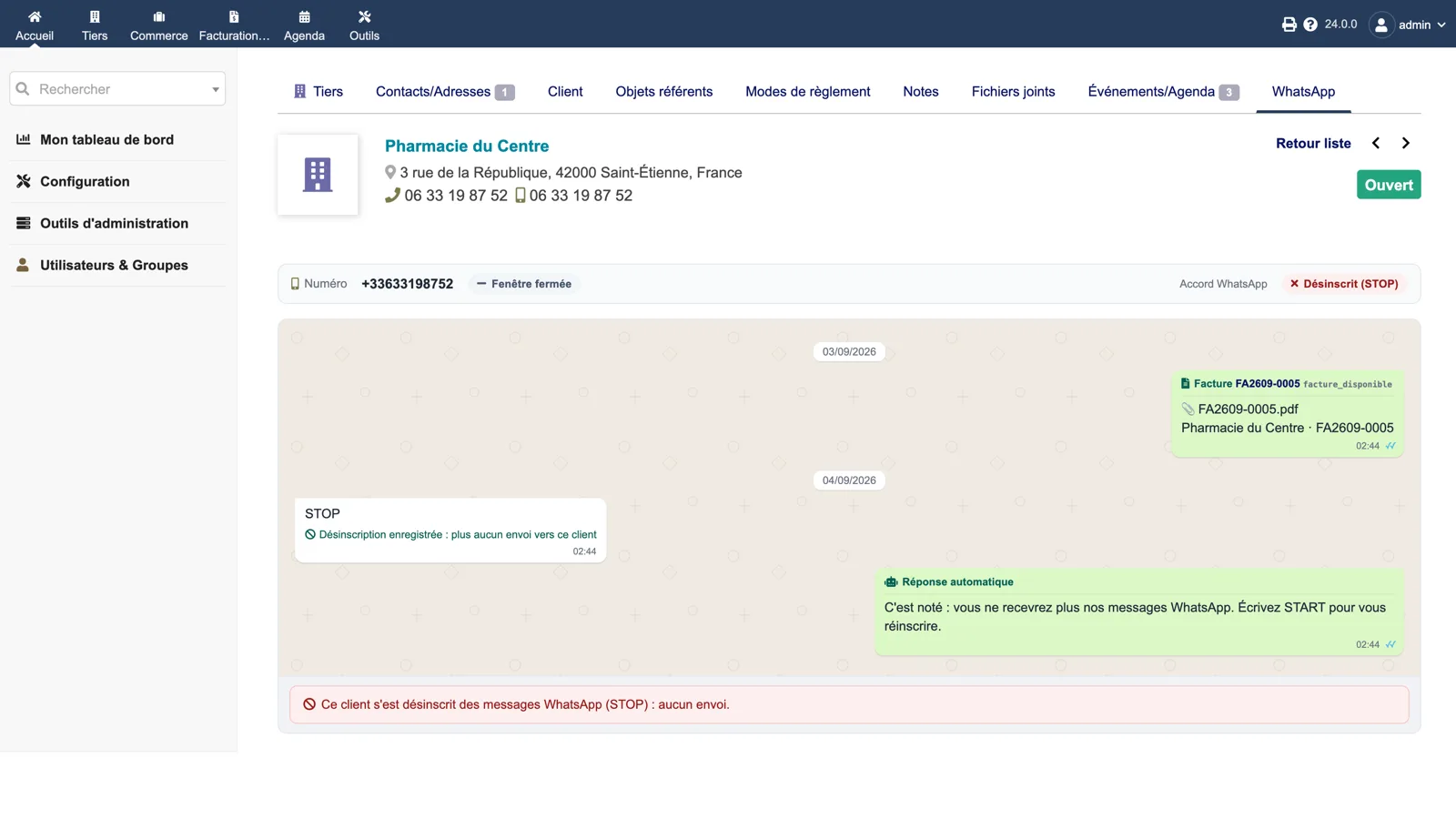
A customer replied STOP: the opt-out is recorded, the automatic reply confirms it and the thread shows that no message will be sent until START.
Dolibarr · Demonstration data · Open the image to enlarge.
The log
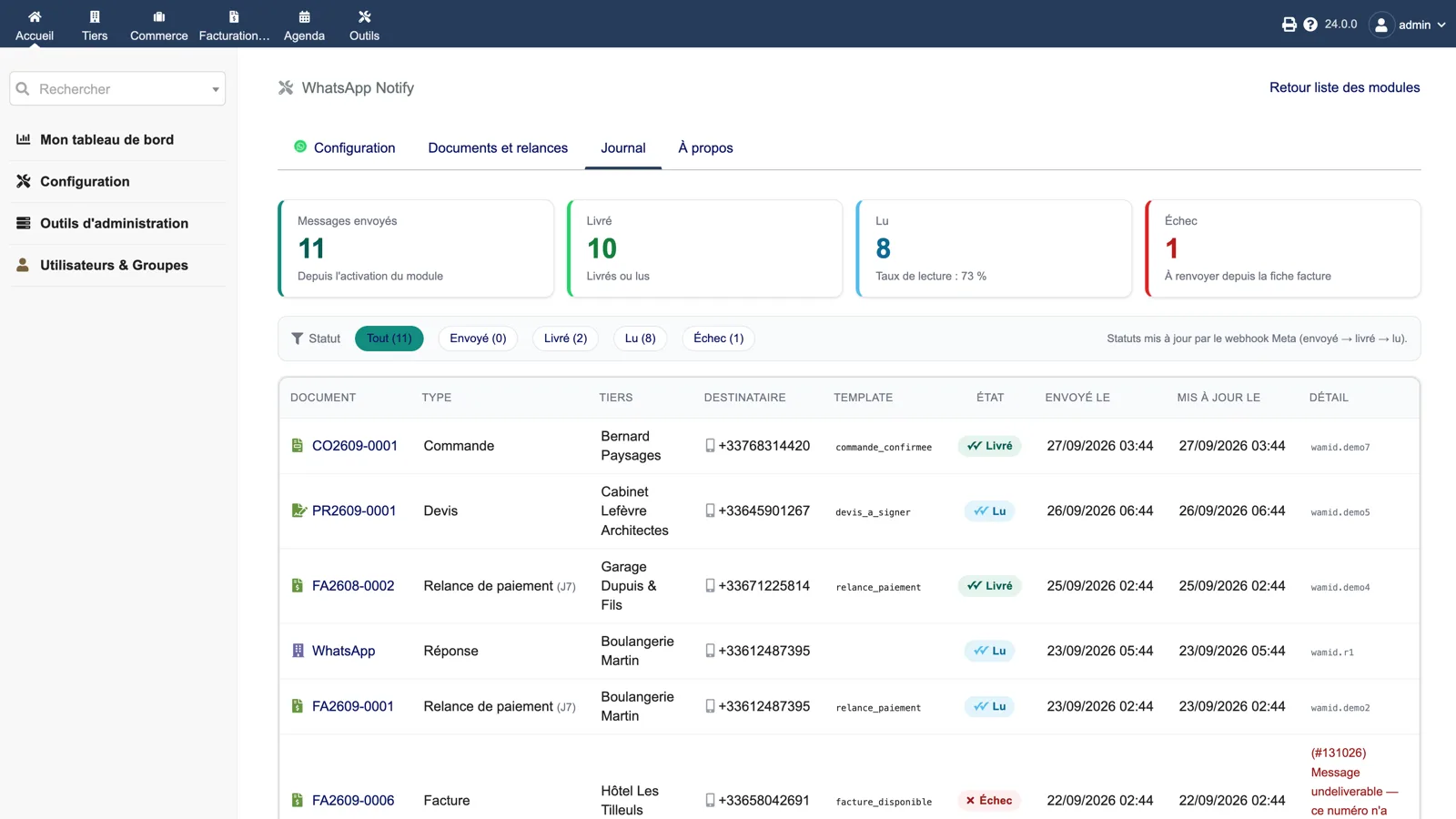
Messages sent, delivered, read and failed, read rate, filter by status, then every message with document, type, third party, recipient, template, status, dates and the Meta error detail.
Dolibarr · Demonstration data · Open the image to enlarge.
Setup
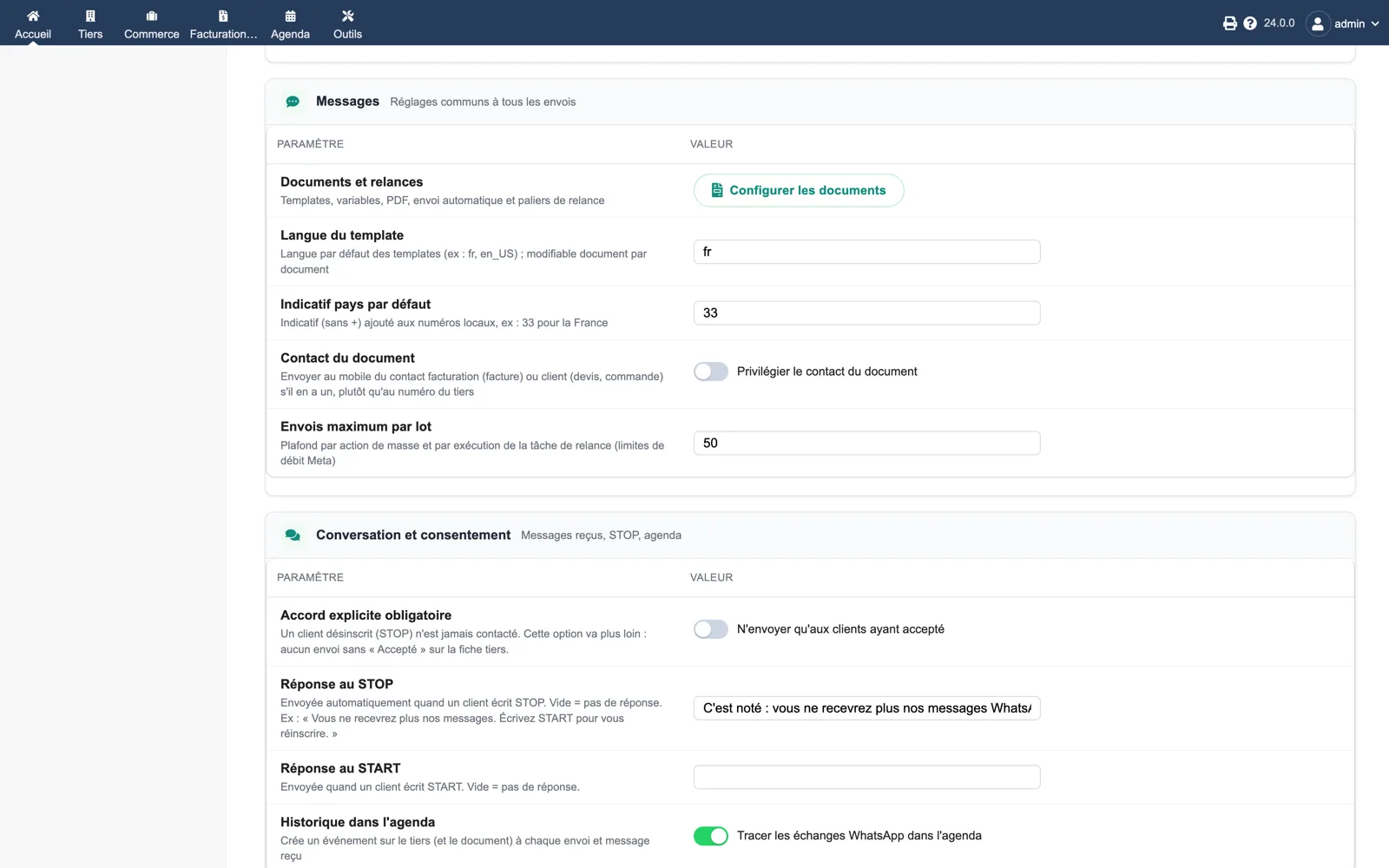
Common settings: default template language, default country code, prefer the document contact, maximum sends per batch; then conversation and consent: explicit consent required, STOP and START replies, agenda history.
Dolibarr · Demonstration data · Open the image to enlarge.
Diagnostic
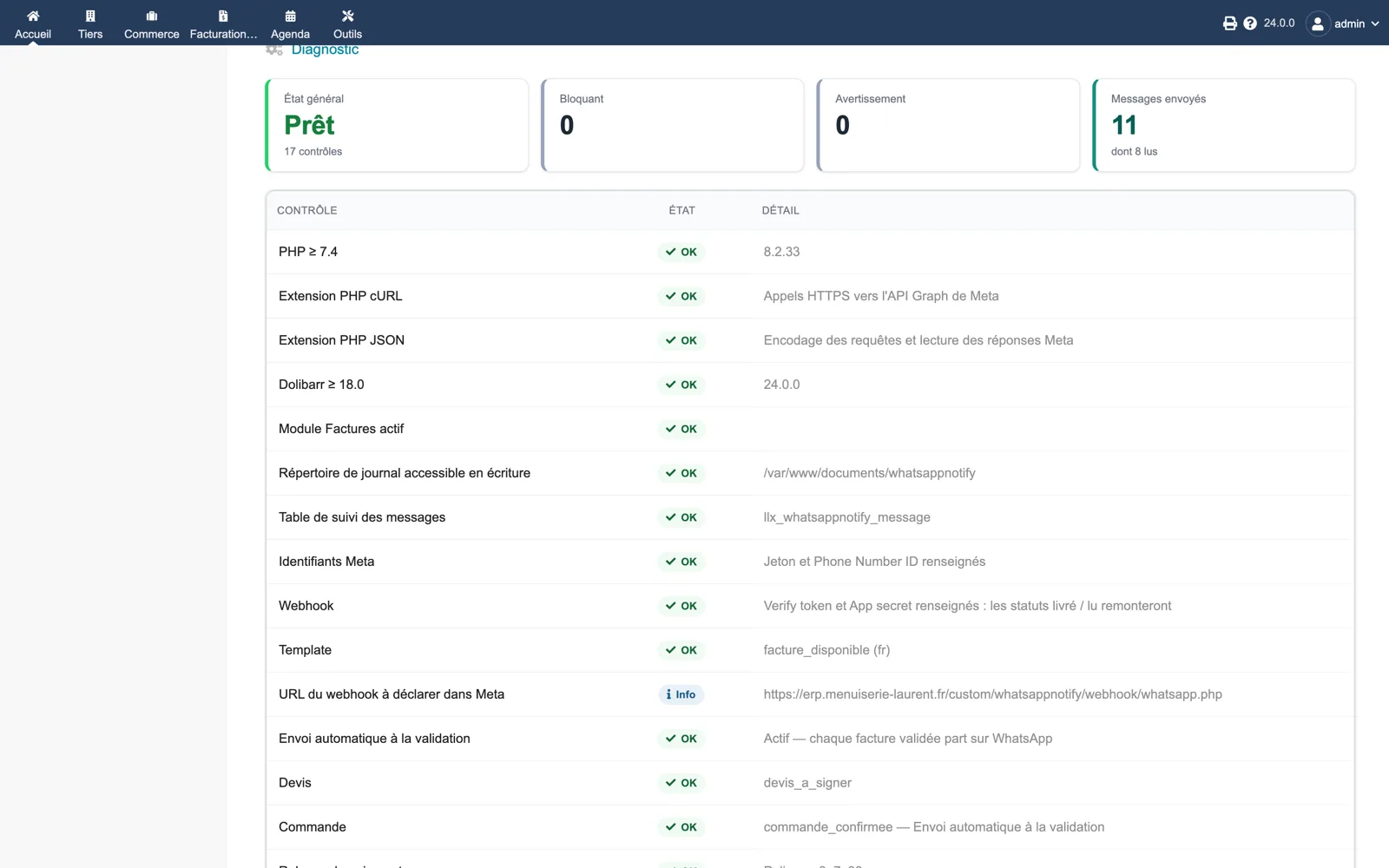
Seventeen checks on the About page: PHP, cURL, JSON, Dolibarr version, Invoices module, log directory, tracking table, Meta credentials, webhook, templates, webhook URL to declare in Meta, automatic sending, quote and order templates.
Dolibarr · Demonstration data · Open the image to enlarge.