Discover the module screen by screen, with annotated Dolibarr screenshots and demonstration data. This is a guided presentation, not a live demo.
An accepted invoice
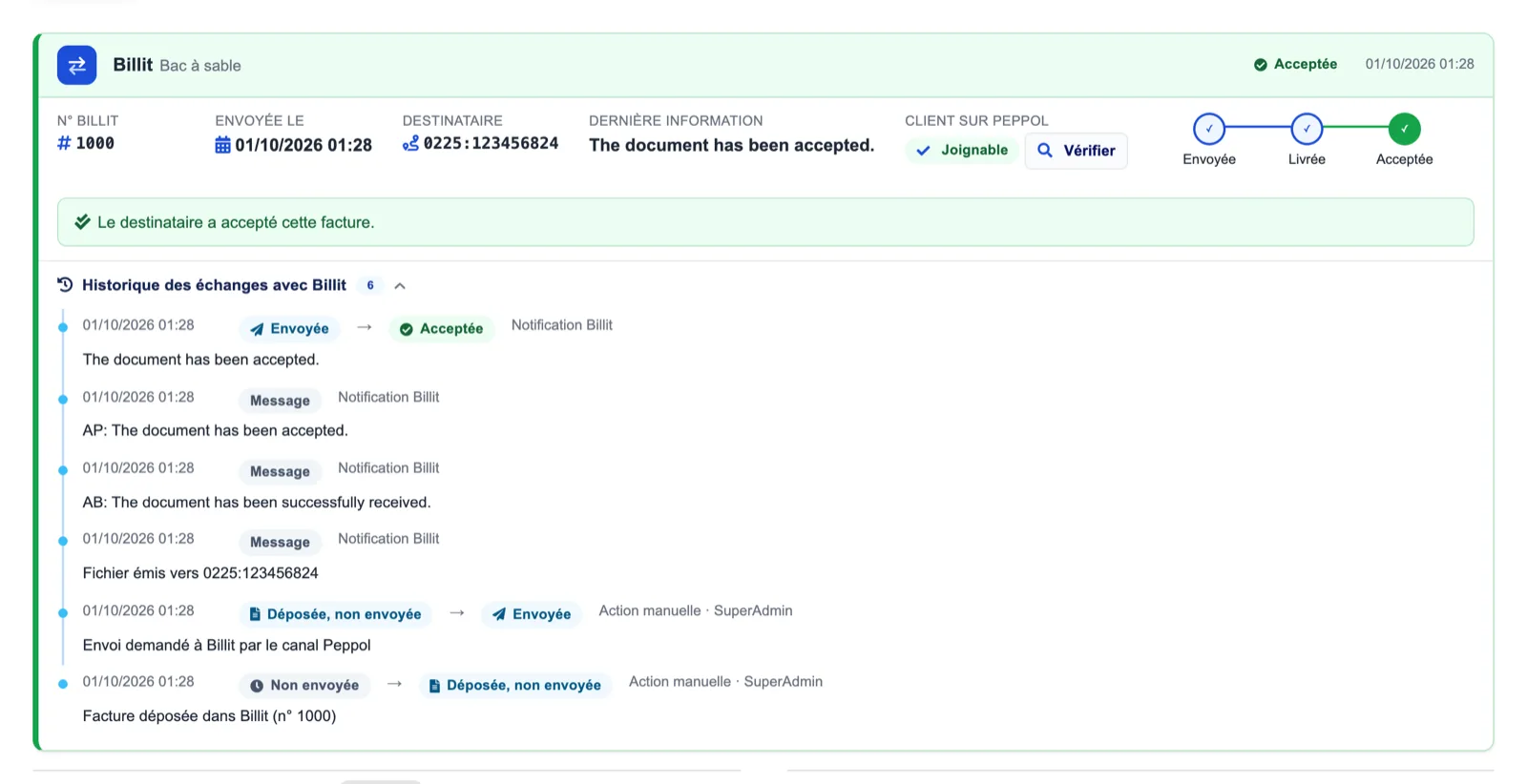
The Billit panel on the customer invoice shows the Billit number, sending date, recipient identifier (0225:…), the last message, the Peppol reachability of the customer and the sent → delivered → accepted timeline. Below, the exchange history lists every notification and manual action.
Dolibarr · Demonstration data · Open the image to enlarge.
A totals gap held back
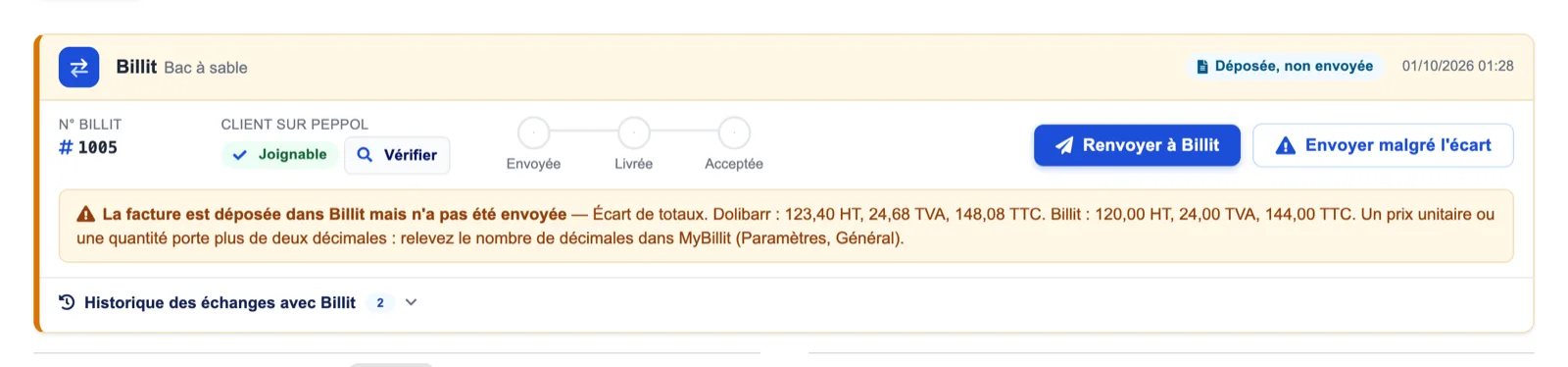
Here the invoice is filed in Billit but not sent: Dolibarr says 123.40 excl. tax, Billit 120.00. The panel names the probable cause (more than two decimals) and offers “Resend to Billit” or “Send despite the gap”.
Dolibarr · Demonstration data · Open the image to enlarge.
The sent-invoices journal
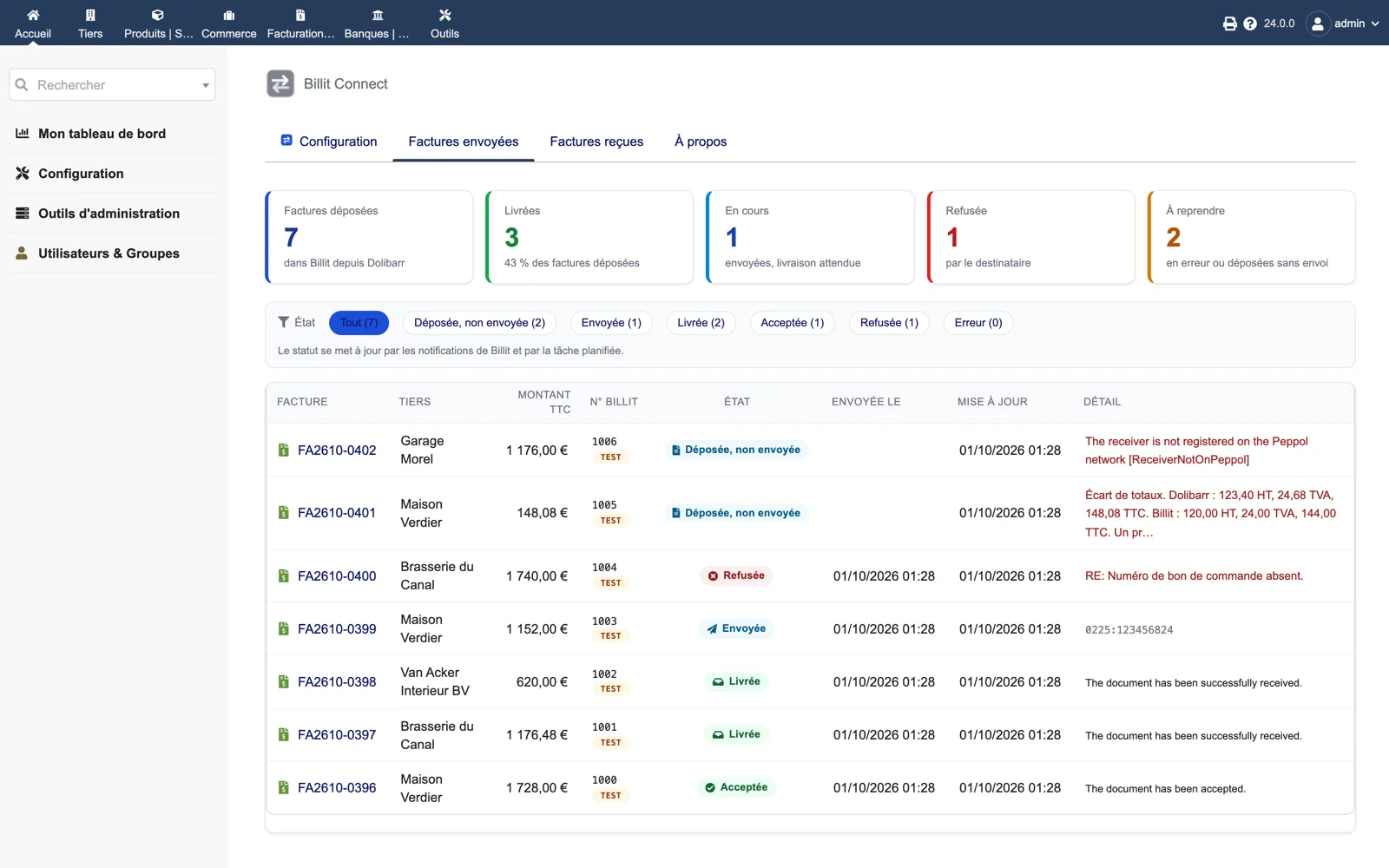
Under Billing → Billit, counters for filed, delivered, pending, refused and to-retry invoices, status filters and one line per invoice with Billit number, environment (TEST), status, dates and the last detail, including Billit messages such as a receiver not registered on Peppol.
Dolibarr · Demonstration data · Open the image to enlarge.
Received invoices
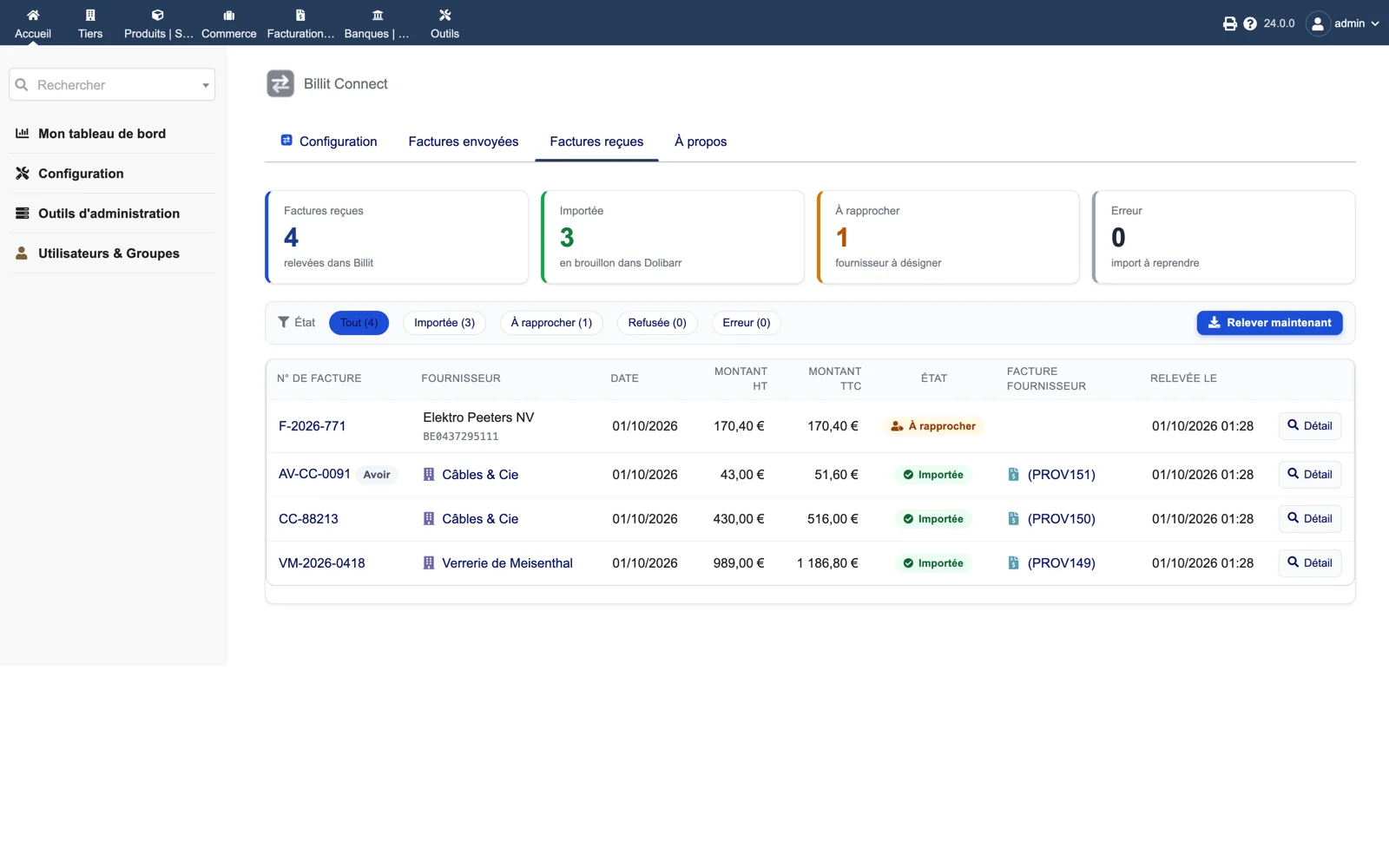
The inbox counts fetched, imported, to-match and error invoices. Each line shows the supplier, amounts, status and the draft supplier invoice created (PROV…). “Fetch now” runs the import without waiting for the scheduled task.
Dolibarr · Demonstration data · Open the image to enlarge.
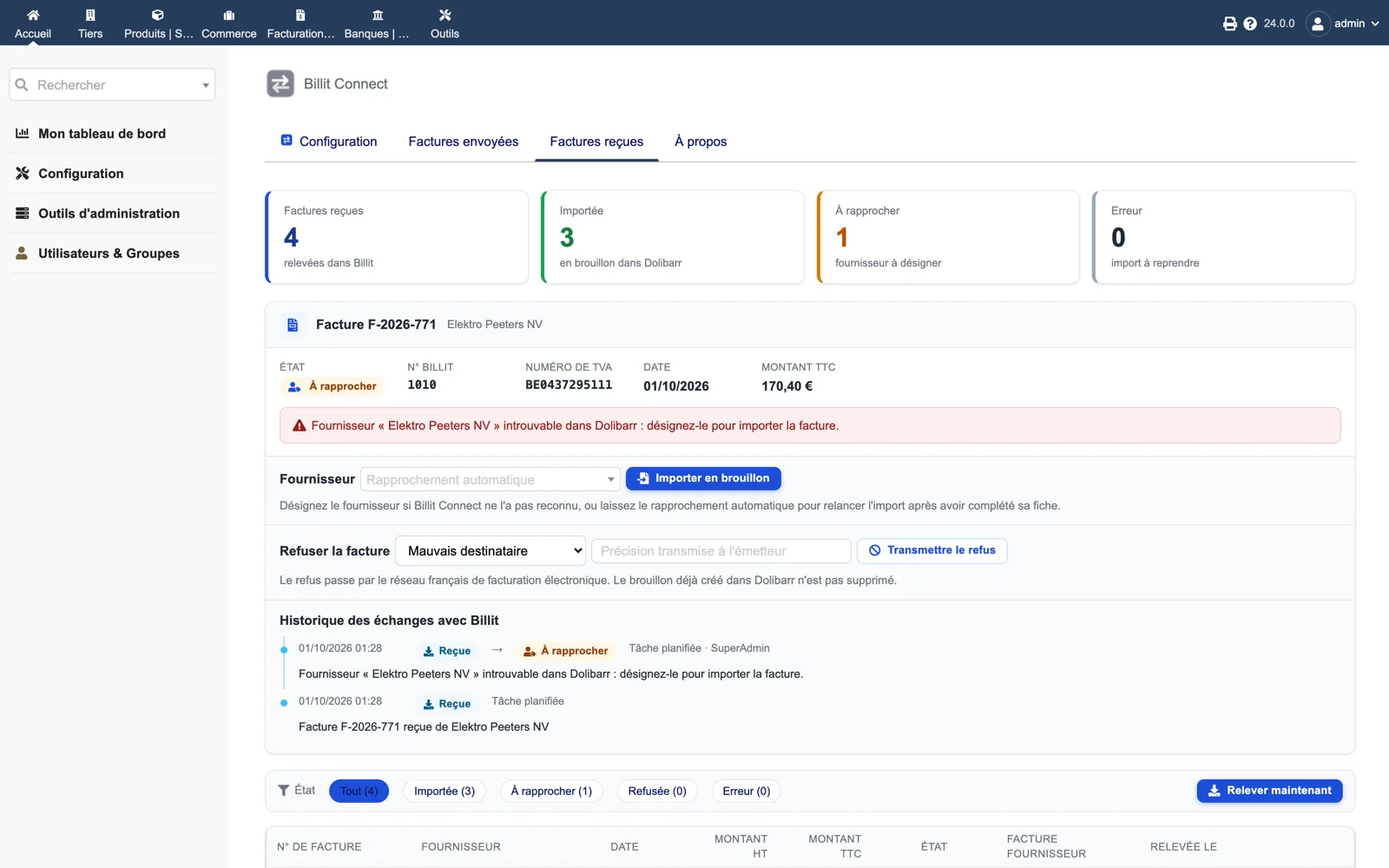
Matching a supplier
For an invoice whose supplier is unknown, the detail shows the VAT number and amounts, lets you pick the supplier and import the draft, or refuse the invoice with a reason sent back to the issuer through the French network.
Dolibarr · Demonstration data · Open the image to enlarge.
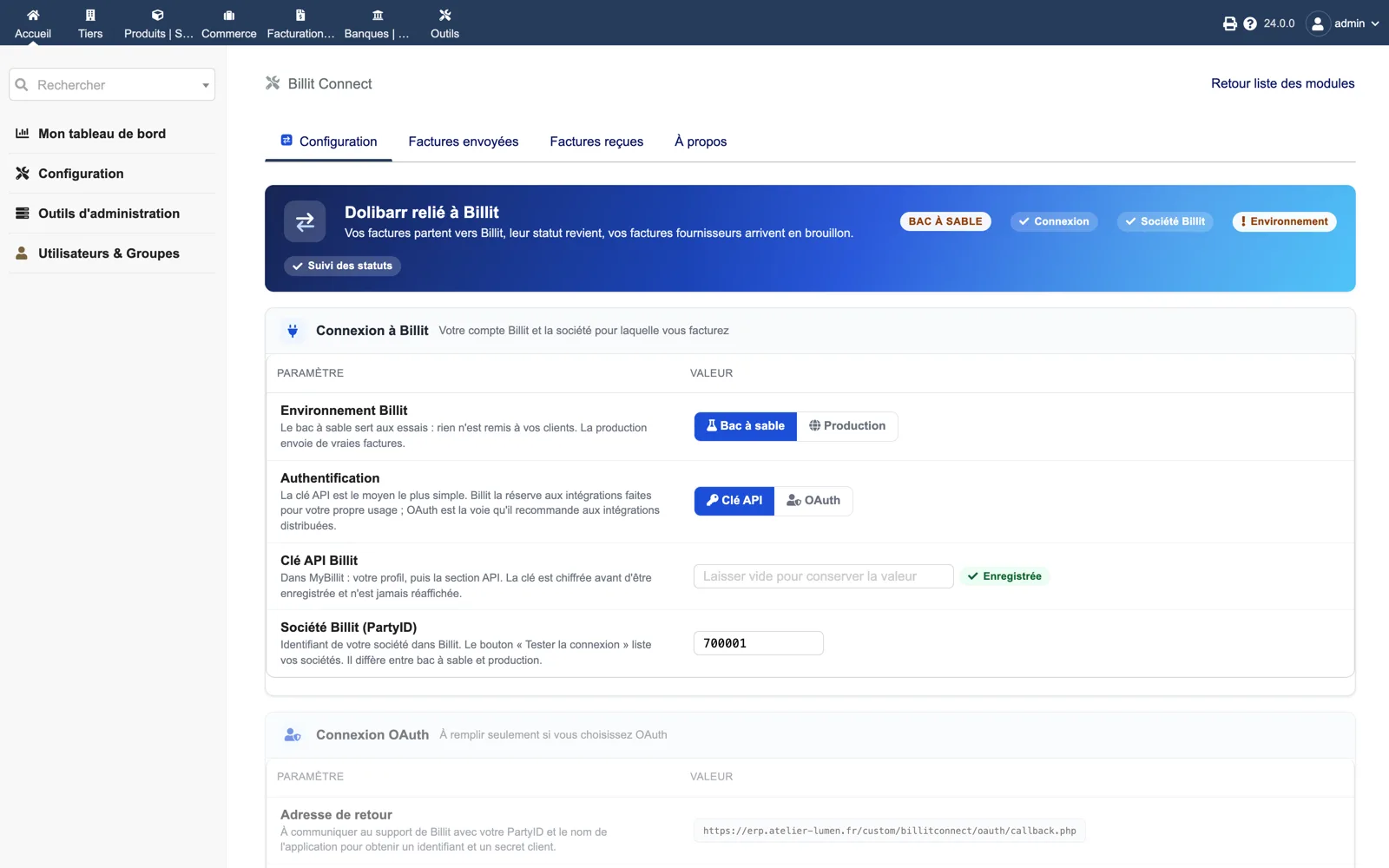
Setup
Environment (sandbox or production), authentication (API key or OAuth), the encrypted API key, the Billit company (PartyID) and, for OAuth, the return address to give to Billit support. The header shows which checks are green.
Dolibarr · Demonstration data · Open the image to enlarge.
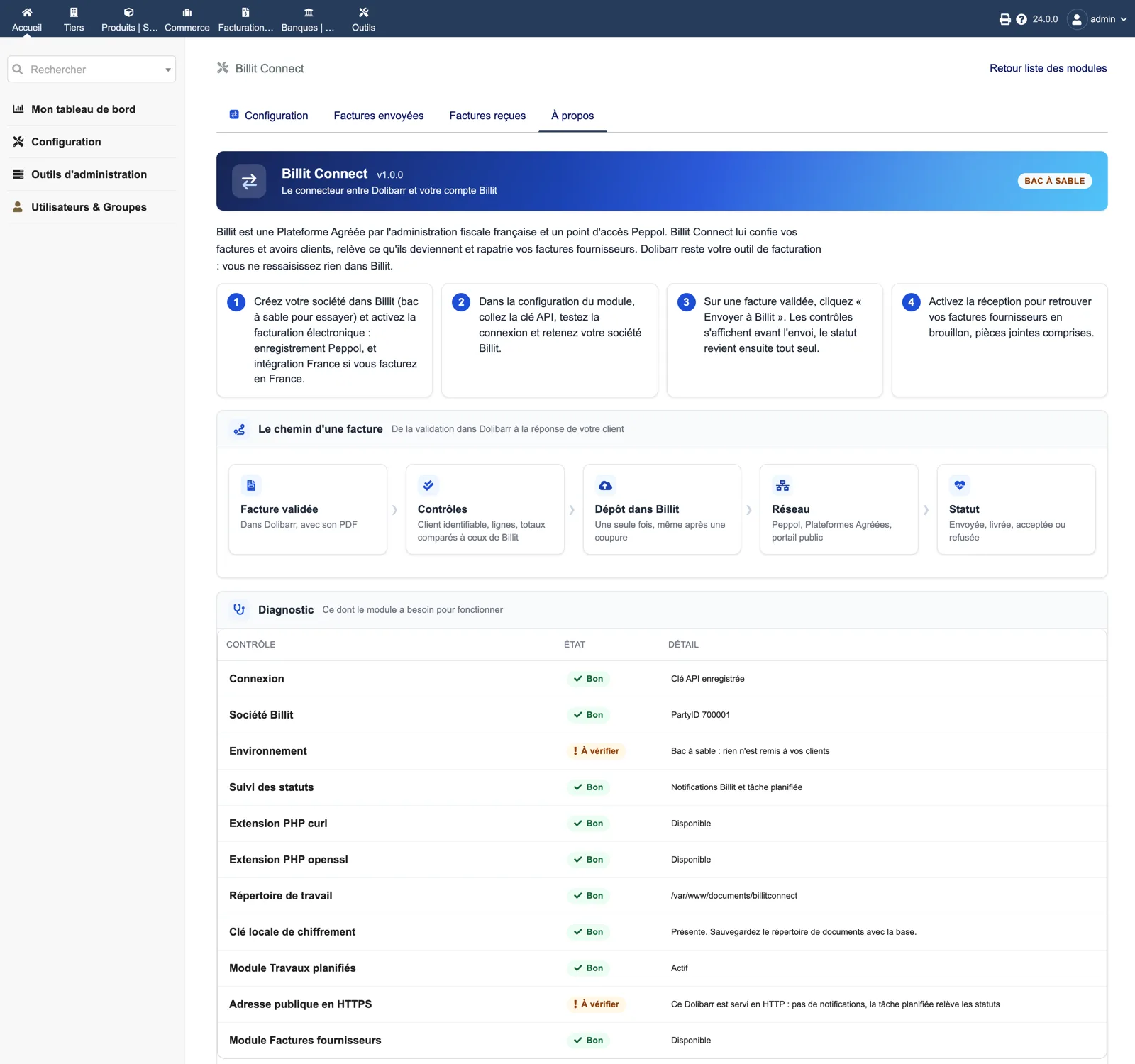
About and diagnostic
The About tab recaps the four steps and the path of an invoice, then runs the diagnostic: connection, Billit company, environment, status tracking, cURL and OpenSSL, working directory, local encryption key, Scheduled jobs module, public HTTPS address and Supplier invoices module.
Dolibarr · Demonstration data · Open the image to enlarge.