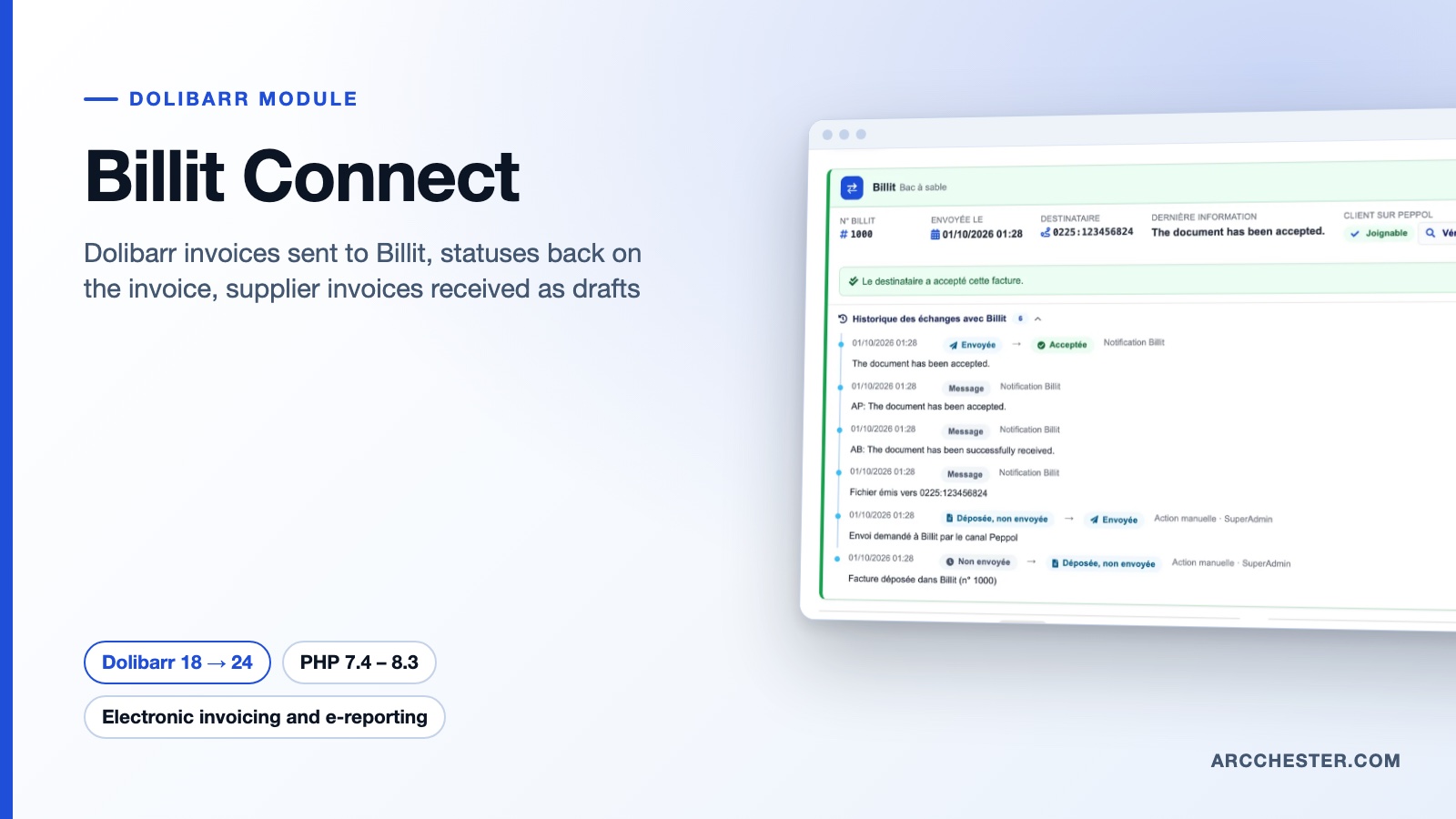
Billit Connect · FOR DOLIBARR

Hand your invoices to Billit.
Keep invoicing in Dolibarr.

Billit is a platform approved by the French tax administration and a Peppol access point. Billit Connect sends your customer invoices and credit notes to it, brings their status back and imports received supplier invoices as drafts.

Dolibarr 18 → 24PHP 7.4 – 8.3Version 1.0.0Price on requestBeing published

Billit Connect — module for Dolibarr
Approved platform and PeppolTotals checked before sendingSigned webhooksSandbox and production
YOUR DAILY WORKFLOW

What changes once the module is active.

01

Nothing leaves with a wrong total

Billit recomputes totals from the lines. The module compares them with the Dolibarr invoice before sending; if they differ, the invoice stays filed in Billit, unsent, and the panel shows both sets of figures and the likely cause.

02

The status comes back on its own

Billit notifies Dolibarr through signed webhooks and an hourly scheduled task refreshes what is left. The invoice panel follows sent, delivered, accepted, refused or error with the reason, and keeps the full exchange history.

03

Never the same invoice twice

Each filing carries an idempotency key. After a lost response the module picks up the document already created in Billit; if the invoice changed, the filing is replaced. One sending at a time per invoice.

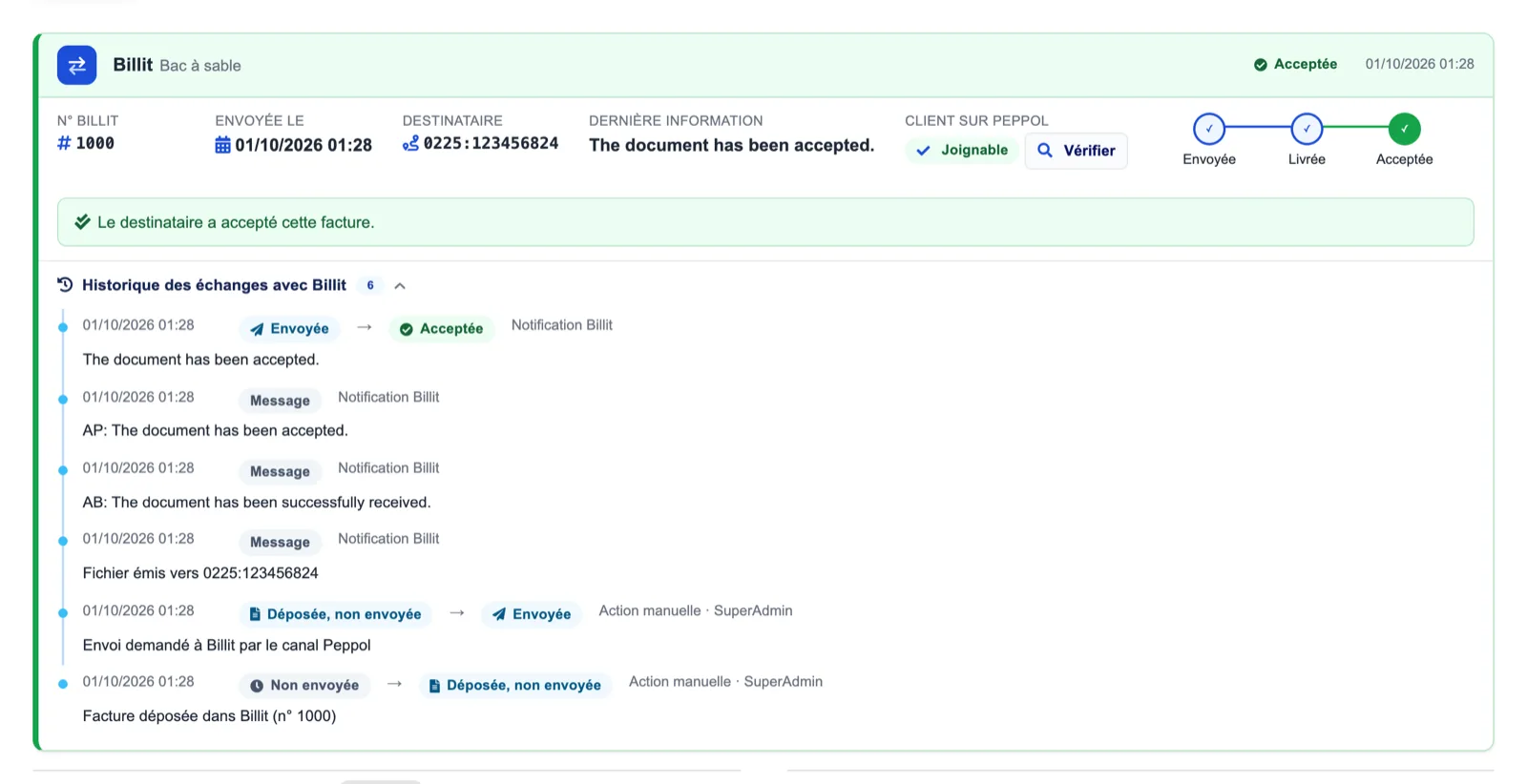
An accepted invoice — Dolibarr
Actual module interface in Dolibarr · Demonstration data. Click to enlarge.
INSIDE THE MODULE

An accepted invoice

The Billit panel on the customer invoice shows the Billit number, sending date, recipient identifier (0225:…), the last message, the Peppol reachability of the customer and the sent → delivered → accepted timeline. Below, the exchange history lists every notification and manual action.

Browse all screens →

Know exactly what happens.

WorkflowTriggerResult in Dolibarr
Sending“Send to Billit” on the invoice, bulk action on the list, or on validation (option)Invoice, replacement, down-payment, situation invoice or credit note created in Billit with its PDF, then sent over Peppol or the French network.
Pre-send checksShown on the invoice panelValidated invoice, identifiable customer (VAT number, SIREN), reference of 35 characters at most in France, 0 % line with a reason, credit note linked to its invoice.
StatusesSigned webhooks, hourly scheduled task as a safety netSent → delivered → accepted, or refused / error with the reason; audit trail on the invoice; journal with filters.
ReceptionHourly scheduled task or “Fetch now”Received supplier invoices become drafts with PDF and attachments; supplier matched by VAT number, SIREN, SIRET or enterprise number, otherwise the invoice waits in the matching inbox.
RefusalFrom the inbox, French networkA refusal with its reason is sent back to the issuer; the draft already created is kept.
Directory lookupButton on the third party and on the invoiceChecks whether the customer can receive an electronic invoice (Peppol reachability).

Before you choose.

Why does the module say “filed, not sent” with a totals gap?

Billit recomputes VAT per rate on the sum of bases and rounds unit prices to two decimals by default, while Dolibarr computes line by line. A unit price or quantity with more than two decimals is the usual cause: raise the number of decimals in MyBillit (Settings, General), then click “Resend to Billit”. You can also send despite the gap.

Do I need HTTPS?

Only for real-time notifications: Billit accepts HTTPS webhook addresses only. Over HTTP the module keeps working with the hourly scheduled task, and the diagnostic says so.

How are 0 % VAT lines handled?

A line without VAT must say why. The module deduces the Billit allocation code for an intra-EU supply of goods (51), an intra-EU service (55) and an export (70); other cases come from the allocation table in the setup (Dolibarr VAT code = Billit code).

What is sent for France?

The business process type (B1, S1, M1, paid, balance after down payment), SIREN, SIRET and electronic invoicing address, the VAT exemption for small businesses, and optionally the payments received. Sending over the French network requires the “France” integration enabled in MyBillit.

Is anything validated or paid automatically?

No. Received supplier invoices stay drafts; an automatic sending failure never blocks invoice validation, it only appears in the journal.

Where are the key and tokens stored?

Encrypted in the database (AES-256-GCM) with a local key kept in documents/billitconnect/.secret.key. Back up the documents directory together with the database.

NEXT STEP

Available on request.

Being published on Dolistore · version 1.0.0

The listing exists on Dolistore and is awaiting the marketplace approval. Write to us to receive the module today, with French and English translations and e-mail support; we will send the Dolistore link as soon as the listing is open for purchase.

Status checked on 9 October 2026. Dolibarr 18 → 24 · PHP 7.4 – 8.3.