PA Reception · FOR DOLIBARR

Receive supplier e-invoices in Dolibarr.
Check them, then create the draft.

The module polls the inbox of your connection, reads the CII XML of each Factur-X invoice, shows lines, VAT and totals with the original PDF, and creates a draft supplier invoice without retyping. You keep validation and payment in your hands.

Dolibarr 18 → 24PHP 7.4 – 8.3Version 1.1.0€149 excl. VATOn Dolistore

PA Reception — module for Dolibarr
Inbox with countersChecks before importSupplier matched by SIRETOriginals kept
YOUR DAILY WORKFLOW

What changes once the module is active.

01

No more retyping supplier invoices

Lines, quantities, VAT rates and totals are read from the received XML and written into a draft supplier invoice. The supplier is matched by SIRET; without a SIRET you pick an existing supplier yourself, the module never invents an identifier.

02

Nothing imported blindly

Amounts are checked before import and unsupported documents are refused with a clear message: credit notes, down payments, foreign currencies, global discounts or a calculation gap above one cent. Duplicates are blocked and a failed import is rolled back entirely.

03

The original stays with the invoice

The received XML, and the PDF when the connection provides it, are stored unchanged in the Dolibarr documents directory and served only to users with the right permission. The created supplier invoice shows a “PA Reception: source document” panel that links back to them.

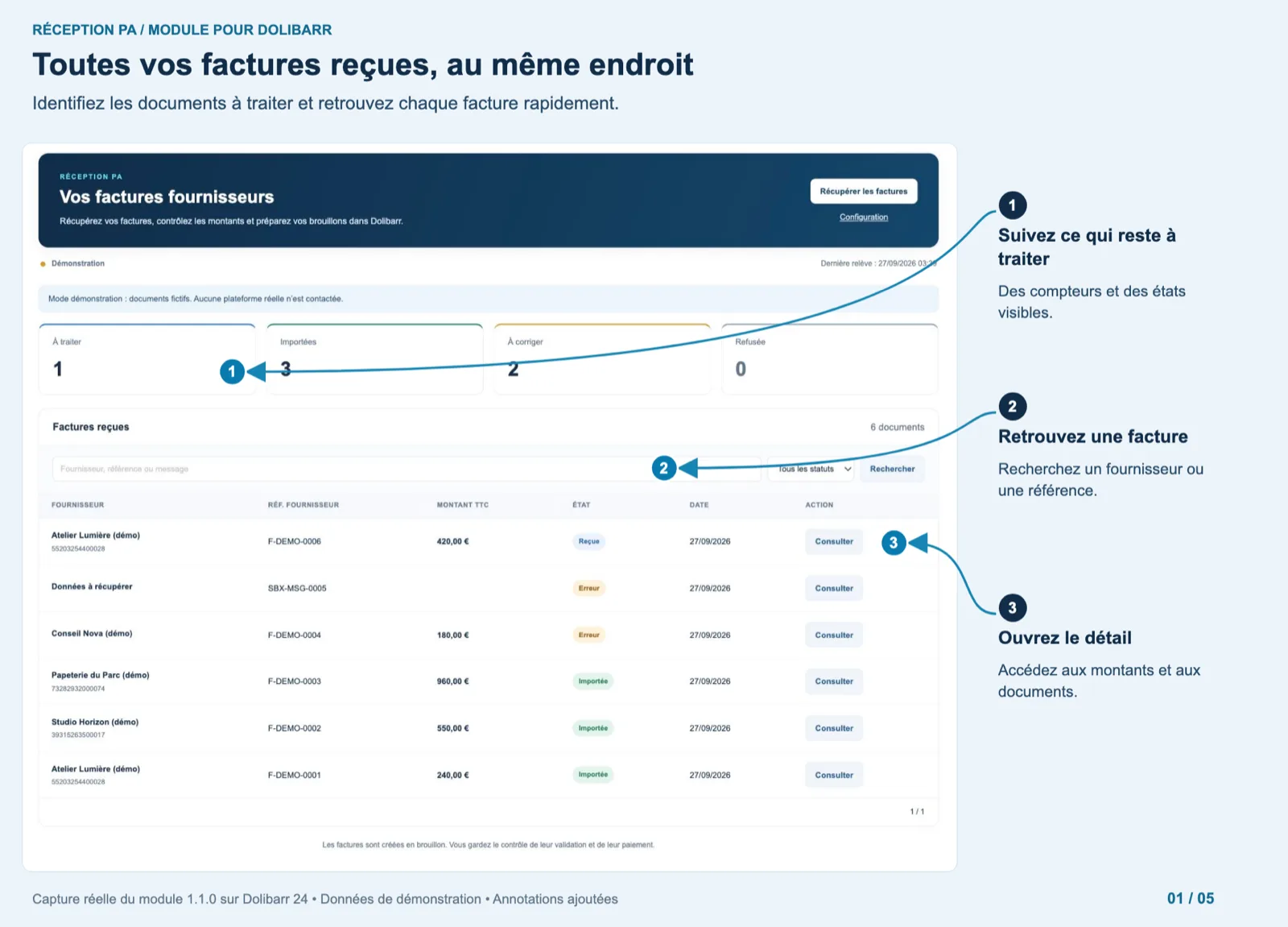
All received invoices in one place — Dolibarr
Actual module interface in Dolibarr · Demonstration data. Click to enlarge.
INSIDE THE MODULE

All received invoices in one place

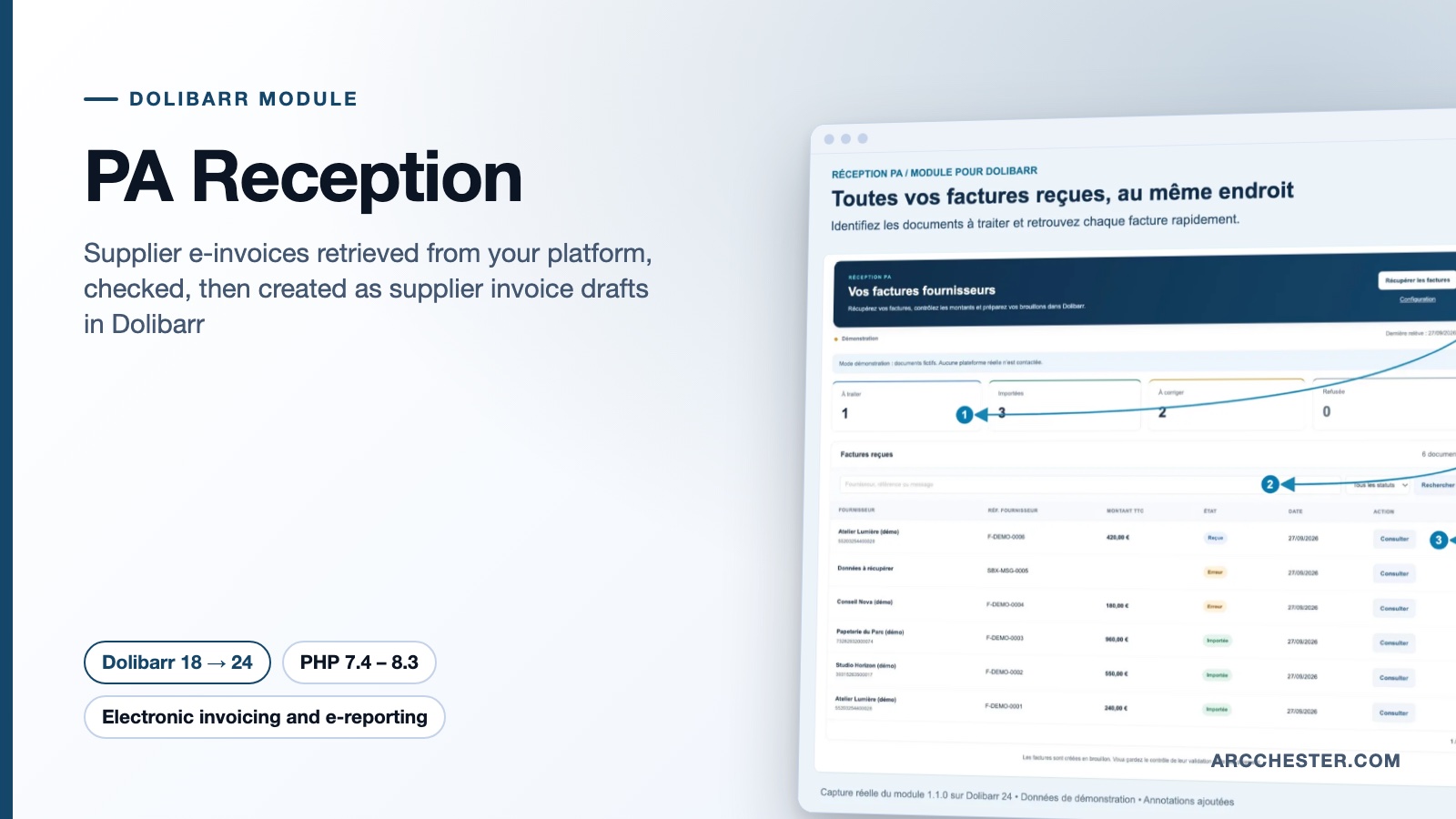
The “Your supplier invoices” page shows four counters (to review 1, imported 3, to fix 2, refused 0), a search box by supplier, reference or message, a status filter and the list of six demo documents with supplier and SIRET, reference, amount, status badge, date and a “View” button. A banner reminds that demo mode contacts no real platform.

Browse all screens →

Know exactly what happens.

WorkflowTriggerResult in Dolibarr
RetrievalButton “Retrieve invoices”, or the scheduled job (off by default, hourly)New messages are listed in the inbox with supplier, reference, amount, status and date; 50 new messages per run at most.
ChecksOpening a messageSupplier, SIRET, date, lines, VAT and totals are displayed; a blocking point is explained in a banner (missing SIRET, unsupported type, amount gap).
ImportButton “Create supplier draft”, or automatic import optionA draft supplier invoice with its lines; the message switches to “Imported”. No validation, no payment.
AcknowledgementAfter import, if “Acknowledge after import” is onThe status received is sent to the connection; a failure stays visible and can be retried. A refusal sends refused with your reason.
OriginalsAny time, from the message or the supplier invoiceDownload the received XML and the original PDF, unchanged.

Before you choose.

Which platforms can I connect?

Out of the box, the demo connector and a generic REST adapter. The adapter expects the routes /inbox, /messages/{id}/file, /messages/{id}/pdf and /messages/{id}/status with a bearer token, on a public HTTPS endpoint. Check that contract with your platform before buying; the setup page has a “Test saved connection” button that reads the inbox without creating anything.

Do I also need Factur-X France or PA Transmission?

Not for receiving. PA Reception handles incoming supplier invoices only. Factur-X France produces your own customer invoices and PA Transmission sends them; the three modules work independently and share no setting.

What happens when the supplier has no SIRET?

The message is flagged “Your attention is required” with the text “SIRET missing: explicitly choose an existing supplier”. In the detail you pick the supplier from a list (first 500 suppliers) and then create the draft. No identifier is invented and no supplier is created silently.

Can the import be automatic?

Yes, with the “Automatic import” option: drafts are created during retrieval when the checks and the supplier matching succeed. Documents that need a decision stay in the inbox. The scheduled job “PA Reception: poll the inbox” is created disabled; enable it in Dolibarr’s scheduled jobs after a full test with the demo connector.

Is the API key stored safely?

Keys saved from the setup page are encrypted with AES-256-GCM using a local key file, documents/pareception/.secret.key, and are never displayed again. Back up that file with the database and the documents directory: without it the encrypted key cannot be recovered.

Which rights can I give to users?

Three separate permissions: viewing the inbox, retrieving and importing, and sending statuses. The import permission must be assigned explicitly. Documents are served only through a controller that checks these rights and the entity.


NEXT STEP

Get the module on Dolistore.

€149 excl. VAT · one-time purchase · version 1.1.0

Dolistore is the official Dolibarr marketplace: purchase, download and invoicing happen there. You receive the module archive, French and English translations, e-mail support at support@arcchester.com and the updates published on Dolistore.

Price as published on Dolistore on 9 October 2026; the listing shows the current price and conditions. Dolibarr 18 → 24 · PHP 7.4 – 8.3.