Discover the module screen by screen, with annotated Dolibarr screenshots and demonstration data. This is a guided presentation, not a live demo.
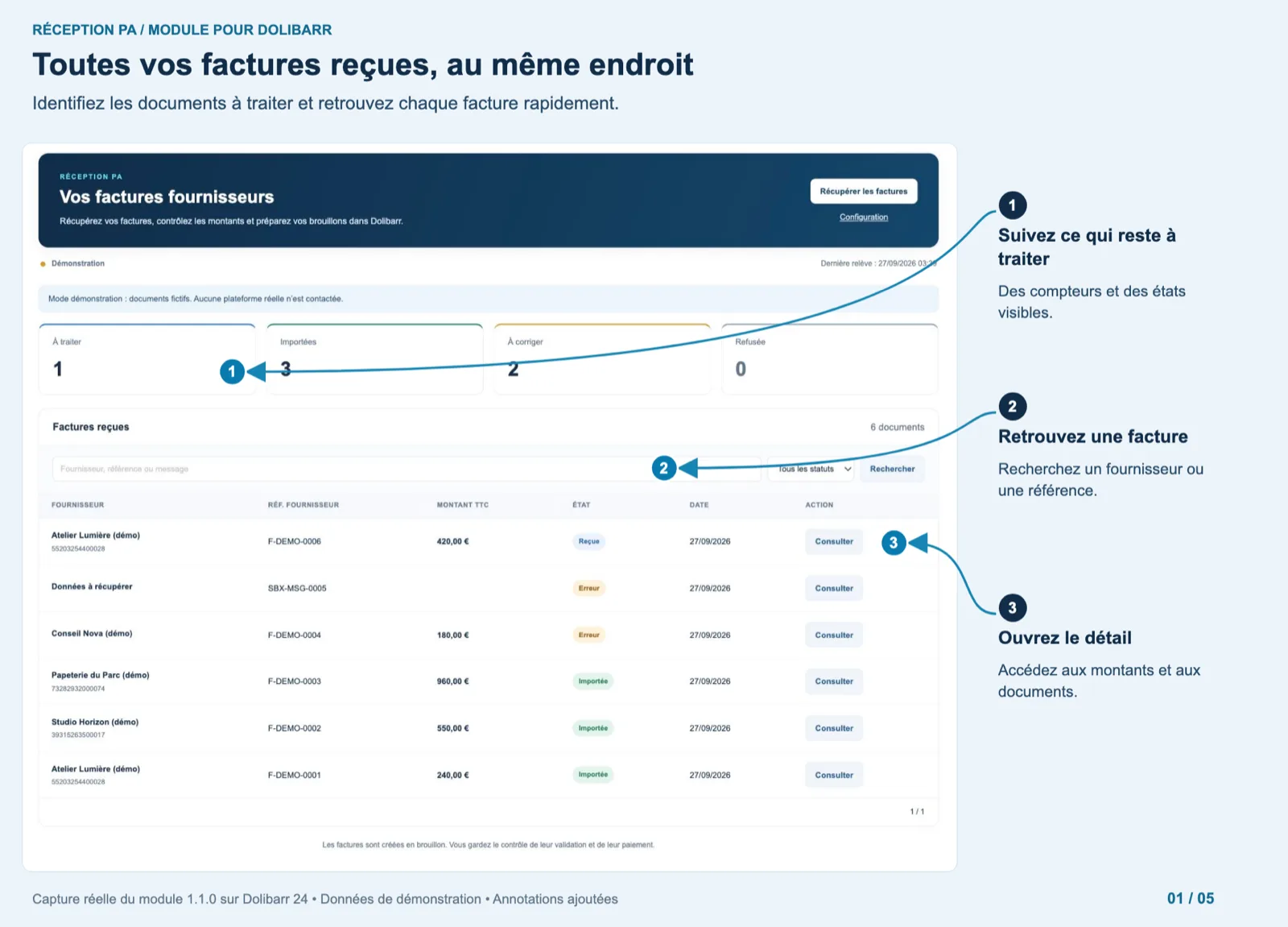
All received invoices in one place
The “Your supplier invoices” page shows four counters (to review 1, imported 3, to fix 2, refused 0), a search box by supplier, reference or message, a status filter and the list of six demo documents with supplier and SIRET, reference, amount, status badge, date and a “View” button. A banner reminds that demo mode contacts no real platform.
Dolibarr · Demonstration data · Open the image to enlarge.
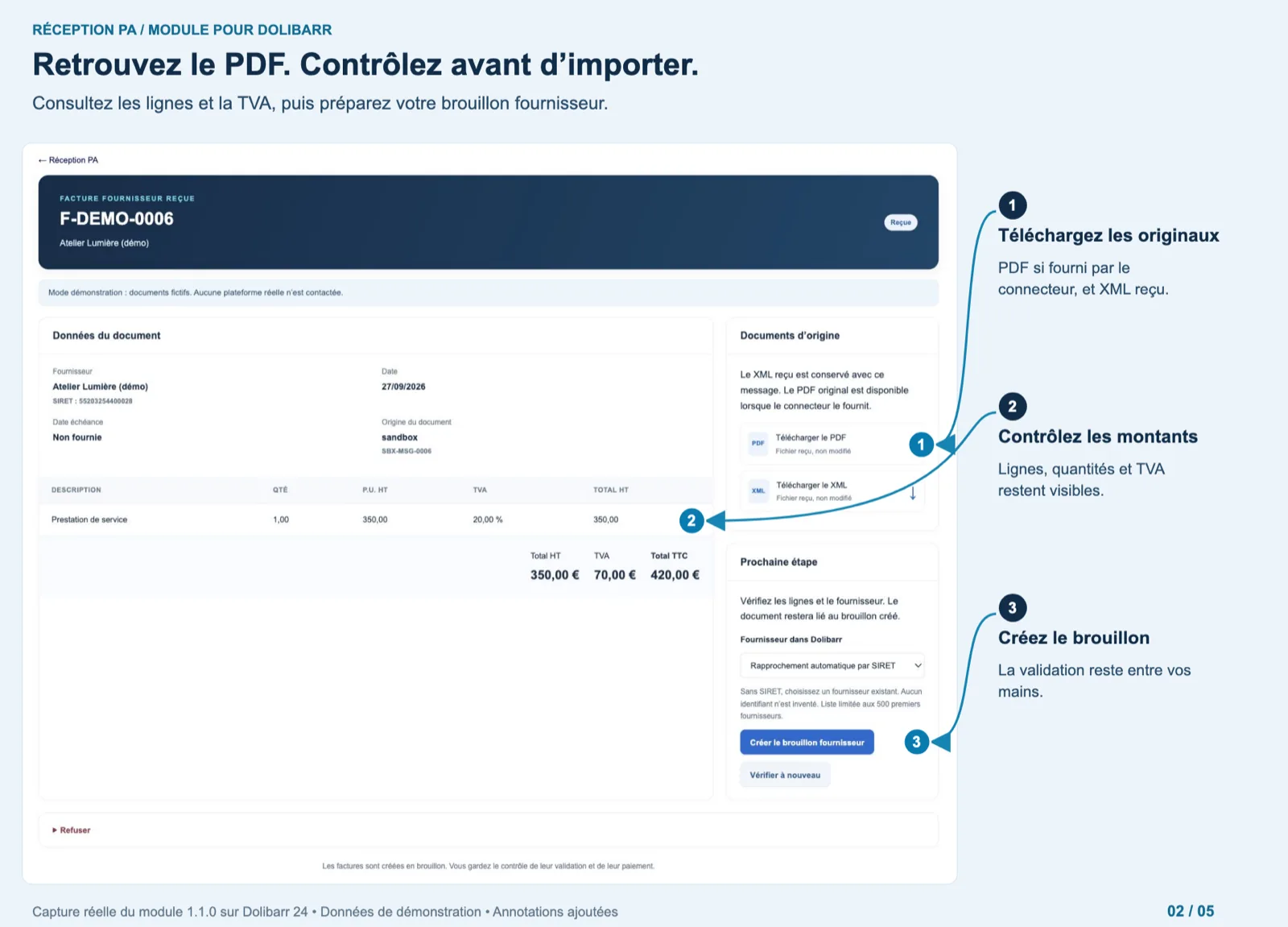
The PDF, the lines, then the draft
Message F-DEMO-0006 from Atelier Lumière: supplier and SIRET, date, due date (not supplied), origin (sandbox), one line “Service” 1 × 350.00 at 20 %, totals 350.00 / 70.00 / 420.00 €. On the right, “Original documents” offers the PDF and the XML, unchanged; “Next step” shows the supplier matched automatically by SIRET and the button “Create supplier draft”. A “Refuse” link sits at the bottom.
Dolibarr · Demonstration data · Open the image to enlarge.
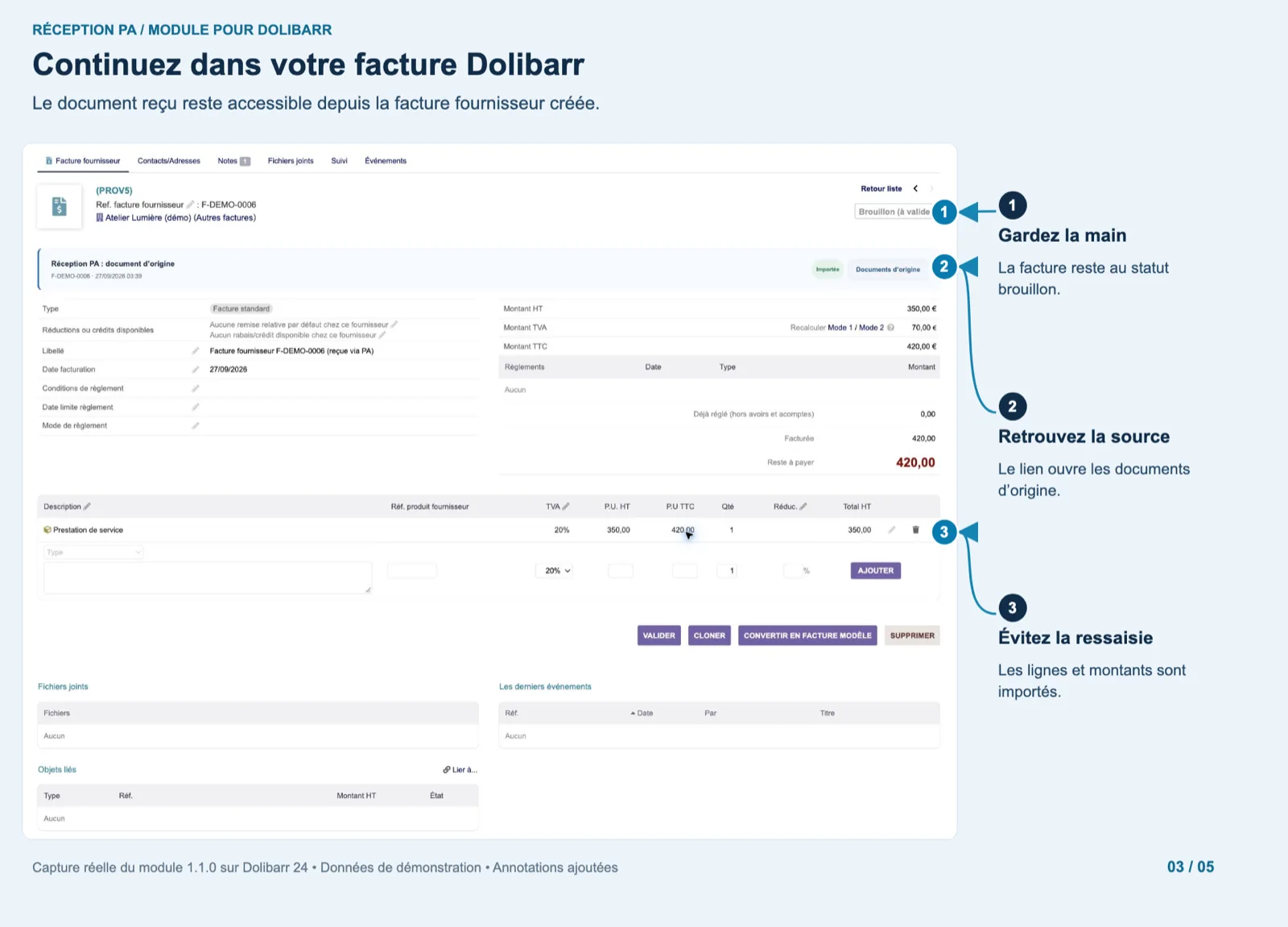
Continue in your Dolibarr invoice
The created supplier invoice (PROV5) stays in “Draft (to validate)”. The blue panel “PA Reception: source document” names the message and date, shows the “Imported” badge and a link to the original documents. The line, amounts and totals are already filled; the native Validate, Clone and Delete buttons are untouched.
Dolibarr · Demonstration data · Open the image to enlarge.
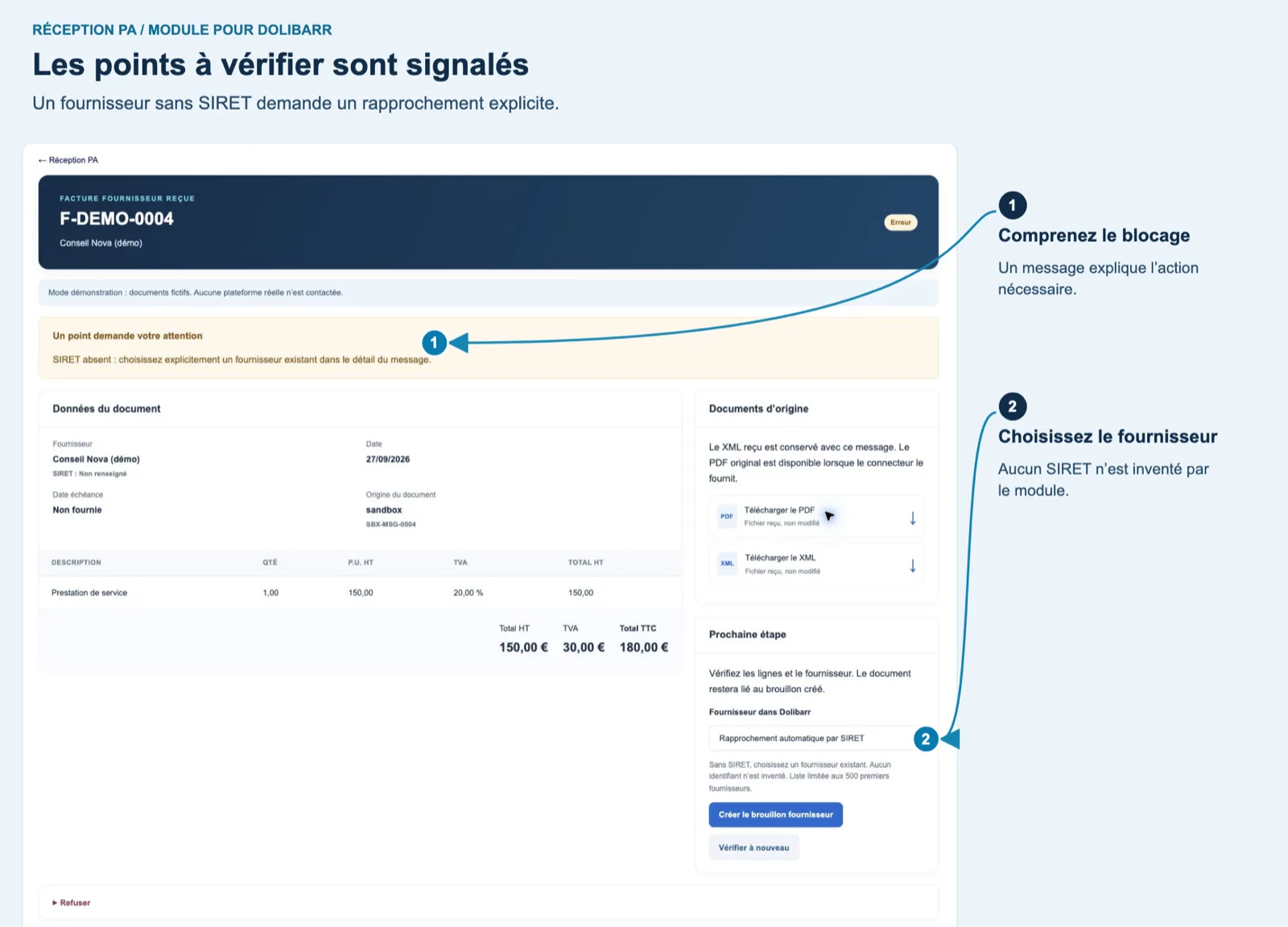
Points to check are flagged
Message F-DEMO-0004 from Conseil Nova is in “Error”: a yellow banner says “Your attention is required: SIRET missing, explicitly choose an existing supplier in the message detail”. The data (150.00 / 30.00 / 180.00 €) and the original documents are still shown; the supplier select lets you pick one before creating the draft.
Dolibarr · Demonstration data · Open the image to enlarge.
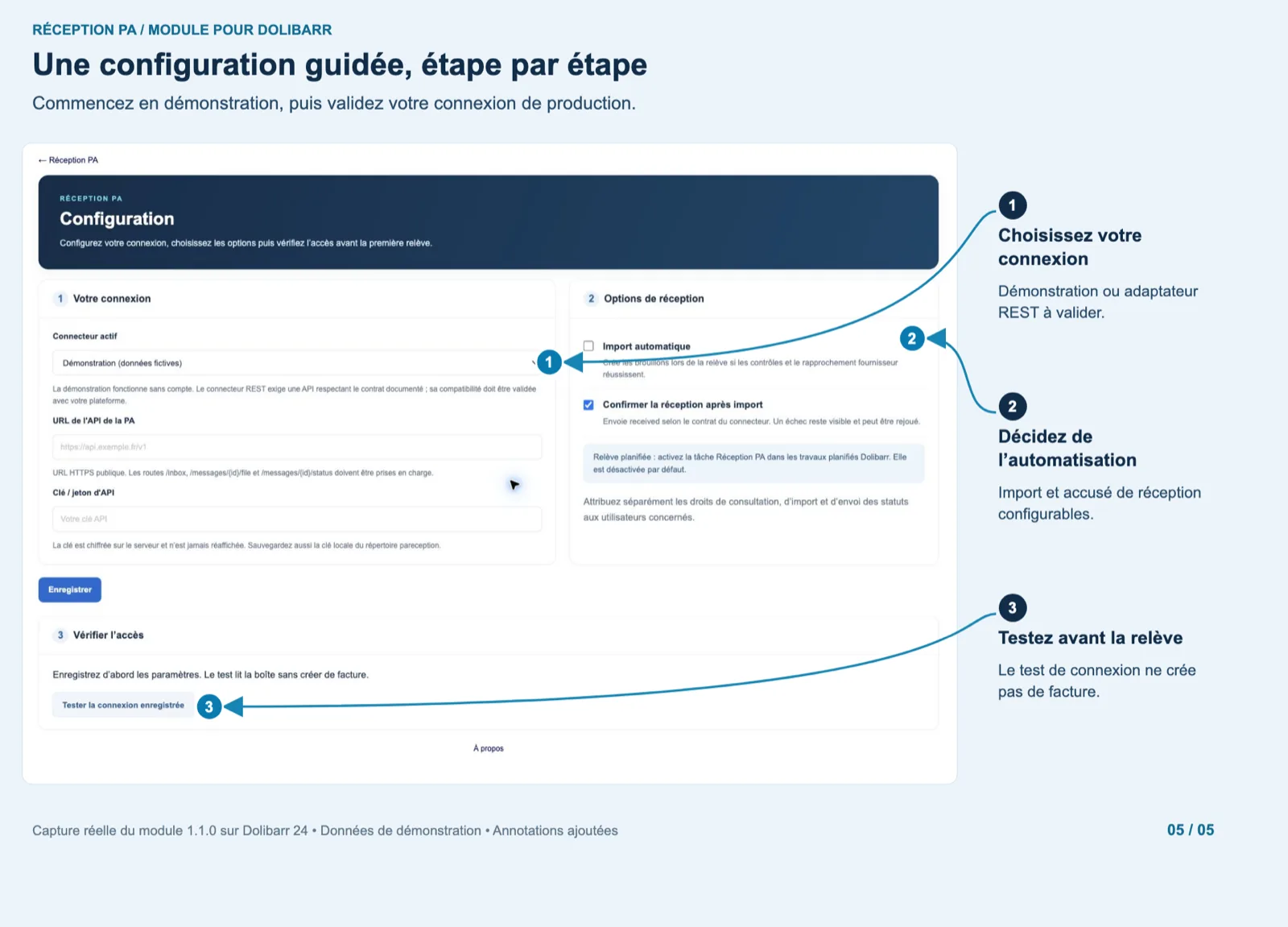
A guided setup
Step 1, your connection: active connector (Demo or Generic REST), PA API URL, API key encrypted on save. Step 2, reception options: “Automatic import” unchecked, “Acknowledge after import” checked, a note that the scheduled job is off by default and that rights are separate. Step 3, “Test saved connection”: reads the inbox without creating an invoice.
Dolibarr · Demonstration data · Open the image to enlarge.