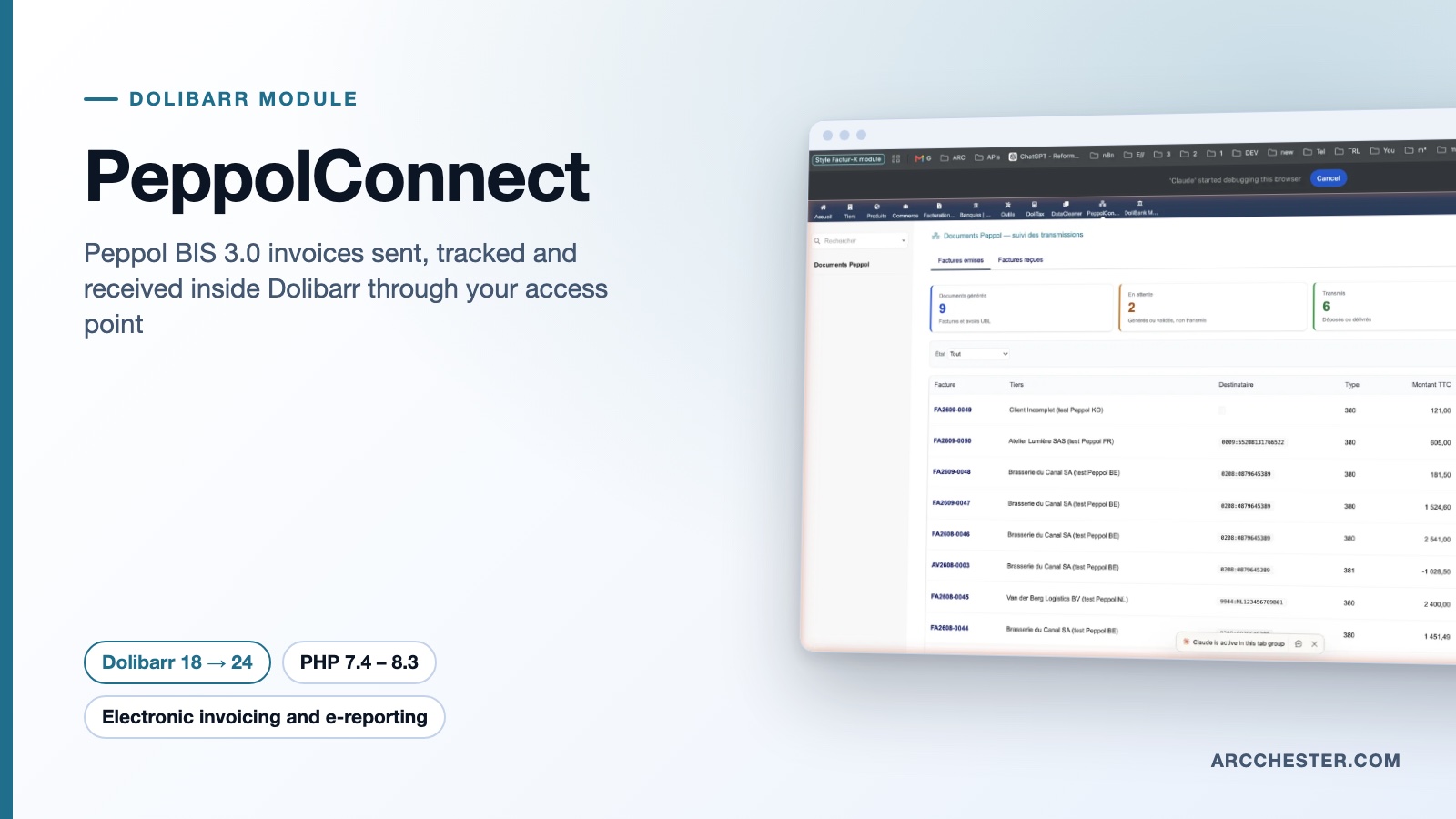
PeppolConnect · FOR DOLIBARR

Send invoices over Peppol.
Receive supplier invoices back.

PeppolConnect builds UBL invoices and credit notes from Dolibarr, checks them against the UBL 2.1 XSD and the EN 16931 / Peppol rules, submits them through Peppyrus or Scrada and turns received supplier invoices into drafts.

Dolibarr 18 → 24PHP 7.4 – 8.3Version 1.1.0€149 excl. VATOn Dolistore

PeppolConnect — module for Dolibarr
UBL Peppol BIS Billing 3.0XSD and EN 16931 checksPeppyrus, Scrada (beta)FR, EN, NL interface
YOUR DAILY WORKFLOW

What changes once the module is active.

01

Errors are caught before the network sees them

Each UBL file goes through the OASIS UBL 2.1 schema and about forty EN 16931 / Peppol BIS rules implemented in PHP with their official identifiers. A failing rule blocks the “Submit” button and tells you what to fix on the invoice or the third party.

02

One screen for everything that goes out and comes in

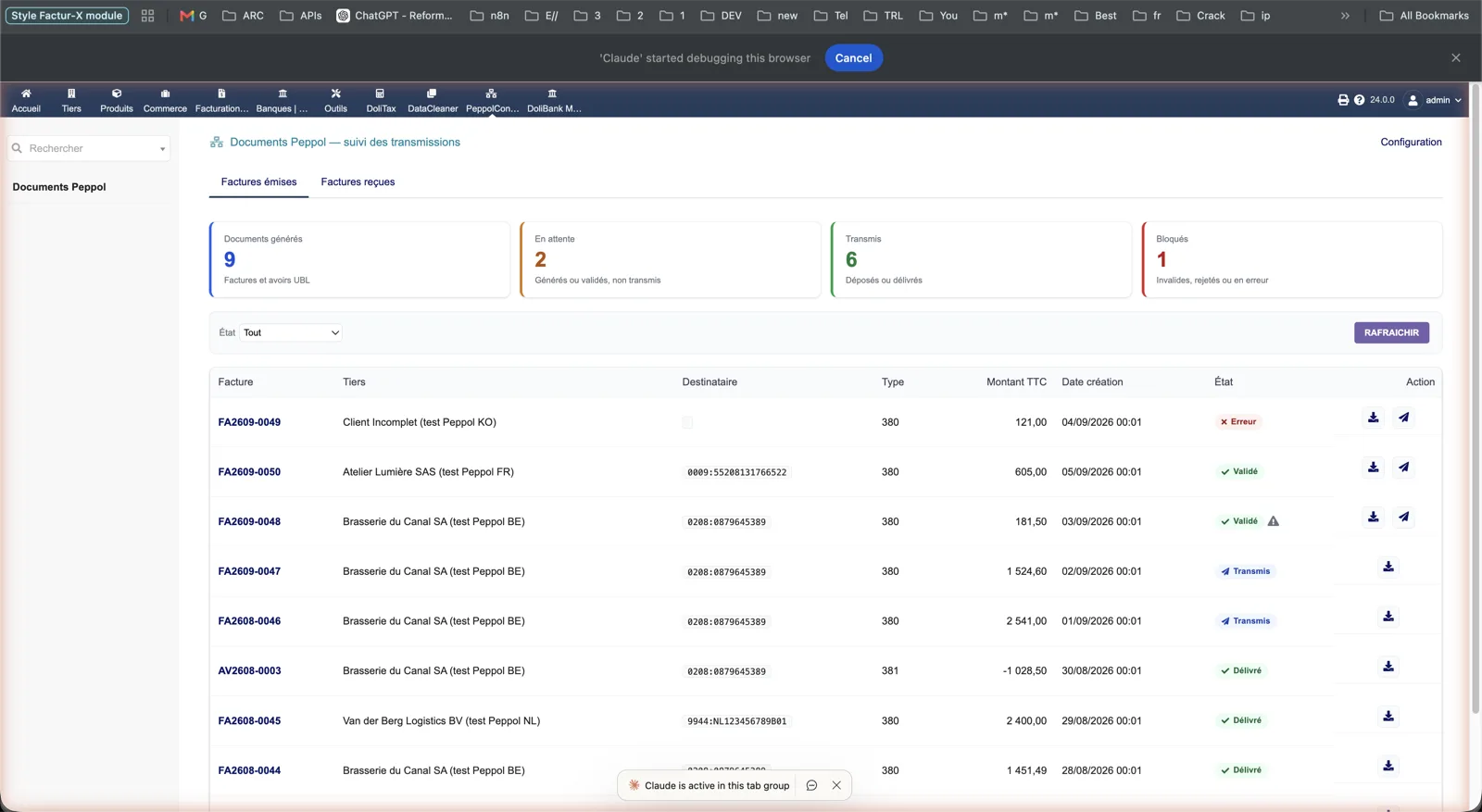
The Peppol documents screen lists generated, validated, sent, delivered and rejected documents with the provider reference and a per-document log. A second tab follows the inbox and the supplier drafts it created.

03

Supplier invoices arrive as drafts, never validated

The inbox is fetched every 30 minutes. Lines, discounts, due date and the UBL file are written to a draft supplier invoice; the supplier is matched by Peppol identifier, enterprise number, SIRET or VAT number, duplicates are flagged and the message is acknowledged only after a successful import.

Issued invoices, at a glance — Dolibarr
Actual module interface in Dolibarr · Demonstration data. Click to enlarge.
INSIDE THE MODULE

Issued invoices, at a glance

The Peppol documents screen counts generated, pending, sent and blocked documents, then lists each invoice or credit note with its recipient identifier (0208, 0009, 9944…), type 380 or 381, amount and status: error, validated, sent or delivered. Download and send actions sit on each line.

Browse all screens →

Know exactly what happens.

WorkflowTriggerResult in Dolibarr
UBL generationValidated customer invoice, down-payment or credit noteInvoice 380/386 or CreditNote 381 with VAT breakdown, exemption reasons, discounts, IBAN and the original invoice reference for credit notes.
Pre-submission checksAutomatic after generationUBL 2.1 XSD then EN 16931 / Peppol rules; status validated or invalid with the failing rules listed on the invoice panel.
Sending and statusesButton on the invoice or on the list; refresh every 15 minutesDocument submitted to Peppyrus or Scrada, then sent, delivered or rejected with the provider report.
Automatic sendingOption off by default, trigger on invoice validationThe invoice enters a queue processed every 5 minutes, with at most five safe retries and a lock shared with manual sending.
Supplier receptionScheduled task every 30 minutes or “Fetch the inbox” buttonDraft supplier invoice with lines, UBL and PDF when the provider supplies it; failures listed and optionally e-mailed.
Recipient lookupButton on the invoice or in the wizardThe provider directory confirms whether the recipient accepts this document type; the result is stored on the third party.

Before you choose.

Which access points are supported?

Peppyrus (sending, directory, statuses, reception) and Scrada Peppol Only in beta. Local mode works without a provider for generation and checks only. Other access points need an additional connector.

Is the UBL really checked before sending?

Yes. The embedded OASIS UBL 2.1 schemas are applied first, then the EN 16931 and Peppol BIS rules implemented in the module (BR-CO-10 to 17, BR-S/E/AE/K/G/O, PEPPOL-EN16931-R003…). The ChangeLog lists the Peppol 3.0.21 and CEN 1.3.16 references used for comparison. This is test evidence, not a guarantee that every recipient will accept every document.

How is the sender’s Peppol identifier found?

From the company card: Belgian enterprise number (scheme 0208), SIRET (0009) or SIREN (0002) for France, otherwise the VAT number. You can force another value in the setup, and a third-party extrafield stores each customer’s identifier.

Can sending be automatic?

Yes, since 1.1.0. Enable the option, then the scheduled task “PeppolConnect: send queue” with a user allowed to send. Only invoices validated after activation are queued; manual sending remains available.

Does it handle the French e-invoicing reform?

No. The diagnostic warns a French company that Peppol lets it invoice Belgian and European customers but does not replace a French approved platform. See FacturXFrance and PA Transmission for France.

What happens on upgrade?

Replace the folder, then disable and re-enable the module: it creates the outbox table and the third scheduled task. Back up the database, the documents directory and the local encryption key first.


NEXT STEP

Get the module on Dolistore.

€149 excl. VAT · one-time purchase · version 1.1.0

Dolistore is the official Dolibarr marketplace: purchase, download and invoicing happen there. You receive the module archive, French and English translations, e-mail support at support@arcchester.com and the updates published on Dolistore.

Price as published on Dolistore on 9 October 2026; the listing shows the current price and conditions. Dolibarr 18 → 24 · PHP 7.4 – 8.3.