Discover the module screen by screen, with annotated Dolibarr screenshots and demonstration data. This is a guided presentation, not a live demo.
Issued invoices, at a glance
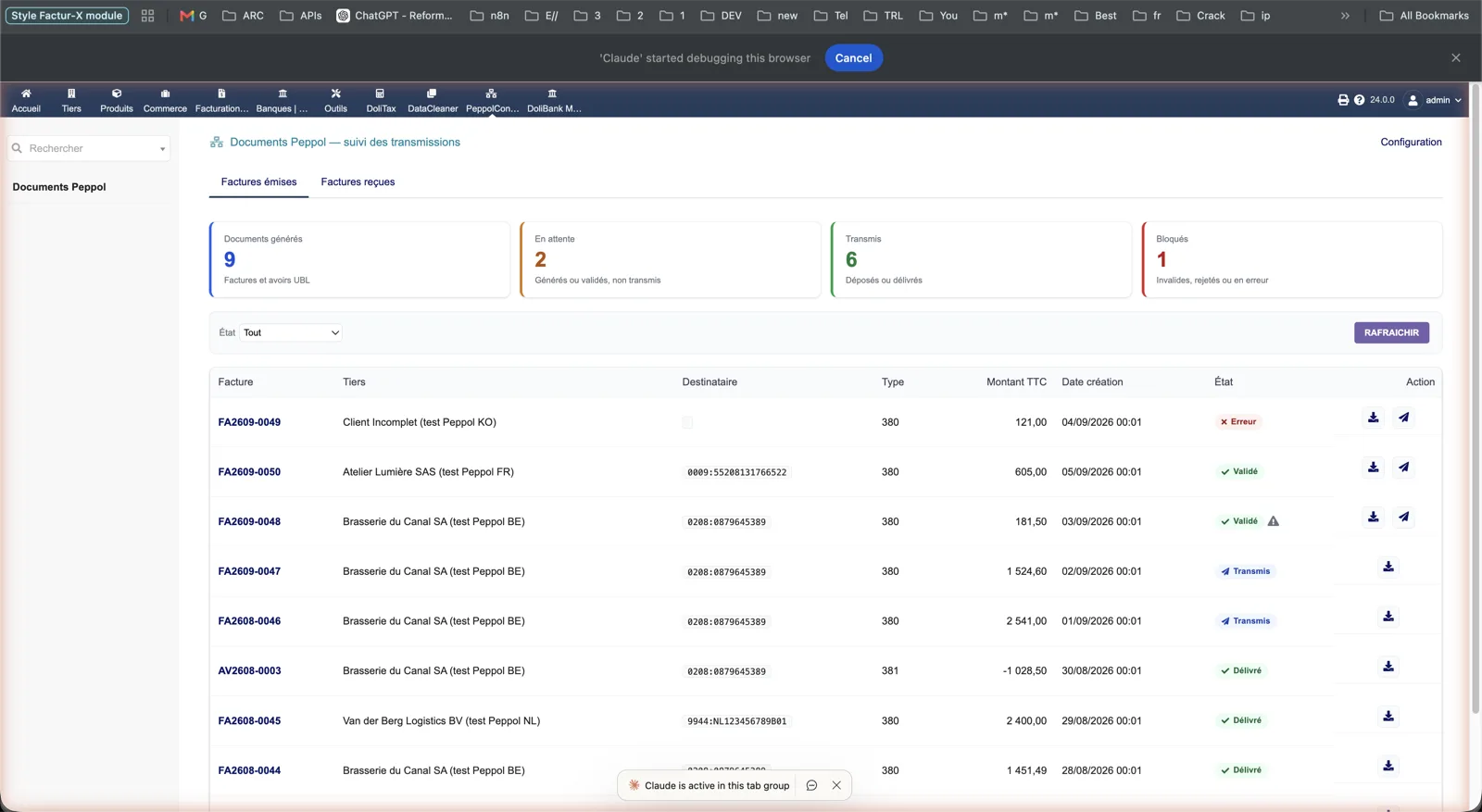
The Peppol documents screen counts generated, pending, sent and blocked documents, then lists each invoice or credit note with its recipient identifier (0208, 0009, 9944…), type 380 or 381, amount and status: error, validated, sent or delivered. Download and send actions sit on each line.
Dolibarr · Demonstration data · Open the image to enlarge.
The panel on a delivered invoice
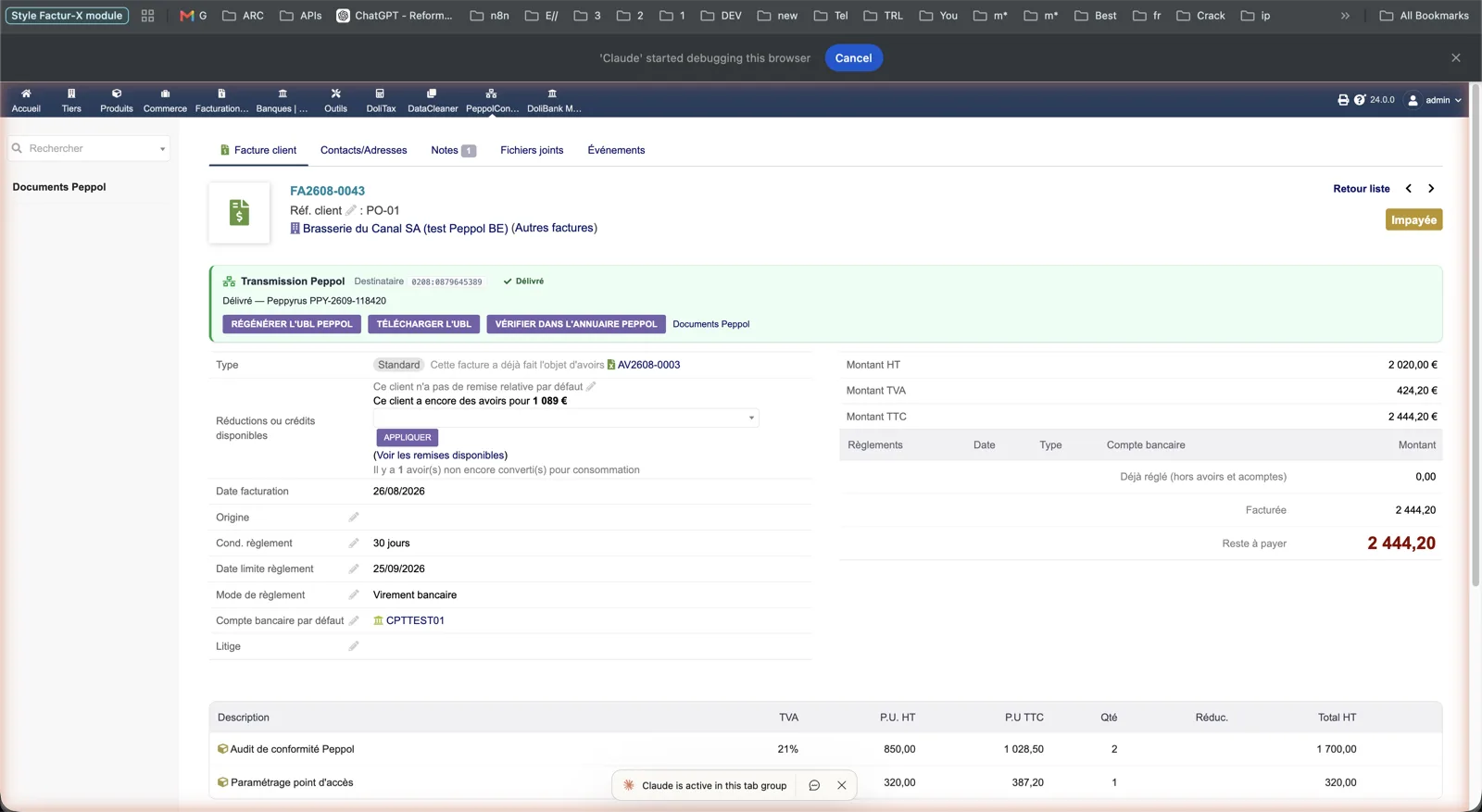
On the customer invoice, the Peppol transmission panel shows the recipient identifier, the Delivered status and the Peppyrus reference. Buttons regenerate the UBL, download it or check the recipient in the Peppol directory.
Dolibarr · Demonstration data · Open the image to enlarge.
A blocking check
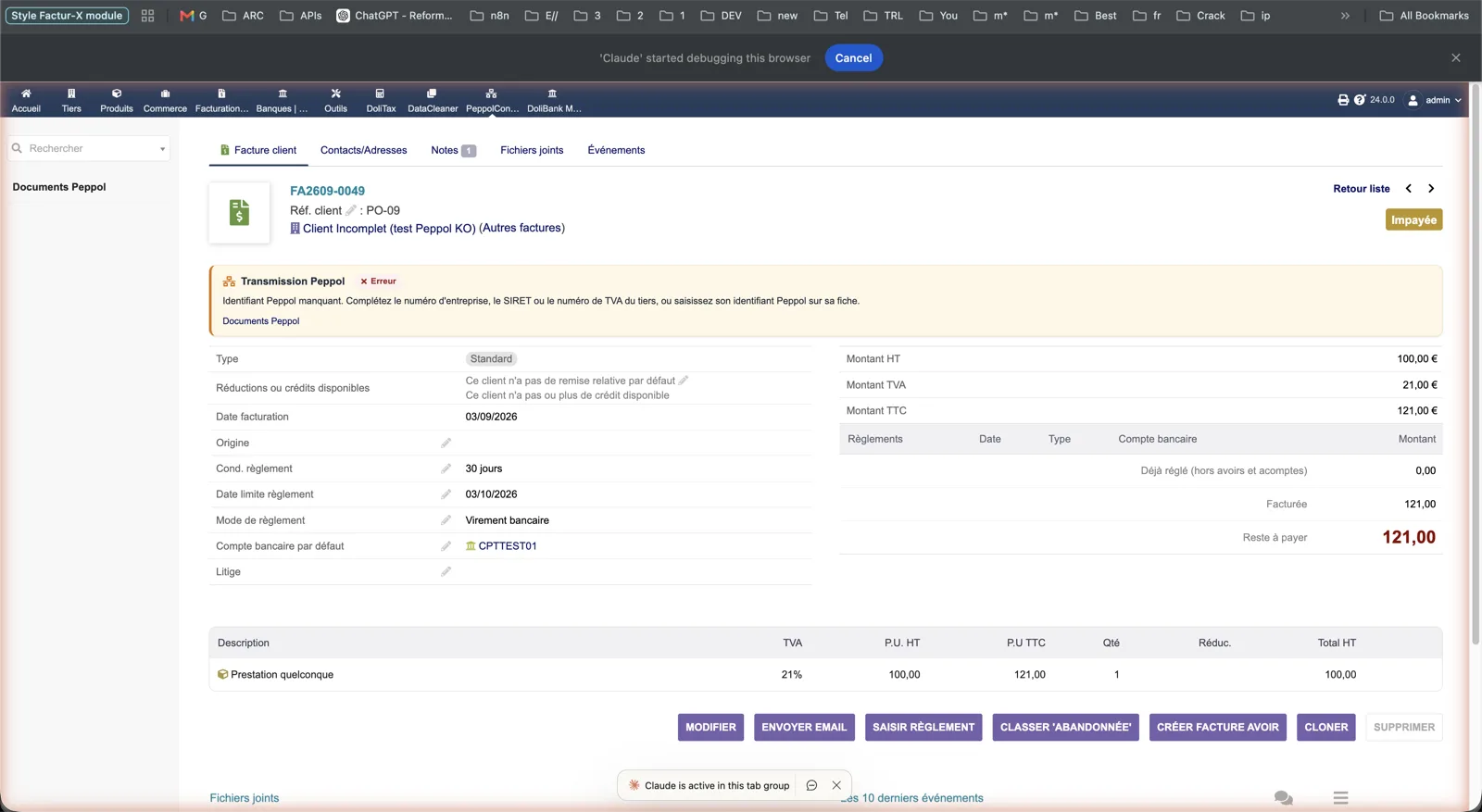
When the third party has no enterprise number, SIRET or VAT number, the panel turns to Error with a plain message: complete the third party or enter its Peppol identifier. No “Submit” button is offered until it is fixed.
Dolibarr · Demonstration data · Open the image to enlarge.
Received invoices
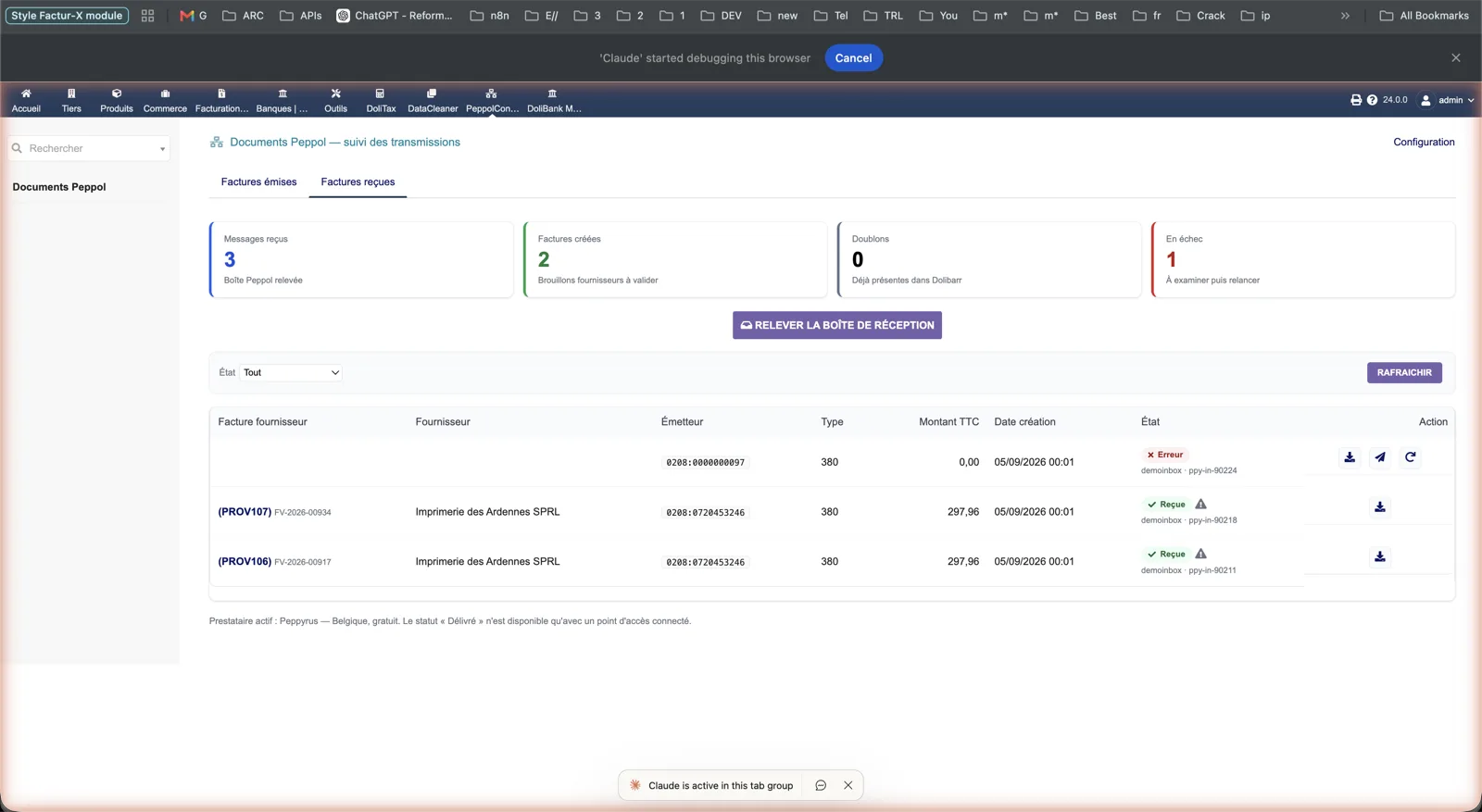
The second tab counts fetched messages, created drafts, duplicates and failures. Each line links to the draft supplier invoice (PROV…), shows the sender identifier and the provider message id; a failed message can be retried from the list.
Dolibarr · Demonstration data · Open the image to enlarge.
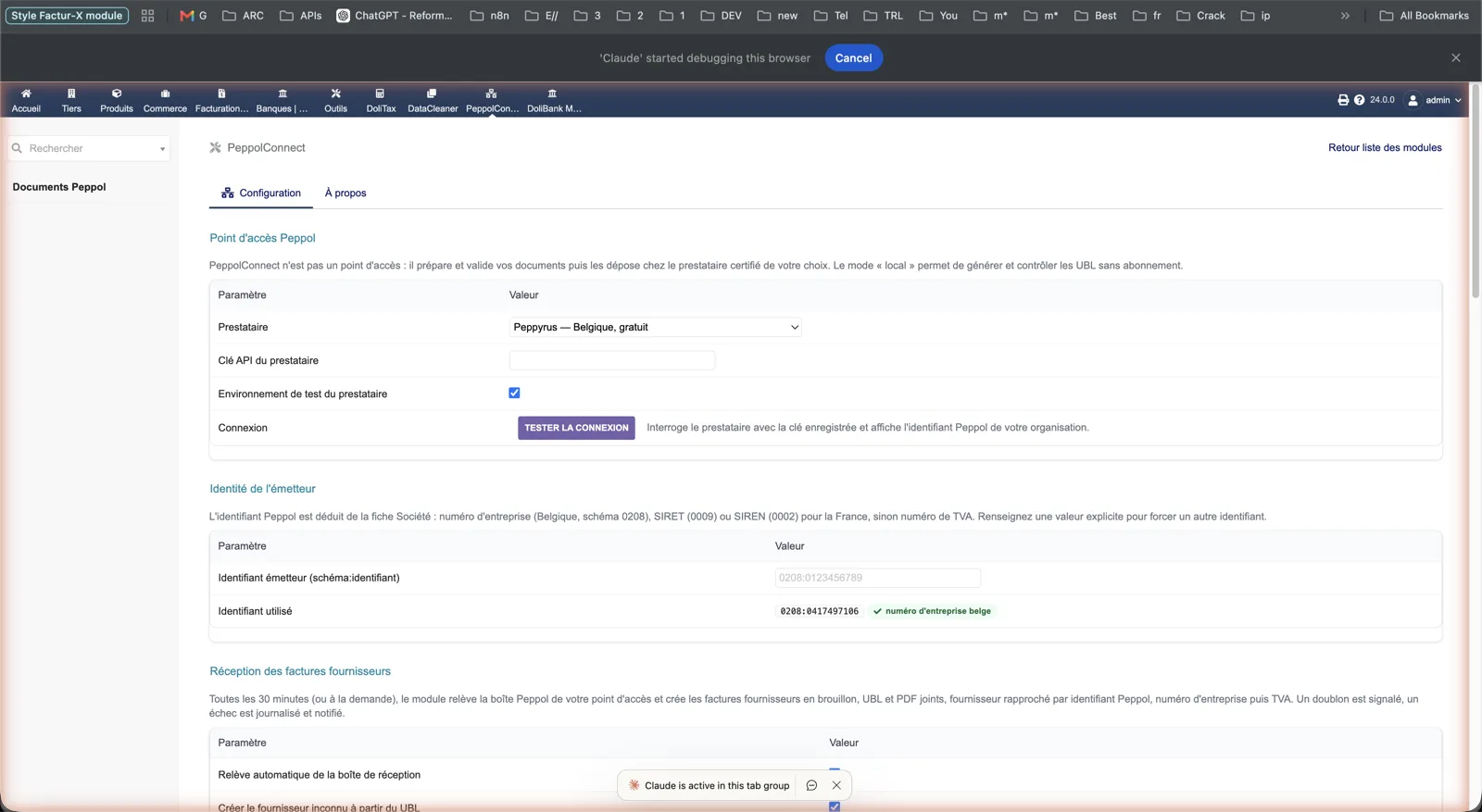
Setup: provider and sender
Choose the provider (local, Peppyrus, Scrada), paste the API key, tick the provider test environment and test the connection. The sender section shows the identifier deduced from the company card; the reception section enables automatic fetching, supplier creation and the notification e-mail.
Dolibarr · Demonstration data · Open the image to enlarge.
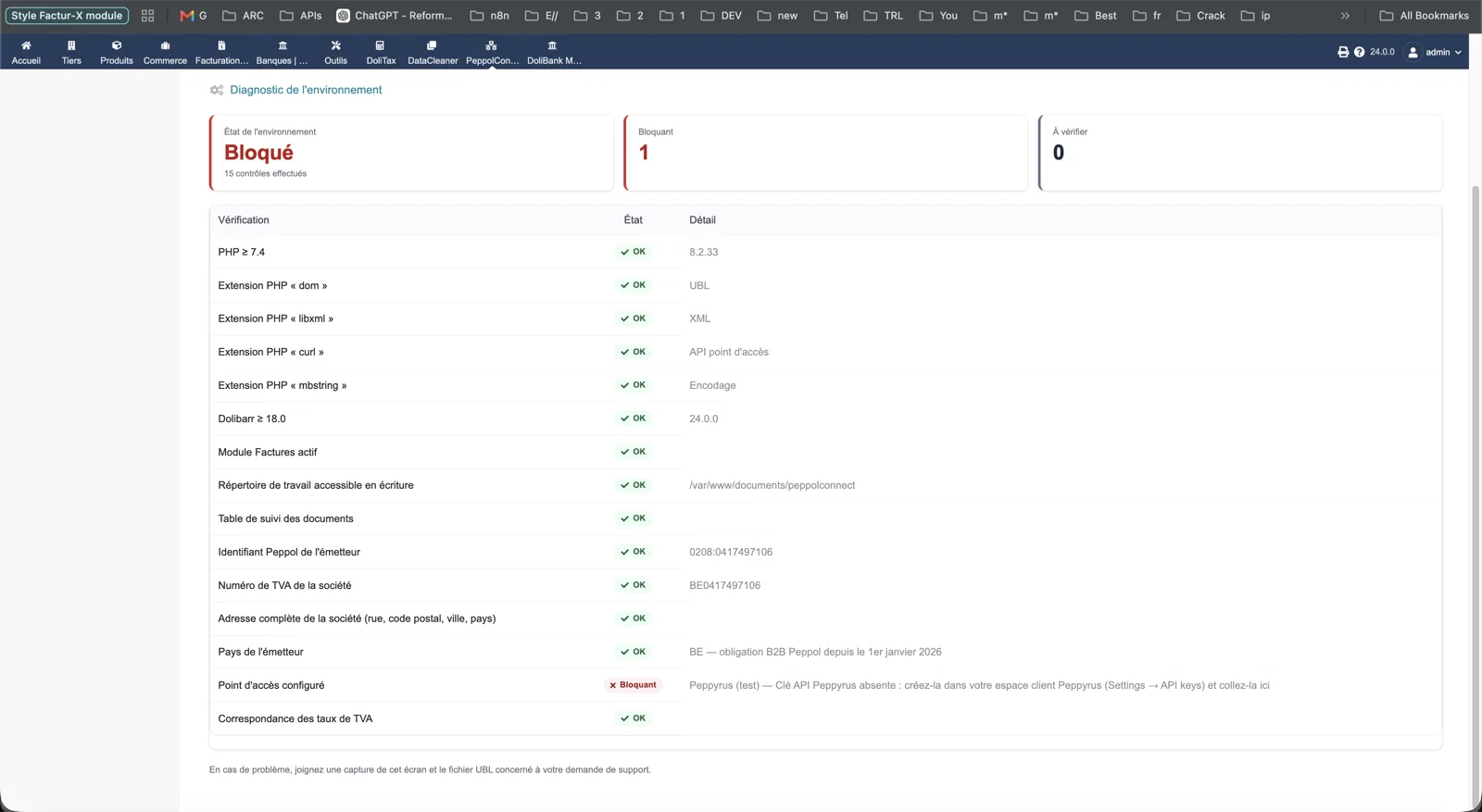
Environment diagnostic
The About tab runs fifteen checks: PHP version and extensions, Dolibarr version, Invoices module, writable directory, tracking table, sender identifier, VAT number, address, sender country, configured access point and VAT rate mapping. A missing API key is flagged as blocking.
Dolibarr · Demonstration data · Open the image to enlarge.