Discover the module screen by screen, with annotated Dolibarr screenshots and demonstration data. This is a guided presentation, not a live demo.
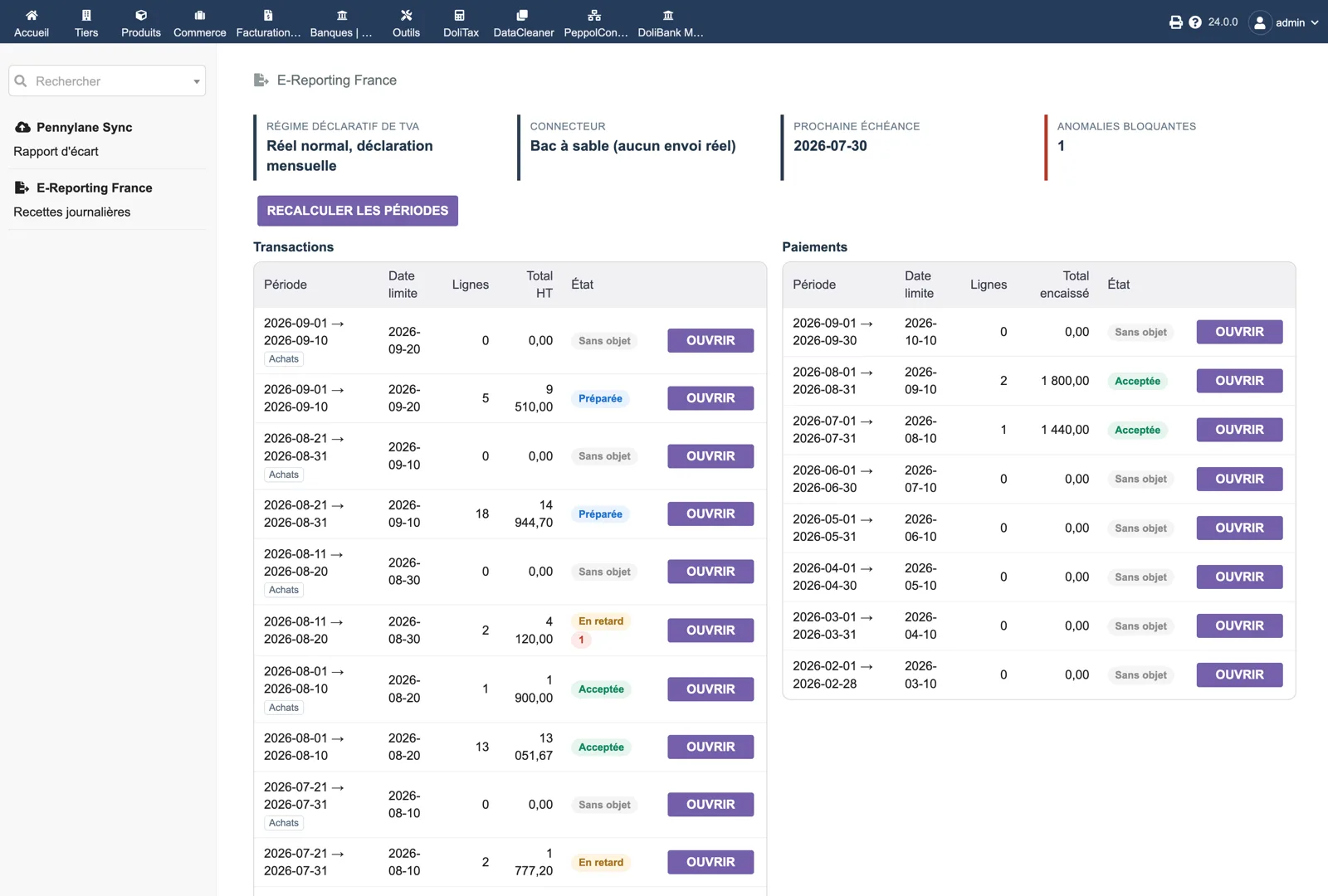
Two calendars side by side
The dashboard header shows the VAT regime (standard, monthly return), the connector (sandbox, nothing really sent), the next deadline and the number of blocking anomalies. On the left, ten-day transaction periods (sales and purchases) with lines, total excl. VAT and status: nothing to report, prepared, late, accepted. On the right, monthly payment periods with the amount collected.
Dolibarr · Demonstration data · Open the image to enlarge.
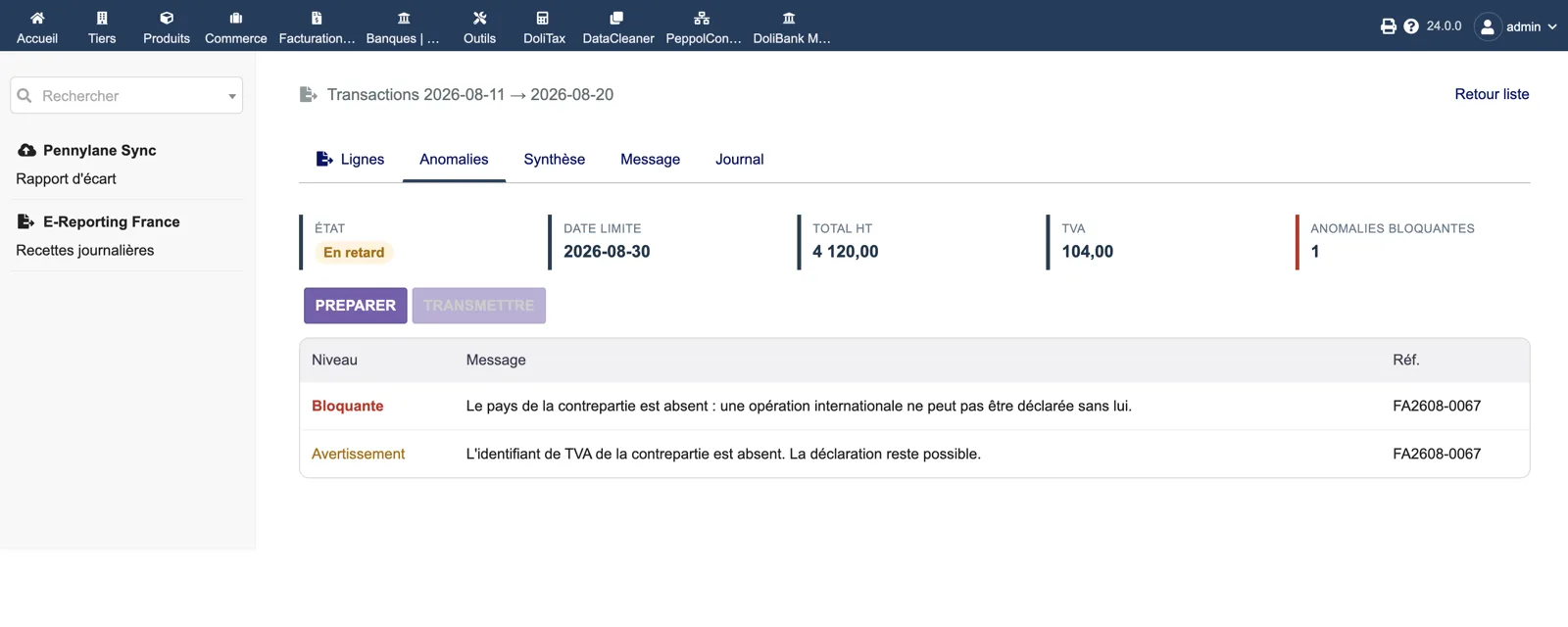
A blocking anomaly
Period 2026-08-11 → 2026-08-20 is late with one blocking anomaly; the Send button is greyed out. The Anomalies tab lists “Blocking: the counterparty country is missing, an international operation cannot be declared without it” and a warning about the missing VAT id, which does not prevent filing. Both point to invoice FA2608-0067.
Dolibarr · Demonstration data · Open the image to enlarge.
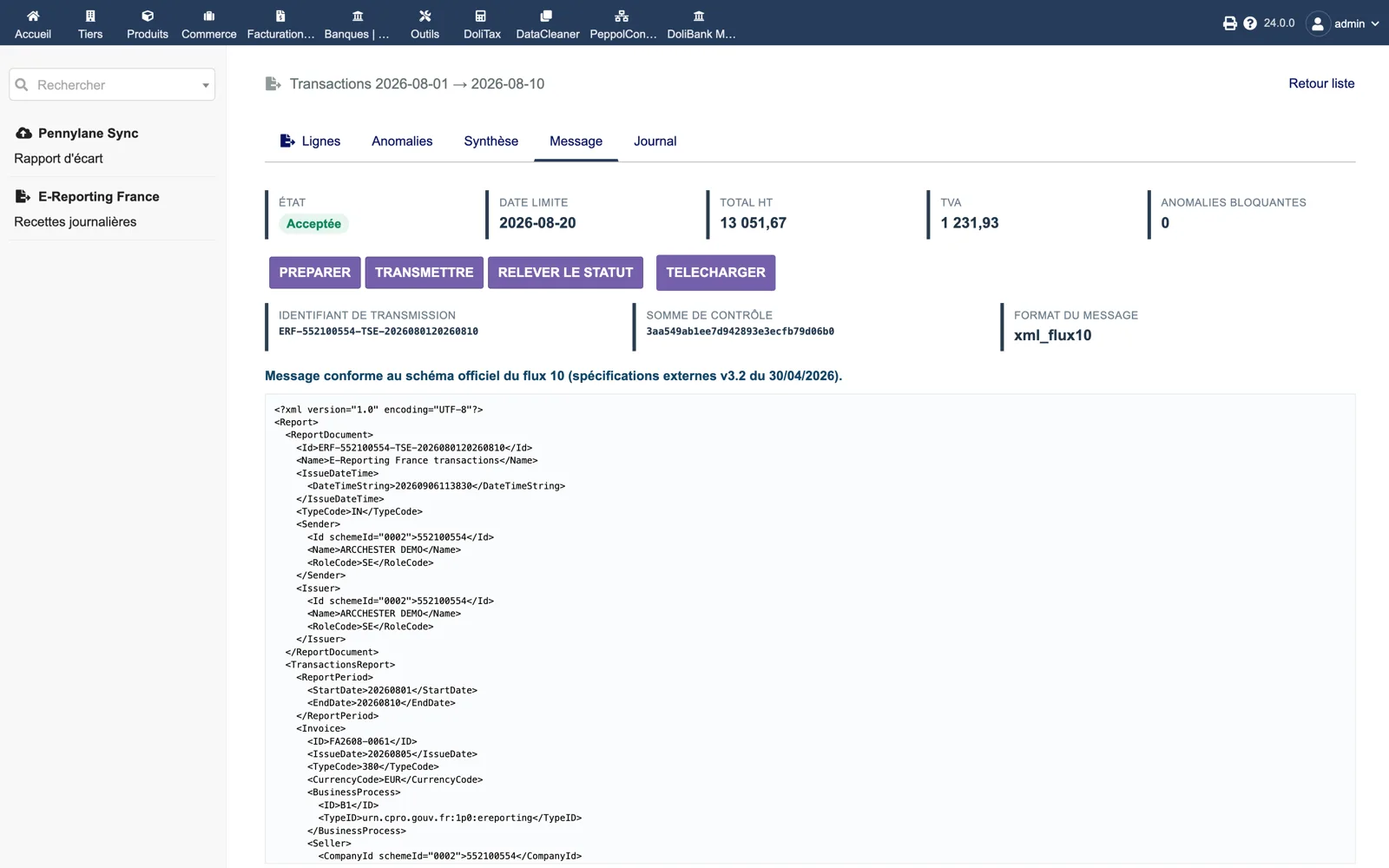
The official message
An accepted period shows its transmission id (ERF-…-TSE-…), its checksum, the format xml_flux10 and the line “Message conforming to the official flow 10 schema (external specifications v3.2 of 30/04/2026)” above the XML: report document, sender, issuer, report period, then each invoice with its type code, currency and business process.
Dolibarr · Demonstration data · Open the image to enlarge.
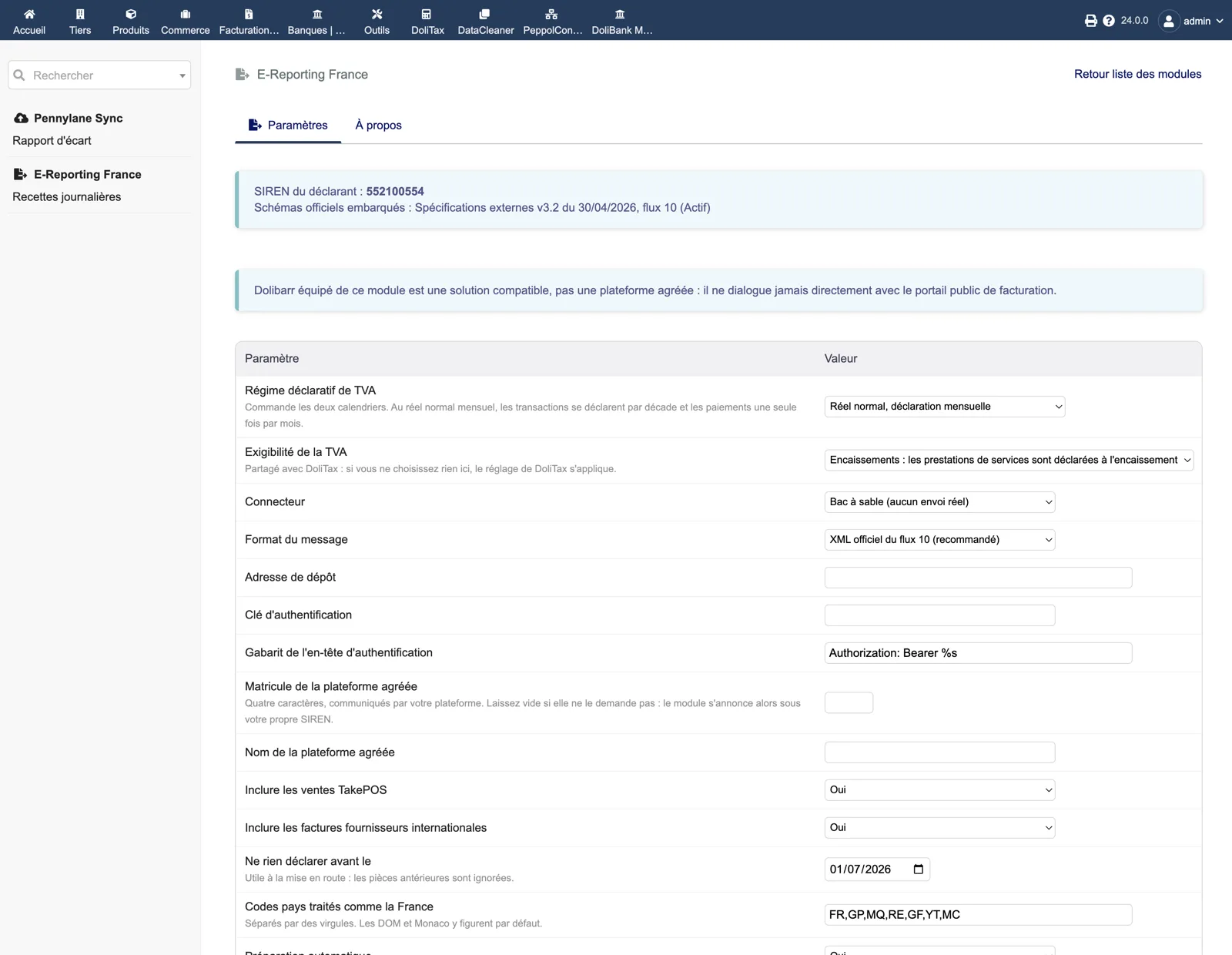
Setup
The banner recalls the filer SIREN and the embedded schemas. Below: VAT filing regime, VAT chargeability (shared with DoliTax), connector, message format, upload endpoint, authentication key and header template, accredited platform code and name, include point-of-sale sales, include international supplier invoices, “Do not declare anything before” date and the country codes treated as France.
Dolibarr · Demonstration data · Open the image to enlarge.