Discover the module screen by screen, with annotated Dolibarr screenshots and demonstration data. This is a guided presentation, not a live demo.
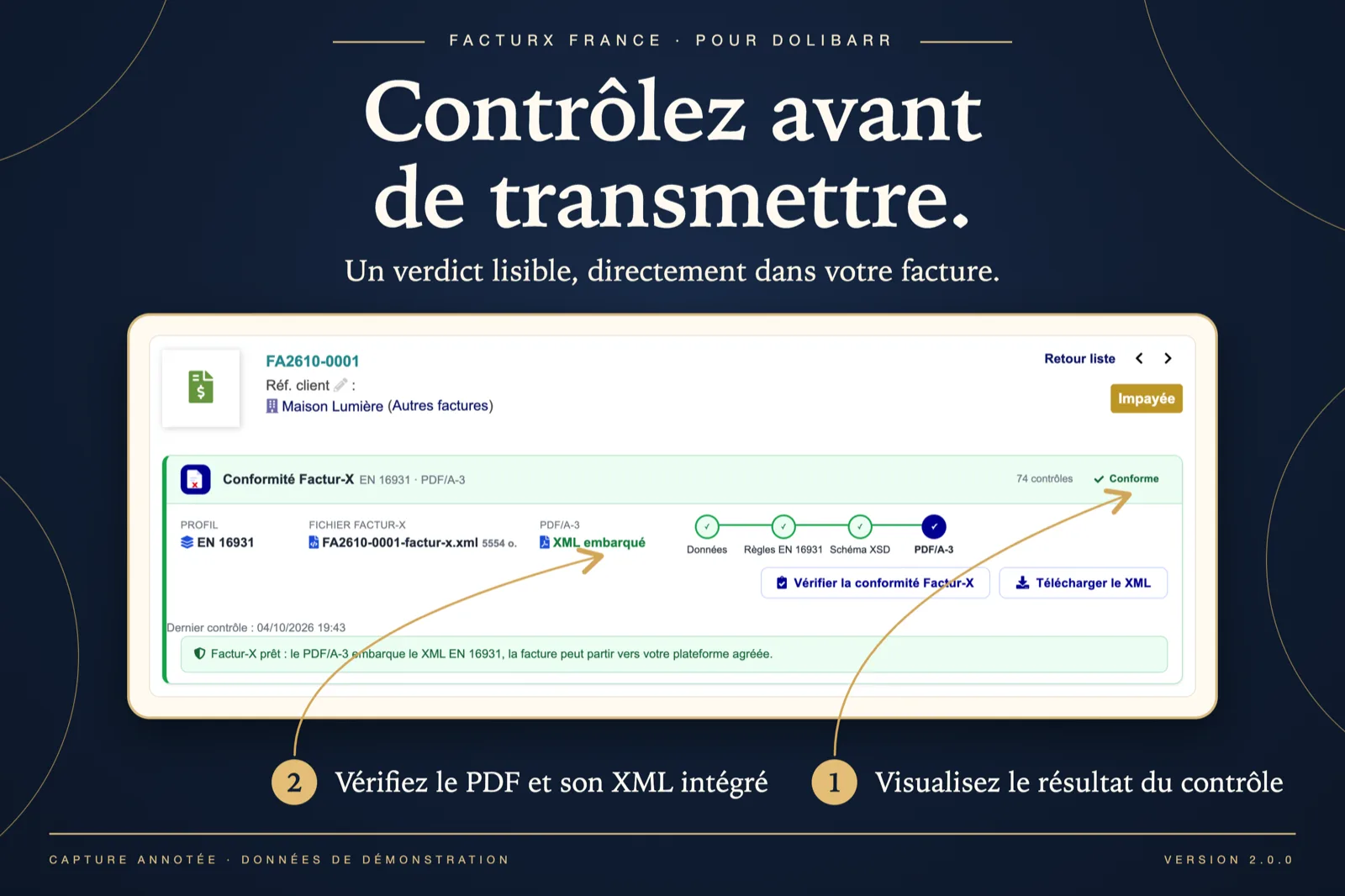
A verdict on the invoice card
The Factur-X panel shows the profile (EN 16931), the generated factur-x.xml file, the PDF/A-3 with the XML embedded and the four-step chain data → EN 16931 rules → XSD → PDF/A-3, all green: 74 checks, “Conforming”. Two buttons: check again, download the XML.
Dolibarr · Demonstration data · Open the image to enlarge.
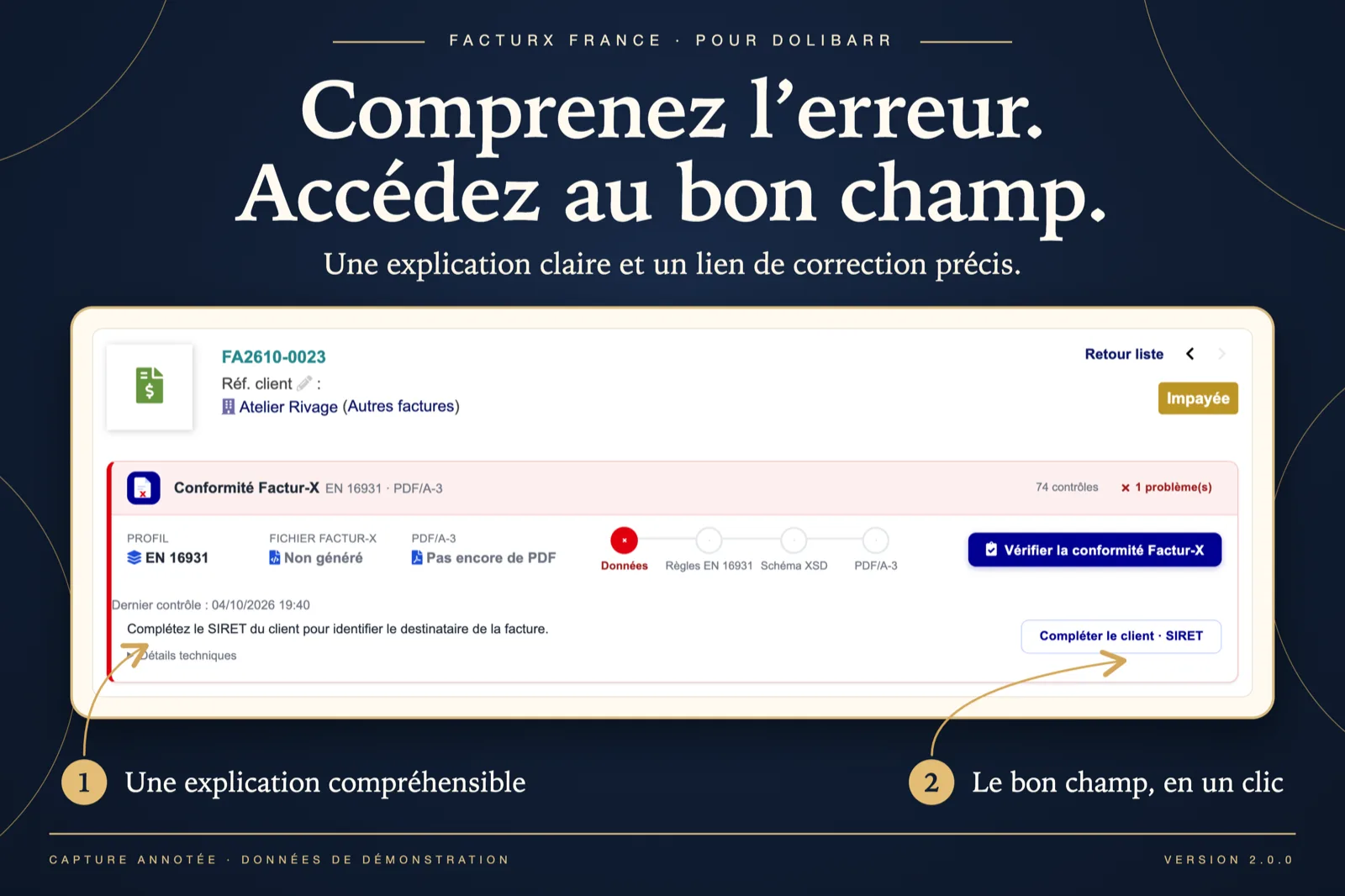
A clear explanation, the right field
On a failing invoice the chain stops in red at the “Data” step. The message reads “Fill in the customer SIRET to identify the invoice recipient”, with a “Complete the customer · SIRET” button that opens the third-party record. Technical details stay folded.
Dolibarr · Demonstration data · Open the image to enlarge.
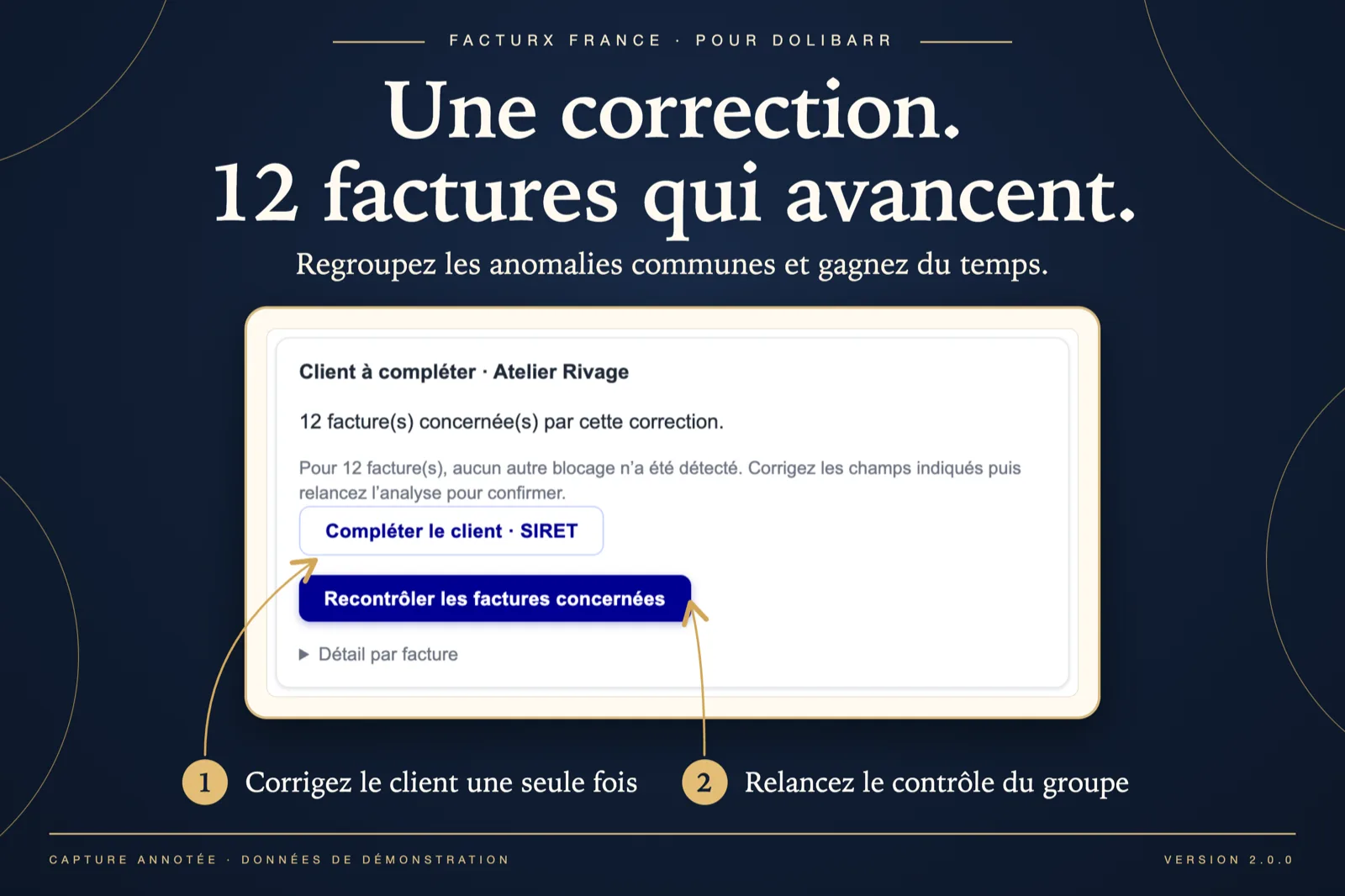
One fix, several invoices
In the dashboard, the common issue “Customer to complete · Atelier Rivage” concerns 12 invoices for which no other blocker was found. One link to fix the customer, one button to re-check the affected invoices, and a per-invoice detail list.
Dolibarr · Demonstration data · Open the image to enlarge.
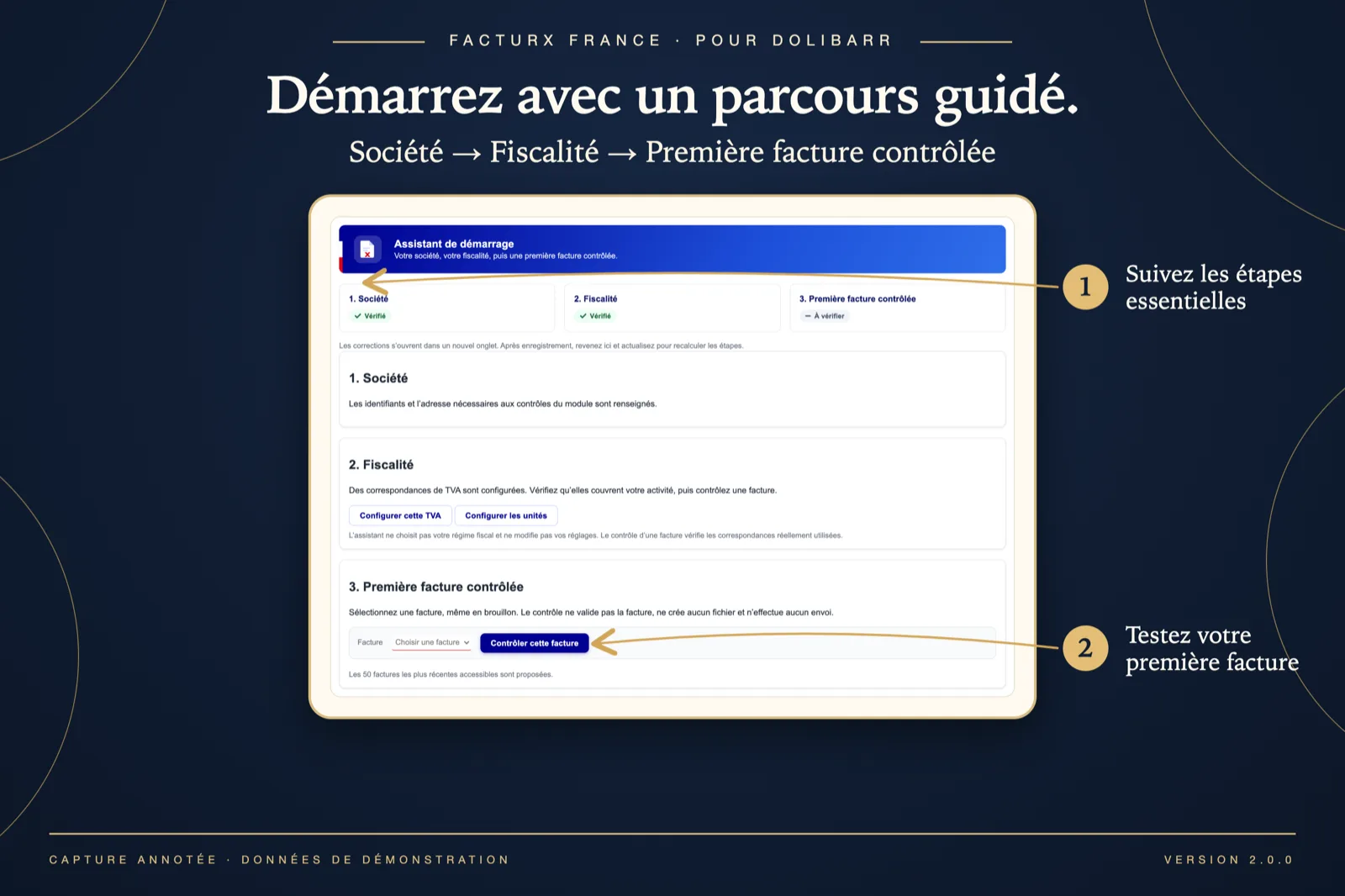
The onboarding assistant
Three steps: Company (verified), Tax settings (VAT mappings configured, with links to set up VAT and units) and First checked invoice, where you pick one of the 50 most recent invoices, even a draft, and click “Check this invoice”.
Dolibarr · Demonstration data · Open the image to enlarge.
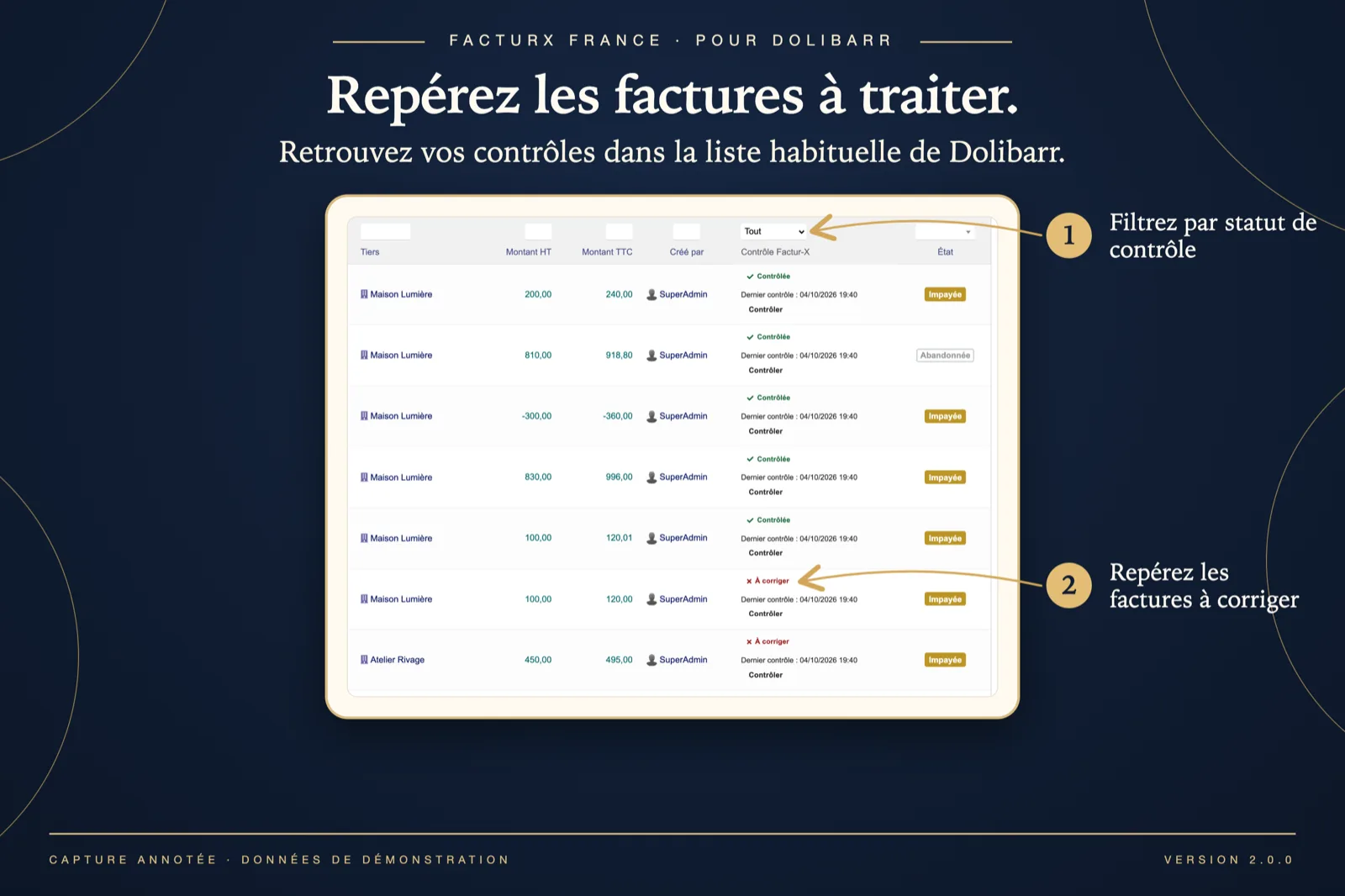
Checks in the native invoice list
The invoice list gains a “Factur-X check” column with a filter (All, To check, To fix, Checked, To re-check), the date of the last check and a “Check” button on each row. Invoices to fix stand out in red.
Dolibarr · Demonstration data · Open the image to enlarge.
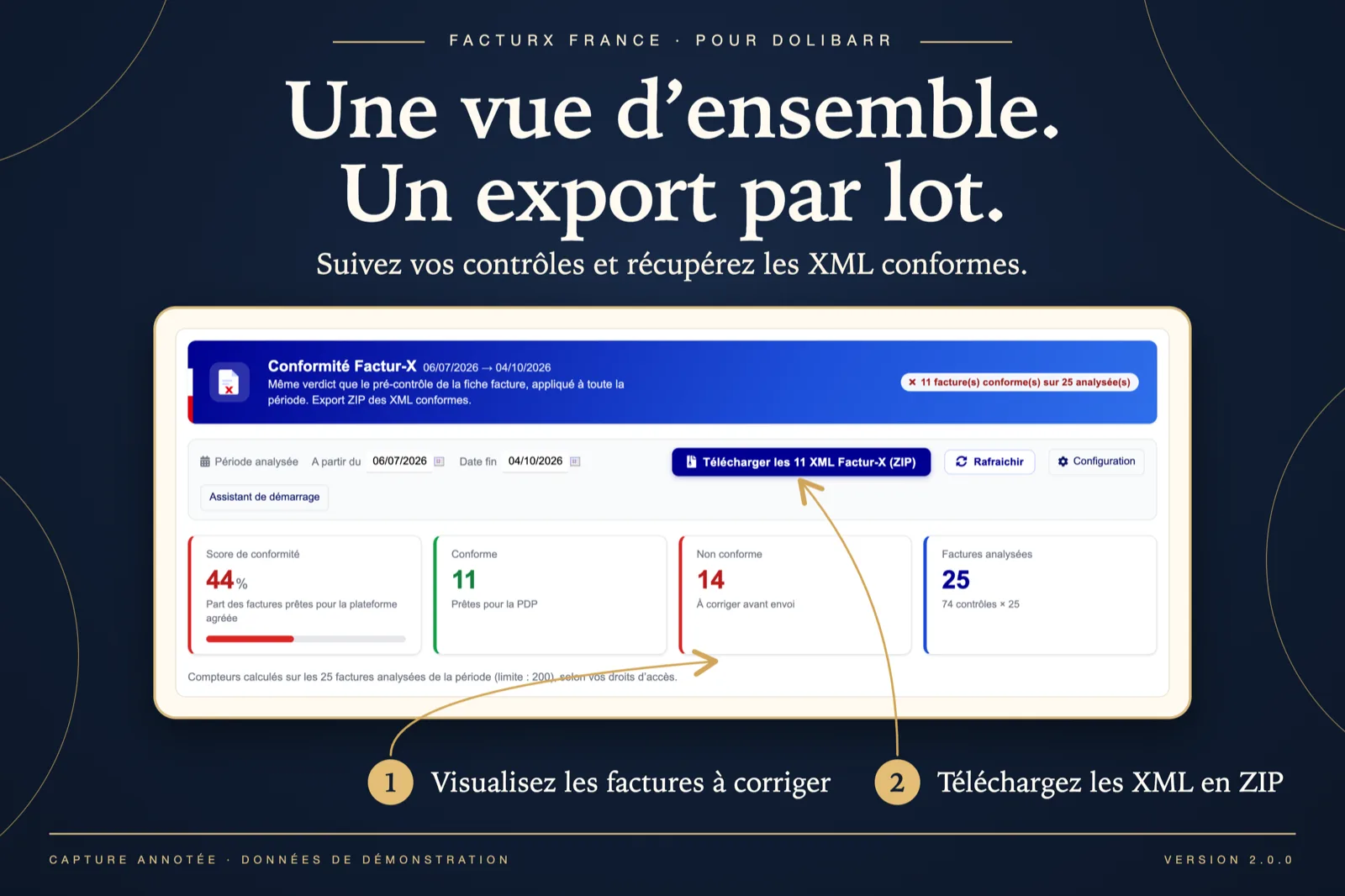
Dashboard and batch export
For the period 06/07/2026 → 04/10/2026: compliance score 44 %, 11 conforming, 14 to fix, 25 analysed. The toolbar offers “Download the 11 Factur-X XML (ZIP)”, refresh, setup and the onboarding assistant.
Dolibarr · Demonstration data · Open the image to enlarge.
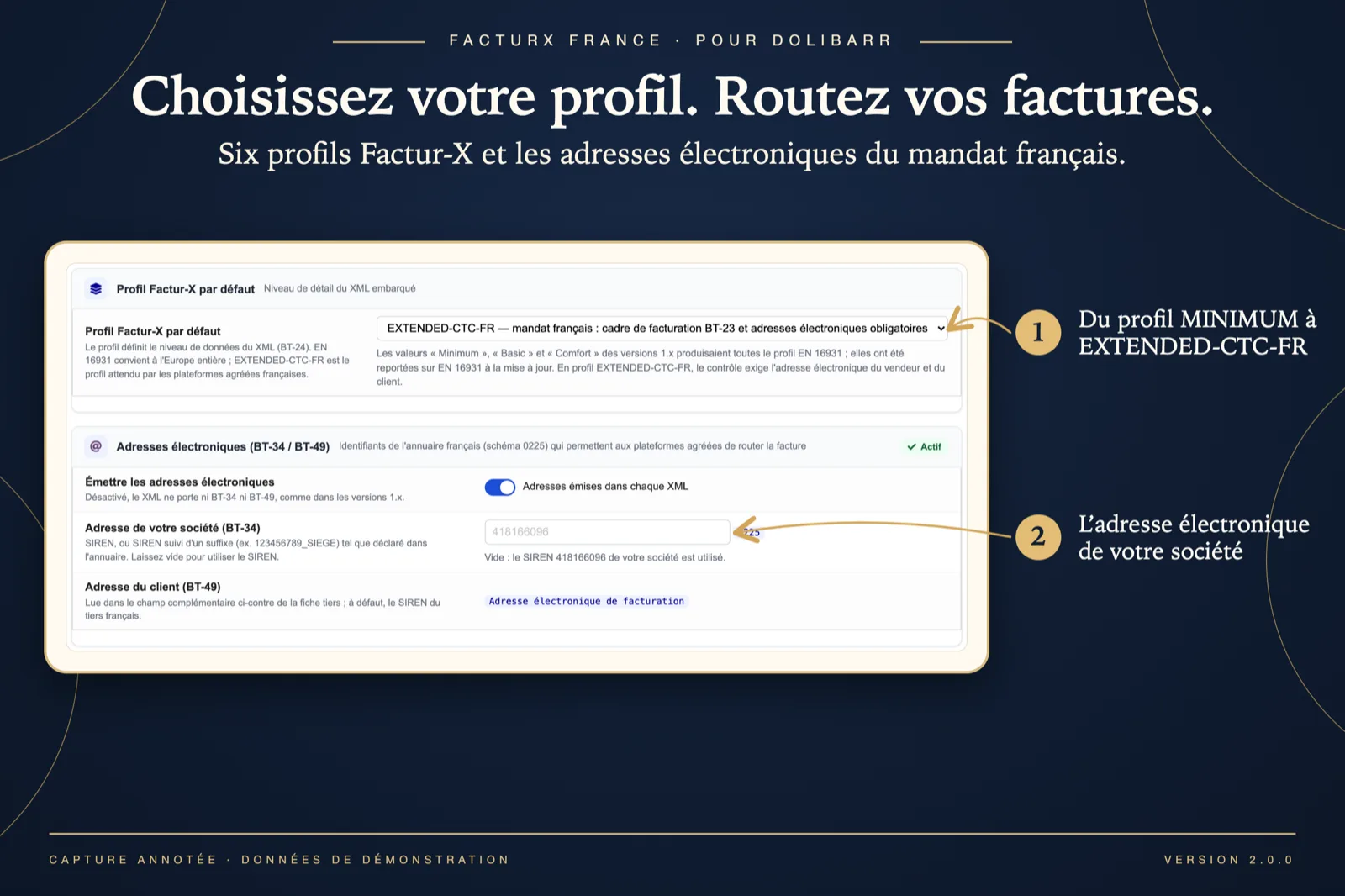
Profile and electronic addresses
The setup card “Default Factur-X profile” lists the six profiles, here EXTENDED-CTC-FR. Below, electronic addresses (BT-34 / BT-49) are switched on: your company address defaults to its SIREN, the customer address is read from the “Electronic invoicing address” field on the third-party record.
Dolibarr · Demonstration data · Open the image to enlarge.
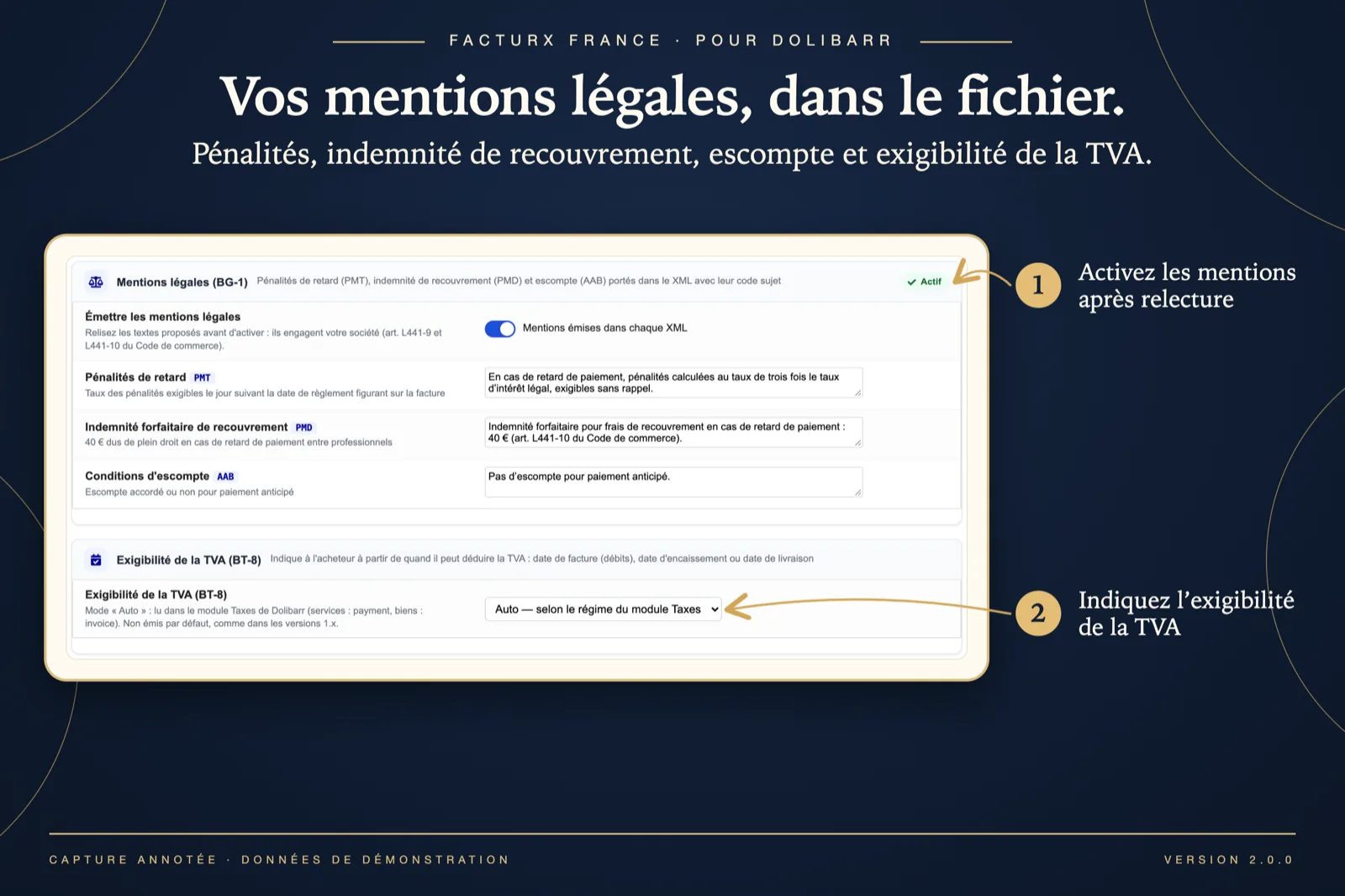
Legal notes and VAT chargeability
The “Legal notes (BG-1)” card carries editable texts for late-payment penalties (PMT), the recovery indemnity (PMD) and discount terms (AAB), to review before switching on. The “VAT chargeability (BT-8)” card offers Auto (read from the Taxes module) or a fixed code.
Dolibarr · Demonstration data · Open the image to enlarge.