Discover the module screen by screen, with annotated Dolibarr screenshots and demonstration data. This is a guided presentation, not a live demo.
A button on the validated invoice
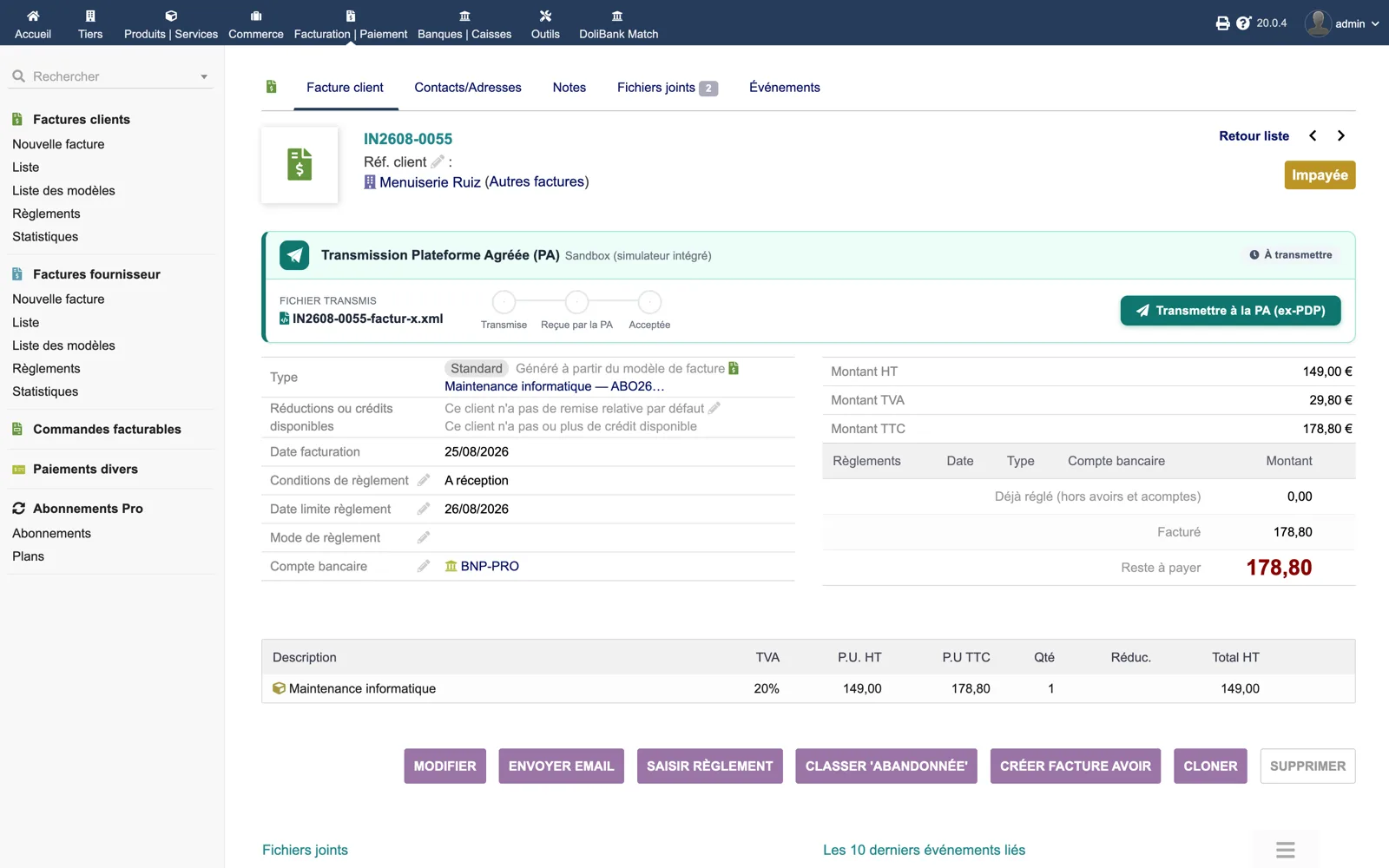
On invoice IN2608-0055 the panel “Approved Platform transmission (PA)” shows the active connector (Sandbox), the file to send (IN2608-0055-factur-x.xml), the empty chain Submitted → Received by the PA → Accepted and the green button “Transmit to the PA”.
Dolibarr · Demonstration data · Open the image to enlarge.
Accepted, with its platform identifier
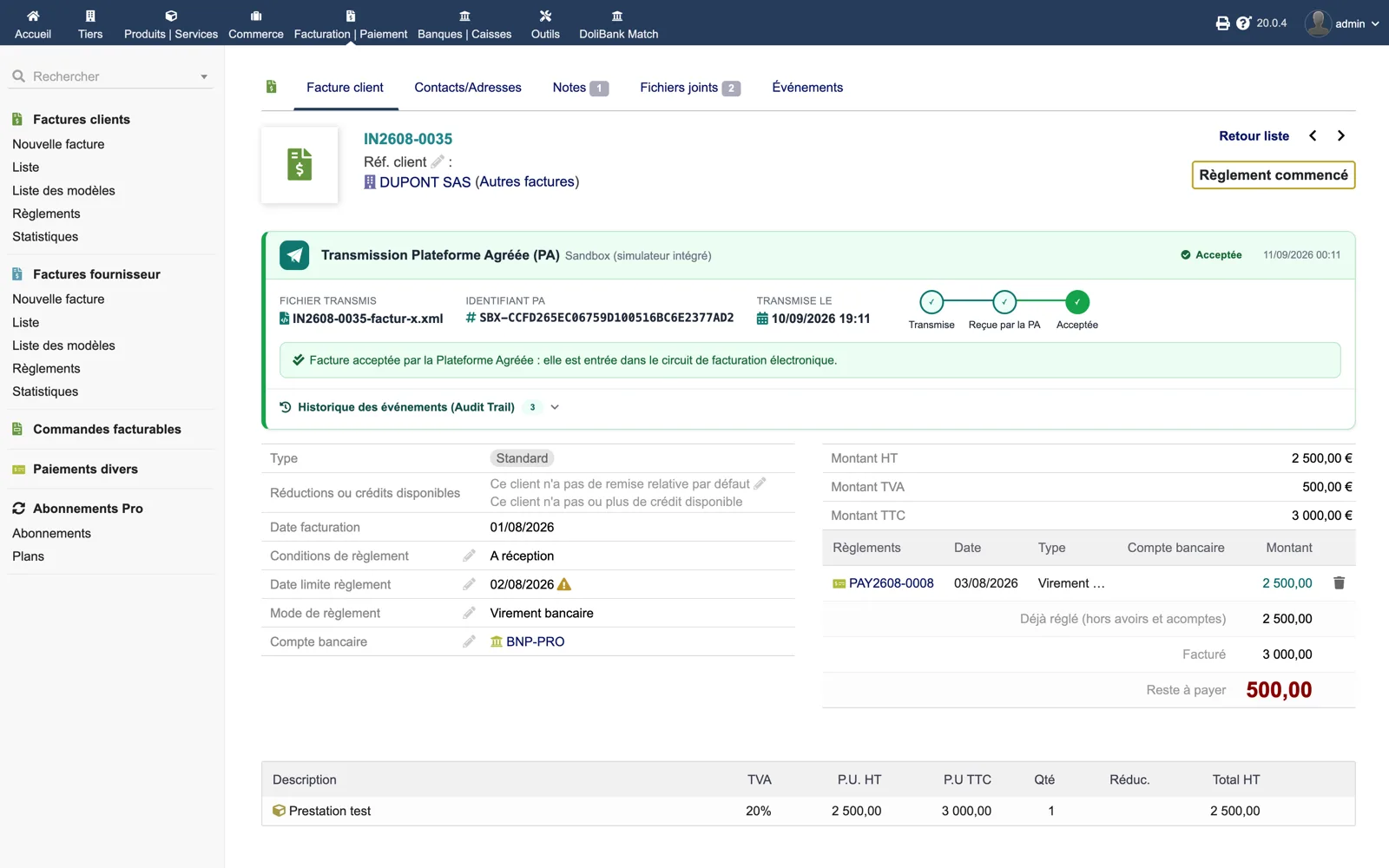
After transmission and refresh, the panel displays the transmitted file, the PA identifier (SBX-…), the submission date and time, the chain with its three green steps and the message “Invoice accepted by the Approved Platform”. The audit trail is folded below.
Dolibarr · Demonstration data · Open the image to enlarge.
The audit trail unfolded
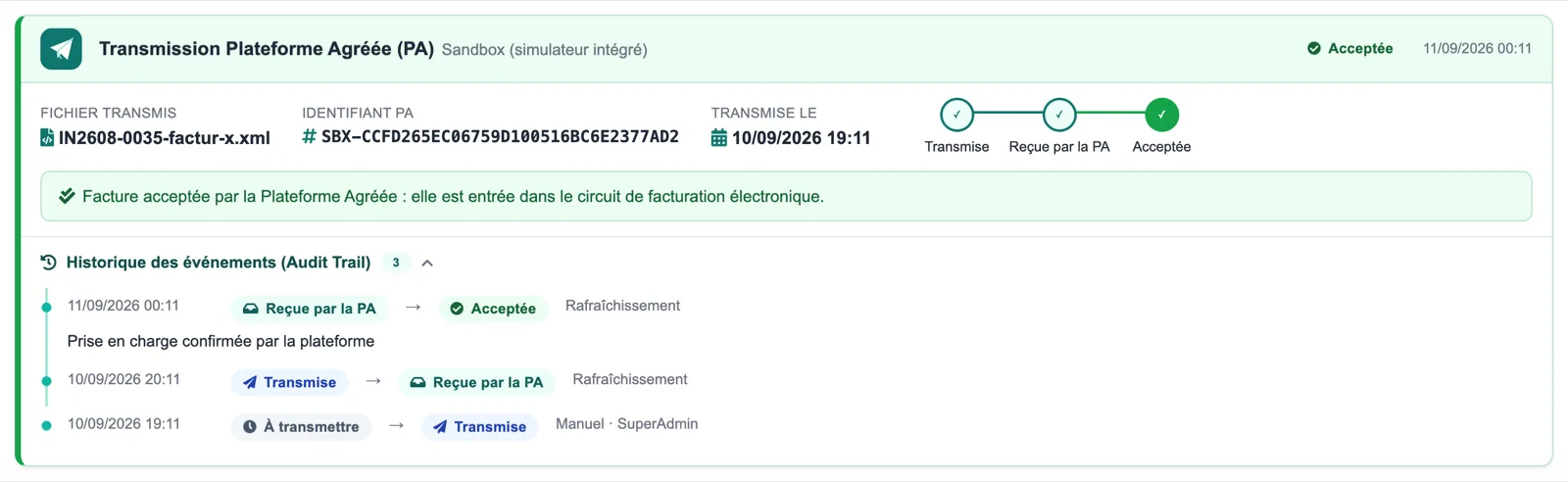
Three dated events, most recent first: Received by the PA → Accepted (refresh), Submitted → Received by the PA (refresh), To transmit → Submitted (manual, by SuperAdmin). Each line names its source.
Dolibarr · Demonstration data · Open the image to enlarge.
A rejection and its reason
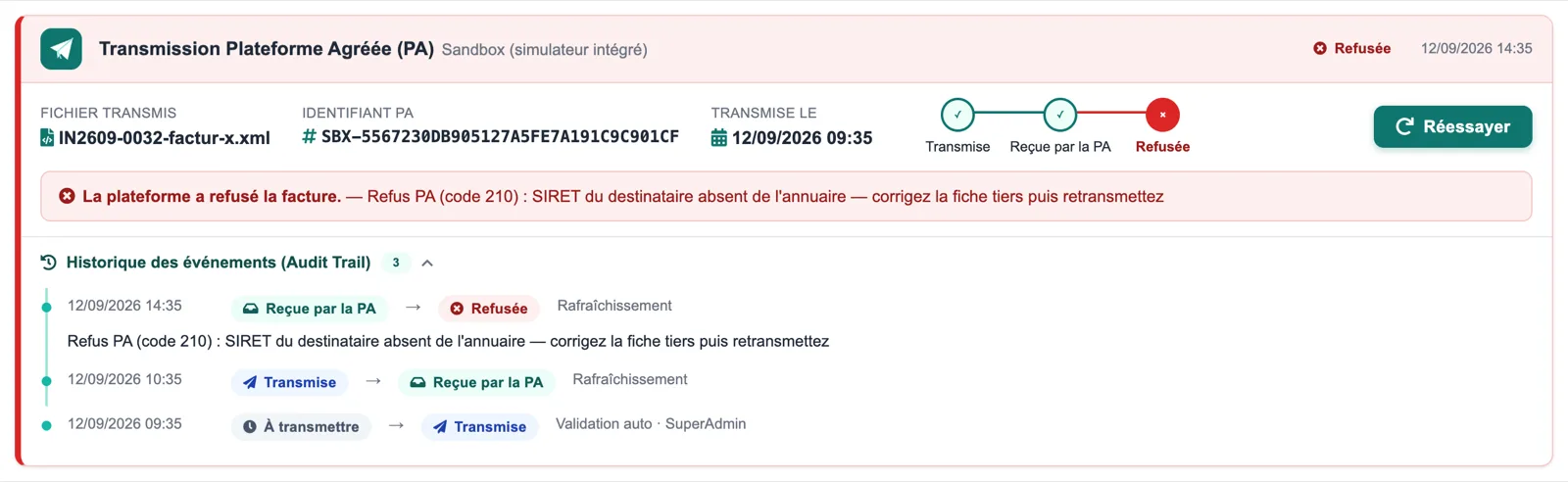
The panel turns red: status “Rejected”, message “Refusal (code 210): recipient SIRET missing from the directory, fix the third party then resend”, Retry button. The trail shows the invoice had been sent by automatic validation.
Dolibarr · Demonstration data · Open the image to enlarge.
The Journal tab
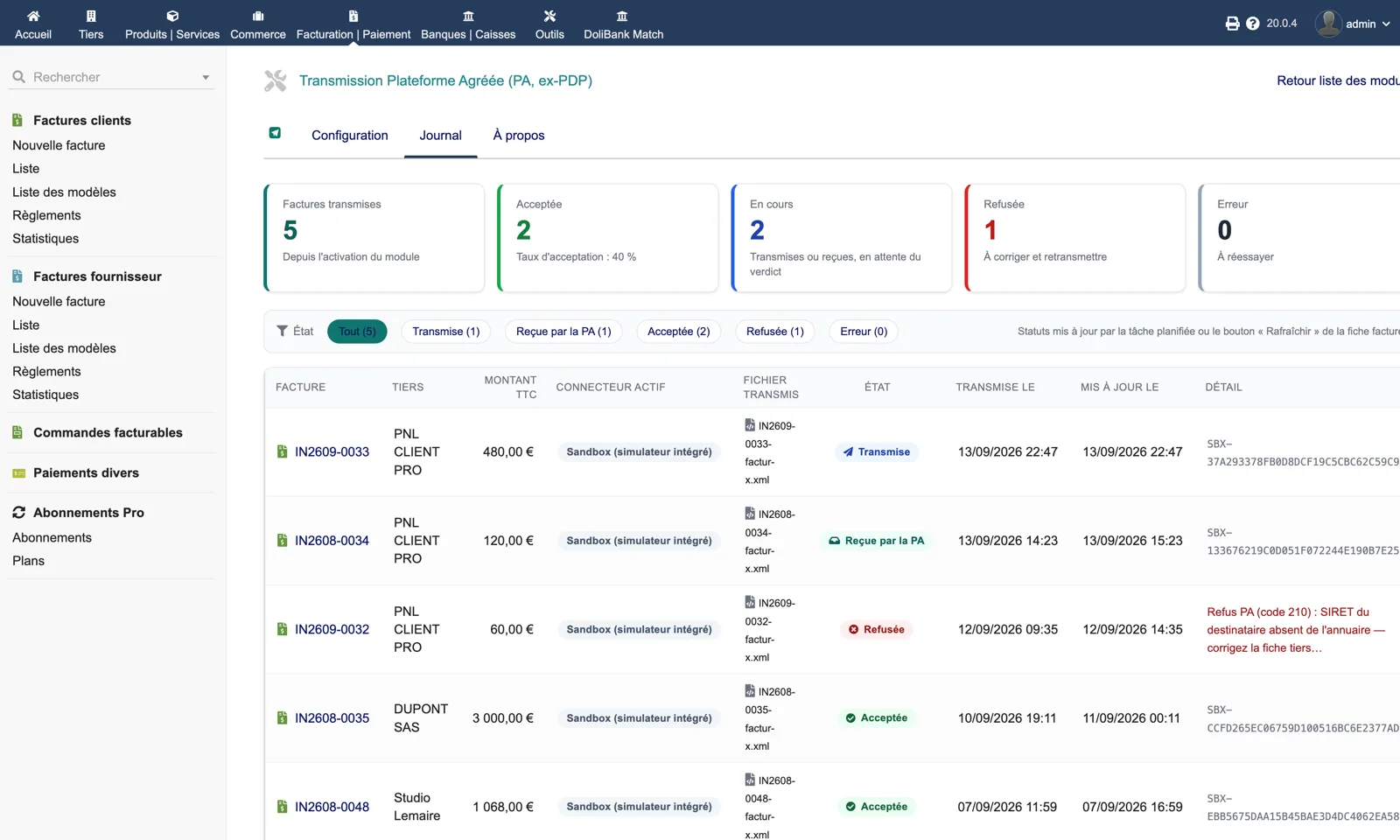
Five cards: transmitted (5), accepted (2, acceptance rate 40 %), in progress (2), rejected (1), error (0). The list can be filtered by status and shows the invoice, third party, amount, connector, file, status, dates and the platform identifier or the rejection reason.
Dolibarr · Demonstration data · Open the image to enlarge.
Setup
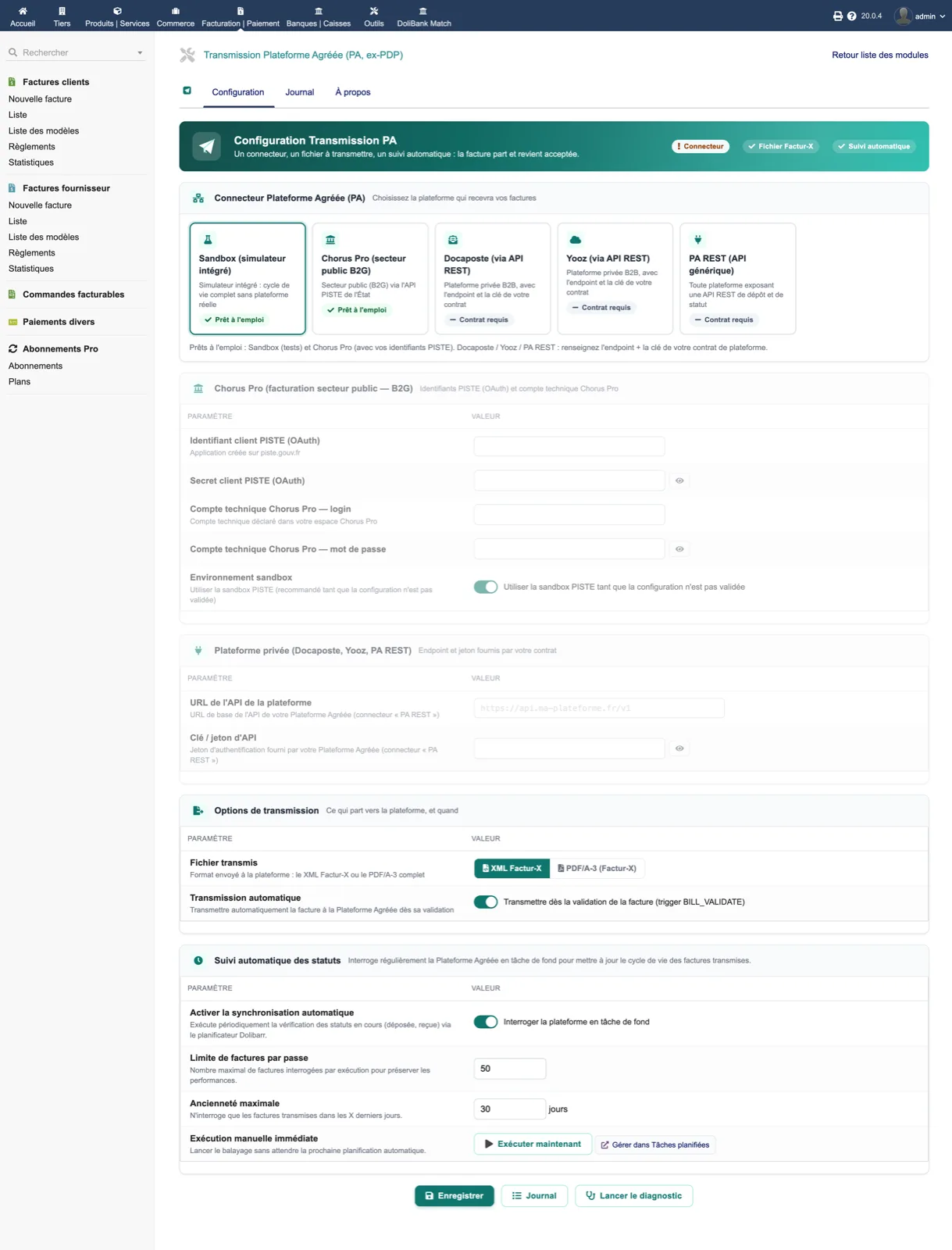
A readiness banner (connector, Factur-X file, automatic tracking), connector cards (Sandbox, Chorus Pro, Docaposte, Yooz, PA REST, plus a Pennylane card since 1.3.0), the Chorus Pro section (PISTE client ID and secret, technical account, sandbox switch), the private-platform section (API URL, key), transmission options (XML or PDF/A-3, automatic transmission) and the background status refresh (enable, limit per run, maximum age, run now).
Dolibarr · Demonstration data · Open the image to enlarge.
About and diagnostic
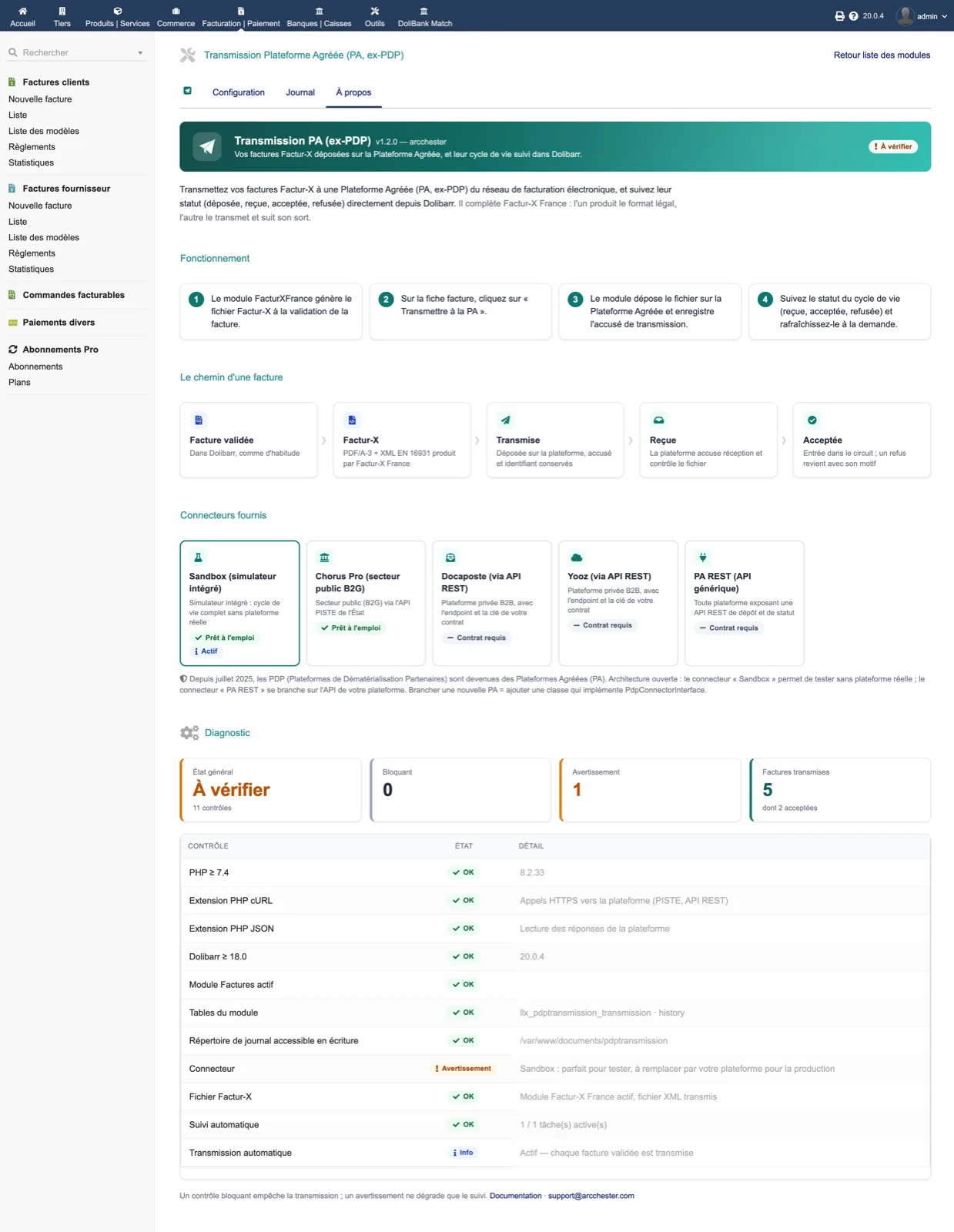
How it works in four steps, the path of an invoice (validated → Factur-X → submitted → received → accepted), the connector cards and an 11-point diagnostic: PHP, cURL, JSON, Dolibarr version, Invoices module, tables, log directory, connector, Factur-X file, automatic tracking, automatic transmission.
Dolibarr · Demonstration data · Open the image to enlarge.